
Introduction
The BANTI Height Adjustable Electric Standing Desk is designed to enhance your workspace by allowing seamless transitions between sitting and standing positions. This desk helps promote better posture and can alleviate discomfort associated with prolonged sitting. This manual provides detailed instructions for assembly, operation, and maintenance to ensure optimal performance and longevity of your desk.
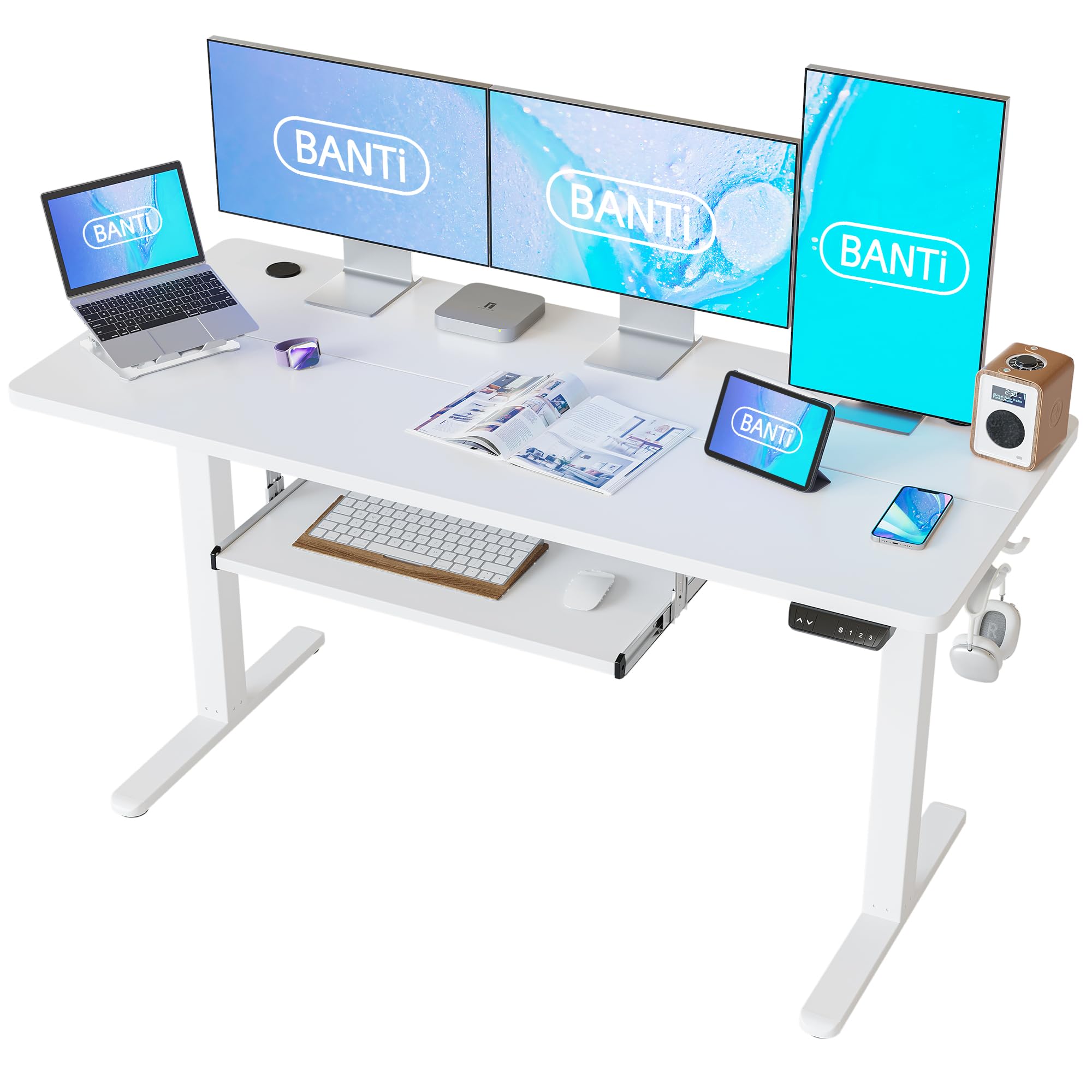
Image: The BANTI electric standing desk in a typical office setup.
Safety Information
Please read all safety instructions before assembly and use. Failure to follow these instructions may result in injury or damage to the product.
- Always ensure the desk is properly assembled and stable before use.
- Do not exceed the maximum weight recommendation of 176 pounds (80 kg).
- Keep the desk area clear of obstacles during height adjustment to prevent accidents.
- Always utilize the anti-collision feature to avoid potential damage or injury to objects or persons.
- Keep children and pets away from the desk during operation.
- Ensure all cables are properly managed to prevent entanglement or damage during movement.
Components List
Before beginning assembly, verify that all components are present and undamaged. Refer to the included parts list in your package for specific quantities.
- Desktop (Splice Board)
- Electric Lifting System (Motor and Legs)
- Control Panel with Memory Presets
- Keyboard Tray (23.2" x 9.8")
- Under-table Hooks (2 pcs)
- Cable Management Tray
- Replaceable Lockable Casters (optional installation)
- Assembly Tools and Hardware

Image: Keyboard tray dimensions.

Image: Desk accessories including cable management, hooks, and casters.
Setup and Assembly
The assembly process for the BANTI standing desk has been optimized for user convenience. A detailed installation video is available for visual guidance. All necessary assembly tools and instructions are included in the package.
- Unpack Components: Carefully remove all parts from the packaging and lay them out on a clean, soft surface to prevent scratches.
- Assemble Desk Frame: Follow the step-by-step instructions provided to assemble the alloy steel frame. Ensure all screws are tightened securely.
- Attach Desktop: Secure the splice board desktop to the assembled frame.
- Install Keyboard Tray: Mount the slide-out keyboard tray according to the instructions.
- Install Accessories: Attach the under-table hooks and cable management tray. If desired, replace the standard feet with the lockable casters.
- Connect Control Panel: Connect the control panel and motor cables as indicated in the manual.
- Cable Management: Organize all cables using the provided cable management solutions to ensure smooth operation and prevent damage.
Note: For a visual guide, please refer to the detailed installation video provided by BANTI.
Operating Instructions
Your BANTI electric standing desk features an intuitive control panel for easy height adjustment and memory functions.
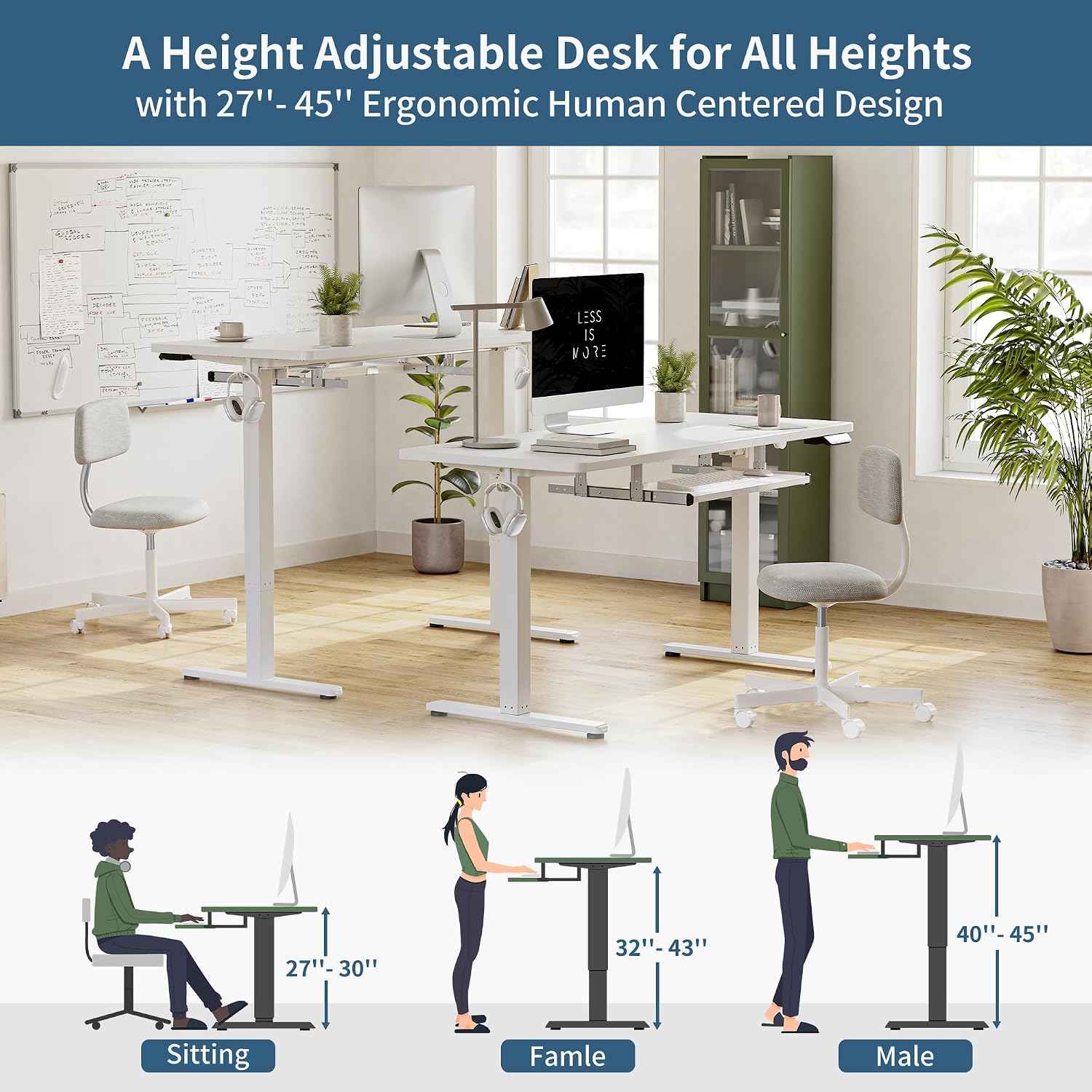
Image: Multi-Function Intelligent Keypad.
Height Adjustment
- Up/Down Buttons: Use the ▲ and ▼ arrow buttons on the control panel to manually adjust the desk height. The desk moves at approximately 0.8 inches per second with low noise (under 50 dB).
- The adjustable height range is 27.3 inches to 45.5 inches. If detachable lockable casters are installed, the range extends to 30.3 inches to 48.5 inches.

Image: Height adjustment for various user postures.
Memory Presets
The desk features 3 programmable memory height buttons to save your preferred sitting and standing heights.
- Set a Memory Position: Adjust the desk to your desired height using the Up/Down buttons.
- Press the "S" button (Set). The display will flash.
- Immediately press one of the number buttons (1, 2, or 3) to save the current height to that preset. The display will show "S-" followed by the number to confirm.
- Recall a Memory Position: Press the corresponding number button (1, 2, or 3) to automatically move the desk to the saved height.
Anti-Collision Technology
The desk is equipped with an anti-collision system. If the desk encounters an obstacle during height adjustment, it will automatically stop and move approximately 2 cm in the opposite direction to prevent damage or injury.

Image: Anti-Collision Technology in action.
Keyboard Tray Usage
The slide-out keyboard tray provides additional space for your keyboard and mouse. It can be retracted under the desktop when not in use to maximize your workspace.

Image: Maximizing desk space with the retractable keyboard tray.
Maintenance
Regular maintenance ensures the longevity and smooth operation of your BANTI standing desk.
- Cleaning: Wipe the desktop and frame with a soft, damp cloth. Avoid harsh chemicals or abrasive cleaners.
- Check Connections: Periodically check all screws and bolts to ensure they are tight. Re-tighten if necessary.
- Cable Management: Ensure cables remain tidy and are not pinched or tangled, especially during height adjustments.
- Motor Care: The electric motor is designed for durability. Avoid overloading the desk beyond its maximum weight capacity.
Troubleshooting
If you encounter issues with your BANTI standing desk, refer to the following common troubleshooting steps:
| Problem | Possible Cause | Solution |
|---|---|---|
| Desk does not move. | Power cable disconnected; control panel cable loose; overload. | Check all power and control panel connections. Reduce weight on the desk. |
| Desk moves unevenly or makes unusual noise. | Loose connections; uneven weight distribution; obstruction. | Ensure all screws are tight. Distribute weight evenly. Check for obstructions. |
| Anti-collision feature triggers too often. | Sensitivity setting too high; minor obstructions. | Clear the area around the desk. Consult the full manual for sensitivity adjustment if available. |
| Memory presets not working. | Presets not properly saved. | Re-program the memory presets following the operating instructions. |
If these steps do not resolve the issue, please contact BANTI customer support for further assistance.
Specifications
| Brand | BANTI |
| Model Number | B-DJP-63WE |
| Product Dimensions (D x W x H) | 24"D x 63"W x 48.5"H |
| Adjustable Height Range | 27.3" - 45.5" (30.3" - 48.5" with casters) |
| Maximum Weight Capacity | 176 lbs (80 kg) |
| Lifting Mechanism | Electric (Single Motor) |
| Lifting Speed | Approx. 0.8 inches/second |
| Noise Level | Under 50 dB |
| Material | Engineered Wood (Desktop), Alloy Steel (Frame) |
| Keyboard Tray Dimensions | 23.2" x 9.8" |
| Special Features | 3 Memory Presets, Anti-Collision Technology, Keyboard Tray, Cable Management, Desk Hooks, Optional Casters |
| Assembly Required | Yes (Tools Included) |
Warranty and Support
BANTI stands behind the quality of its products. Your electric standing desk comes with the following warranty:
- Motor: 2-year warranty
- Frame: 5-year warranty
For any questions, warranty concerns, or technical support during assembly and use, please do not hesitate to contact BANTI customer service. Refer to your product packaging or the BANTI official website for contact information.
You can also visit the BANTI Store on Amazon for more information and support resources.


