
Product Overview
The Atyhao Expression Clock is a multifunctional digital alarm clock designed with a cute dog shape, featuring interactive expressions and a voice-activated night light. It is suitable for children and toddlers, offering dual alarm settings, a snooze function, and adjustable volume.
Key Features:
- Interactive Expressions: Displays cute expressions when activated, creating engaging interaction.
- Dual Alarm Clock: Allows setting of two independent alarms for different schedules.
- Voice-Activated Night Light: Features a warm night light that can be activated by sound or tapping.
- Snooze Mode: Provides a convenient snooze function by shaking the clock.
- Adjustable Volume: Alarm bell volume can be adjusted to suit user preference.
- Durable Material: Constructed from premium plastic for durability.
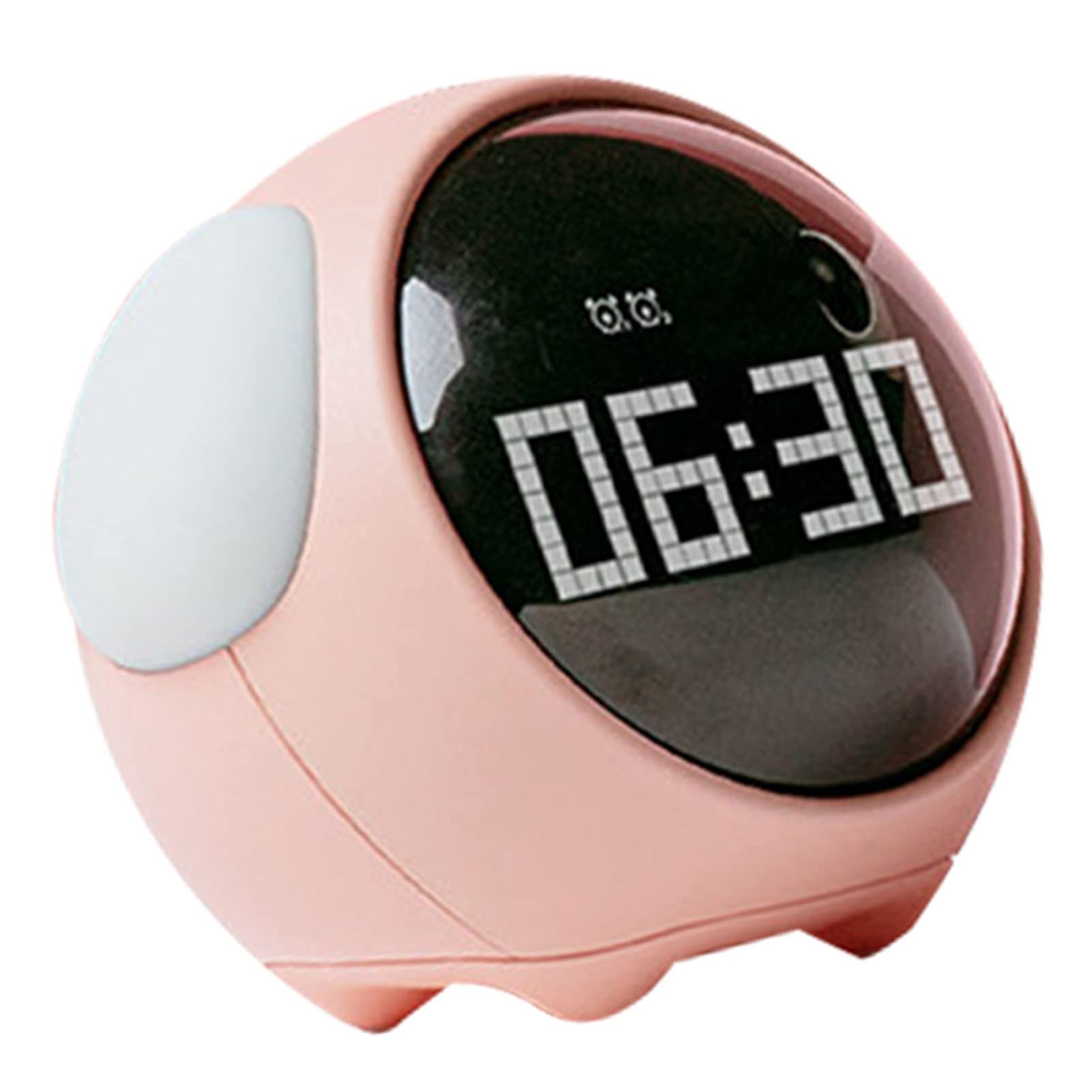
Image: The Atyhao Expression Clock in pink, showing the digital time 06:30, with its integrated night light softly illuminated. It is placed on a light-colored surface, likely a bedside table.
Safety Information
- Keep the device away from water and excessive moisture.
- Do not expose the device to extreme temperatures or direct sunlight.
- Avoid dropping or subjecting the device to strong impacts.
- Use only the specified charging cable (if applicable) to power the device.
- Do not attempt to disassemble or repair the device yourself. Contact support if issues arise.
- Keep out of reach of very young children to prevent choking hazards from small parts.
Package Contents
Please check the package for the following items:
- 1 x Atyhao Expression Clock
- 1 x USB Charging Cable (assumed)
- 1 x User Manual (this document)
Setup
Powering On and Charging:
The Atyhao Expression Clock is powered by an internal lithium battery. Before first use, it is recommended to fully charge the device.
- Locate the charging port on the back or bottom of the clock.
- Connect the provided USB charging cable to the clock and plug the other end into a standard USB power adapter (not included) or a computer's USB port.
- The charging indicator (if present) will illuminate during charging and turn off or change color when fully charged.
- Once charged, the clock will power on automatically or can be turned on using the power button (if available).

Image: A side view of the Atyhao Expression Clock, highlighting its compact and rounded form factor, with the digital display visible.
Operating Instructions
Familiarize yourself with the control buttons, typically located on the back or bottom of the clock. Common buttons include SET, UP/+, DOWN/-, ALARM, and LIGHT.
Setting the Time:
- Press and hold the SET button until the hour display starts flashing.
- Use the UP/+ or DOWN/- buttons to adjust the hour.
- Press SET again to move to the minute setting.
- Use the UP/+ or DOWN/- buttons to adjust the minutes.
- Press SET to confirm and exit time setting mode.
Setting Alarms (Dual Alarm):
This clock supports two independent alarms (Alarm 1 and Alarm 2).
- Press the ALARM button once to select Alarm 1. Press again for Alarm 2.
- Hold the ALARM button until the alarm hour flashes.
- Use UP/+ or DOWN/- to set the desired alarm hour.
- Press ALARM again to set the minutes.
- Use UP/+ or DOWN/- to set the desired alarm minutes.
- Press ALARM to confirm. You may then be prompted to set the alarm's activation days (e.g., weekdays, weekends, or everyday).
- To enable/disable an alarm, press the ALARM button briefly until the alarm icon appears or disappears on the display.
Night Light Function (Voice Activated):
The clock features a warm night light that can be activated by sound or touch.
- To activate the night light, tap the clock gently or make a sound (e.g., clap your hands) when in voice-activated mode.
- The night light will illuminate for a set duration.
- To manually control the night light or adjust brightness, refer to the LIGHT button or specific settings in the menu (if available).
Snooze Mode:
When the alarm rings, you can activate the snooze function.
- To snooze, gently shake the clock. The alarm will pause and ring again after approximately five minutes.
- To turn off the alarm completely for the day, press the designated top button or any other button as indicated by the clock's interface.
Adjusting Volume:
The alarm bell volume can be adjusted.
- During alarm setting or in a dedicated volume setting mode, use the UP/+ or DOWN/- buttons to increase or decrease the volume level.

Image: A detailed view of the Atyhao Expression Clock's digital screen, clearly showing the time 06:30 and small indicator icons, suggesting various functions or settings.
Maintenance
- Cleaning: Use a soft, dry cloth to wipe the surface of the clock. Do not use abrasive cleaners, solvents, or spray directly onto the device.
- Storage: When not in use for extended periods, store the clock in a cool, dry place, away from direct sunlight and extreme temperatures.
- Battery Care: To prolong battery life, avoid fully discharging the battery frequently. Recharge the clock periodically if stored for a long time.
Troubleshooting
| Problem | Possible Cause | Solution |
|---|---|---|
| Clock does not turn on. | Low or depleted battery. | Connect the clock to a power source using the USB charging cable and allow it to charge for at least 30 minutes. |
| Alarm does not sound. | Alarm is not enabled or volume is too low. | Ensure the alarm is set and enabled (check for alarm icon on display). Increase the alarm volume. |
| Night light does not activate. | Not in voice-activated mode or ambient noise is too low. | Ensure the clock is in voice-activated mode. Try tapping the clock or making a louder sound. Check battery level. |
| Time is incorrect. | Time was not set correctly or reset after power loss. | Follow the "Setting the Time" instructions to reset the current time. |
Specifications
| Brand | Atyhao |
| Model Number | Atyhaox5z9f4gm1v-12 |
| Display Type | Digital |
| Power Source | Battery Powered (Lithium battery) |
| Material | Plastic |
| Special Features | Adjustable Volume, Alarm, Snooze, Voice-Activated Night Light |
| Mounting Type | Tabletop |
| Indoor/Outdoor Usage | Indoor |
Warranty and Support
This product comes with a standard manufacturer's warranty. For specific warranty details, please refer to the documentation included with your purchase or contact the retailer.
For technical support, troubleshooting assistance, or inquiries about replacement parts, please contact Atyhao customer service through their official website or the retailer where the product was purchased. Please have your model number (Atyhaox5z9f4gm1v-12) and purchase date ready when contacting support.
Official Product Videos
No official product videos from the seller are available for embedding at this time.