
1. Product Overview
The Devoko 160x70 cm Electric Height Adjustable Desk is designed to provide a versatile and ergonomic workspace. It allows seamless transitions between sitting and standing positions, promoting a healthier work environment. This manual provides detailed instructions for assembly, operation, maintenance, and troubleshooting.
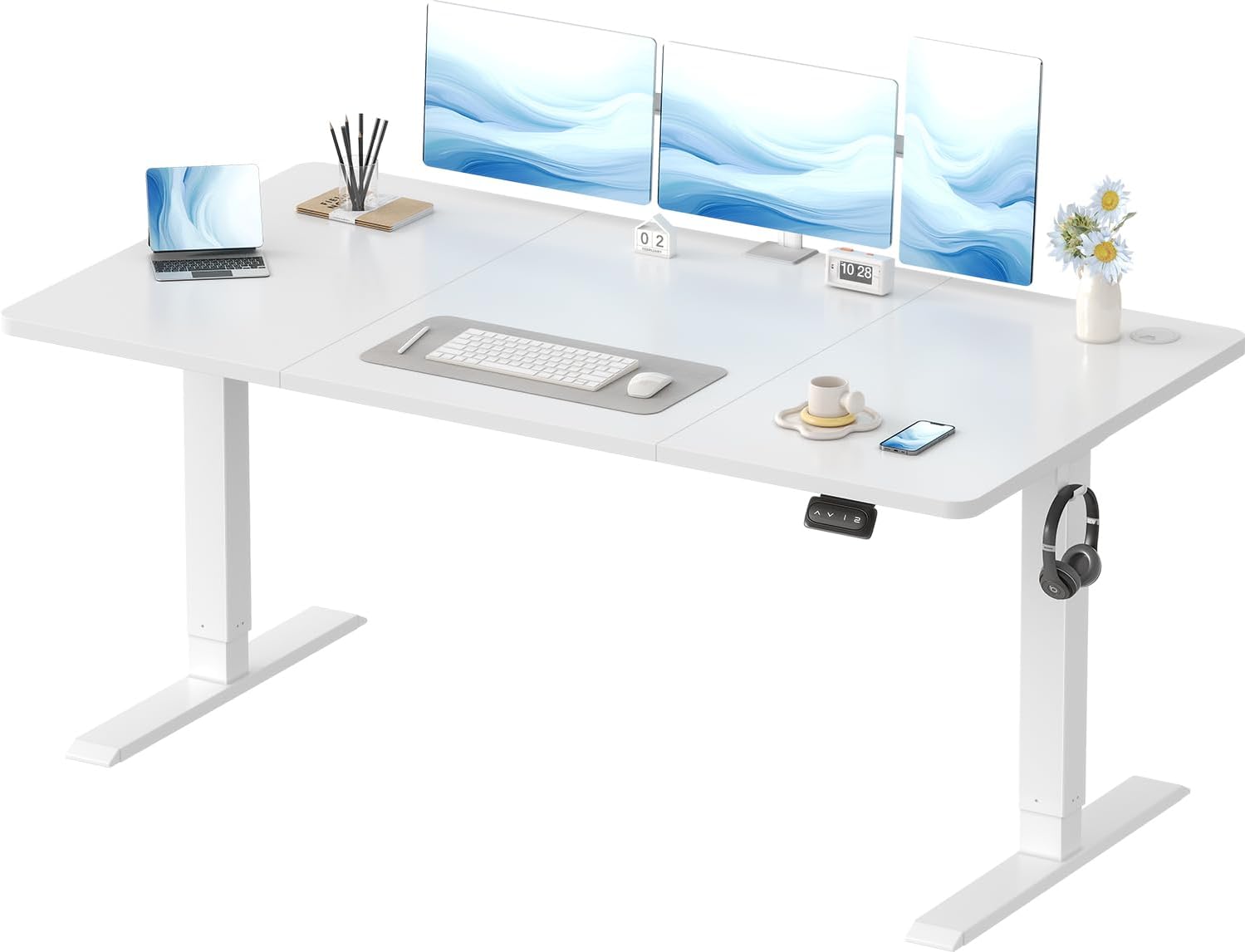
Image 1.1: The Devoko Electric Height Adjustable Desk, showcasing its spacious white desktop and sturdy frame, equipped with dual monitors, a laptop, and various office accessories.

Image 1.2: A diagram illustrating the desk's dimensions (160 cm width, 70 cm depth) and adjustable height range (73 cm to 118 cm), highlighting its 70 kg maximum weight capacity and various color options.

Image 1.3: A close-up view emphasizing the desk's rounded corner design, which enhances safety and aesthetics.
2. Safety Information
Please read all safety instructions carefully before assembly and use. Failure to follow these instructions may result in injury or damage to the product.
- This desk features an anti-collision system to prevent damage and injury.
- The maximum weight capacity is 70 kg (154 lbs). Do not exceed this limit.
- The adjustable height range is 71-119 cm (28-46.8 inches).
- Ensure proper installation and use to maintain stability.
- Always be aware of the desk's position and surrounding objects when adjusting the height.
- Keep children and pets away from the desk during operation.
- Do not place hands or other body parts near moving parts of the desk.
3. Package Contents
Verify that all components are present before beginning assembly. If any parts are missing or damaged, please contact customer support.

Image 3.1: All components of the Devoko height-adjustable desk laid out, including the three-piece desktop, steel frame, motor, control panel, and various screws and accessories. Installation tools are included.
The package includes detailed assembly instructions and numbered hardware for easy identification.
4. Assembly Instructions
Assembly typically takes approximately 30 minutes. Follow these steps carefully:
- Prepare the Desktop: Lay the desktop panels upside down on a soft, clean surface to prevent scratches. The desktop comes in three assembled pieces.
- Attach the Frame Crossbars: Secure the frame's crossbars to the desktop using the provided screws. Ensure they align with the pre-drilled holes.
- Install the Lifting Columns: Attach the two lifting columns (legs) to the crossbars.
- Connect the Drive Rod: Insert the drive rod between the two lifting columns, ensuring it connects securely to the motor mechanism.
- Mount the Control Box and Panel: Secure the control box and the height adjustment control panel to the underside of the desk.
- Connect Cables: Connect all necessary cables from the motor and control panel to the control box.
- Attach Feet: Secure the feet to the bottom of the lifting columns.
- Cable Management: Use the included cable pass-through hole and headphone hooks to organize cables and accessories.
Video 4.1: An animated guide demonstrating the step-by-step assembly process of the Devoko electric height adjustable desk, from attaching the desktop panels to installing the lifting columns and connecting the control system.
5. Operating Instructions
5.1 Height Adjustment
The desk's height can be adjusted electrically between 71 cm and 119 cm (28-46.8 inches) to suit various user heights and preferences.
- Raise the Desk: Press and hold the ▲ button on the control panel. Release when the desired height is reached.
- Lower the Desk: Press and hold the ▼ button on the control panel. Release when the desired height is reached.
5.2 Memory Presets
The all-in-one control panel features 2 memory presets, allowing you to save and recall your preferred sitting and standing heights.
- Set a Memory Position:
- Adjust the desk to your desired height using the Up/Down buttons.
- Press the "M" button (or similar memory set button). The display may flash.
- Immediately press one of the numbered preset buttons (e.g., "1" or "2") to save the current height to that position.
- Recall a Memory Position: Simply press the corresponding numbered preset button (e.g., "1" or "2"). The desk will automatically move to the saved height.

Image 5.1: The desk's control panel, featuring up and down arrows for manual adjustment and two numbered buttons for saving and recalling preferred height presets.
5.3 Anti-Collision System
The desk is equipped with a reliable anti-collision system. If the desk encounters an obstacle during height adjustment, it will automatically stop and retract approximately 2 cm to prevent damage or injury.

Image 5.2: A visual representation of the anti-collision system, where the desk automatically reverses slightly when an obstruction is detected during movement.
Video 5.3: A demonstration of the Devoko desk's electric height adjustment, showing smooth transitions between sitting and standing positions, and highlighting features like cable management and headphone hooks.
6. Maintenance
Regular maintenance ensures the longevity and optimal performance of your Devoko desk.
- Cleaning: Wipe the desktop and frame with a soft, damp cloth. Avoid abrasive cleaners or harsh chemicals that could damage the surface or coating. The galvanized coating on the legs is corrosion-resistant and easy to clean.
- Cable Management: Periodically check and organize cables to prevent tangling or damage. Utilize the integrated cable pass-through and headphone hooks for a tidy workspace.
- Motor Inspection: Ensure the motor and drive rod are free from obstructions. The motor is designed for durability with over 50,000 lifts and overheating protection.
- Stability Check: Occasionally check that all screws and connections are tight.

Image 6.1: Close-up view of the desk's integrated features, including convenient headphone hooks, a cable management grommet, and anti-slip gaskets on the feet for enhanced stability.
7. Troubleshooting
If you encounter any issues with your Devoko electric height adjustable desk, refer to the following common solutions:
| Problem | Possible Cause | Solution |
|---|---|---|
| Desk does not move. | Power cable disconnected, motor error, control panel issue. |
|
| Desk moves unevenly or makes unusual noises. | Uneven load, loose connections, obstruction. |
|
| Anti-collision system triggers too often. | Sensitivity setting, minor obstruction. |
|
If the problem persists after attempting these solutions, please contact Devoko customer support for further assistance.
8. Specifications
| Feature | Detail |
|---|---|
| Product Dimensions | 160 cm (Width) x 70 cm (Depth) x 71-119 cm (Height) |
| Weight | 24.9 kg |
| Model Number | 0427 |
| Brand | Devoko |
| Desktop Material | Engineered Wood |
| Base Material | Alloy Steel |
| Height Adjustment Range | 71 cm - 119 cm |
| Maximum Load Capacity | 70 kg |
| Noise Level during Operation | ≤ 45 dB |
| Special Features | Electric Height Adjustable, Ergonomic Design, Anti-Collision System, Memory Presets |
9. Warranty and Support
Devoko is committed to providing high-quality products and excellent customer service. If you have any questions, concerns, or require assistance with your desk, please do not hesitate to contact us.
- Customer Support: For professional assistance, please reach out to Devoko customer service. Contact information can typically be found on the product packaging or the seller's Amazon store page.
- Returns: This product is eligible for returns up to February 6, 2025 (based on provided data). Please refer to your purchase details for the exact return policy applicable to your order.
We are dedicated to ensuring your satisfaction and providing prompt, professional responses to all inquiries.