
1. Introduction
Thank you for choosing the ASHOMELI Power Lift Recliner Chair, Model HXG001. This manual provides essential information for the safe assembly, operation, and maintenance of your new recliner. Please read these instructions thoroughly before use and retain them for future reference.
This recliner is designed to provide comfort and assistance, featuring power lift, recline, massage, and heating functions, along with convenient side pockets, cup holders, and a USB charging port.
2. Safety Instructions
- Ensure all connections are secure before operating the chair.
- Keep children and pets away from the chair's moving parts.
- Do not allow children to play on or with the chair.
- Avoid placing hands or feet near the mechanism when operating the chair.
- Do not sit on the armrests or footrest.
- Unplug the chair from the power outlet before cleaning or maintenance.
- If the power cord is damaged, it must be replaced by the manufacturer or a qualified service agent to avoid hazards.
- Do not use the chair if any part is damaged or malfunctioning. Contact customer support immediately.
- Ensure the chair is placed on a level surface and has adequate clearance around it for full recline and lift functions.
3. Package Contents
Before assembly, verify that all components are present and undamaged. If any parts are missing or damaged, please contact customer support.
- Recliner Base
- Backrest
- Armrests (pre-attached or separate)
- Power Adapter and Cord
- Remote Control
- User Manual (this document)
4. Assembly Instructions
Assembly of the ASHOMELI Power Lift Recliner Chair is designed to be straightforward. It typically arrives in two main boxes.
- Unpack Components: Carefully remove all parts from the packaging. Place them on a soft, clean surface to prevent scratches.
- Attach Backrest: Align the metal brackets on the backrest with the corresponding slots on the recliner base. Slide the backrest down firmly until it locks into place. You may hear a click.
- Connect Wires: Locate the power cables extending from the backrest and the base. Connect them securely. Ensure all wires are properly routed and not pinched by moving parts.
- Connect Power: Plug the power adapter into the chair's power input, then plug the power cord into a standard wall outlet.
- Test Functions: Use the remote control to test the lift and recline functions to ensure proper operation.
Note: Some models may have armrests that need to be attached separately. Refer to the specific diagrams included with your packaging if this is the case.
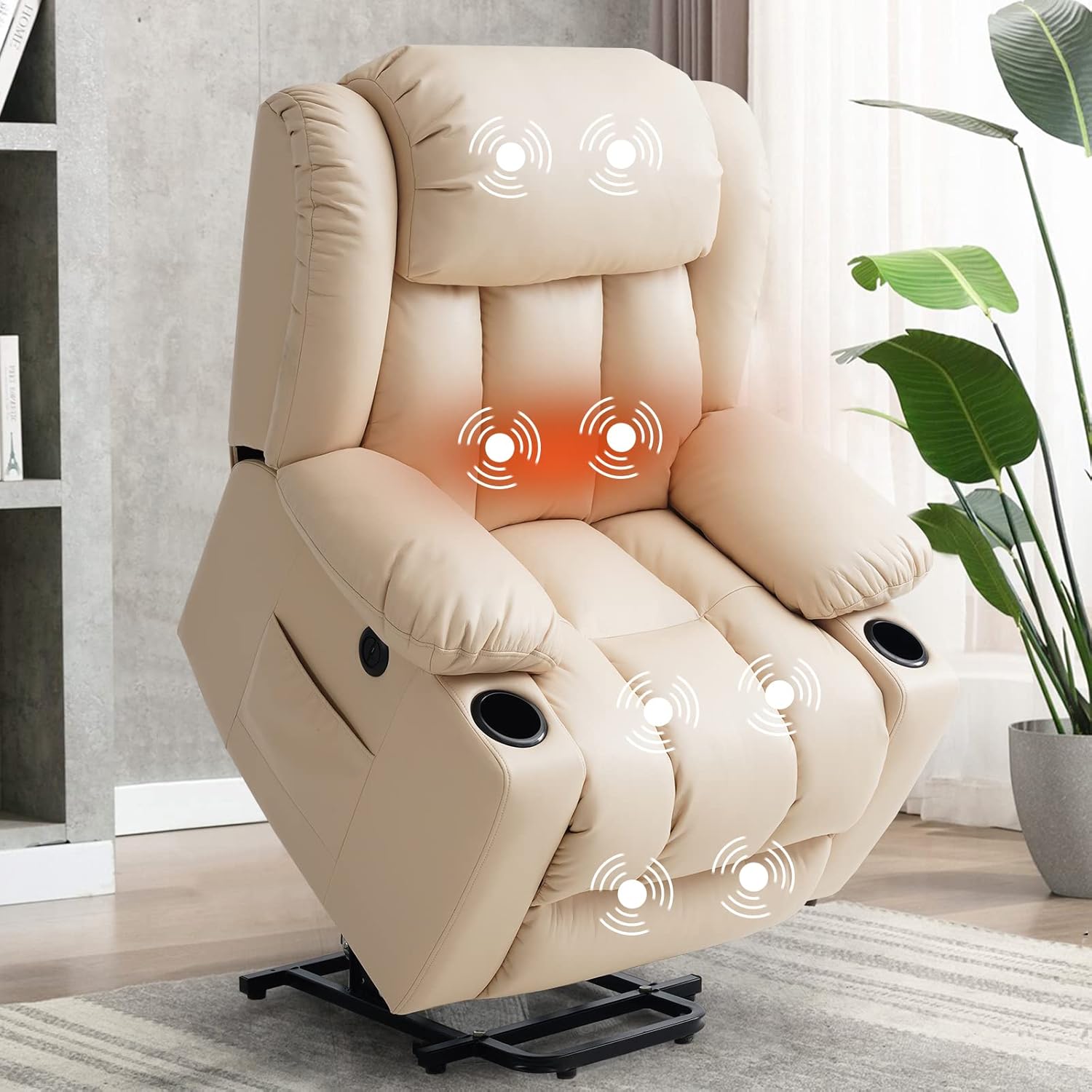
Image: The ASHOMELI Power Lift Recliner Chair, illustrating its overall design and highlighted massage zones.
5. Operating Instructions
The ASHOMELI Power Lift Recliner Chair is operated using the wired remote control. Familiarize yourself with the buttons on the remote for various functions.
5.1 Power Lift and Recline Functions
The chair offers a range of motion from a standing assist position (approximately 45 degrees) to a fully reclined position (up to 160 degrees).
- To Recline: Press and hold the 'Recline' button on the remote. The backrest will lower, and the footrest will elevate. Release the button when you reach your desired angle.
- To Lift/Stand Assist: From a seated position, press and hold the 'Lift' button. The chair will gently tilt forward and upward, assisting you to a standing position. Release the button when you are ready to stand.
- To Return to Upright: From a reclined position, press and hold the 'Upright' button. The footrest will retract, and the backrest will return to the upright sitting position.

Image: Diagram illustrating the adjustable angles of the recliner, including stand-up (45°), working (90°), reading (110°), TV viewing (140°), and sleep (160°) modes.
5.2 Massage and Heating Functions
The chair features multiple massage points and a heating function for enhanced comfort.
- To Activate Massage: Press the 'Massage' button on the remote. You can typically cycle through different massage modes (e.g., wave, pulse, press, auto) and intensity levels.
- To Activate Heat: Press the 'Heat' button. The heating element, usually located in the lumbar area, will begin to warm. Press again to turn off.
- Adjust Massage Zones: Some remotes allow you to select specific massage zones (e.g., back, lumbar, thighs, calves). Refer to your remote's specific button layout.

Image: Visual representation of the massage and heating zones within the recliner chair.
5.3 USB Charging Port
A USB charging port is integrated into the chair for convenient charging of small electronic devices.
- Locate the USB port, typically on the side of the chair or near the remote control holder.
- Plug your device's USB charging cable into the port.
- Note: The USB port is for charging only and does not support data transfer. Ensure the chair is powered on for the USB port to function.

Image: A detailed view of the integrated USB charging port on the side of the recliner.
5.4 Side Pockets and Cup Holders
The chair includes two side pockets and two cup holders for convenience.
- Use the side pockets to store remote controls, magazines, or other small items.
- The cup holders are designed to securely hold beverages.
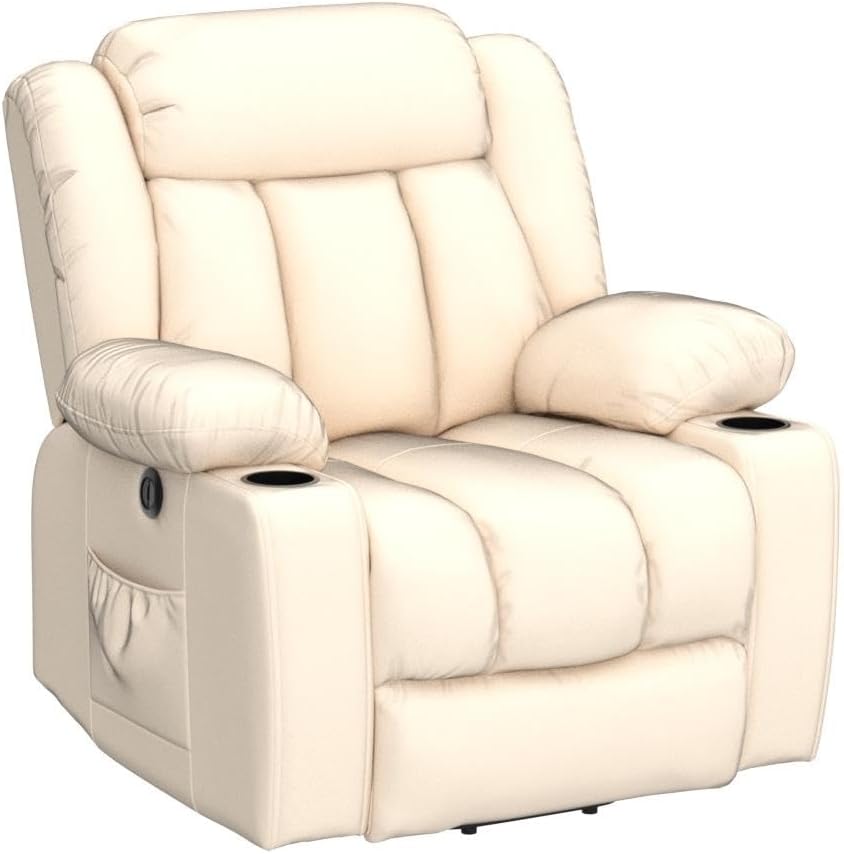
Image: Side view of the ASHOMELI recliner, highlighting the integrated side pocket and cup holder.
6. Maintenance
Proper care will extend the life and appearance of your recliner.
- Cleaning: Wipe clean with a soft, damp cloth. Avoid harsh chemicals or abrasive cleaners, as these can damage the upholstery.
- Spills: Blot spills immediately with a clean, dry cloth. Do not rub.
- Mechanism: Periodically check all bolts and screws to ensure they are tight. Do not lubricate the mechanism unless specifically instructed by the manufacturer.
- Power Cord: Inspect the power cord regularly for any signs of damage. Keep it away from high-traffic areas to prevent tripping hazards or damage.
7. Troubleshooting
If you encounter issues with your recliner, refer to the following common problems and solutions:
| Problem | Possible Cause | Solution |
|---|---|---|
| Chair does not operate (no lift, recline, massage, or heat) | No power connection; loose cables; remote control issue. | Ensure the power cord is securely plugged into the wall outlet and the chair. Check all internal cable connections. Try a different outlet. |
| Chair lifts/reclines unevenly or makes unusual noises | Obstruction in mechanism; loose components; motor issue. | Check for any obstructions under or around the chair. Ensure all assembly bolts are tight. If the issue persists, discontinue use and contact customer support. |
| Massage or heating function not working | Power issue; internal wiring; remote control malfunction. | Verify the chair has power. Ensure the remote is functioning. If other functions work but massage/heat do not, contact customer support. |
| USB charging port not working | Chair not powered on; faulty cable; device issue. | Ensure the chair is plugged in and powered. Try a different USB cable or device. |
If troubleshooting steps do not resolve the issue, please contact ASHOMELI customer support.
8. Specifications
| Feature | Detail |
|---|---|
| Brand | ASHOMELI |
| Model Number | HXG001 |
| Color | Beige |
| Product Dimensions (D x W x H) | 35.04" x 32.5" x 40" |
| Material | Leather (Furniture Finish), Foam (Fill Material) |
| Special Features | Power Lift, Recline, Massage, Heating, 2 Side Pockets, 2 Cup Holders, USB Charge Port |
| Reclining Position Count | Infinite (45° to 160°) |
| Recommended Uses | Elderly Care, Relaxing, Reading, Watching TV |
| Product Care Instructions | Wipe Clean |
| Indoor/Outdoor Usage | Indoor |
9. Warranty and Support
ASHOMELI stands behind the quality of its products. While specific warranty details are not provided in this manual, please retain your proof of purchase for any warranty claims.
For technical assistance, warranty inquiries, or to report missing/damaged parts, please contact ASHOMELI customer support through the retailer where the product was purchased or visit the official ASHOMELI website.
Contact Information: Please refer to your purchase documentation or the ASHOMELI brand store for the most current customer service contact details.