1. Introduction and Overview
The CORSAIR 2000D AIRFLOW is a Mini-ITX small-form-factor case designed for exceptional cooling performance. Its construction features steel mesh panels on the front, sides, and rear, ensuring abundant ventilation for your system components. The optimized interior is capable of accommodating up to eight 120mm case fans or two 140mm fans, providing outstanding airflow within a minimal footprint. Despite its compact size, the 2000D AIRFLOW supports a three-slot graphics card up to 320mm in length, allowing for high-end, high-performance system builds. It also offers space for up to three 2.5-inch storage drives. A modern front I/O panel, including a USB Type-C port, enhances connectivity and user convenience, making the 2000D AIRFLOW a remarkable small-form-factor solution.

Figure 1: Front-left view of the Corsair 2000D AIRFLOW Mini-ITX PC Case, showcasing its sleek black design and mesh panels.
2. Key Features
- A Fitting Choice: Houses today’s highest-end PC hardware in a space-saving design ideal for small-form-factor builds, with abundant airflow thanks to removable mesh panels and premium CORSAIR build quality, in a case that’s small in size and big on cooling performance.
- Compact Frame: Mini-ITX form-factor with just 24.4 liters of volume takes up a tiny amount of space on or under your desktop, with dimensions of 271mm x 200mm x 458mm.
- High-Airflow Removable Panels: Removable steel mesh front, side, and rear panels deliver plentiful ventilation from nearly all sides of your system for maximum cooling potential.
- Triple-Slot GPU Support: Comfortably install a three-slot graphics card up to 320mm in length, for a high-end, high-performance system taking up minimal space.
- Extreme ITX Cooling: A cooling-optimized interior fits up to an incredible 8x 120mm or 2x 140mm fans, along with multiple radiators including a 360mm on the side and 240mm in the back (dependent on GPU size).

Figure 2: Internal view of the case, highlighting the extensive fan mounting options for optimized cooling.
3. Setup and Installation
The Corsair 2000D AIRFLOW case is designed for ease of access during component installation. The side and top panels are removable to facilitate building your system.
3.1 Panel Removal
All mesh panels (top, front, sides, and rear) are designed for tool-less removal, primarily held by magnets or simple clips. This allows for quick access to the internal components for installation or maintenance.
- Top Panel: Gently lift the top panel. It is secured by magnets and will detach easily.
- Side Panels: After removing the top panel, the side panels can be unclipped or unscrewed (if thumb screws are present at the rear) and then pulled away from the chassis. Note that side panels are interchangeable.
- Front Panel: The front panel can also be pulled off to reveal the fan mounts.

Figure 3: Exploded view of the case, illustrating the easy removal of all mesh panels for full access.
3.2 Component Installation
- Motherboard: Install your Mini-ITX motherboard onto the motherboard tray. Note the unusual motherboard orientation with I/O ports facing downwards.
- Power Supply: The case supports SF-L power supplies. The power supply mounts at the top of the chassis.
- Graphics Card: Install your triple-slot GPU vertically. The case supports cards up to 320mm in length.
- Cooling: Install up to 8x 120mm or 2x 140mm fans. Radiator support includes a 360mm on the side and 240mm in the back (dependent on GPU size).
- Storage: Install up to three 2.5-inch storage drives.
3.3 Front I/O Panel
The front I/O panel provides convenient access to essential ports:
- Power Button
- 2x USB 3.2 Gen 1 Type-A Ports
- USB 3.2 Gen 2 Type-C Port
- Headphone/Mic Combo Jack
- Reset button
Video 1: Official Product Overview of the Corsair 2000D AIRFLOW Mini-ITX Case. This video demonstrates the compact size, steel mesh panels, and internal layout, including support for three-slot GPUs and multiple fan mounts. It also highlights the modern front I/O panel.
4. Operating the PC Case
Once all components are installed and secured, and the panels are reattached, your Corsair 2000D AIRFLOW PC case is ready for operation. Ensure all external cables (power, display, peripherals) are properly connected. The mesh design ensures continuous airflow during operation, keeping your components cool under load.
5. Maintenance
Regular maintenance is crucial for optimal performance and longevity of your PC components. The Corsair 2000D AIRFLOW's design facilitates easy cleaning.
- Dust Removal: The steel mesh panels act as dust filters. Periodically remove all mesh panels (top, front, sides, rear) and clean them using compressed air or a soft brush to remove accumulated dust.
- Internal Cleaning: With the panels removed, use compressed air to clear dust from internal components such as fans, heatsinks, and the motherboard.
- Cable Management: While not strictly maintenance, periodically check cable routing to ensure it does not obstruct airflow.
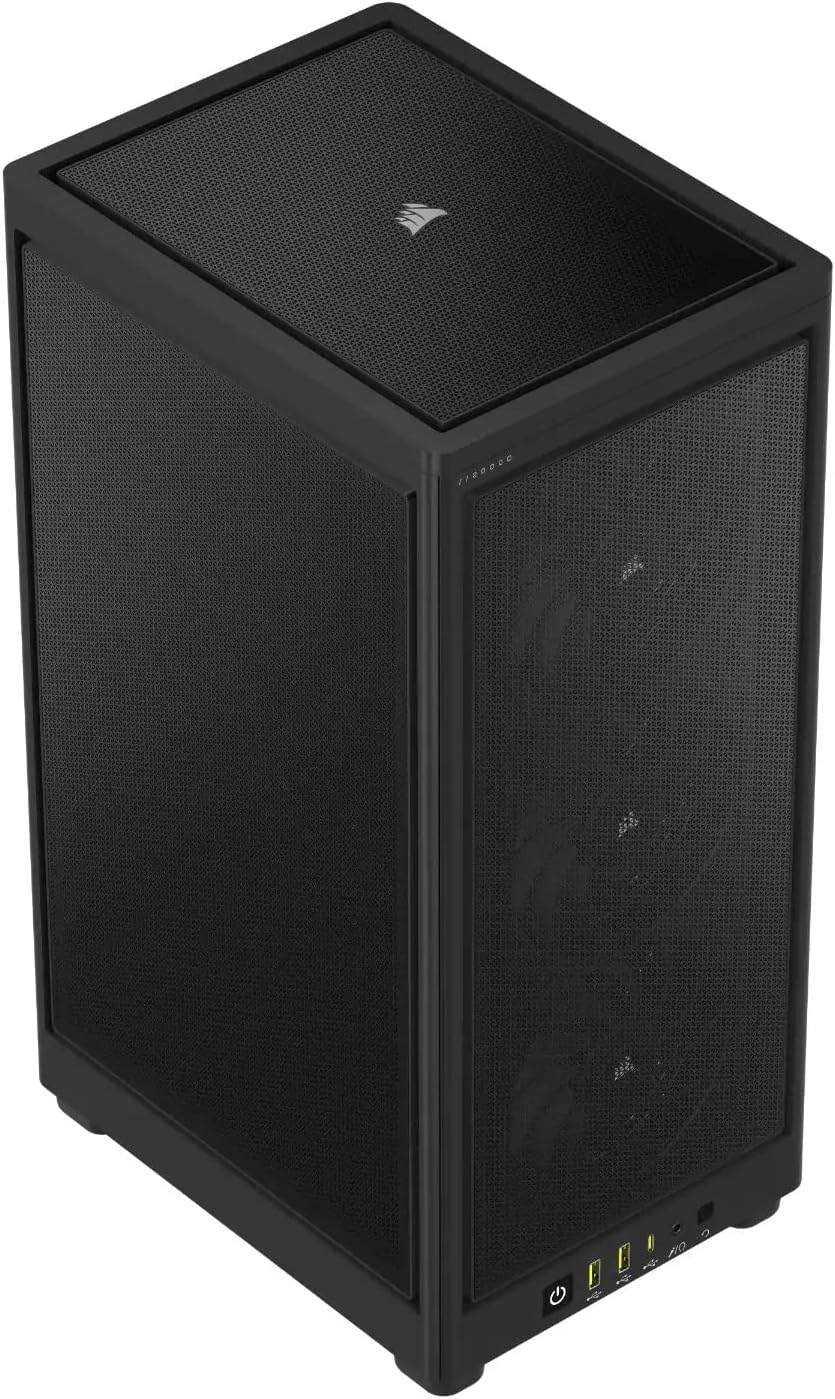
Figure 4: Top-down view of the case, showing the mesh top panel which is easily removable for cleaning.
6. Troubleshooting
If you encounter issues with your PC build within the Corsair 2000D AIRFLOW case, consider the following general troubleshooting steps:
- No Power: Ensure the power supply is properly seated and connected, and all power cables to the motherboard and components are secure. Check the front panel power button connection to the motherboard.
- Overheating: Verify that all installed fans are spinning correctly and are oriented for optimal airflow (intake/exhaust). Ensure dust filters are clean and not obstructing airflow. Check CPU cooler and GPU cooler mounting.
- Component Not Detected: Re-seat the component (e.g., RAM, GPU, storage drive). Check all associated power and data cables.
- Panel Fit Issues: Ensure all panels are aligned correctly before attempting to secure them. The side panels are interchangeable, try swapping them if one doesn't fit flush.
7. Specifications
| Feature | Detail |
|---|---|
| Brand | Corsair |
| Series | 2000D AIRFLOW |
| Model Number | CC-9011244-WW |
| Item Weight | 9.92 pounds |
| Product Dimensions (LxWxH) | 10.67 x 7.87 x 18.03 inches (271mm x 200mm x 458mm) |
| Color | Black |
| Material | Alloy Steel |
| Motherboard Compatibility | Mini ITX |
| Case Type | Desktop (Small Form Factor) |
| Recommended Uses | Gaming |
| Power Supply Mounting Type | Bottom Mount or Rear Mount (SF-L compatible) |
| Cooling Method | Air (Optimized for high airflow) |
| Fan Support | Up to 8x 120mm or 2x 140mm fans |
| Radiator Support | Up to 360mm (side), 240mm (back) |
| GPU Support | Triple-slot, up to 320mm length |
| Storage Drive Bays | Up to three 2.5-inch drives |
| Front I/O Ports | 2x USB 3.2 Gen 1 Type-A, 1x USB 3.2 Gen 2 Type-C, Headphone/Mic Combo Jack, Power Button, Reset Button |
8. Warranty and Support
For warranty information, technical support, or further assistance, please visit the official Corsair website or contact their customer service department. Keep your proof of purchase for warranty claims.
You can find more information and support resources at: www.corsair.com