
Introduction
This manual provides essential instructions for the proper use and maintenance of your Kawai Universal Mini HD Satellite Remote Control. This remote is designed for seamless compatibility with various Kawai satellite receiver models, including Kw 900, Kw 6820, Kn 650, Kw 2000, 6850, 6950, and 8400. Please read this manual thoroughly before operating the device to ensure optimal performance and longevity.
Product Overview
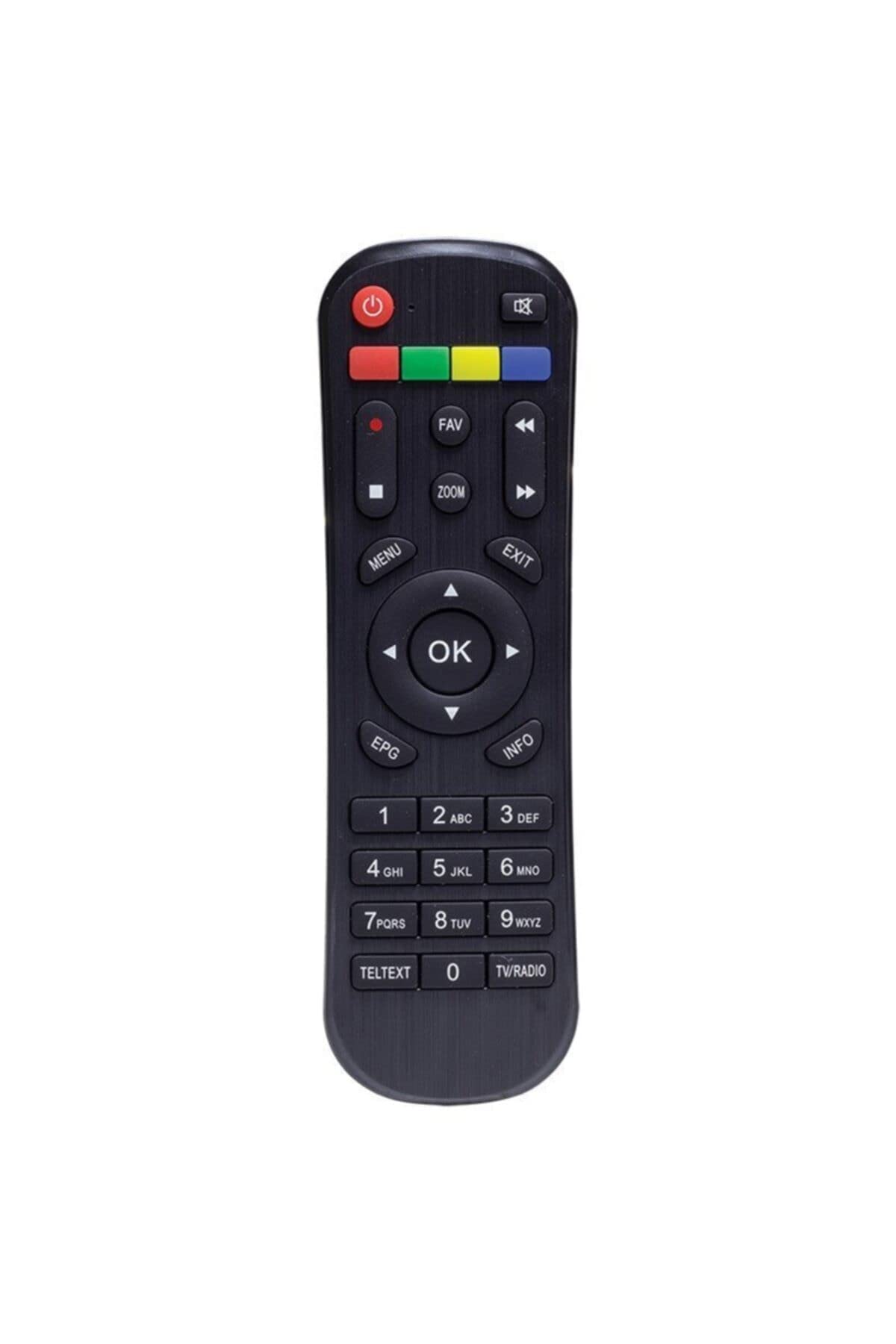
Figure 1: Front view of the Kawai Universal Mini HD Satellite Remote Control. This image displays the ergonomic design and button layout of the remote, highlighting its compact size and standard control functions.
The Kawai Universal Mini HD Satellite Remote Control is a compact and efficient device designed to provide full control over your compatible Kawai satellite receiver. Its intuitive button layout ensures ease of use for channel navigation, volume control, menu access, and other essential functions.
Setup
1. Battery Installation
- Locate the battery compartment on the back of the remote control.
- Slide the battery cover downwards or in the direction indicated by the arrow to open it.
- Insert two AAA batteries (not included), ensuring the positive (+) and negative (-) terminals match the diagrams inside the compartment.
- Replace the battery cover by sliding it back into position until it clicks securely.
2. Initial Use
This remote control is pre-programmed for compatibility with the listed Kawai satellite receiver models. No additional pairing or setup is typically required. Simply point the remote at your satellite receiver and begin operation.
- Ensure there are no obstructions between the remote control and the satellite receiver.
- Confirm that the satellite receiver is powered on.
Operating Instructions
Familiarize yourself with the primary functions of the remote control buttons:
- Power Button (●): Turns the satellite receiver on or off.
- Channel Up/Down (CH+/-): Changes the television channel.
- Volume Up/Down (VOL+/-): Adjusts the audio volume.
- Mute (MUTE): Silences the audio output.
- Number Buttons (0-9): Directly input channel numbers.
- Menu (MENU): Accesses the satellite receiver's main menu.
- Navigation Buttons (▲ ▼ ◀ ▶): Navigate through menu options.
- OK/Enter (OK): Confirms selections in menus.
- Exit/Back (EXIT): Exits current menu or returns to the previous screen.
- Info (INFO): Displays program information.
Specific button functions may vary slightly depending on your Kawai satellite receiver model. Refer to your receiver's manual for detailed information on advanced features.
Maintenance
Cleaning
To clean the remote control, use a soft, dry cloth. For stubborn dirt, lightly dampen the cloth with water or a mild, non-abrasive cleaner. Avoid using harsh chemicals, solvents, or abrasive materials, as these can damage the remote's surface and internal components.
Battery Replacement
Replace batteries when the remote control's response becomes sluggish or stops functioning. Always replace both batteries simultaneously with new ones of the same type (AAA). Do not mix old and new batteries, or different types of batteries, as this can lead to leakage or damage.
- Remove old batteries promptly to prevent leakage.
- Dispose of used batteries according to local regulations.
Troubleshooting
| Problem | Possible Cause | Solution |
|---|---|---|
| Remote control not working. |
|
|
| Some buttons do not function. |
|
|
Specifications
- Brand: Kawai (Listed as Generic by seller)
- Manufacturer: Generic
- ASIN: B0BW4KLTDS
- First Available Date: February 17, 2023
- Compatibility: Kawai Kw 900, Kw 6820, Kn 650, Kw 2000, 6850, 6950, 8400 Mini HD Satellite Receivers
- Power Source: 2 x AAA Batteries (not included)
Warranty and Support
For warranty information and technical support, please refer to the documentation provided with your original Kawai satellite receiver or contact the retailer from whom you purchased this remote control. Keep your purchase receipt as proof of purchase.
For further assistance, you may also visit the official Kawai website or contact their customer service department if available in your region.