
NEEWER RGB-A111 II
NEEWER RGB-A111 II Smartphone Video Rig Instruction Manual
Model: RGB-A111 II
Introduction
This manual provides instructions for the NEEWER RGB-A111 II Smartphone Video Rig. This device is designed to enhance smartphone videography and photography with integrated lighting, stabilization, and versatile mounting options.

Image: The NEEWER RGB-A111 II Smartphone Video Rig with a smartphone mounted, demonstrating its handheld use and integrated lighting.
Package Contents
Verify that all items listed below are included in your package:
- 1 x NEEWER RGB-A111 II RGB Lamp Body
- 1 x Charging Stand
- 1 x NP-F550 Battery (2600mAh)
- 1 x Smartphone Holder
- 1 x USB Cable
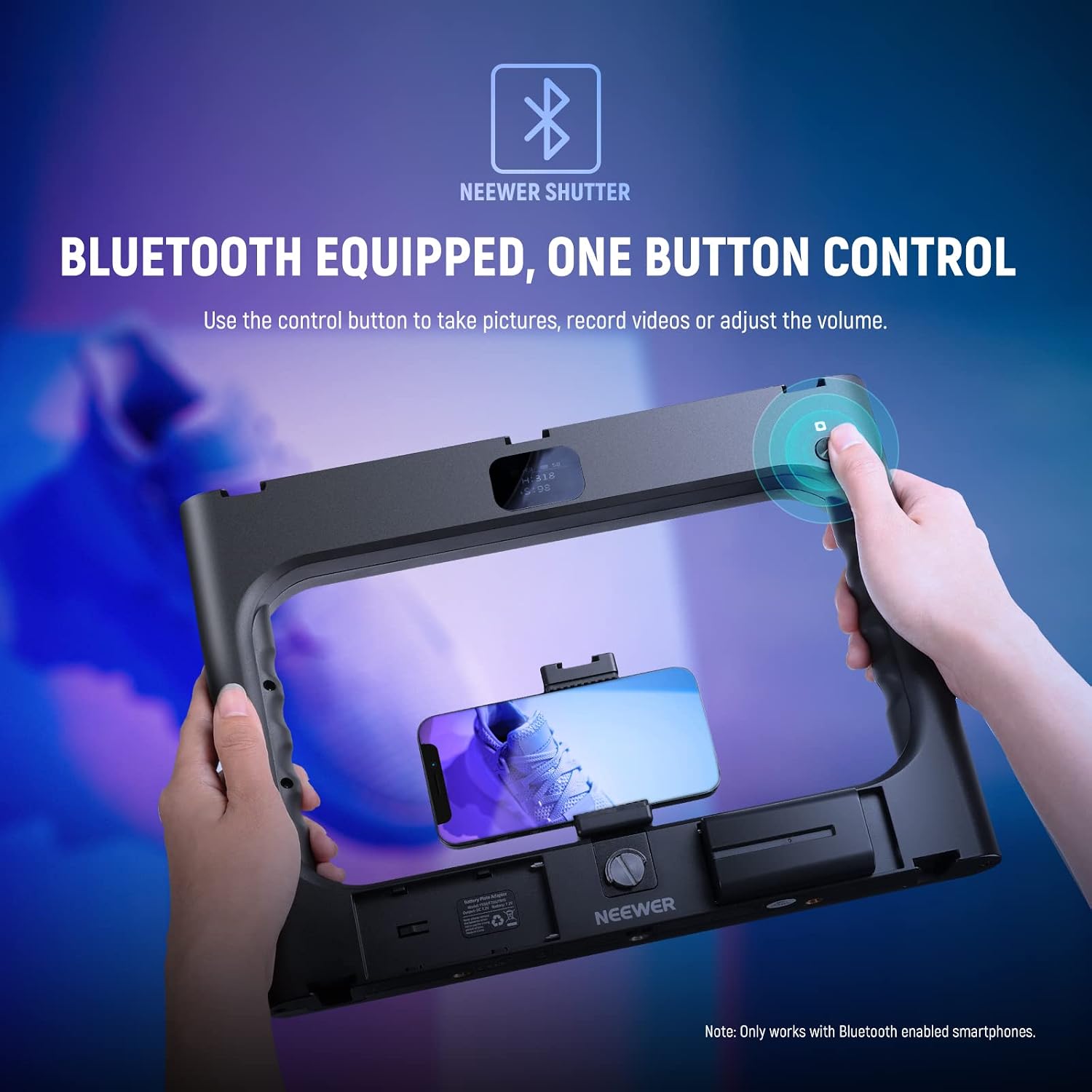
Image: Detailed view of the NEEWER RGB-A111 II Video Rig components and the included accessories.
Product Features
- Integrated RGB Lighting: 188 LEDs on two light panels provide 20W power and 2400lux/0.5m maximum illuminance.
- Multiple Lighting Modes:
- HSI Mode: 36,000 color options for precise color tone and saturation control.
- CCT Mode: Adjustable color temperature from 2500K to 10000K with 0-100% dimming.
- FX Mode: 17 special scene effects including Thunder & Lightning, Paparazzi, Defective Bulb, Explosion, Welding, CCT Flash, Color Flicker, CCT Pulse, Color Pulse, Police Car, Candle, HUE Color Cycle, CCT Cycle, Brightness Cycle, TV Screen, Fireworks, and Party.
- High Color Accuracy: CRI 97+ ensures realistic color reproduction.
- Vertical Shooting Support: Right handle includes a 1/4" screw hole for tripod mounting in vertical orientation.
- Accessory Mounts: 5 cold shoes and six 1/4" threads for attaching microphones, additional LED lights, monitors, or tripods.
- Ergonomic Design: Dual side handles for comfortable and stable handheld shooting.
- LCD Panel: Displays current settings for precise lighting adjustments.
- Bluetooth Wireless Shutter: Control smartphone camera functions (take pictures, record videos, adjust volume) wirelessly.
- Dual Power Source: Operates on one included 2600mAh NP-F550 battery or a 9-12V DC power adapter (sold separately). Compatible with NP-F750 & NP-F970 batteries.
Setup Guide
- Install Battery: Open the battery compartment and insert the provided NP-F550 battery. Ensure correct polarity.
- Charge Battery: Use the included charging stand and USB cable to charge the NP-F550 battery before first use.
- Mount Smartphone/Camera:
- For smartphones: Attach the smartphone holder to the central 1/4" screw mount. Secure your smartphone in the holder.
- For cameras: Mount your camera directly onto the central 1/4" screw mount.
- Attach Accessories: Utilize the 5 cold shoe mounts or six 1/4" threads to attach external microphones, LED fill lights, or other compatible accessories as needed.
- Tripod Mounting (Optional): Attach the rig to a tripod using any of the 1/4" screw threads. For vertical shooting, use the dedicated 1/4" screw hole on the right handle.

Image: The rig demonstrating accessory mounting points and compatibility with smartphones and DSLR cameras.
Operating Instructions
- Power On/Off: Locate the power switch on the rig and slide it to the "ON" position to power on the device. The LCD panel will illuminate.
- Adjusting Lighting Modes:
- Use the control buttons or dials to navigate through the available lighting modes: HSI, CCT, and FX.
- HSI Mode: Adjust Hue (H), Saturation (S), and Intensity (I) to achieve desired colors.
- CCT Mode: Adjust Color Temperature (CCT) from 2500K (warm) to 10000K (cool) and brightness (0-100%).
- FX Mode: Select from 17 pre-programmed special scene effects.
- Brightness and Color Adjustment: Use the dedicated brightness adjustment dial and color temperature adjustment wheel (as indicated in the product details diagram) to fine-tune your lighting. The LCD panel will display current settings.
- Bluetooth Shutter Control:
- Enable Bluetooth on your smartphone.
- Search for and connect to "NEEWER Shutter" in your device list.
- Once connected, use the control button on the rig to remotely trigger your smartphone's camera for photos, start/stop video recording, or adjust phone volume.

Image: HSI Mode interface and color options.

Image: CCT Mode for adjustable color temperature and brightness.

Image: FX Mode with 17 special scene effects.

Image: Bluetooth wireless shutter control in action.
Maintenance
- Keep the device clean by wiping it with a soft, dry cloth.
- Avoid exposing the rig to water or excessive moisture. The device is not water-resistant.
- Store the rig in a cool, dry place when not in use.
- Ensure battery contacts are clean for optimal performance.
Troubleshooting
| Problem | Possible Cause | Solution |
|---|---|---|
| Device does not power on. | Battery is depleted or incorrectly installed. | Charge the NP-F550 battery or ensure it is correctly inserted. Check for proper DC adapter connection if using external power. |
| Lights are dim or flickering. | Low battery power. | Recharge or replace the battery. Ensure the DC power adapter provides sufficient power. |
| Bluetooth shutter not connecting. | Bluetooth is off on smartphone or rig, or not paired. | Ensure Bluetooth is enabled on both devices. Go to your smartphone's Bluetooth settings, forget "NEEWER Shutter" if previously paired, and re-pair. |
| Rig feels wobbly with a heavy camera. | Exceeding recommended weight for smartphone holder/mount. | The rig is primarily designed for smartphones. While it can accommodate some cameras, very heavy setups may affect stability. Ensure all mounts are securely tightened. |
Specifications
| Model Name: | RGB-A111 II |
| Product Dimensions: | 13.2"L x 9.8"W x 1.4"H (336 x 248 x 35mm) |
| Item Weight: | 1.47 lbs (670g) |
| LED Quantity: | 188 pieces |
| Maximum Power: | 20W |
| Maximum Illuminance: | 2400lux/0.5m (at 10000K) |
| Color Rendering Index (CRI): | 97+ |
| Color Temperature Range: | 2500K-10000K |
| Brightness Adjustment: | 0-100% |
| HSI Mode: | 360° Hue, 0-100 Saturation |
| FX Mode: | 17 Special Scene Effects |
| Connectivity: | Bluetooth, USB |
| Power Source: | NP-F550 Battery (included), 9-12V DC Power Adapter (sold separately) |
| Compatible Shoe Mount Type: | Cold Shoe |
| Water Resistance Level: | Not Water Resistant |
Warranty and Support
For warranty information or technical support, please contact NEEWER customer service. Refer to the product packaging or the official NEEWER website for the most current contact details and warranty terms.
Official NEEWER Store: Visit the NEEWER Store on Amazon
Ask a question about this manual
Ask about setup, troubleshooting, compatibility, parts, safety, or missing instructions. Manuals+ will review the question and use this page’s manual context to help answer it.