1. Introduction
This manual provides detailed instructions for the safe and effective use of the KKnoon TOOLTOP ET618 Handheld Portable Cable Tester. The ET618 is a versatile device designed for network cable testing, offering functions such as cable tracing, cable length measurement, Power over Ethernet (PoE) testing, and various multimeter capabilities. Please read this manual thoroughly before operating the device to ensure proper functionality and safety.
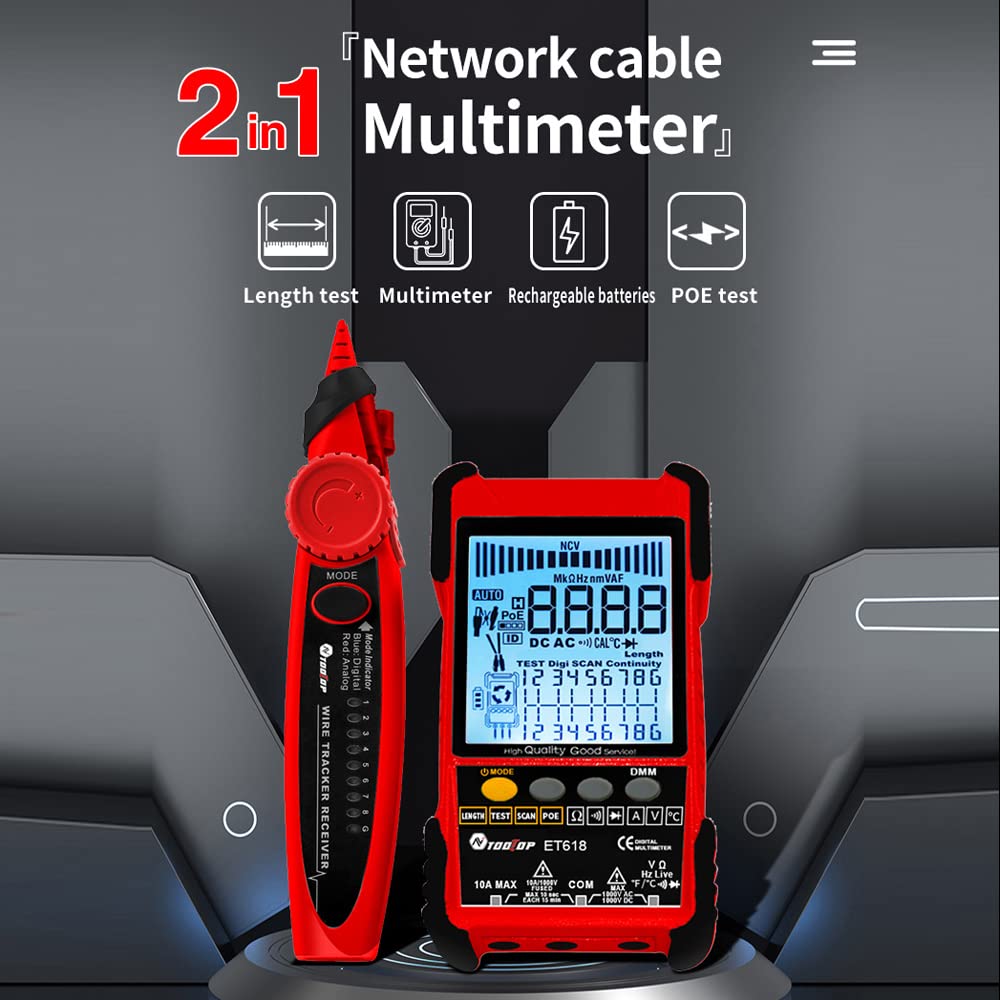
Image 1.1: The KKnoon TOOLTOP ET618 device, highlighting its dual function as a network cable tester and multimeter.
Key Features:
- Cable Tracing Function: Quickly locate target cables within bundles, suitable for telephone systems, computer networks, and BNC cables.
- Cable Length Test: Measures the length of various metal cables with at least two cores, including network cables, telephone lines, and BNC cables.
- PoE Test: Checks cable mapping polarity and voltage of PoE network switches.
- Multifunctional Tester: Includes analogue tracing, cable mapping, PoE voltage measurement, and adjustable digital tracing sensitivity.
- LCD Display with Flashlight: Features a large LCD for clear readings and an integrated flashlight for use in low-light conditions.
- Noiseless Vibration (ET618 only): Enhanced digital tracing with vibration feedback.
2. Safety Information
Please observe the following safety precautions to prevent injury and avoid damage to the device:
- Always inspect the device and test leads for damage before use. Do not use if damaged.
- Do not attempt to measure voltages or currents exceeding the specified maximum ratings.
- Ensure proper connection of test leads before performing any measurement.
- Avoid using the device in wet environments or during electrical storms.
- Keep the device away from children.
- Refer to the specifications section for operating temperature and other environmental limits.
3. Package Contents
Verify that all items listed below are present in your package. If any items are missing or damaged, please contact your retailer.

Image 3.1: Visual representation of the ET618 package contents, including the main unit, receiver, probes, and accessories.
ET618 Package Includes:
- Main Tester Unit (Emitter)
- Wire Tracker Receiver
- Crocodile Clip Line
- Network Cable
- Charging Line (USB cable)
- Temperature Probe
- Multimeter Probes
- Storage Bag
- Color Box
- User Manual
4. Product Overview
Familiarize yourself with the components of the ET618 cable tester and its receiver.
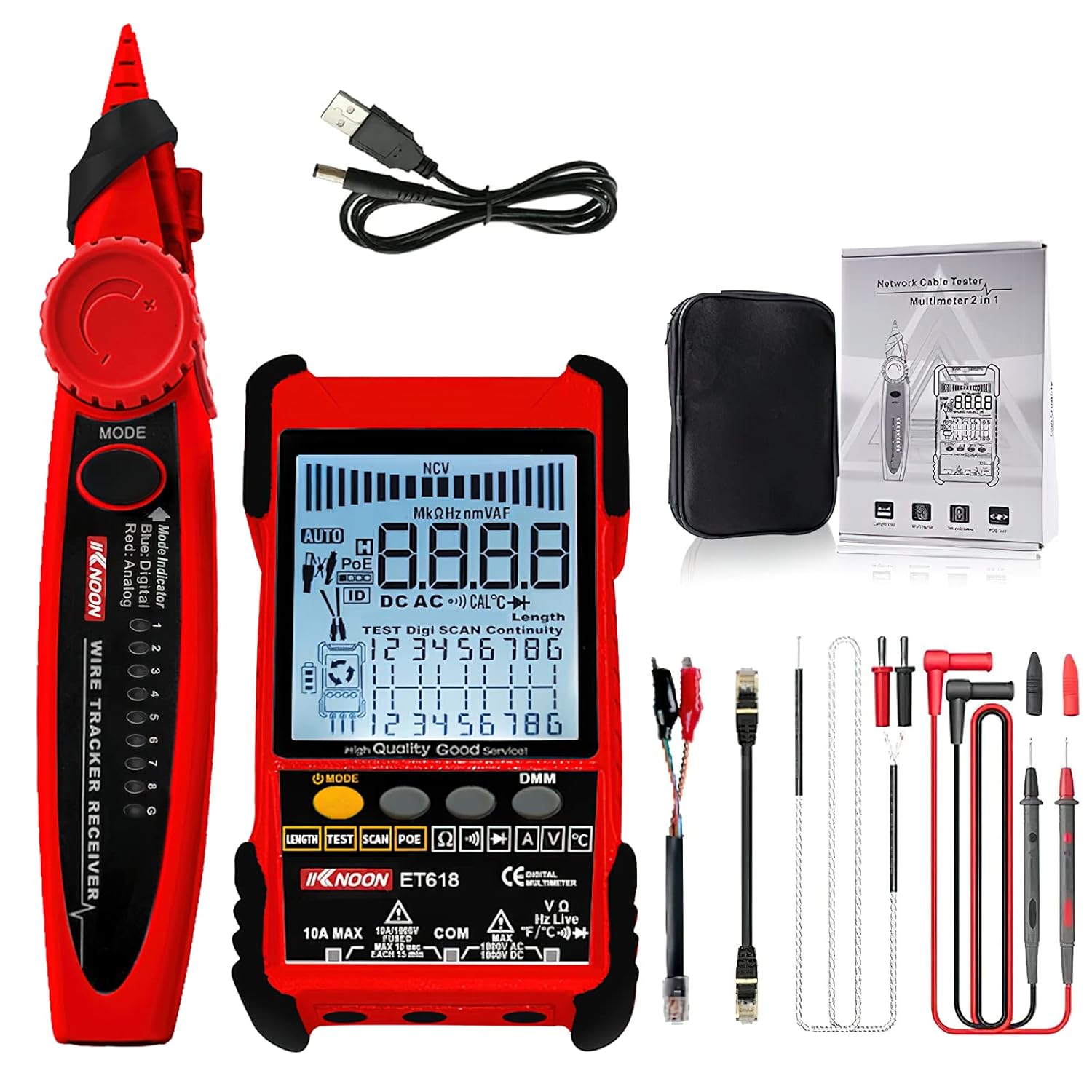
Image 4.1: The complete set of the KKnoon TOOLTOP ET618, showing the main tester, receiver, and all included accessories.
Main Tester Unit (Emitter):
- LCD Display: Shows measurement results, mode, and other relevant information.
- Function Buttons: For selecting test modes (LENGTH, TEST, SCAN, POE, DMM functions).
- Ports: RJ45 port for network cables, BNC port, test lead inputs for multimeter functions.
- Flashlight: Integrated light for illuminating work areas.

Image 4.2: The ET618 main unit displaying its dual flashlight feature, useful for working in dark environments.
Wire Tracker Receiver:
- Probe Tip: Used to detect signals from the emitter.
- Mode Indicator: LEDs to indicate tracing mode (Analog/Digital).
- Sensitivity Adjustment: Dial to adjust the sensitivity of the receiver.
- Vibration Feedback: (ET618 only) Provides tactile feedback during digital tracing.

Image 4.3: The ET618 emitter and receiver demonstrating the noiseless vibration feature during cable tracing.
5. Setup
5.1 Charging the Main Tester Unit
The main tester unit (emitter) has a built-in 1250mAh lithium battery. Before first use, ensure the device is fully charged.
- Connect the provided USB charging cable to the charging port on the main tester unit.
- Connect the other end of the USB cable to a standard USB power adapter (not included) or a computer USB port.
- The charging indicator on the device will show charging status. Once fully charged, disconnect the cable.
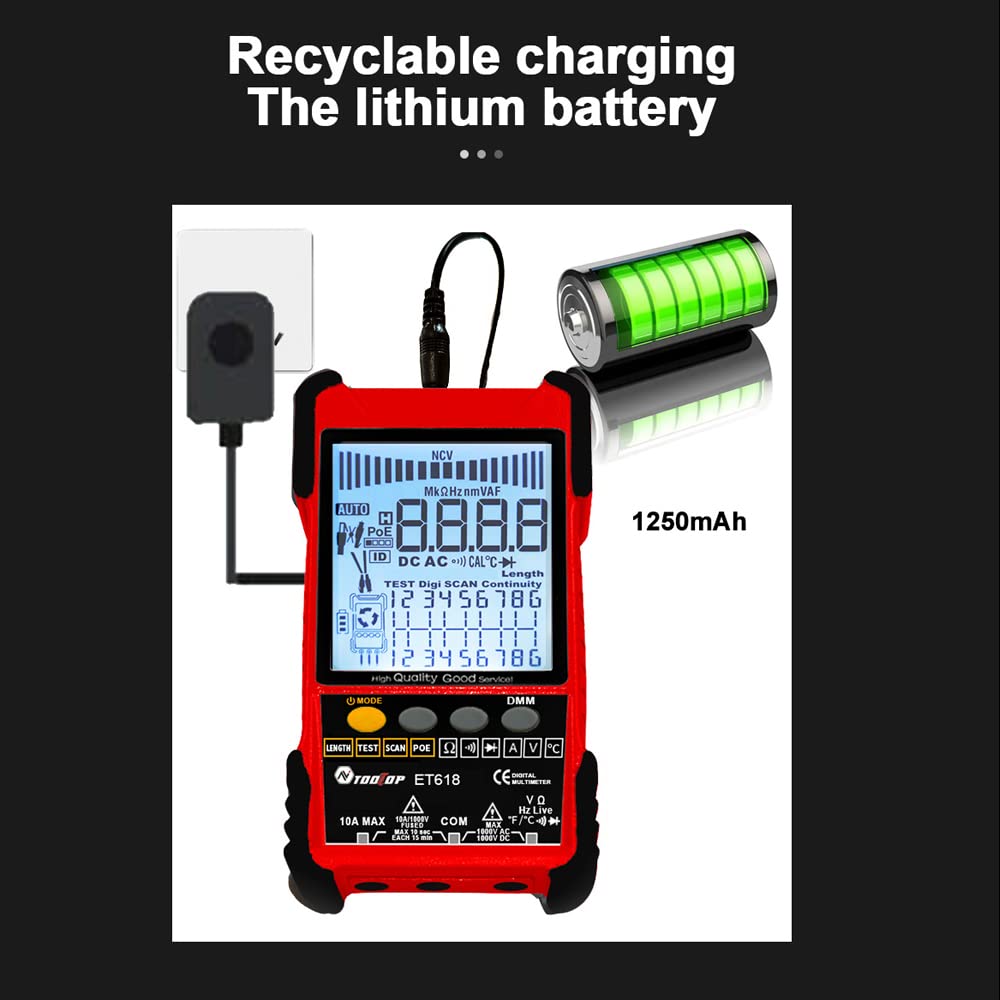
Image 5.1: The ET618 main unit connected to a power source for charging its internal lithium battery.
5.2 Installing Battery in Receiver
The wire tracker receiver requires a 9V battery (not included).
- Locate the battery compartment on the back of the receiver.
- Open the battery compartment cover.
- Insert a new 9V battery, ensuring correct polarity.
- Close the battery compartment cover securely.
6. Operating Instructions
6.1 Cable Tracing Function
This function helps locate a specific cable among many.
- Connect the network cable or other metal cable to the MAIN socket on the emitter.
- Turn on the emitter and select the 'SCAN' mode.
- Turn on the receiver and adjust its sensitivity dial.
- Move the receiver's probe along the cable bundle. The receiver will emit an audible tone and/or vibrate (ET618) when it detects the signal from the target cable.
- Follow the strongest signal to trace the cable.
6.2 Cable Length Test
Measures the length of network cables, telephone lines, and BNC cables.
- Ensure the cable to be tested is disconnected from all devices.
- Connect one end of the cable to the appropriate port on the emitter (e.g., RJ45 for network cables).
- Select the 'LENGTH' mode on the emitter.
- The LCD will display the measured cable length.
6.3 POE Test
Checks Power over Ethernet (PoE) status, including voltage and polarity.
- Connect the network cable from the PoE switch to the RJ45 port on the emitter.
- Select the 'POE' mode on the emitter.
- The LCD will display the PoE voltage and pin polarity.

Image 6.1: The ET618 displaying PoE voltage and active pins during a PoE test on a network switch.
6.4 Multimeter Functions
The ET618 also functions as a digital multimeter for various electrical measurements.

Image 6.2: The ET618 demonstrating its multimeter capabilities, including continuity, temperature, NCV, and current measurements.
6.4.1 Continuity Test
- Connect the multimeter probes to the appropriate input jacks on the emitter.
- Select the continuity mode (often indicated by a diode symbol or sound wave).
- Touch the probes to the circuit or component. An audible beep indicates continuity.
6.4.2 Temperature Measurement
- Connect the temperature probe to the designated input jacks.
- Select the temperature measurement mode.
- Place the probe tip on the surface or in the environment to be measured. The temperature will be displayed on the LCD.
6.4.3 Non-Contact Voltage (NCV) Detection
- Select the NCV mode.
- Bring the top of the emitter close to an AC voltage source (e.g., an electrical outlet or live wire).
- The device will indicate the presence of AC voltage through visual and/or audible alerts without direct contact.
6.4.4 Current Measurement
- Connect the multimeter probes to the appropriate current input jacks (e.g., 10A MAX).
- Select the current measurement mode (AC or DC).
- Break the circuit and connect the meter in series with the load. The current reading will be displayed.
7. Maintenance
7.1 Cleaning
Wipe the device with a soft, damp cloth. Do not use abrasive cleaners or solvents. Ensure the device is powered off and disconnected from any power source before cleaning.
7.2 Storage
When not in use, store the ET618 in its protective bag in a cool, dry place, away from direct sunlight and extreme temperatures. Remove the 9V battery from the receiver if storing for extended periods to prevent leakage.
7.3 Battery Care
Recharge the main tester unit regularly, even if not in frequent use, to maintain battery health. Avoid fully discharging the lithium battery for prolonged periods.
8. Troubleshooting
If you encounter issues with your ET618, refer to the table below for common problems and solutions.
| Problem | Possible Cause | Solution |
|---|---|---|
| Device does not power on | Main unit battery depleted; Receiver 9V battery depleted or incorrectly installed. | Charge the main unit. Replace or correctly install the 9V battery in the receiver. |
| Inaccurate cable length measurement | Cable not fully disconnected; Incorrect cable type selected. | Ensure the cable is completely isolated. Verify the correct cable type setting. |
| Cable tracing signal is weak or absent | Receiver sensitivity too low; Emitter not in SCAN mode; Cable too long or heavily shielded. | Increase receiver sensitivity. Ensure emitter is in SCAN mode. Try tracing closer to the emitter. |
| PoE test shows no voltage | PoE switch not active; Cable fault; Incorrect connection. | Verify PoE switch is powered and active. Check cable for damage. Ensure proper RJ45 connection. |
9. Specifications
Detailed technical specifications for the KKnoon TOOLTOP ET618.
| Feature | Specification |
|---|---|
| Brand | KKnoon |
| Model | ET618 |
| Material | ABS |
| Analogue Tracing | Supported |
| Switch Tracing (w/PoE) | Supported |
| Cable Mapping | Supported |
| Switch Indicators Flashing | Supported |
| Noisy Free Digital Tracing | Digital/Vibration |
| PoE Voltage Measuring | Voltage polarity |
| Analogue Bargraph | Supported |
| NCV Detection | Supported |
| Network Cable Length Measure | Up to 500M |
| Main Unit Power | Built-in lithium battery, 1250mAh |
| Receiver Power | 1 * 9V battery (NOT INCLUDED) |
| Package Dimensions | 21.79 x 15.8 x 5.21 cm |
| Package Weight | 585g / 1.3lb |
| Min. Operating Voltage | 0.4 Volts |
| Upper Temperature Rating | 1000 Degrees Celsius (likely for temperature probe, not device operating temp) |
10. Warranty and Support
For warranty information and technical support, please refer to the documentation provided with your purchase or contact your retailer. Keep your proof of purchase for any warranty claims.
