
BIKECOMM BK-S2
BIKECOMM BK-S2 Motorcycle Bluetooth Intercom Headset User Manual
Model: BK-S2
Brand: BIKECOMM
1. Introduction
This manual provides detailed instructions for the installation, operation, maintenance, and troubleshooting of your BIKECOMM BK-S2 Motorcycle Bluetooth Intercom Headset. Please read this manual thoroughly before using the device to ensure proper function and safety.

The BIKECOMM BK-S2 Motorcycle Bluetooth Intercom Headset.
2. What's in the Box
The BK-S2 package includes the following components:
- BK-S2 Bluetooth Intercom Unit
- Headset with Speakers and Microphone (Boom Mic and Soft Mic options may be included)
- Mounting Bracket (Clip-on and Adhesive options)
- USB Charging Cable
- Speaker Pads/Spacers
- Alcohol Prep Pad
- User Manual (this document)

All components included in the BK-S2 package.
3. Product Overview
The BIKECOMM BK-S2 is a motorcycle Bluetooth intercom headset designed for clear communication and entertainment while riding. It features advanced audio technologies and a robust, waterproof design.
Key Features:
- Bluetooth V5.0: Ensures stable and efficient wireless connectivity.
- Instant Link Fleet Mode Conference Group Intercom: Supports communication for up to six riders with an increased range of 1200 meters (without obstructions).
- 7mm Extra Slim High Sound Quality Helmet Speakers: Redesigned for comfortable fit and optimized for powerful, clear sound.
- Audio Mixer & Duo Music Chatting: Allows listening to FM Radio, Map Navigation/GPS while in intercom mode. Supports two headsets listening to the same music simultaneously.
- IPX7 Waterproof: Resistant to sweat, water, and rain, ensuring durability in various weather conditions.
- Dual Noise Filtering Process (Microphone and DSP): Eliminates low-frequency noise (e.g., wind noise) and non-human audio (e.g., motorcycle engine) for clearer communication.
- Long Battery Life: Approximately 14-15 hours talk time, 16-17 hours music time, with a charging time of 2.5-3 hours.

The BK-S2 features Audio Mix, DSP, and CVC Noise Reduction for crystal clear sound quality during intercom and music playback.

The BK-S2 supports group intercom for up to 6 riders with a range of up to 1.8 miles (0.93 miles between two riders).

The BK-S2 is IP67 waterproof, allowing use in various weather conditions.

The BK-S2 features large buttons designed for easy operation even with gloves on.
4. Setup
4.1. Installation on Helmet
The BK-S2 can be installed on most helmet types. Choose between the clip-on mount or the adhesive mount based on your helmet's design and your preference. Ensure the mounting surface is clean and dry before applying the adhesive mount.
- Mounting the Unit: Securely attach the main BK-S2 unit to the side of your helmet using either the clip-on or adhesive bracket. Ensure it is positioned where buttons are easily accessible.
- Speaker Placement: Position the slim speakers inside the helmet's ear pockets. Use the provided Velcro spacers if needed to ensure a comfortable fit and optimal sound.
- Microphone Attachment: Attach the microphone (boom mic for open-face helmets, soft mic for full-face helmets) to the inside of the helmet, ensuring it is close to your mouth for clear voice pickup. Route all wires neatly under the helmet padding to avoid interference or discomfort.
4.2. Initial Charging
Before first use, fully charge the BK-S2 unit. Connect the provided USB charging cable to the unit and a compatible 5V standard USB charger (not included). The LED indicator will show charging status and turn off when fully charged. Avoid using fast chargers as they may damage the battery.
4.3. Pairing with Devices (Phone/GPS)
To pair your BK-S2 with your smartphone or GPS device:
- Ensure the BK-S2 is turned off.
- Press and hold the main power button until the LED flashes red and blue, indicating pairing mode.
- On your phone or GPS, enable Bluetooth and search for "BK-S2".
- Select "BK-S2" from the list of available devices to connect. Once connected, the LED will typically show a steady blue light or flash slowly.
4.4. Intercom Pairing (Fleet Mode)
The BK-S2 supports group intercom in "Fleet Mode" for up to six riders. Follow these steps to pair multiple headsets:
Video demonstrating the headset pairing process in Fleet Mode for multiple BIKECOMM BK-S2 units.
- Turn on all headsets. You will hear a voice prompt "Fleet Mode".
- On headsets 2, 3, and 4 (assuming headset 1 is the first from the left side), press and hold the M-button for 5 seconds until its LED flashes red and blue.
- On headset 1 (first from left side), press and hold the A button for 5 seconds until the LED goes into a rapid flashing blue.
- Once paired, the intercom link is live; you can hear a voice prompt "Headset connection is successful".
5. Operating Instructions
5.1. Basic Controls
The BK-S2 features intuitive controls for easy operation while riding:
- Power On/Off: Press and hold the main power button.
- Volume Adjustment: Use the dedicated volume buttons (V+ / V-) or rotary control to increase or decrease audio volume.
- Music Playback: Control music (play/pause, next/previous track) directly from the unit or your paired device.
- Call Management: Answer, end, or reject calls with simple button presses.

The BK-S2 unit showing its main control buttons.
5.2. Intercom Usage
Once paired in Fleet Mode, the intercom link is live. Speak naturally into the microphone for communication with other riders in your group. The advanced noise filtering ensures clear voice transmission even at high speeds.
5.3. Audio Multitasking
The BK-S2 allows for simultaneous audio sources. You can listen to music or GPS navigation instructions while maintaining an active intercom conversation. The audio mixer intelligently blends the sounds for an optimal listening experience.
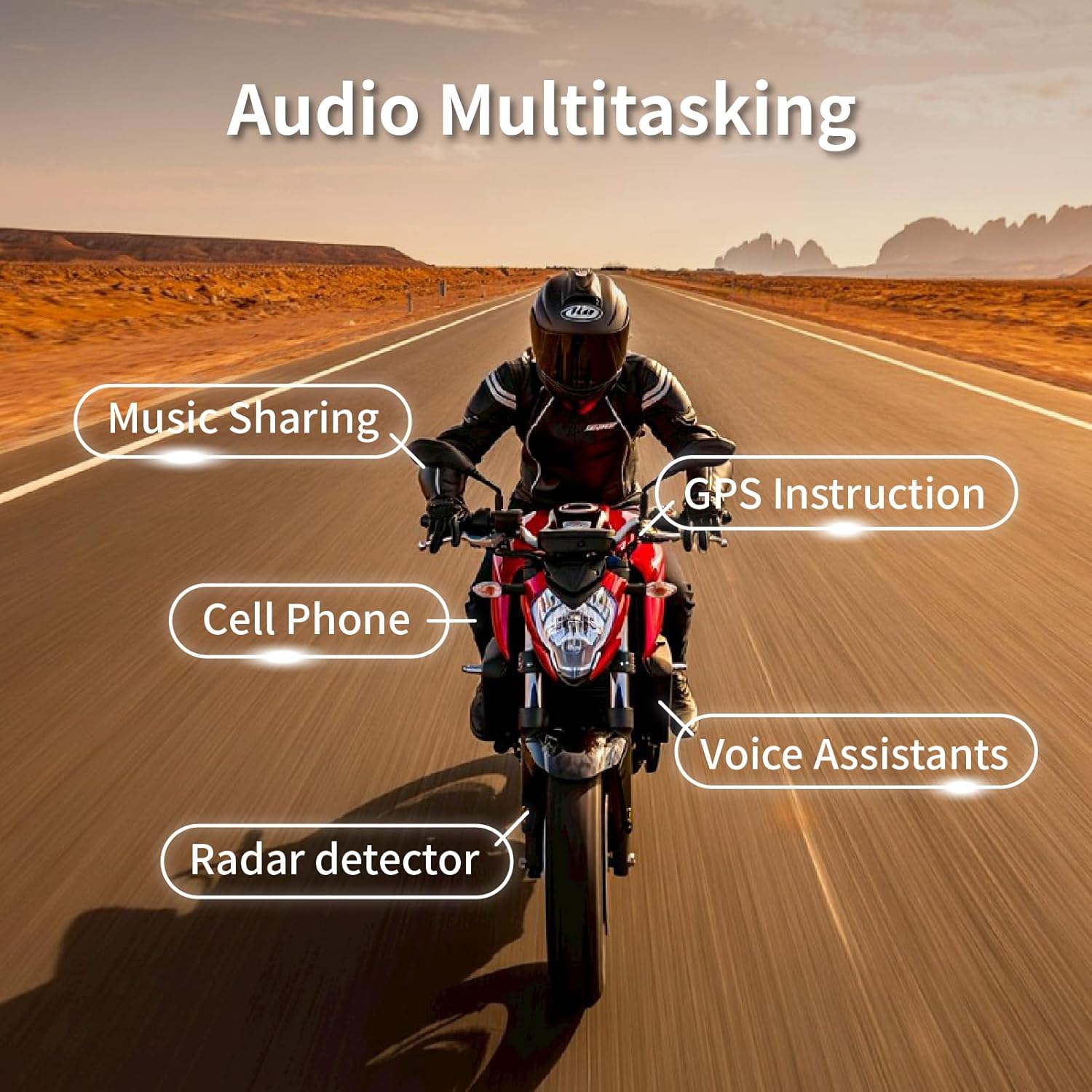
The BK-S2 supports audio multitasking, allowing simultaneous use of music, GPS, phone calls, voice assistants, and radar detectors.
6. Maintenance
To ensure the longevity and optimal performance of your BIKECOMM BK-S2 headset, follow these maintenance guidelines:
- Cleaning: Wipe the unit and speakers with a soft, damp cloth. Avoid using harsh chemicals or abrasive cleaners.
- Storage: When not in use for extended periods, store the headset in a cool, dry place. Ensure the battery is partially charged (around 50%) before storage to prevent deep discharge.
- Water Exposure: While IPX7 waterproof, avoid prolonged submersion. After exposure to rain or water splashes, ensure the charging port is dry before charging.
- Cable Care: Handle cables carefully to prevent bending or pinching, which can cause static or connection issues.
7. Troubleshooting
If you encounter issues with your BK-S2 headset, refer to the following common troubleshooting steps:
| Problem | Possible Cause | Solution |
|---|---|---|
| No Power / Won't Turn On | Low battery. | Charge the unit fully. Ensure the charging cable and power source are working. |
| Cannot Pair with Phone/GPS | Device not in pairing mode; Bluetooth off on phone/GPS; previously paired device interfering. | Ensure BK-S2 is in pairing mode (red/blue flashing LED). Turn off and on Bluetooth on your phone/GPS. Forget previous pairings on your device. |
| Intercom Link Not Working | Incorrect pairing procedure; out of range; interference. | Repeat the intercom pairing steps carefully (Section 4.4). Ensure all units are within range and have clear line of sight. |
| Static or Poor Audio Quality | Loose wire connection; microphone not positioned correctly; environmental noise. | Check all cable connections. Reposition the microphone closer to your mouth. The device has noise cancellation, but extreme wind or engine noise can still affect clarity. |
| Short Battery Life | Battery degradation; frequent use at high volume. | Ensure full charge cycles. Reduce volume if not necessary. Battery life naturally decreases over time. |
If the problem persists after trying these solutions, please contact BIKECOMM customer support.
8. Specifications
| Feature | Detail |
|---|---|
| Model Name | BK-S2 |
| Connectivity Technology | Wireless (Bluetooth V5.0) |
| Noise Control | Active Noise Cancellation |
| Water Resistance Level | IPX7 Waterproof |
| Charging Time | Approx. 2.5 - 3 Hours |
| Talk Time | Approx. 14-15 Hours |
| Music Playback Time | Approx. 16-17 Hours |
| Intercom Range | Up to 1200 meters (Fleet Mode) |
| Item Weight | 1.92 ounces |
| Product Dimensions | 1.69 x 1.1 x 3.82 inches |
| Material | Plastic, Silicone |
| Frequency Range | 20 Hz - 20,000 Hz |
| Certifications | FCC, ROHS, BQB |
9. Warranty and Support
BIKECOMM products are designed for durability and performance. For warranty information and customer support, please refer to the official BIKECOMM website or contact your local distributor. You can also visit the BIKECOMM Store on Amazon for additional resources and contact details.
For technical assistance or service inquiries, please have your product model number (BK-S2) and purchase details ready.
Related documentsBK-S2


Ask a question about this manual
Ask about setup, troubleshooting, compatibility, parts, safety, or missing instructions. Manuals+ will review the question and use this page’s manual context to help answer it.