
1. Setup and First Use
1.1 Unpacking
Carefully remove the RYOBI 40V Lithium-Ion 2.0 Ah Battery from its packaging. Inspect the battery for any signs of damage. If any damage is observed, do not use the battery and contact customer support.
1.2 Charging the Battery
Before first use, fully charge the battery. This battery requires a compatible RYOBI 40V charger (sold separately, e.g., Model # OP406A). Ensure the charger is plugged into a standard electrical outlet.
- Align the battery with the charging port on the RYOBI 40V charger.
- Slide the battery onto the charger until it clicks securely into place.
- The charger's indicator lights will show the charging status. Refer to your charger's manual for specific light patterns.
- A full charge typically takes 30 minutes or less with the RYOBI 40V Rapid Charger.
- Once fully charged, remove the battery from the charger by pressing the release tab and sliding it off.
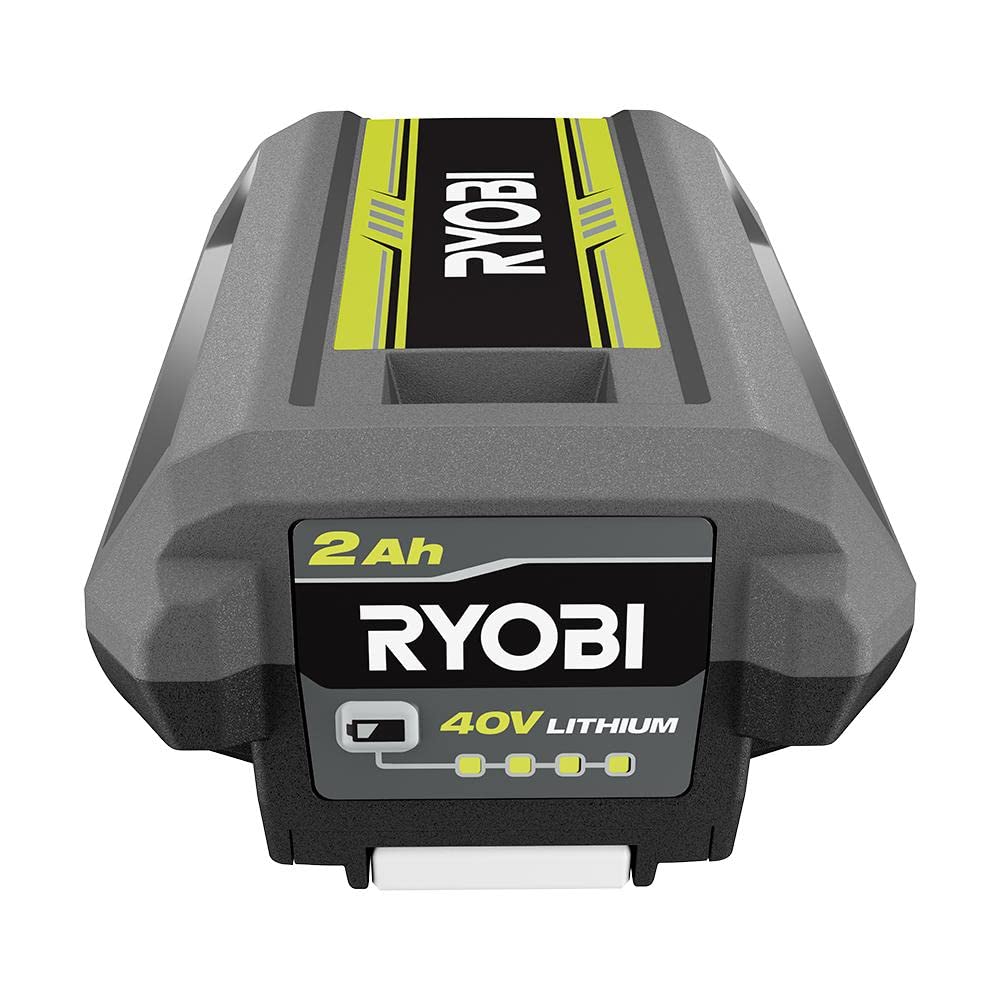
Figure 1: The RYOBI 40V Lithium-Ion 2.0 Ah Battery, featuring its black and lime green design with the RYOBI logo and '40V LITHIUM 2Ah' markings.
2. Operating Instructions
2.1 Installing the Battery
This battery is designed for use with all RYOBI 40V tools. Ensure the tool is turned off before installing the battery.
- Align the battery with the battery port on your RYOBI 40V tool.
- Slide the battery into the tool until it clicks securely into place. Ensure it is fully seated to prevent accidental dislodgement during operation.
2.2 Removing the Battery
Always turn off the tool before removing the battery.
- Locate the battery release tab on the tool.
- Press and hold the release tab.
- Slide the battery out of the tool.
2.3 Checking Battery Charge Level
The battery features an on-board fuel gauge to display the remaining runtime.
- Press the button on the battery's fuel gauge.
- The indicator lights will illuminate to show the charge level:
- Four lights: 76-100% charge
- Three lights: 51-75% charge
- Two lights: 26-50% charge
- One light: 1-25% charge (recharge soon)
3. Maintenance and Storage
3.1 Cleaning
Keep the battery clean and free of debris. Use a clean, dry cloth to wipe down the battery. Do not use solvents or harsh chemicals.
3.2 Storage
Store the battery in a cool, dry place away from direct sunlight and extreme temperatures. For long-term storage, it is recommended to store the battery with a partial charge (around 50%). Avoid storing fully discharged batteries for extended periods.
4. Troubleshooting
- Battery not charging: Ensure the charger is properly plugged in and receiving power. Check for any debris in the battery or charger terminals. If the battery is too hot or too cold, it may not charge; allow it to reach room temperature.
- Battery not powering tool: Ensure the battery is fully charged and properly seated in the tool. Check if the tool itself is functioning correctly with another battery (if available).
- Reduced runtime: Over time, all rechargeable batteries experience a decrease in capacity. Ensure the battery is fully charged before use. If runtime is significantly reduced, consider replacing the battery.
5. Product Specifications
| Brand | RYOBI |
| Model Number | OP40204 |
| Model Name | RYOBI BATTERY |
| Battery Type | Lithium Ion |
| Voltage | 40 Volts |
| Amperage | 2 Amps |
| Battery Capacity | 2 Amp Hours |
| Reusability | Rechargeable |
| Recommended Use | Power Tool |
| UPC / GTIN | 715450000363 |
6. Warranty Information
This RYOBI 40V Lithium-Ion 2.0 Ah Battery comes with a 1-YEAR limited warranty. For specific terms and conditions, please refer to the warranty card included with your original purchase or visit the official RYOBI website. Keep your proof of purchase for warranty claims.
7. Customer Support
For further assistance, technical support, or to inquire about replacement parts, please contact RYOBI customer service. Contact information can typically be found on the product packaging or the official RYOBI website. Always provide your product model number (OP40204) when seeking support.


