
1. Safety Information
Please read all instructions carefully before using the Taurus Inception Precission Smart Bathroom Scale. Retain this manual for future reference.
- Do not use this device if you have a pacemaker or other internal medical device.
- Do not use this device if you are pregnant.
- The scale is designed for household use only.
- Place the scale on a hard, flat surface. Using it on soft surfaces like carpet may affect accuracy.
- The scale surface can be slippery when wet. Ensure the surface is dry before stepping on it.
- Do not jump on the scale.
- Keep the scale away from extreme temperatures, direct sunlight, and high humidity.
- Do not immerse the scale in water.
- Keep out of reach of children.
2. Product Overview
The Taurus Inception Precission is a smart bathroom scale designed to measure weight, body fat percentage, and body water percentage. It features a sleek design, tempered glass platform, and an easy-to-read LCD display.
Key Features:
- Measures weight, body fat percentage, and body water percentage.
- High precision: 0.1 kg / 0.2 lb increments.
- Maximum capacity: 180 kg / 396 lb.
- Minimum weight for measurement: 3 kg / 6.6 lb.
- Large, easy-to-read LCD display.
- Durable tempered glass platform.
- Automatic power-on and 8-second automatic shut-off.
- Memory for up to 10 distinct users.
- Includes batteries for immediate use.
Components:
- Weighing Platform (Tempered Glass)
- LCD Display
- Electrodes (metal pads for body composition analysis)
- Battery Compartment (located on the underside)
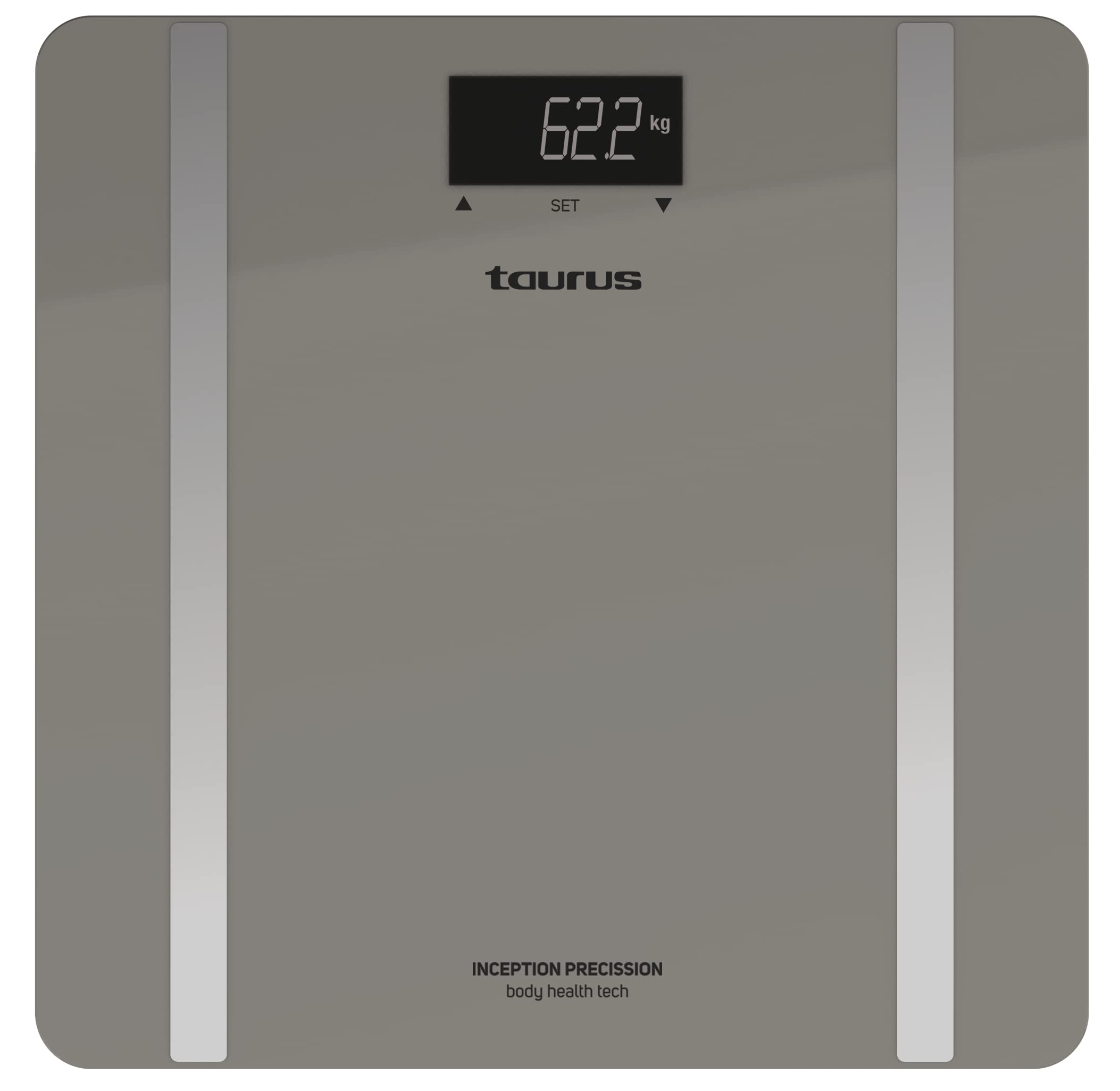
Image: Taurus Inception Precission Smart Bathroom Scale, grey color, with an LCD display and a tempered glass platform.
3. Setup
3.1. Battery Installation
- Turn the scale over to access the battery compartment on the underside.
- Open the battery compartment cover.
- Insert the included 1 AA battery, ensuring the correct polarity (+/-).
- Close the battery compartment cover securely.
3.2. Initial Placement
- Place the scale on a hard, flat, and stable surface (e.g., tile, hardwood floor). Avoid carpets or uneven surfaces.
- Ensure the scale is not near any heat sources or in direct sunlight.
4. Operating Instructions
4.1. Basic Weight Measurement
- Gently tap the center of the scale with your foot to activate it. The display will show "0.0" or "0.00".
- Once "0.0" or "0.00" appears, step onto the scale barefoot and stand still.
- Your weight will be displayed and flash a few times before stabilizing.
- Step off the scale. It will automatically turn off after approximately 8 seconds.
4.2. Body Composition Measurement (Body Fat & Body Water)
For body composition analysis, you need to set up a user profile. The scale can store data for up to 10 users.
4.2.1. Setting Up a User Profile
The specific method for setting up user profiles (e.g., age, height, gender) is typically done via buttons on the scale or an associated app. As no app is mentioned, assume basic profile selection on the scale.
- Activate the scale by tapping it.
- Look for a 'SET' or 'MODE' button, or a user selection button (often indicated by arrows or a 'P' for profile).
- Use the buttons to select an empty user slot (P1-P10).
- Follow the on-screen prompts to input personal data such as age, height, and gender. Confirm each input.
- Once the profile is set, the scale is ready for measurement.
4.2.2. Taking a Body Composition Measurement
- Activate the scale and select your user profile (P1-P10) if it doesn't automatically recognize you.
- Step onto the scale barefoot, ensuring your feet are positioned on the metal electrodes. Stand still.
- The scale will first display your weight, then cycle through your body fat percentage and body water percentage.
- Step off the scale once all measurements are displayed. The data will be stored in your profile.
4.3. Changing Weight Units (kg/lb)
The unit switch is usually located on the underside of the scale, near the battery compartment.
- Turn the scale over.
- Locate the unit switch (often a small button or slider labeled "UNIT" or "kg/lb").
- Press or slide the switch to toggle between kilograms (kg) and pounds (lb).
- Turn the scale back over and activate it to confirm the new unit on the display.
5. Maintenance and Care
- Clean the scale with a damp cloth and mild detergent. Do not use abrasive cleaners or immerse in water.
- Avoid dropping or striking the scale, as this may damage the tempered glass or internal components.
- If the scale will not be used for an extended period, remove the battery to prevent leakage.
- Store the scale in a cool, dry place.
6. Troubleshooting
| Problem | Possible Cause | Solution |
|---|---|---|
| "Lo" displayed | Low battery. | Replace the AA battery. |
| "Err" displayed | Overload or unstable measurement. | Ensure weight does not exceed 180 kg. Place scale on a flat, stable surface. Step on and stand still. |
| Inaccurate readings | Scale on soft surface, not calibrated, or moved. | Place scale on a hard, flat surface. Tap to activate, wait for "0.0", then weigh. If moved, recalibrate by tapping and waiting for "0.0" before weighing. |
| No display | Battery issue or scale not activated. | Check battery installation and charge. Tap the scale to activate. |
| Body composition not measured | Not barefoot, feet not on electrodes, or user profile not set. | Step on barefoot. Ensure feet cover the metal electrodes. Set up your user profile as per section 4.2.1. |
7. Specifications
- Brand: Taurus
- Model: Inception Precission
- Model Number: 8414234905567
- Maximum Weight Capacity: 180 kg / 396 lb
- Minimum Weight: 3 kg / 6.6 lb
- Precision: 0.1 kg / 0.2 lb
- Display Type: LCD
- Material: Tempered Glass
- Power Source: 1 AA battery (included)
- User Memory: Up to 10 users
- Automatic Shut-off: Yes (after 8 seconds of inactivity)
- Color: Grey
8. Warranty and Support
For warranty information and customer support, please refer to the documentation provided with your purchase or contact Taurus customer service. Keep your proof of purchase for any warranty claims.


