
1. Introduction
The Nothing Ear 2 Wireless Earbuds offer a premium audio experience with advanced features designed for seamless connectivity and superior sound. Key features include Active Noise Cancellation up to 40dB, Bluetooth 5.3 for stable connections, wireless charging, and dual device connectivity. These earbuds are built for comfort and durability, featuring IP54 water and dust resistance for the earbuds and IP55 for the charging case.
2. Setup
2.1. Package Contents
Before you begin, ensure all items are present in the package:
- Nothing Ear 2 Wireless Earbuds (Left and Right)
- Charging Case
- USB-C Charging Cable
- Ear Tips (S/M/L)
- User Manual (this document)
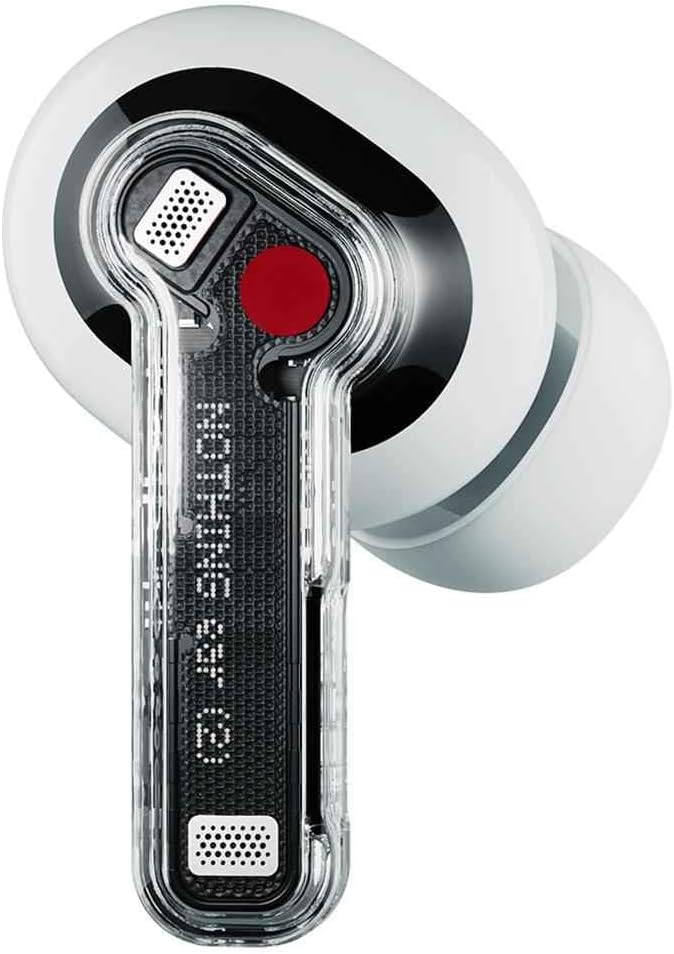
Image: Nothing Ear 2 earbuds neatly placed within their transparent charging case.
2.2. Charging the Earbuds and Case
For optimal performance, fully charge your Nothing Ear 2 earbuds and charging case before first use. The charging case supports both USB-C wired charging and Qi-certified wireless charging.
- Wired Charging: Connect the provided USB-C cable to the charging port on the case and to a power source. The LED indicator on the case will show charging status.
- Wireless Charging: Place the charging case on a Qi-certified wireless charging pad. Ensure the case is properly aligned for charging to begin.
A 10-minute wired charge provides up to 8 hours of listening time. The case provides a total of 36 hours of playtime with ANC off.

Image: The Nothing Ear 2 charging case, highlighting the USB-C charging port at the bottom.
2.3. Pairing with Your Device
The Nothing Ear 2 earbuds utilize Bluetooth 5.3 for a stable and efficient connection. They support Google Fast Pair and Microsoft Swift Pair for quick and easy setup on compatible devices.
- Ensure the earbuds are in the charging case and the lid is open.
- Press and hold the function button on the charging case until the LED indicator starts blinking white, indicating pairing mode.
- On your device (smartphone, tablet, laptop), go to Bluetooth settings and select "Nothing Ear 2" from the list of available devices.
- Follow any on-screen prompts to complete the pairing process.
3. Operating
3.1. Touch Controls
The Nothing Ear 2 earbuds feature intuitive press controls on the stem of each earbud:
- Single Press: Play/Pause music, Answer/Hang up calls.
- Double Press: Skip forward to the next track, Reject calls.
- Triple Press: Skip back to the previous track.
- Press and Hold (Left & Right Earbuds): Switch between Active Noise Cancellation and Transparency Mode.
All features and controls are customizable via the Nothing X app, available for iOS and Android devices.
3.2. Active Noise Cancellation (ANC)
Experience immersive sound with personalized Active Noise Cancellation, reducing ambient noise by up to 40dB. The earbuds offer:
- Personalized ANC: Adapts noise cancellation to your ear canal for optimal performance.
- Environment Adaptive ANC: Adjusts noise cancellation levels based on your surroundings.

Image: A visual representation of Active Noise Cancellation, showing sound waves being suppressed around an earbud.
3.3. Sound Quality
The Nothing Ear 2 features an 11.6mm custom driver and a dual chamber design for rich, clear, and authentic audio. The smart software detects bass loss and tunes the equalizer curve for optimal sound. The earbuds are Hi-Res certified, delivering high-fidelity audio.

Image: A close-up of a person wearing a Nothing Ear 2 earbud, emphasizing the "Truly Authentic Sound" feature.
3.4. Dual Connection
Seamlessly switch between two connected devices without manual re-pairing. For example, you can listen to music on your laptop and instantly switch to answer a call on your phone. Once the call ends, your music will resume from where you left off.

Image: A diagram illustrating the dual connection feature, with earbuds wirelessly linked to both a smartphone and a laptop.
4. Maintenance
4.1. Water and Dust Resistance
The Nothing Ear 2 earbuds are rated IP54 for water and dust resistance, making them suitable for daily use and workouts. The charging case is rated IP55. This means they are protected against splashes of water and dust ingress, but are not designed for submersion.

Image: Nothing Ear 2 earbuds and their case depicted with water droplets, highlighting their IP54 (buds) and IP55 (case) water and dust resistance ratings.
4.2. Cleaning
To maintain the longevity and performance of your earbuds:
- Regularly clean the ear tips and mesh with a soft, dry, lint-free cloth.
- Wipe the charging contacts on both the earbuds and the case to ensure proper charging.
- Avoid using abrasive materials or harsh chemicals for cleaning.
5. Troubleshooting
If you encounter issues with your Nothing Ear 2 earbuds, try the following solutions:
5.1. Pairing Issues
- Ensure Bluetooth is enabled on your device.
- Make sure the earbuds are charged and in pairing mode (LED blinking white).
- Try forgetting "Nothing Ear 2" from your device's Bluetooth settings and re-pairing.
- Restart your device.
5.2. Sound Quality Issues
- Check the ear tip fit. A proper seal is crucial for optimal sound and ANC performance.
- Clean the earbud mesh to remove any debris.
- Ensure the earbuds are fully charged.
- Adjust equalizer settings in the Nothing X app.
5.3. Battery Life Concerns
- Ensure the charging case is also charged.
- Clean the charging contacts on both earbuds and case.
- Using Active Noise Cancellation or Transparency Mode continuously will reduce battery life.
5.4. Earbuds Not Responding
- Place both earbuds back into the charging case and close the lid for a few seconds, then open it again.
- Perform a factory reset via the Nothing X app if the issue persists.
6. Specifications
| Feature | Detail |
|---|---|
| Model Name | Nothing Ear 2 |
| Item Model Number | A10600017 |
| Connectivity Technology | Wireless (Bluetooth 5.3) |
| Audio Driver Type | Dynamic Driver |
| Audio Driver Size | 11.6 Millimeters |
| Active Noise Cancellation | Up to 40 dB |
| Earbud Water Resistance | IP54 |
| Charging Case Water Resistance | IP55 |
| Earbud Battery Life | Up to 8 hours (single charge) |
| Total Playtime (with case) | Up to 36 hours (ANC off) |
| Charging Interface | USB-C, Qi Wireless Charging |
| Weight (Earbuds + Case) | Approximately 4.2 ounces (120 grams) |
7. Warranty and Support
7.1. Warranty Information
Nothing Ear 2 Wireless Earbuds come with a limited manufacturer's warranty. Please refer to the warranty card included in your product packaging or visit the official Nothing website for detailed terms and conditions regarding warranty coverage, duration, and claims procedures.
7.2. Customer Support
For further assistance, technical support, or service inquiries, please utilize the Nothing X app for comprehensive support options, or visit the official Nothing support website. You can also reach out to the customer service team through the contact information provided on the Nothing website.


