
Introduction
Thank you for choosing nipify Solar Outdoor Lights. This manual provides essential information for the proper installation, operation, and maintenance of your new solar lights. Please read it thoroughly before use to ensure optimal performance and longevity.
Package Contents
- 12 x 140 LED Solar Outdoor Lights
- 24 x Expansion bolts
- 24 x Screws
- 1 x User Manual
Key Features
- Solar Powered & Energy Saving: Equipped with 140 high-quality LED beads and 180° wide-angle lighting. Converts solar energy into electricity during the day for automatic illumination at night.
- 3 Lighting Modes & Motion Sensor: Built-in sensitive motion sensor with three selectable modes for varied lighting needs.
- Waterproof & Weatherproof: Constructed from durable ABS material with an LED protection screen, ensuring normal operation in adverse weather conditions.
- High-efficiency Solar Panel: Improved solar energy conversion rate from 20% to 22% for faster charging and longer lighting duration.
- Easy to Install & Widely Used: Simple screw-in installation, suitable for outdoor walls, gardens, patios, decks, garages, driveways, and fences.
Installation Guide
Follow these steps for proper installation:
- Choose a Location: Select a location that receives direct sunlight for at least 6-8 hours daily to ensure optimal charging. Avoid areas under eaves, trees, or other obstructions that might block sunlight.
- Activate the Light: Before mounting, activate the wall lamp and set your desired lighting mode using the button on the front.
- Mounting: Use the provided screws and expansion bolts to securely mount the light to a wall, fence, or other suitable surface. Ensure the solar panel faces upwards to maximize sun exposure.
- Initial Charge: Allow the lights to charge for a full day (6-8 hours) in direct sunlight before first use.

Image: Installation steps for the nipify solar outdoor light.
Operating Instructions
The nipify solar lights feature a built-in motion sensor and offer three distinct lighting modes. Press the button on the front of the light to cycle through the modes:
Mode 1: Constant Light Mode
The light automatically turns on at medium brightness at night and turns off during the day. This mode provides continuous ambient lighting.
Mode 2: Dim Light Sensor Mode
The light stays at a low brightness when no motion is detected. When motion is detected, it switches to full brightness for 20 seconds, then returns to dim light.
Mode 3: Sensor Light Mode
The light remains off when no motion is detected. When motion is detected, it turns on at full brightness for 20 seconds, then turns off completely.

Image: Visual representation of the 3 lighting modes.

Image: Solar charging and automatic night illumination.
Maintenance
To ensure your solar lights continue to function optimally, regular maintenance is recommended:
- Clean Solar Panel: Periodically wipe the solar panel with a soft, damp cloth to remove dust, dirt, or debris that may accumulate and reduce charging efficiency.
- Clear Obstructions: Ensure no new obstructions (e.g., growing branches, new structures) are blocking direct sunlight to the solar panel.
- Winter Care: In snowy conditions, gently brush off any snow accumulation from the solar panel to allow for charging.
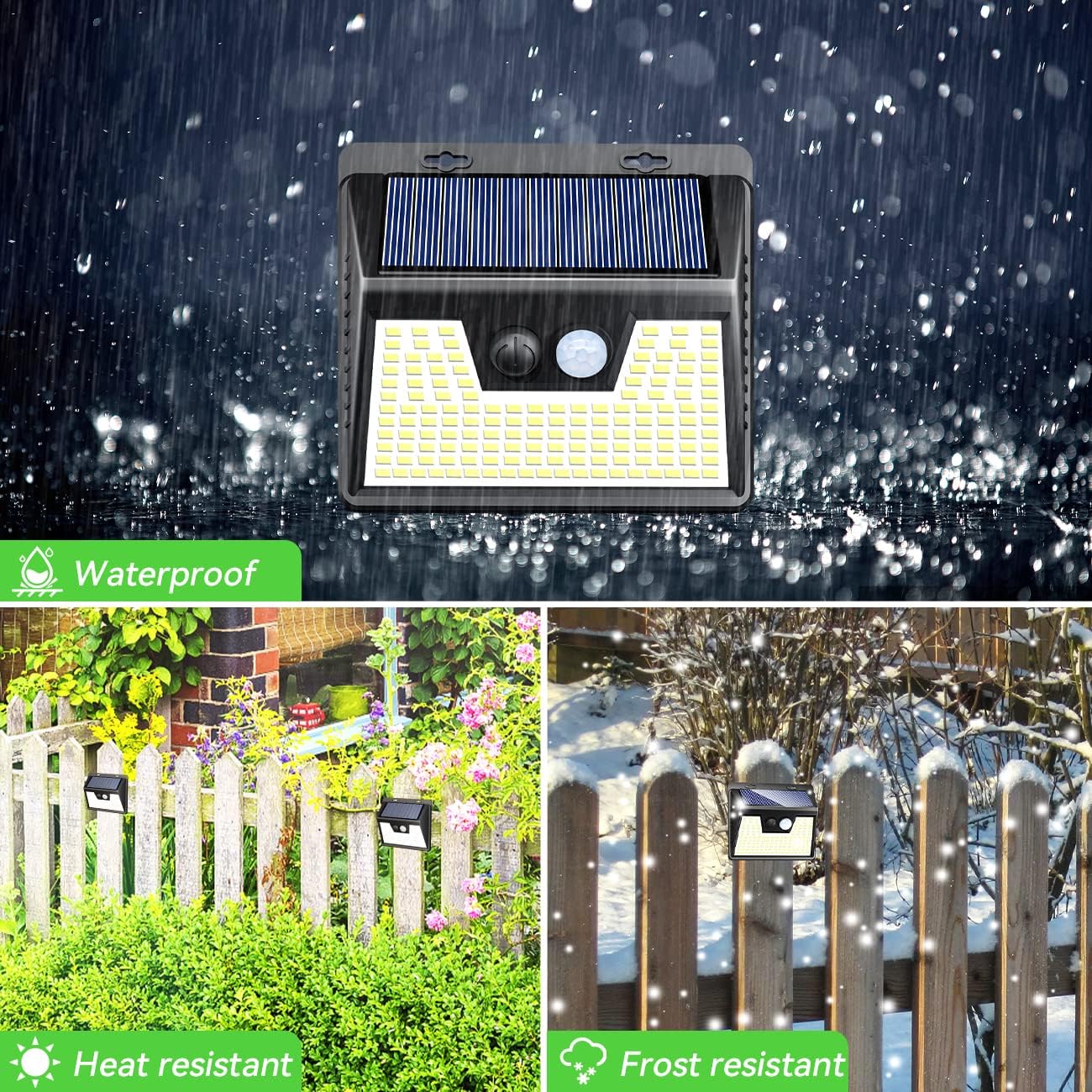
Image: Durability of the solar lights in various weather conditions.
Troubleshooting
| Problem | Possible Cause | Solution |
|---|---|---|
| Light does not turn on at night. | Insufficient sunlight for charging. | Relocate the light to an area with more direct sunlight (6-8 hours daily). Ensure the solar panel is clean. |
| Light duration is short. | Partial charging due to cloudy weather or obstructions. | Ensure the solar panel is clean and receives maximum direct sunlight. Battery may need a full day's charge. |
| Motion sensor not working. | Sensor obstructed or light is in constant light mode. | Ensure the sensor is clear of debris. Cycle through modes to select a motion-sensing mode (Mode 2 or 3). |
Specifications
| Feature | Detail |
|---|---|
| Brand | nipify |
| Model Name | YHM-01B |
| Color | Cool White |
| Material | Plastic (Acrylonitrile Butadiene Styrene) |
| Light Source Type | LED (140 beads) |
| Brightness | 14000 lumen |
| Power Source | Solar Powered |
| Special Features | Waterproof, Motion Sensor |
| Water Resistance Level | Waterproof |
| Solar Conversion Efficiency | 22% |
| Product Dimensions | 5"L x 4"W x 4"H |
| Item Weight | 3.48 Pounds (for the pack) |
| Installation Type | Wall Mount |
| Included Components | Lights, Expansion bolts, Screws, User Manual |
Warranty and Support
Your nipify Solar Outdoor Lights come with a Limited Warranty. For detailed warranty information, technical support, or any inquiries, please visit the official nipify store or contact customer service through your purchase platform.
You can find more information and contact details at the nipify Store on Amazon.