Introduction
The KUU FLEXONE is a versatile 2-in-1 laptop designed for both productivity and entertainment. Featuring an Intel J5040 processor, 8GB DDR4 RAM, and a 512GB SSD, it offers reliable performance. Its 14-inch IPS touch-screen and 360-degree hinge allow for seamless transitions between laptop, tablet, and other modes, adapting to various usage scenarios. The all-metal body ensures durability, while features like a fingerprint reader enhance security and convenience.
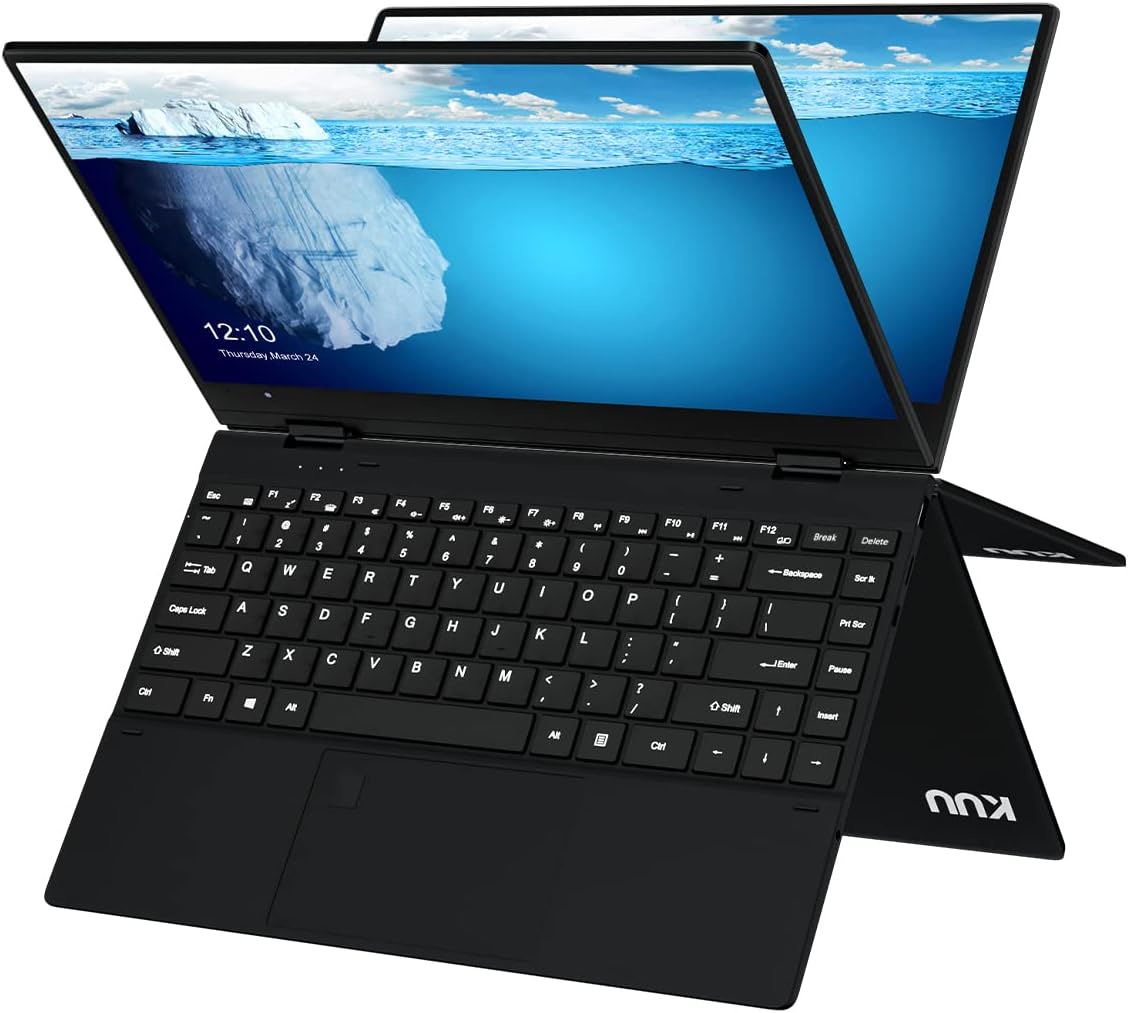
Image: The KUU FLEXONE 2-in-1 laptop in its standard laptop configuration, displaying the full keyboard and the vibrant screen.
Key Features
- 2-in-1 Design: Seamlessly switch between laptop, tablet, stand, and tent modes with a 360-degree rotatable hinge.
- 14-inch IPS Touch-Screen: Enjoy vibrant visuals and intuitive interaction with the responsive touch display.
- Intel J5040 Processor: Provides efficient performance for daily computing tasks.
- 8GB DDR4 RAM & 512GB SSD: Offers ample memory for multitasking and fast storage for your files and applications.
- Fingerprint Reader: Enhance security and quickly log in with integrated biometric authentication.
- All-Metal Body: Durable and premium construction.
- Windows 11 Pro: Pre-installed operating system for a modern and secure user experience.

Image: An infographic highlighting key specifications including Pentium J5040 CPU, 8GB RAM, 512GB SATA SSD, full metal body, 1.4kg weight, 360-degree axial free rotation, 14-inch IPS screen, 38Whr battery, and fingerprint unlock.
Setup
1. Initial Power On
- Unpack the laptop and all accessories from the box.
- Connect the power adapter to the laptop's DC-IN port and plug it into a power outlet.
- Press the power button located on the side of the laptop to turn it on.
- Follow the on-screen instructions to complete the initial Windows 11 Pro setup, including language, region, network connection, and user account creation.
2. Charging the Battery
For optimal battery life, fully charge the laptop before its first use. The charging indicator light will typically show the charging status.
Operating Instructions
1. Understanding the 2-in-1 Modes
The KUU FLEXONE features a 360-degree hinge, allowing it to transform into various modes:
- Laptop Mode: Standard laptop configuration for typing and traditional computing.
- Tent Mode: Fold the screen back to form a "tent" shape, ideal for watching videos or presentations in confined spaces.
- Stand Mode: Flip the keyboard under the screen, allowing the screen to stand upright, perfect for touch-based interactions or media consumption.
- Tablet Mode: Fold the screen completely back against the keyboard for a full tablet experience, enabling touch and stylus input.

Image: The KUU FLEXONE demonstrating its 360-degree hinge, showing how it can be used in office mode (laptop), sharing mode (tent), leisure patterns (stand), and tablet mode.

Image: A user interacting with the KUU FLEXONE's touchscreen while the device is in a stand-like configuration, showcasing its touch capabilities for creative work.
2. Keyboard and Touchpad
The laptop features a comfortable keyboard with 1.3mm key travel and a 2nd gear backlight for improved typing in various lighting conditions. The large touchpad supports multi-touch gestures for efficient navigation.
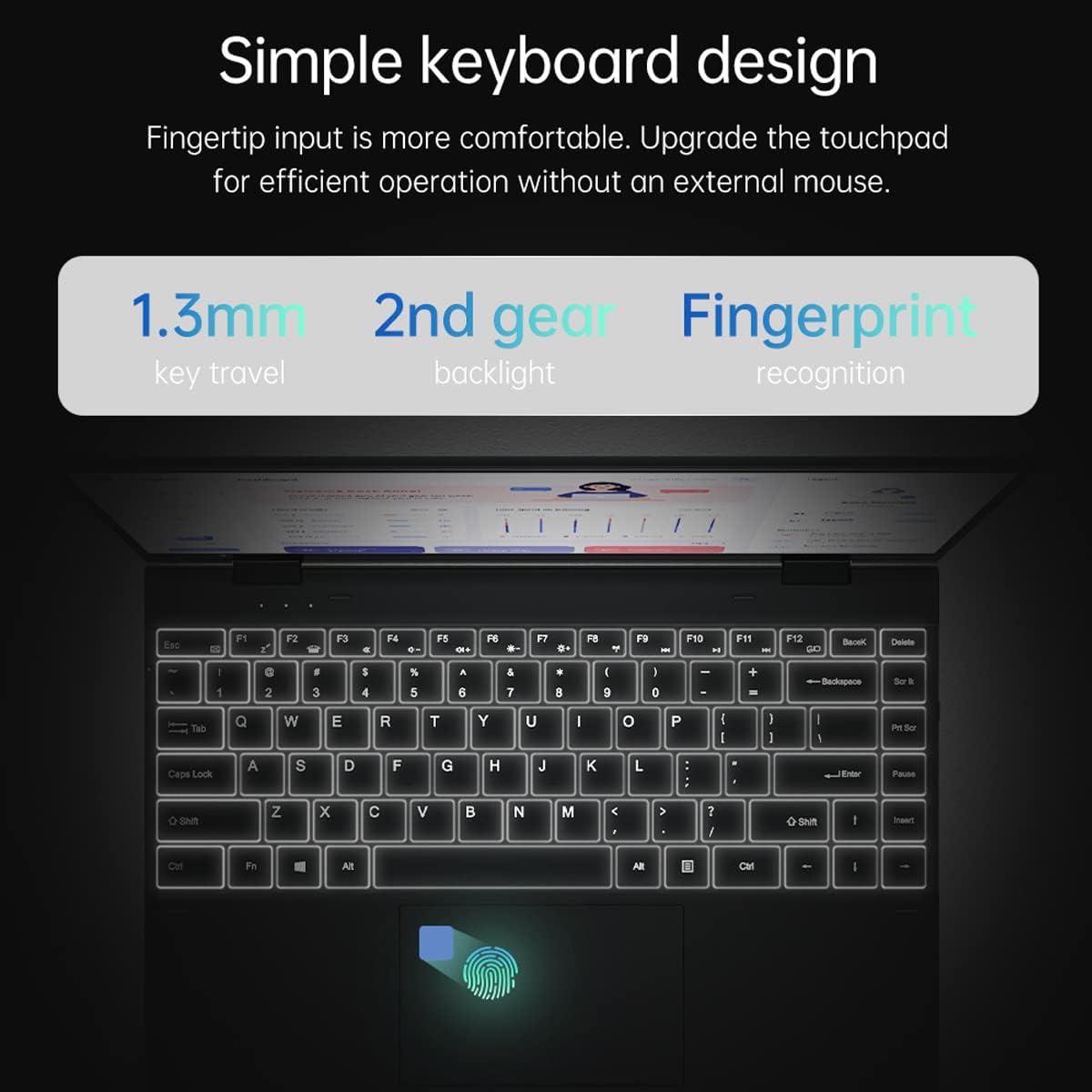
Image: A detailed view of the KUU FLEXONE's keyboard, highlighting the 1.3mm key travel, 2nd gear backlight, and the integrated fingerprint recognition sensor on the touchpad.
3. Fingerprint Reader
The integrated fingerprint reader allows for secure and quick login to your Windows 11 Pro system. To set up, navigate to Settings > Accounts > Sign-in options and follow the instructions to register your fingerprint.
4. Connectivity and Ports
The KUU FLEXONE offers a variety of ports for connecting peripherals and accessories:
- DC-IN: For power adapter connection.
- Type-C Interface: Versatile port for data transfer and potentially charging (check specific model capabilities).
- Audio Port: For headphones or external speakers.
- TF Card Interface: For expanding storage with a TF (microSD) card.
- USB 3.0 Interface: For high-speed data transfer with USB devices.
Wireless connectivity includes Wi-Fi and Bluetooth 5.1 for seamless internet access and peripheral connections.

Image: A diagram illustrating the rich interface expansion of the KUU FLEXONE, detailing the locations of the Power interface (DC-IN), Type-C Interface, Audio Port, Power Button, TF card interface, and USB 3.0 interface.
Maintenance
- Cleaning: Use a soft, lint-free cloth to clean the screen and exterior. For stubborn marks, slightly dampen the cloth with water or a screen cleaner. Avoid harsh chemicals.
- Battery Care: To prolong battery life, avoid extreme temperatures. If storing for a long period, charge the battery to about 50% before storage.
- Software Updates: Regularly update your Windows operating system and drivers to ensure optimal performance and security.
- Ventilation: Ensure the laptop's vents are not obstructed to prevent overheating. Use on a flat, hard surface when possible.
Troubleshooting
| Problem | Possible Solution |
|---|---|
| Laptop does not power on. | Ensure the power adapter is securely connected and the outlet is working. Try holding the power button for 10-15 seconds to perform a hard reset. |
| Screen is blank or flickering. | Check display cable connections if using an external monitor. Restart the laptop. Update graphics drivers. |
| Wi-Fi or Bluetooth not working. | Check if Wi-Fi/Bluetooth is enabled in Windows settings. Restart the laptop. Update network drivers. |
| Touchscreen unresponsive. | Restart the laptop. Ensure the screen is clean. Check for touchscreen driver updates in Device Manager. |
| Slow performance. | Close unnecessary applications. Check for malware. Ensure sufficient free space on the SSD. Update Windows. |
Specifications
| Feature | Detail |
|---|---|
| Standing screen display size | 14 Inches |
| Brand | KUU |
| Item model number | Flexone |
| Operating System | Windows 11 Pro |
| Product Dimensions | 12.71 x 8.97 x 0.54 inches |
| Item Dimensions LxWxH | 12.71 x 8.97 x 0.54 inches |
| Computer Memory Type | DDR4 SDRAM |
| Flash Memory Size | 8 GB |
| Special Feature | Fingerprint Reader |
| Connectivity Technology | Bluetooth, USB, Wi-Fi |
| Lithium Battery Energy Content | 300 Watt Hours |
| RAM Type | DDR4 SDRAM |
| Cache Size | 8 GB |
| Control Method | Touch |
| Manufacturer | KUU |
Official Product Video
Video: An official product video showcasing the KUU FLEXONE 2-in-1 Laptop's features, including its metal fuselage, narrow border display, 360-degree rotation, precision touch screen, and horizontal/vertical display capabilities.
Warranty and Support
For warranty information, technical support, or service inquiries, please refer to the warranty card included with your product or visit the official KUU website. You may also contact KUU customer service directly for assistance.
For additional resources and product information, visit the KUU Store on Amazon.