
Introduction
The QFX LMS-66 is a versatile and portable Bluetooth speaker designed to deliver powerful sound and dynamic visual effects. Featuring dual 6.5-inch full-range speakers and 3-mode liquid motion party lights, it enhances any listening experience. Its robust connectivity options, including USB, TF card, and FM radio, along with True Wireless Stereo (TWS) capability, make it ideal for various entertainment events.

Front view of the QFX LMS-66 speaker showcasing its vibrant liquid motion lights and dual speaker design.
What's in the Box
Upon unboxing your QFX LMS-66 speaker, please ensure all components are present:
- QFX LMS-66 Bluetooth Speaker
- USB Charging Cable
- User Manual (this document)

An illustration showing the QFX LMS-66 speaker and its packaging, representing the items included in the box.
Setup
1. Charging the Speaker
Before initial use, fully charge the speaker using the provided USB charging cable. Connect the cable to the USB charging port on the speaker and a compatible USB power source. The charging indicator light will typically show charging status and turn off or change color when fully charged.
2. Powering On/Off
Locate the ON/OFF switch on the control panel. Slide the switch to the ON position to power on the speaker. To power off, slide the switch to the OFF position.
3. Bluetooth Pairing
- Ensure the speaker is powered on and in Bluetooth mode. The display will typically show "BLUE" or a similar indicator.
- On your mobile device (smartphone, tablet, laptop), enable Bluetooth and search for available devices.
- Select "QFX LMS-66" from the list of devices.
- Once connected, the speaker will usually emit an audible confirmation tone.
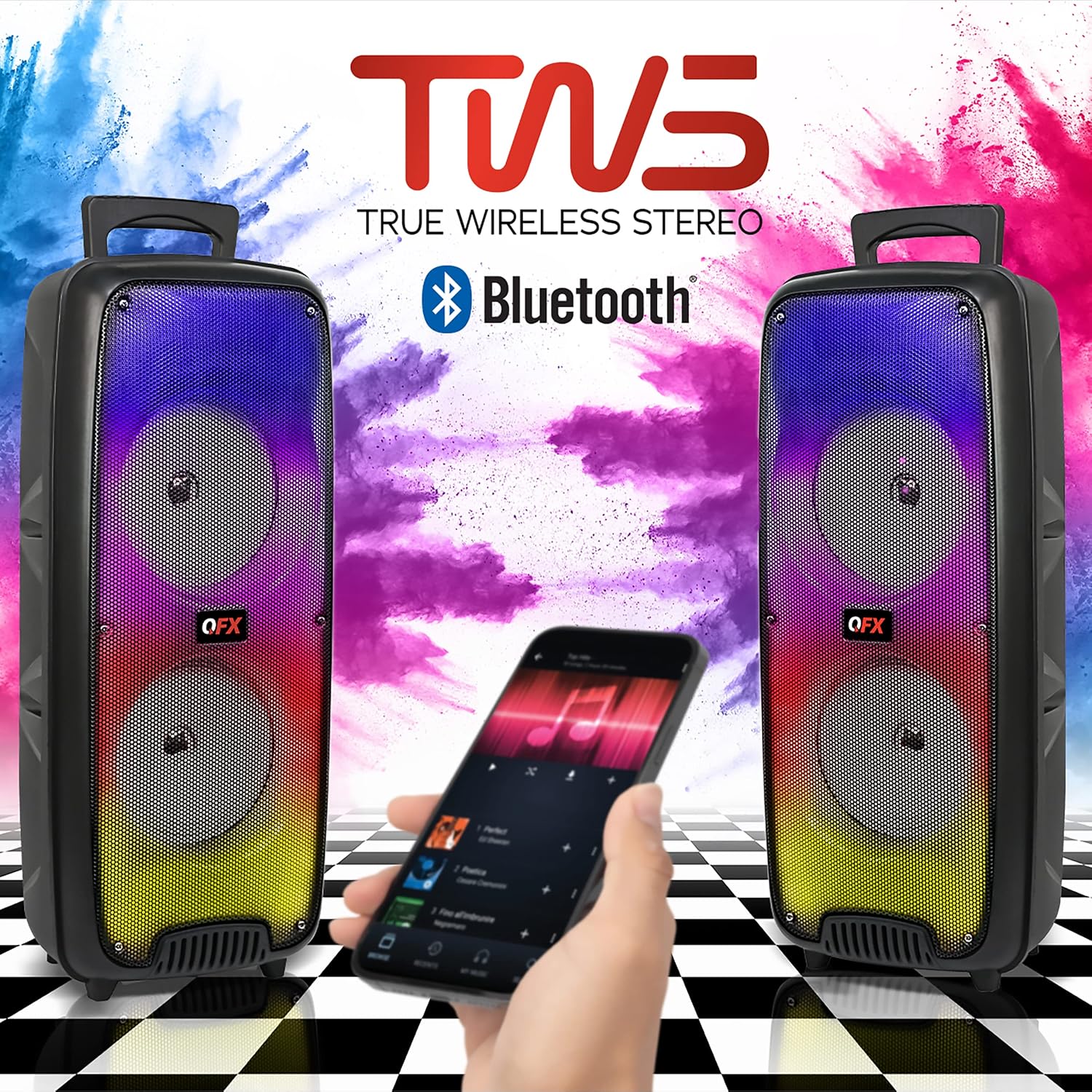
4. True Wireless Stereo (TWS) Connectivity
To achieve a true stereo sound experience, you can connect two QFX LMS-66 speakers together:
- Ensure both LMS-66 speakers are powered on and in Bluetooth mode.
- Connect your mobile device to one of the LMS-66 speakers via Bluetooth. This will be your primary speaker.
- On the primary speaker, press the dedicated TWS button (refer to the control panel diagram for exact location, often labeled with a TWS icon).
- The two speakers will automatically search for and connect to each other. A confirmation tone will indicate successful TWS pairing.
- Once paired, audio will play through both speakers in stereo.
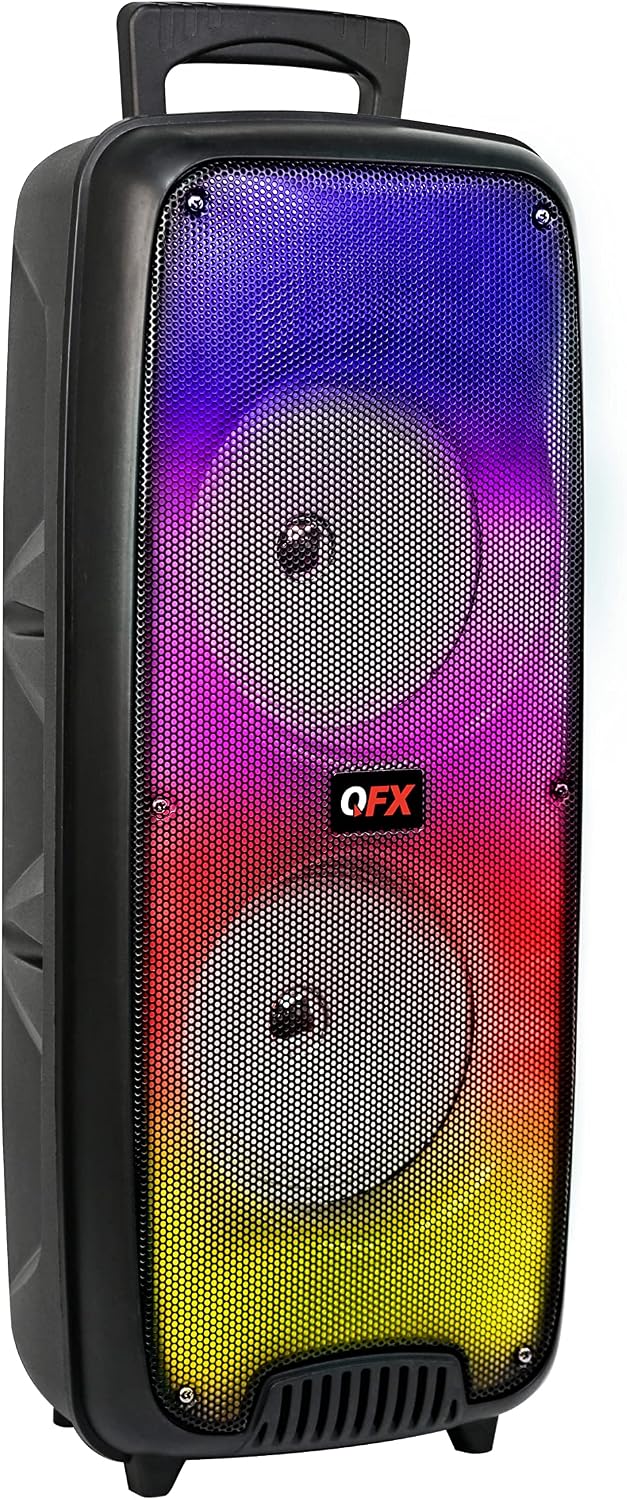
Illustration of two QFX LMS-66 speakers paired together for True Wireless Stereo (TWS) sound.
Operating Instructions
Control Panel Overview
Detailed view of the QFX LMS-66 control panel, showing various inputs and buttons.
1. Mode Selection
Press the M (Mode) button on the control panel to cycle through available input modes: Bluetooth, FM Radio, USB, and TF Card.
2. Volume Control
Use the +/- buttons to adjust the volume. Long press the - button for rewind and the + button for fast forward when playing media from USB or TF card.
3. FM Radio Operation
In FM mode, press the Play/Pause button to auto-scan and save available radio stations. Use the +/- buttons to navigate between saved stations.
4. USB and TF Card Playback
Insert a USB drive or TF (microSD) card into the respective port. The speaker will automatically switch to USB/TF mode and begin playing compatible audio files. Use the playback controls (Play/Pause, Next/Previous) on the control panel.
5. Microphone Input
Connect a microphone to the MIC input port for karaoke or public address functions. Adjust microphone volume as needed.
6. Liquid Motion Party Lights
The speaker features integrated liquid motion party lights. These lights typically activate automatically when the speaker is powered on and can cycle through different modes. Refer to the control panel for a dedicated light mode button if available, or consult the quick start guide for specific light control instructions.
Maintenance
Proper maintenance ensures the longevity and optimal performance of your QFX LMS-66 speaker.
- Cleaning: Use a soft, dry cloth to clean the exterior of the speaker. Do not use abrasive cleaners, waxes, or solvents.
- Battery Care: To prolong battery life, avoid fully discharging the speaker frequently. Recharge the battery regularly, even if the speaker is not in use for extended periods.
- Storage: Store the speaker in a cool, dry place away from direct sunlight, extreme temperatures, and excessive dust.
- Water Resistance: This speaker is NOT waterproof and is NOT water resistant. Avoid exposure to water, rain, splashes, or high humidity to prevent damage.
Troubleshooting
If you encounter issues with your QFX LMS-66 speaker, refer to the following common problems and solutions:
| Problem | Possible Cause | Solution |
|---|---|---|
| No Power | Battery is depleted; Power switch is OFF. | Charge the speaker fully; Ensure power switch is ON. |
| No Sound | Volume is too low; Incorrect mode selected; Device not paired. | Increase volume on speaker and connected device; Press 'M' button to select correct mode; Re-pair Bluetooth device. |
| Bluetooth Disconnection | Device is out of range; Interference; Low battery. | Move device closer to speaker (within 10 meters); Avoid obstacles; Charge speaker. |
| TWS Pairing Failure | Speakers not in Bluetooth mode; Incorrect pairing procedure. | Ensure both speakers are in Bluetooth mode; Follow TWS pairing steps precisely. |
| Lights Not Working | Light mode off; Malfunction. | Check if there's a dedicated light button to activate; If not, contact support. |
Specifications
| Model Name | LMS-66 |
| Speaker Type | Tower |
| Speaker Size | Dual 6.5 Inches (Woofer Diameter) |
| Connectivity Technology | Bluetooth, USB |
| Wireless Communication Technology | Bluetooth |
| Bluetooth Range | 10 Meters |
| Power Source | Corded Electric (Rechargeable Battery) |
| Product Dimensions | 9.53"D x 7.68"W x 22.99"H |
| Item Weight | 4 Pounds |
| Control Method | Button |
| Special Feature | Portable, Liquid Motion Party Lights, TWS Connectivity, FM Radio, USB/TF Card Compatibility, Microphone Input |
| Is Waterproof | FALSE |
| Water Resistance Level | Not Water Resistant |
| UPC | 606540005002 |

Side view of the QFX LMS-66 speaker illustrating its dimensions: 22.99" H x 7.68" W x 9.53" D.
Warranty and Support
The QFX LMS-66 speaker comes with a 1 Year Warranty from the date of purchase. This warranty covers manufacturing defects under normal use.
For technical support, warranty claims, or further assistance, please contact QFX customer service. Refer to the official QFX website or product packaging for the most current contact information.
You can visit the official QFX store for more information: QFX Official Store