
Introduction
The DIZO Earphones with HD Mic (Model DA2106) are designed to provide a clear audio experience for music listening and calls. Featuring an 11.2mm dynamic driver for enhanced bass and a built-in HD microphone for clear communication, these wired in-ear earphones are equipped with a tangle-free cable and a 90-degree angle audio jack for durability and ease of use.
Package Contents
Please verify that all items are present in the package:
- DIZO Earphones (Model DA2106)
- User Manual (this document)
Product Overview
Familiarize yourself with the components of your DIZO Earphones.

Image 1: Overview of DIZO Earphones, illustrating the earbuds, in-line remote control, and 3.5mm audio jack.
- Earbuds: Designed for in-ear comfort and sound delivery.
- In-line Remote Control: Integrated into the cable for easy access to functions.
- HD Microphone: Located on the in-line remote for clear voice capture during calls.
- Tangle-Free Cable: Durable cable designed to resist tangling.
- 90-Degree Angle Audio Jack: A 3.5mm connector designed for reduced strain and enhanced durability when plugged into devices.

Image 2: Detailed view of the in-line remote control and the 90-degree 3.5mm audio jack.

Image 3: Focus on the 90-degree angle audio jack, highlighting its design for durability.
Setup
Connecting your DIZO Earphones is a straightforward process:
- Identify the Audio Port: Locate the 3.5mm audio jack on your device (e.g., smartphone, laptop, tablet). This port is typically marked with a headphone icon.
- Insert the Jack: Gently insert the 3.5mm audio jack of the DIZO Earphones into your device's audio port until it is fully seated. The 90-degree angle design helps reduce stress on the cable.
- Adjust Earphones: Place the earbuds comfortably into your ears. Ensure a snug fit for optimal sound quality and bass response.
- Test Audio: Play some audio from your device to confirm that the earphones are working correctly. Adjust the volume on your device as needed.
Operating Instructions
The in-line remote control allows for easy management of audio playback and calls.

Image 4: Various angles of the earphones, highlighting the in-line remote for control.
- Play/Pause Music: Press the multi-function button on the in-line remote once to play or pause the current audio track.
- Next Track: Press the multi-function button twice quickly to skip to the next track.
- Previous Track: Press the multi-function button three times quickly to go back to the previous track.
- Answer/End Call: Press the multi-function button once to answer an incoming call or end an active call.
- Reject Call: Press and hold the multi-function button for approximately 2 seconds to reject an incoming call.
- Activate Voice Assistant: Press and hold the multi-function button for approximately 2 seconds (when not on a call) to activate your device's voice assistant (e.g., Google Assistant, Siri).
Note: Volume control is managed directly through your connected device.
Maintenance
Proper care ensures the longevity and performance of your earphones.
- Cleaning:
- Gently wipe the earbuds and cable with a soft, dry, lint-free cloth.
- For ear tips, remove them and clean with a mild soap solution if necessary, then rinse thoroughly and ensure they are completely dry before reattaching.
- Do not use harsh chemicals, abrasive cleaners, or solvents.
- Storage:
- Store the earphones in a clean, dry place when not in use.
- Avoid extreme temperatures and direct sunlight.
- Do not wrap the cable too tightly to prevent damage. The tangle-free design helps with neat storage.
- Handling:
- Avoid pulling the cable forcefully when disconnecting from a device; always grasp the 3.5mm jack.
- Do not expose the earphones to water or excessive moisture. While they have some water repellency, they are not waterproof.
Troubleshooting
If you encounter issues, refer to the following common problems and solutions:
| Problem | Solution |
|---|---|
| No sound from earphones. |
|
| Microphone not working during calls. |
|
| Sound quality is poor or distorted. |
|
Specifications
Key technical specifications for the DIZO Earphones (Model DA2106):
| Feature | Detail |
|---|---|
| Model Number | DA2106 |
| Driver Size | 11.2mm Dynamic Driver |
| Ear Placement | In Ear |
| Connectivity | Wired (3.5mm Jack) |
| Impedance | 28 Ohms |
| Frequency Response | 20000 KHz |
| Sensitivity | 106 dB |
| Microphone | HD Microphone Included |
| Cable Features | Tangle Free |
| Audio Jack Angle | 90-degree |
| Weight | 14 Grams |
| Material | Plastic |
| Compatible Devices | Cellphones, Laptops, Telephones |
| Water Resistance Level | Water Repellent |
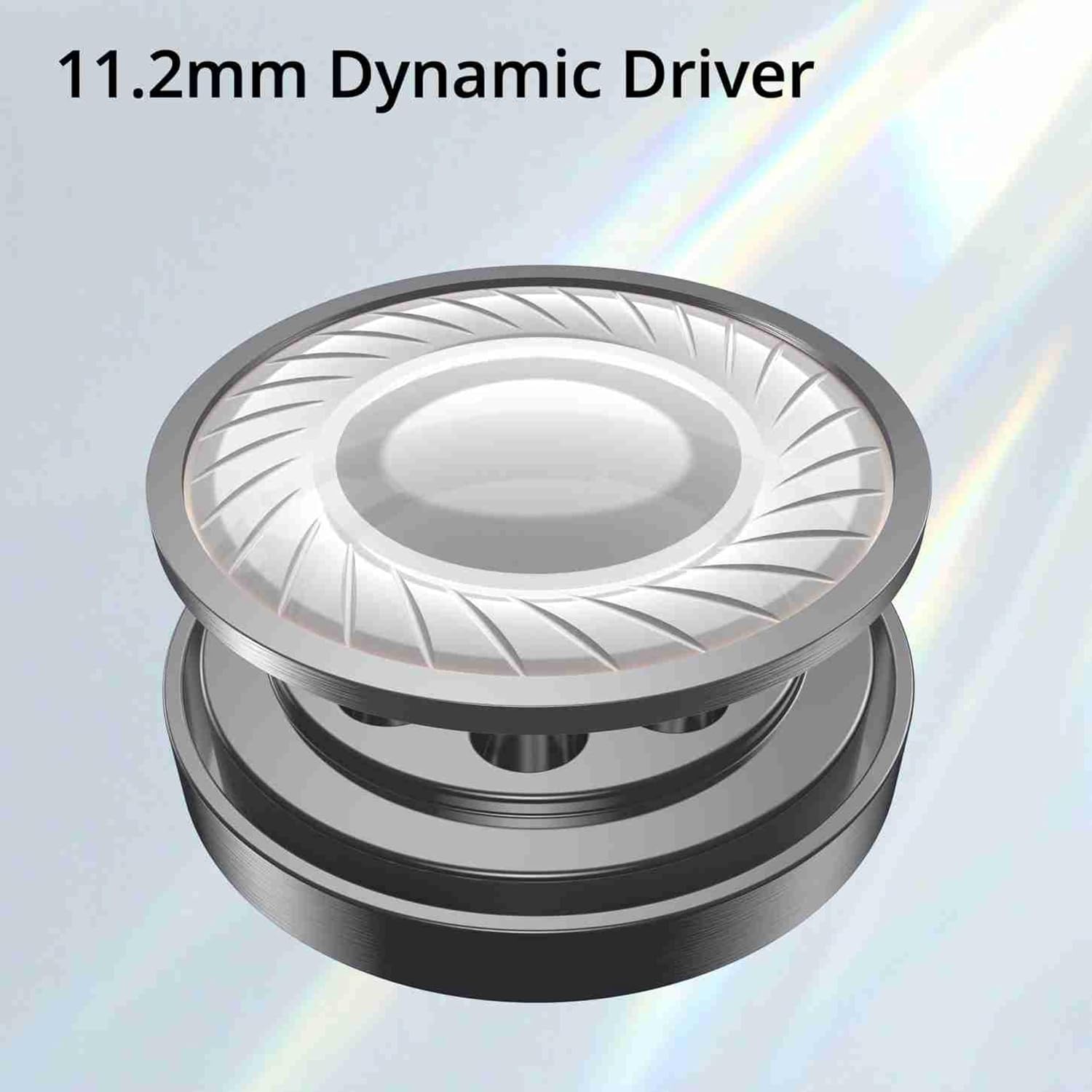
Image 5: Illustration of the 11.2mm Dynamic Driver, responsible for audio output.

Image 6: Visual representation of the earphones' capability for excellent bass performance.

Image 7: Detail of the tangle-free cable, designed for durability and ease of use.
Warranty and Support
DIZO provides a limited warranty for this product.
- Warranty Period: 12 months from the date of purchase.
- Warranty Service: For warranty claims or technical support, please carry the product to an authorized service center.
- Contact Information:
- Email: service.in@dizo.net
- Toll-Free Number: 1800 843 3030
Please retain your proof of purchase for warranty validation.


