
1. Introduction
Thank you for choosing the UMAY Walking Pad Treadmill R512. This manual provides essential information for the safe and effective use of your new fitness equipment. Please read all instructions carefully before assembly and operation. Keep this manual for future reference.
2. Important Safety Information
Before using the treadmill, please observe the following safety precautions:
- Always consult with a physician before starting any new exercise program.
- Place the treadmill on a flat, stable surface, away from water and heat sources.
- Ensure adequate clearance around the treadmill (at least 0.6 meters on sides and 2 meters at the rear).
- Keep children and pets away from the treadmill during operation.
- Do not operate the treadmill if it is damaged or malfunctioning.
- Wear appropriate athletic footwear and clothing.
- The maximum user weight for this treadmill is 136 kg (300 lbs).
- Always hold onto the handrails (if applicable) when starting or stopping the treadmill.
- Unplug the treadmill from the power outlet when not in use or before cleaning/maintenance.
3. Package Contents
Verify that all components are present in the package:
- UMAY Walking Pad Treadmill Main Unit
- Power Cord
- Remote Control
- Tool Kit (for minor adjustments)
- User Manual (this document)
4. Setup
The UMAY Walking Pad Treadmill R512 is designed for minimal setup. Follow these steps:
- Unpack: Carefully remove the treadmill and all accessories from the packaging.
- Placement: Choose a firm, level surface for the treadmill. Ensure there is enough space around the unit for safe operation and movement.
- Unfold (if applicable): If the treadmill is in a folded state, gently unfold it until it locks into the flat position. Refer to the folding mechanism for specific instructions.
- Connect Power: Plug the power cord into the treadmill's power input, then into a grounded electrical outlet.
- Initial Check: Before stepping on, power on the treadmill and test the remote control to ensure basic functions (start/stop, speed adjustment) are working correctly.
5. Operating Instructions
5.1 Powering On/Off
To power on the treadmill, ensure it is plugged in and press the 'ON' button on the remote control. To power off, press the 'OFF' button.
5.2 Using the Remote Control
The remote control allows you to manage the treadmill's functions:
- Start/Stop: Press the 'ON' button to start the treadmill and 'OFF' to stop it.
- Speed Adjustment: Use the 'SPEED+' button to increase speed and 'SPEED-' to decrease speed. The maximum speed is approximately 6 km/h.
- Mode: The 'MODE' button may cycle through different display metrics (e.g., Distance, Time, Calories).

Image: The remote control and a smartphone displaying the UMAY app interface, showing distance, speed, time, and calories. The remote has ON, OFF, SPEED+, SPEED-, and MODE buttons.
5.3 Using the App (Bluetooth Connectivity)
The UMAY Walking Pad R512 supports Bluetooth connectivity for enhanced control and data tracking via the Spax App.
- Download App: Download the "Spax App" from your device's app store.
- Enable Bluetooth: Ensure Bluetooth is enabled on your smartphone or tablet.
- Pair Device: Open the Spax App and follow the on-screen instructions to pair with your UMAY Walking Pad.
- Control & Track: Once connected, you can control the treadmill's speed, view real-time workout data (distance, speed, time, calories), and access various programs directly from the app.
5.4 Folding and Storage
The UMAY Walking Pad is designed to be foldable for easy storage.
- Stop Treadmill: Ensure the treadmill is completely stopped and powered off.
- Fold: Follow the specific folding mechanism instructions for your model. Typically, this involves lifting or releasing a latch to fold the running deck upwards.
- Store: Once folded, the treadmill can be stored upright against a wall or slid under furniture like a sofa or bed. The folded dimensions are approximately 53.94 x 23.82 x 5.51 inches.
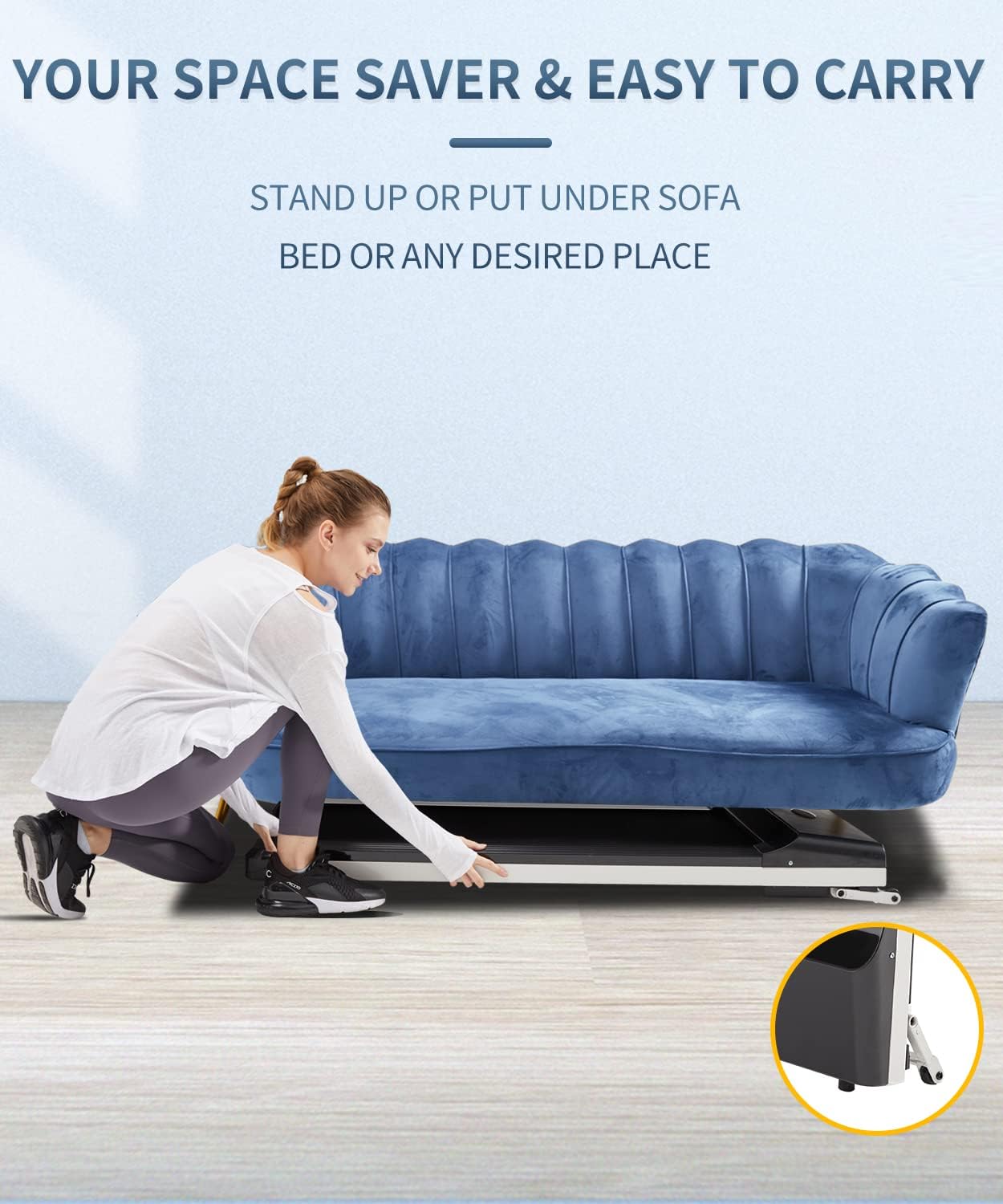
Image: A woman demonstrating how to easily store the UMAY Walking Pad under a sofa, highlighting its space-saving design and portability with integrated wheels.
6. Maintenance
Regular maintenance ensures the longevity and optimal performance of your treadmill.
- Cleaning: Wipe down the treadmill with a damp cloth after each use to remove sweat and dust. Do not use abrasive cleaners.
- Lubrication: The running belt requires periodic lubrication to reduce friction. Refer to the specific instructions in your tool kit or contact customer support for guidance on lubrication frequency and type of lubricant.
- Belt Adjustment: If the running belt starts to slip or move off-center, it may need adjustment. Use the provided tool kit and follow the instructions for tightening or centering the belt.
- Motor: The UMAY Walking Pad features an upgraded brushless motor designed for durability and quiet operation (Lifetime >3500 hours, Sound <45dB). No user maintenance is typically required for the motor itself.

Image: An illustration comparing the UMAY upgraded brushless motor, highlighting its longer lifetime, quieter operation, and energy efficiency, against a traditional brush motor.
7. Troubleshooting
If you encounter issues with your treadmill, refer to the following common problems and solutions:
- Treadmill does not power on:
- Check if the power cord is securely plugged into both the treadmill and the wall outlet.
- Ensure the wall outlet is functional by testing it with another appliance.
- Check for any tripped circuit breakers.
- Running belt slips or stops:
- The belt may need lubrication. Refer to the maintenance section.
- The belt tension may be too loose. Adjust the belt tension according to the instructions in the tool kit.
- Unusual noise during operation:
- Ensure the treadmill is on a flat, stable surface.
- Check for any loose parts or debris under the running belt.
- If the noise persists, contact customer support.
- Remote control not responding:
- Replace the batteries in the remote control.
- Ensure there are no obstructions between the remote and the treadmill's receiver.
For issues not listed here, please contact UMAY customer support.
8. Specifications
| Feature | Specification |
|---|---|
| Model Number | R512 |
| Product Dimensions (L x W x H) | 143.99 x 69.01 x 16.99 cm (56.69 x 27.17 x 6.69 inches) |
| Folded Size | 53.94 x 23.82 x 5.51 inches |
| Item Weight | 25 Kilograms (55.1 lbs) |
| Material | Alloy Steel |
| Maximum Speed | 6 km/h (approx. 3.7 mph) |
| Maximum Recommended Load | 136 Kilograms (300 lbs) |
| Motor Type | Brushless Motor |
| Connectivity Technology | Bluetooth (Spax App compatible) |
| Power Source | Corded Electric |
| Input Power | 1865 Watt |
| Special Feature | Foldable |
| Running Surface Dimensions | 41.3 inches (length) x 16.2 inches (width) |

Image: A visual representation of the UMAY Walking Pad's running surface, indicating a length of 41.3 inches and a width of 16.2 inches, designed for a safe and comfortable walking experience.

Image: An exploded view illustrating the 7 different functional layers of the UMAY Walking Pad's running belt, emphasizing its non-slip and shock-absorbing properties for user comfort and safety.

Image: A diagram showing the internal components and frame of the UMAY Walking Pad, highlighting its construction from high-quality materials like alloy steel, ensuring durability and stability.
9. Warranty and Support
UMAY products are manufactured to high-quality standards. For warranty information, please refer to the warranty card included with your purchase or visit the official UMAY website. If you require technical assistance, have questions about operation, or need to report a defect, please contact UMAY customer support through the contact information provided on the product packaging or website.

