1. Introduction and Important Safeguards
Thank you for choosing the Westinghouse Electric Blanket. This manual provides essential information for the safe and efficient use of your new heated blanket. Please read all instructions carefully before use and retain for future reference.
General Safety Warnings:
- Do not use with infants, children, incapacitated persons, or anyone insensitive to heat.
- Do not use if wet.
- Do not use with adjustable beds unless specifically designed for such use.
- Never use pins or other metallic objects with this blanket.
- Do not dry clean. Dry cleaning solvents may damage the insulation of the heating element.
- Always disconnect the power cord from the wall outlet before cleaning or storing.
- Inspect the blanket, cord, and controller regularly for any signs of wear or damage. If damaged, do not use.
- Do not use with other heating devices.
- Keep the controller away from drafts or open windows to prevent it from turning off automatically.
2. Setup Instructions
Proper setup ensures optimal performance and safety of your electric blanket.
Unpacking and Placement:
- Carefully remove the blanket from its packaging.
- Lay the blanket flat on your bed, ensuring it is evenly spread and not bunched or folded. The connector should be positioned at the foot of the bed.
- Ensure the blanket does not hang over the sides of the bed, as this can cause overheating.
Connecting the Controller:
- Locate the connector on the blanket.
- Align the arrows on the controller cord with the arrows on the blanket connector.
- Push firmly until the connector clicks securely into place.
- Plug the power cord into a 120V AC electrical outlet. Ensure the cord is not pinched or trapped between the mattress and bed frame.

The Westinghouse Electric Blanket, showcasing its soft Sherpa texture and generous full size.
3. Operating Instructions
Your Westinghouse Electric Blanket features a user-friendly digital controller for personalized comfort.
Using the Digital Controller:
- Power On/Off: Press the power button to turn the blanket on or off. The digital display will illuminate when on.
- Adjusting Heat Settings: Use the '+' and '-' buttons to cycle through 10 heat levels (L1 to L10). Start with a lower setting and adjust as needed for your desired warmth.
- Setting the Auto-Off Timer: Press the 'TIME' button to select an auto-off duration from 1 to 12 hours. The blanket will automatically turn off after the selected time.
- Pre-heating: For best results, turn on the blanket to your desired heat setting 15-30 minutes before use to pre-warm your bed.
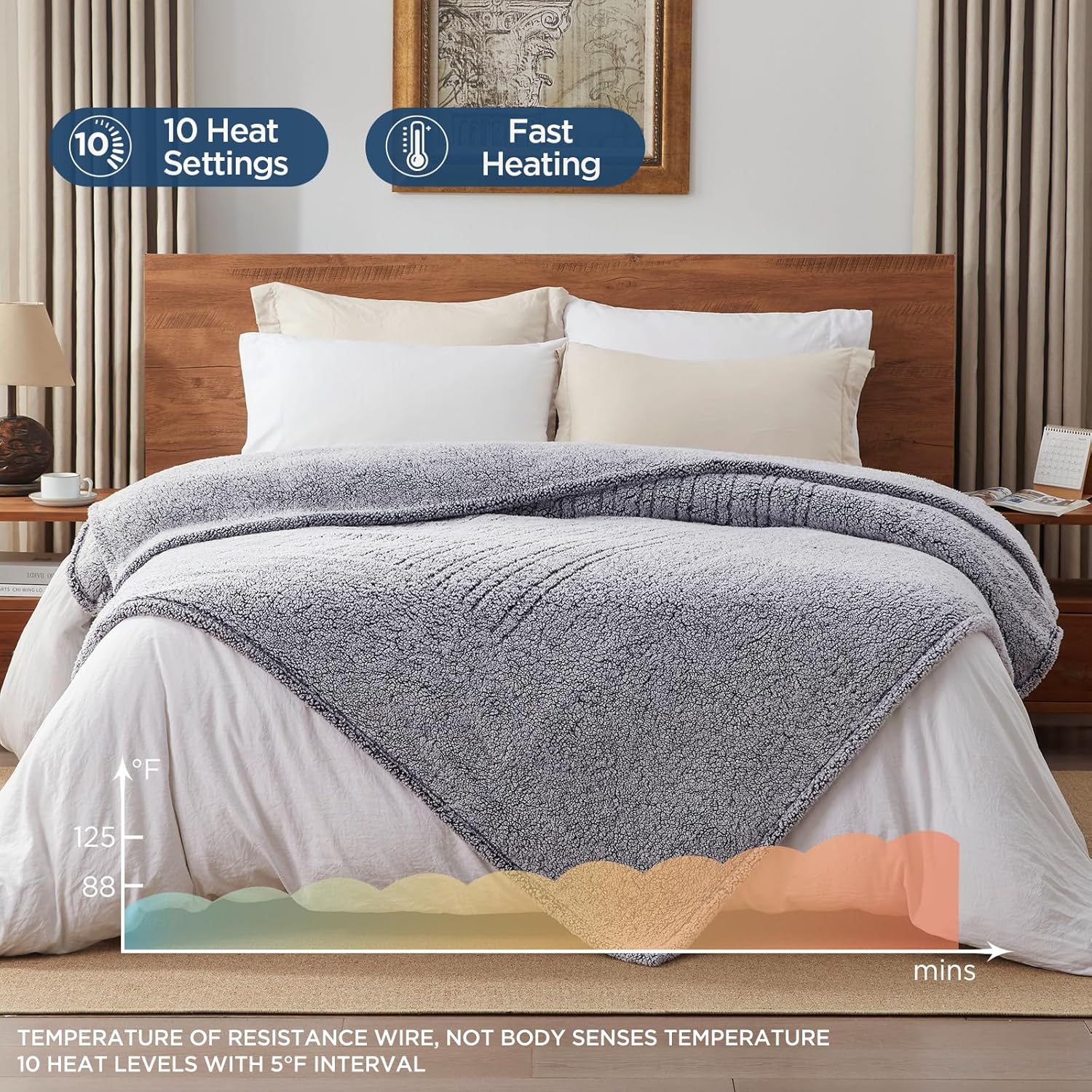
The smart digital controller offers 10 heat settings and rapid heating for personalized comfort.
Official Product Video:
An official product video demonstrating the features and comfort of the Westinghouse Heated Blanket, Full Size 80x84 inches, Charcoal.
4. Care and Maintenance
To ensure the longevity and performance of your Westinghouse Electric Blanket, follow these care instructions carefully.
Washing Instructions:
- Before Washing: Always disconnect the controller(s) from the blanket and unplug the power cord from the wall outlet.
- Machine Wash: Wash the blanket on a gentle or delicate cycle using lukewarm water.
- Detergent: Use a mild detergent. Do not use bleach.
- Rinsing: Rinse thoroughly to remove all detergent residue.
- Drying: Line dry or tumble dry on low heat. Ensure the blanket is completely dry before plugging in and powering up.
Important Notes:
- DO NOT DRY CLEAN: Dry cleaning solvents can damage the heating elements.
- DO NOT BLEACH: Bleach can damage the fabric and heating elements.
- DO NOT IRON: Ironing can melt the insulation of the heating elements.
- Storage: When not in use, store the blanket loosely folded in a cool, dry place. Avoid placing heavy objects on top of the blanket during storage.

The electric blanket is designed for easy care, being fully machine washable after detaching the controller.
5. Troubleshooting
If your electric blanket is not operating correctly, please refer to the following common issues and solutions before contacting customer support.
| Problem | Possible Cause | Solution |
|---|---|---|
| Blanket not heating | Power cord not securely plugged in. Controller not connected properly. Power outlet is not working. Overheat protection activated. | Ensure power cord is firmly plugged into a working outlet. Check that the controller is securely connected to the blanket. Test the outlet with another appliance. Unplug the blanket for 30 minutes, then plug back in. |
| Controller display is off or flashing | Power interruption. Internal error. | Unplug the blanket from the wall outlet for 5 minutes, then plug it back in. If the issue persists, contact customer support. |
| Uneven heating | Blanket is bunched, folded, or tucked in. | Ensure the blanket is spread flat on the bed and not folded or tucked under the mattress. |
6. Specifications
- Brand: Westinghouse
- Model Name: Westinghouse Electric Warming Blanket
- Model Number: CA-HSS-WH
- Size: Full Size (80" x 84" / 79.92"L x 83.86"W)
- Material: Soft Plush Sherpa
- Color: Charcoal
- Heat Settings: 10 Levels
- Auto-Off Timer: 1-12 Hours
- Safety Features: Overheat Protection, ETL Safety Certified
- Care Instructions: Machine Washable
- Power: 100 Watts (approximate, specific wattage may vary by model)
- Item Weight: 7.04 pounds
7. Warranty and Support
Westinghouse is committed to producing high-quality, reliable products. For more than 100 years, Westinghouse has been at the forefront of technological and engineering advances.
Customer Support:
If you require assistance or have questions regarding your Westinghouse Electric Blanket, please contact our customer support team. Refer to the product packaging or the official Westinghouse website for the most current contact information.
Please have your model number (CA-HSS-WH) and purchase information ready when contacting support.


