
1. Product Overview
The YOWHICK Wireless Security Camera System (Model JA-CG3) provides comprehensive surveillance for your home or business. This system includes a 15.6-inch monitor, 8 high-resolution 5-megapixel cameras, and a Network Video Recorder (NVR) with a built-in 2TB hard drive. Designed for ease of use, it features simple setup, two-way audio communication, advanced night vision capabilities, and IP66 weather resistance for both indoor and outdoor applications.
2. Package Contents
Please check the package carefully to ensure all items are present and undamaged. If any items are missing or damaged, please contact customer support.
Video: Unboxing the YOWHICK Wireless Security Camera System. This video demonstrates the contents of the package, including the monitor, cameras, power adapters, and accessories.
- 8x YOWHICK 5MP Wireless Cameras
- 8x Camera Power Adapters
- 1x 15.6-inch NVR Monitor (with built-in 2TB HDD)
- 1x NVR Power Adapter
- 8x Screw Packs for camera mounting
- 1x Instruction Manual
- 1x Security Sticker
3. System Setup
The YOWHICK Wireless Security Camera System is designed for easy installation. The cameras and NVR are pre-paired at the factory, eliminating the need for complex configuration.
3.1 Initial Power-Up
- Connect Power to NVR: Plug the NVR power adapter into the NVR and then into a power outlet. The NVR monitor will power on automatically.
- Connect Power to Cameras: Plug each camera's power adapter into the camera and then into a power outlet.
- Automatic Connection: The cameras will automatically connect to the NVR. Live video feeds from all connected cameras should appear on the 15.6-inch monitor within a few minutes.

Image: Simple power connection for the YOWHICK security camera system. The monitor displays multiple camera feeds, and a camera is shown wirelessly connected to the system.
3.2 Camera Placement
Position cameras in desired surveillance areas. Ensure they are within range of the NVR's wireless signal. The cameras are IP66 waterproof and suitable for both indoor and outdoor use.

Image: An outdoor-mounted YOWHICK security camera highlighting its features: LED light, IP66 waterproof, two-way talk, PIR human detection, app notifications, and sharing capabilities.
3.3 Remote Access (Optional)
For real-time viewing and control via a mobile app, connect the NVR to your home Wi-Fi network. Refer to the NVR's on-screen menu for network configuration.
4. Operating Instructions
4.1 Live Viewing
Once powered on, the 15.6-inch monitor will display live feeds from all connected cameras. You can switch between single-camera view and multi-camera grid view using the NVR controls.
4.2 Two-Way Audio
Each camera is equipped with a microphone and speaker, enabling two-way communication. Through the mobile app, you can speak into your phone, and your voice will be transmitted through the camera's speaker. Similarly, the camera's microphone records audio from the surveillance area.

Image: Illustration of the two-way audio feature. A person can communicate through the camera via a mobile app, allowing interaction with individuals or pets in the camera's vicinity.
4.3 Recording Modes
The NVR supports various recording modes:
- Continuous Recording: Records 24/7, overwriting the oldest footage when the 2TB HDD is full.
- Scheduled Recording: Set specific times for recording.
- Motion Detection Recording: Records only when motion is detected, saving storage space.
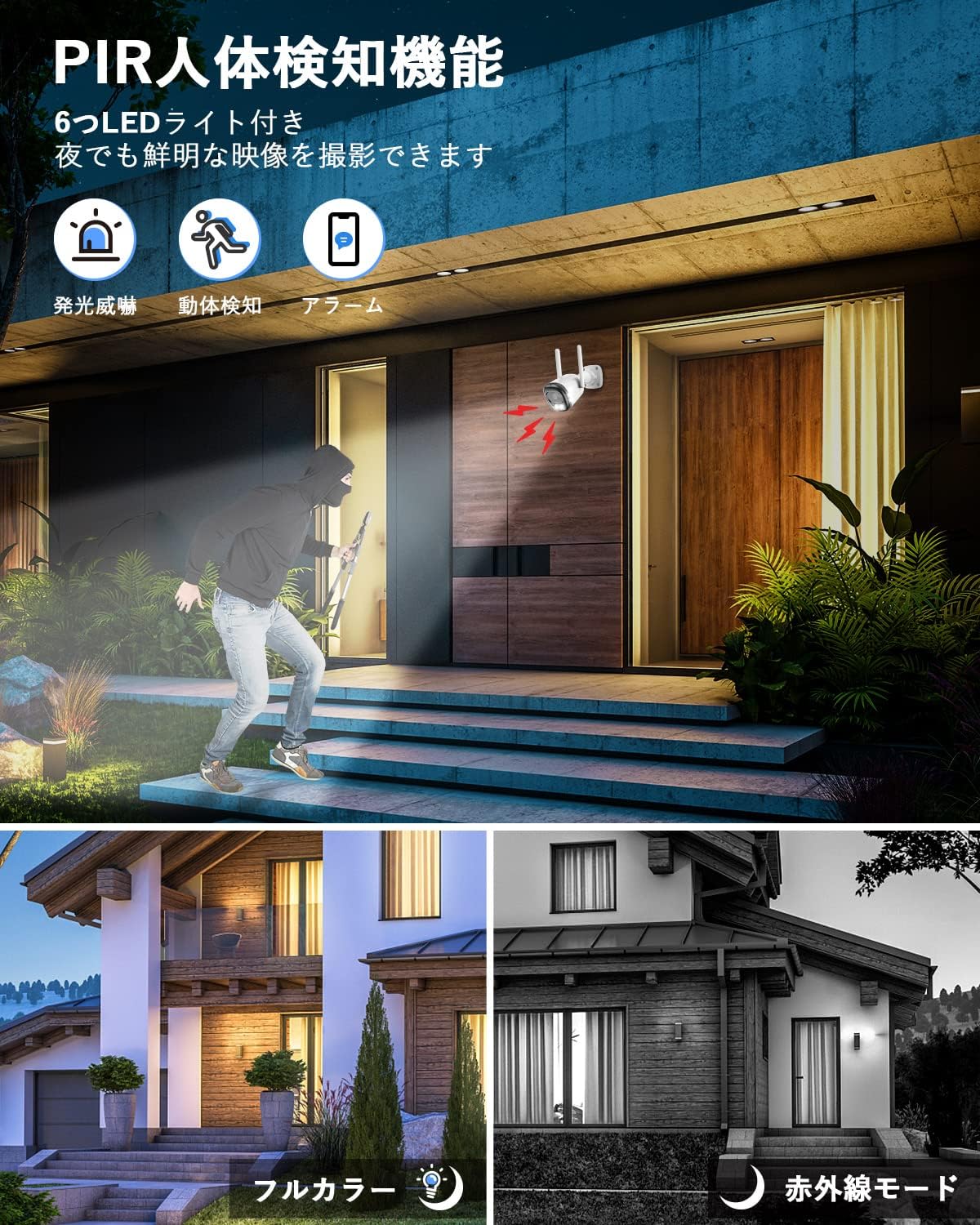
Image: Visual representation of the three recording modes: continuous, scheduled, and motion-activated. An example shows a motion event triggering an alert on a smartphone via the EseeCloud app.
4.4 Night Vision
The cameras feature advanced night vision with infrared and LED lamps. In low-light conditions, the system typically records in black and white. However, upon detecting a person or moving object, it can switch to color night vision to capture clearer details of potential intruders.

Image: The camera's PIR human detection feature is illustrated, showing how it can trigger an alarm and bright LED light to deter intruders, capturing clear footage even at night.
5. Key Features
- High-Resolution 5MP Cameras: Capture clear and detailed footage, significantly higher resolution than standard 3MP cameras.
- 15.6-inch IPS Monitor: Provides a clear display for live viewing and playback, with adjustable screen size.
- Two-Way Audio: Built-in microphone and speaker for remote communication and audio recording.
- Easy Plug-and-Play Setup: Pre-paired cameras and NVR for quick installation without complex wiring or network configuration (internet connection required for mobile app access).
- 24/7 Continuous Recording: Equipped with a 2TB HDD, supporting up to 20 days of continuous recording for 8 cameras. Features automatic overwrite function.
- H.265+ Video Compression: Efficiently saves storage space and bandwidth while maintaining video quality.
- Advanced Night Vision: Infrared and LED lamps provide clear black-and-white night vision, with automatic switch to color recording upon human/motion detection.
- IP66 Weatherproof: Durable metal casing ensures cameras are protected against dust and water, suitable for various outdoor conditions.
- PIR Human Detection & Alerts: Smart AI human detection triggers alarms and sends notifications to your mobile phone.
- Certifications: PSE and Technical Compliance certified for safety and reliability.
6. Maintenance
- Camera Lens Cleaning: Regularly clean camera lenses with a soft, dry cloth to ensure clear image quality. Avoid abrasive cleaners.
- Cable and Connection Check: Periodically inspect all power cables and connections for wear or damage. Ensure they are securely plugged in.
- Software Updates: Check for firmware updates for the NVR and cameras through the system settings or mobile app to ensure optimal performance and security.
- Hard Drive Management: The 2TB HDD has an automatic overwrite function. However, regularly back up important footage if needed.
7. Troubleshooting
| Problem | Possible Cause | Solution |
|---|---|---|
| No image on monitor |
|
|
| No audio from camera |
|
|
| Mobile app cannot connect |
|
|
8. Product Specifications
- Brand: YOWHICK
- Model: JA-CG3
- Monitor Size: 15.6 inches
- Camera Resolution: 5 Megapixels (1920P)
- Video Compression: H.265+
- Storage: 2TB HDD (built-in NVR)
- Connectivity: Wireless (Wi-Fi)
- Features: Two-way audio, Night Vision, PIR Human Detection, IP66 Waterproof
- Dimensions (Product Body): 41.2 x 25.5 x 31 cm
- Certifications: PSE, Technical Compliance
9. Warranty and Customer Support
YOWHICK is committed to providing high-quality products and reliable customer service. Our products undergo strict quality control during manufacturing and inspection.
If you have any questions, concerns, or encounter any issues with your security camera system, please do not hesitate to contact us. We aim to respond to all inquiries within 24 hours.
Contact Methods:
- Via Order History: Contact the seller directly through your Amazon order history.
- Email: support@yowhick.jp
- Phone: Refer to the contact number provided on the last page of the included instruction manual.
- Phone Support Hours: Monday - Friday, 10:00 - 13:00 and 14:30 - 19:30 (Japan Standard Time).