
1. Introduction and Overview
Thank you for choosing the ODK 32-inch Small Computer Desk. This manual provides detailed instructions for assembly, proper usage, maintenance, and troubleshooting to ensure a long and satisfactory experience with your new desk. This compact desk is designed for small spaces, ideal for home offices, student studies, or laptop workstations, featuring convenient storage solutions.
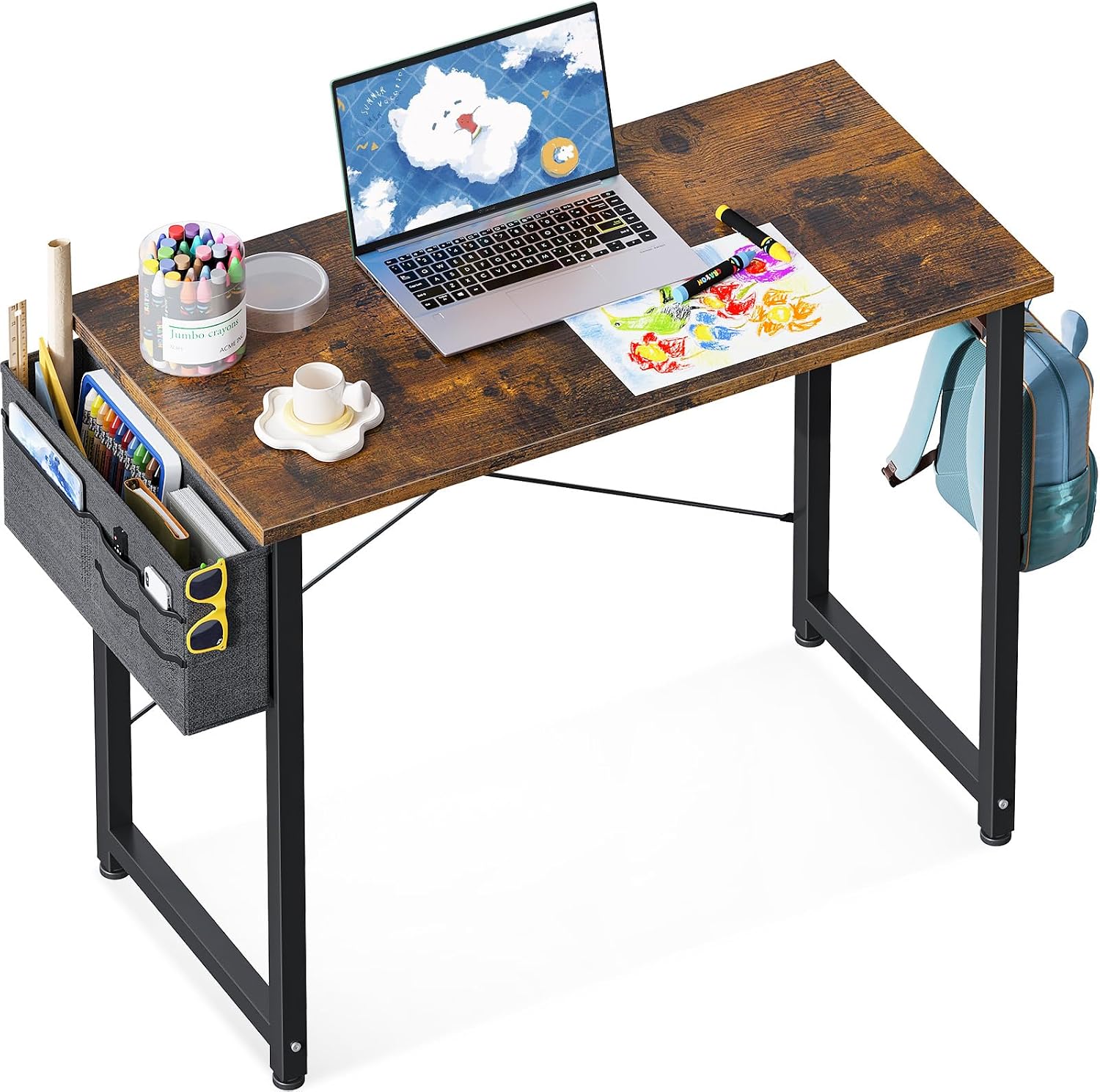
This image displays the ODK 32-inch Vintage Computer Desk in a typical use scenario, featuring a laptop, art supplies, a side-mounted storage bag, and a headphone hook with a backpack hanging from it. The desk has a rustic wood-grain finish and black metal legs.
2. Safety Information
Please read and follow all safety instructions carefully to prevent injury or damage to the product.
- Always ensure the desk is fully assembled and stable before use.
- Keep the headphone hook area clear of obstructions to prevent snagging.
- Follow the assembly instructions carefully to avoid injury.
- Do not overload the desk or its storage components beyond their intended capacity.
- Keep small parts and assembly tools away from children.
3. Package Contents
Before beginning assembly, verify that all components are present and undamaged. If any parts are missing or damaged, please contact customer service.
- Desktop Panel (1)
- Desk Legs (2)
- Crossbars/Support Beams (as required for stability)
- Storage Bag (1)
- Headphone Hook (1)
- Assembly Hardware (screws, bolts, washers, Allen wrench)
- Instruction Manual (1)

This diagram illustrates the key dimensions of the ODK 32-inch Computer Desk: 31.5 inches (width), 15.74 inches (depth), and 28.9 inches (height). It also highlights that the storage bag can be installed on either the left or right side of the desk.
4. Setup and Assembly Instructions
Assembly of the ODK 32-inch Small Computer Desk is designed to be straightforward. A detailed instruction manual and all necessary tools are included. Please follow these steps carefully:
- Unpack Components: Carefully remove all parts from the packaging and lay them out on a clean, soft surface to prevent scratches.
- Identify Parts: Refer to the included parts list and diagrams to identify each component. Ensure you have all the correct screws and parts before proceeding.
- Assemble Frame: Attach the desk legs to the crossbars using the provided hardware. Do not fully tighten screws until the entire frame is assembled.
- Attach Desktop: Carefully place the desktop panel onto the assembled frame. Align the pre-drilled holes and secure the desktop with the appropriate screws. Fully tighten all screws on the frame and desktop.
- Install Storage Bag: The storage bag can be installed on either the left or right side of the desk. Attach it according to your preference using the designated fasteners.
- Attach Headphone Hook: Secure the headphone hook to the desired location on the desk frame.
- Final Check: Ensure all screws are tightened, and the desk is stable and level. Adjust the leveling feet if necessary.

This image provides an underside view of the ODK 32-inch Computer Desk, highlighting the robust metal frame and support structure that ensures stability and durability.
5. Operating Instructions (Usage)
The ODK 32-inch Small Computer Desk is designed for versatile use in various settings.
- Workspace: Utilize the spacious desktop for your laptop, monitor, keyboard, and other work essentials. Its compact size makes it suitable for smaller rooms or apartments.
- Storage Bag: The multifunctional cloth storage bag provides convenient compartments for organizing books, tablets, pens, and other small items, keeping your desktop clutter-free.
- Headphone Hook: Use the solid metal hook to hang your headphones, backpack, or other accessories, keeping them easily accessible and off the desk surface.
- Monitor Clamp Compatibility: The desk is designed to be compatible with monitor clamps, allowing for flexible monitor setup options.

The ODK 32-inch Vintage Computer Desk is shown in a bedroom setting, positioned by a window. It functions as a compact study table with a lamp, books, and a cup, demonstrating its suitability for small spaces.

A detailed view of the desk's grey cloth storage bag, showcasing its multiple pockets designed to hold items like books, tablets, phones, and glasses, helping to keep the workspace organized.

This image provides a close-up of the sturdy black metal hook, designed for hanging headphones, bags, or other accessories, offering additional storage and organization.
6. Maintenance
To maintain the appearance and longevity of your ODK computer desk, follow these simple maintenance guidelines:
- Cleaning: The laminated surface is easy to clean. Wipe spills immediately with a soft, damp cloth. For general cleaning, use a mild soap solution and dry thoroughly. Avoid abrasive cleaners or harsh chemicals.
- Water Resistance: The desktop is waterproof, but prolonged exposure to liquids should be avoided to prevent potential damage to the edges or underlying material.
- Scratch Resistance: The surface is anti-scratch, but using coasters for drinks and protective pads for heavy or sharp objects is recommended to further preserve its finish.
- Frame Care: Periodically check and tighten all screws and bolts to ensure the desk remains stable. Wipe the metal frame with a dry cloth to remove dust.
- Storage Bag Care: The cloth storage bag can be spot cleaned with a damp cloth and mild detergent. Allow it to air dry completely.

A close-up shot of the vintage-style laminated desktop surface with water droplets, illustrating its waterproof, easy-to-clean, and anti-scratch characteristics.
7. Troubleshooting
If you encounter any issues with your ODK computer desk, please refer to the following common problems and solutions:
- Desk is Wobbly:
- Ensure all assembly screws are fully tightened.
- Check that the desk is on a level surface. Adjust the leveling feet at the bottom of the legs if necessary.
- Missing Parts/Screws:
- Carefully re-check all packaging materials.
- Contact ODK customer service for replacement parts.
- Difficulty Assembling:
- Review the assembly instructions and diagrams carefully. Ensure you are using the correct parts and hardware for each step.
- Do not force parts together. If a part does not fit, re-examine the instructions.
For issues not covered here, please contact ODK customer service.
8. Specifications
| Feature | Detail |
|---|---|
| Brand | ODK |
| Model Number | B0111623 |
| Desk Type | Computer Desk |
| Shape | Rectangular |
| Color | Vintage |
| Product Dimensions (W x D x H) | 81.28 cm x 39.88 cm x 73.66 cm (approx. 32 in x 15.7 in x 29 in) |
| Product Weight | 6.8 kg |
| Shipping Weight | 7.16 kg |
| Primary Material | Engineered Wood |
| Top Material | Particleboard or Plywood |
| Finish Type | Laminated |
| Base Material | Metal |
| Assembly Required | Yes |
| Number of Shelves | 1 (integrated storage bag) |
| Special Features | Storage Bag, Headphone Hook, Compact Design, Waterproof, Anti-scratch Surface |
9. Warranty and Support
ODK is committed to providing high-quality products and excellent customer service. Your satisfaction is our first priority.
- Customer Service: If you have any issues regarding product quality, missing parts, or problems during use, please do not hesitate to contact our customer service team.
- Replacement Policy: Easy and fast replacement is provided for eligible issues.
For support, please refer to the contact information provided with your purchase or visit the official ODK website.