
1. Product Overview
The LifePro BioRecover Red Light Therapy Knee Brace is a portable device designed to support joint wellness through a combination of red and near-infrared light therapy, along with vibration and pulsed modes. It is intended for daily general wellness and comfort for active individuals.
Key Features:
- Red & Infrared Light Technology: Combines 660nm Red and 850nm Near-Infrared LEDs to support comfort and promote overall knee wellness.
- Vibration & Light Combination: Offers a blend of gentle vibration and light therapy modes to encourage daily general comfort.
- Supports Active Lifestyles: Ideal for individuals with busy routines, athletes, or anyone seeking to enhance their daily activities.
- Personalized Sessions: Remote control allows selection from 5 vibration levels, 3 light therapy modes, and a 10 Hz pulse mode.
- Convenient Design: Adjustable knee brace with a USB-C power port for flexible charging via an outlet or external battery bank (sold separately).
- Material: Made from 100% Neoprene for comfort and durability.
2. Safety Information
This device is intended for daily general wellness only. Consult a healthcare professional before use if you have any pre-existing medical conditions, are pregnant, or have any concerns about using light therapy or vibration devices.
Skin Sensitivity Test: Before first-time use, test the device on a small area of skin for 2-3 minutes to check for any adverse reactions or sensitivities. Use the remote to control levels during this test.
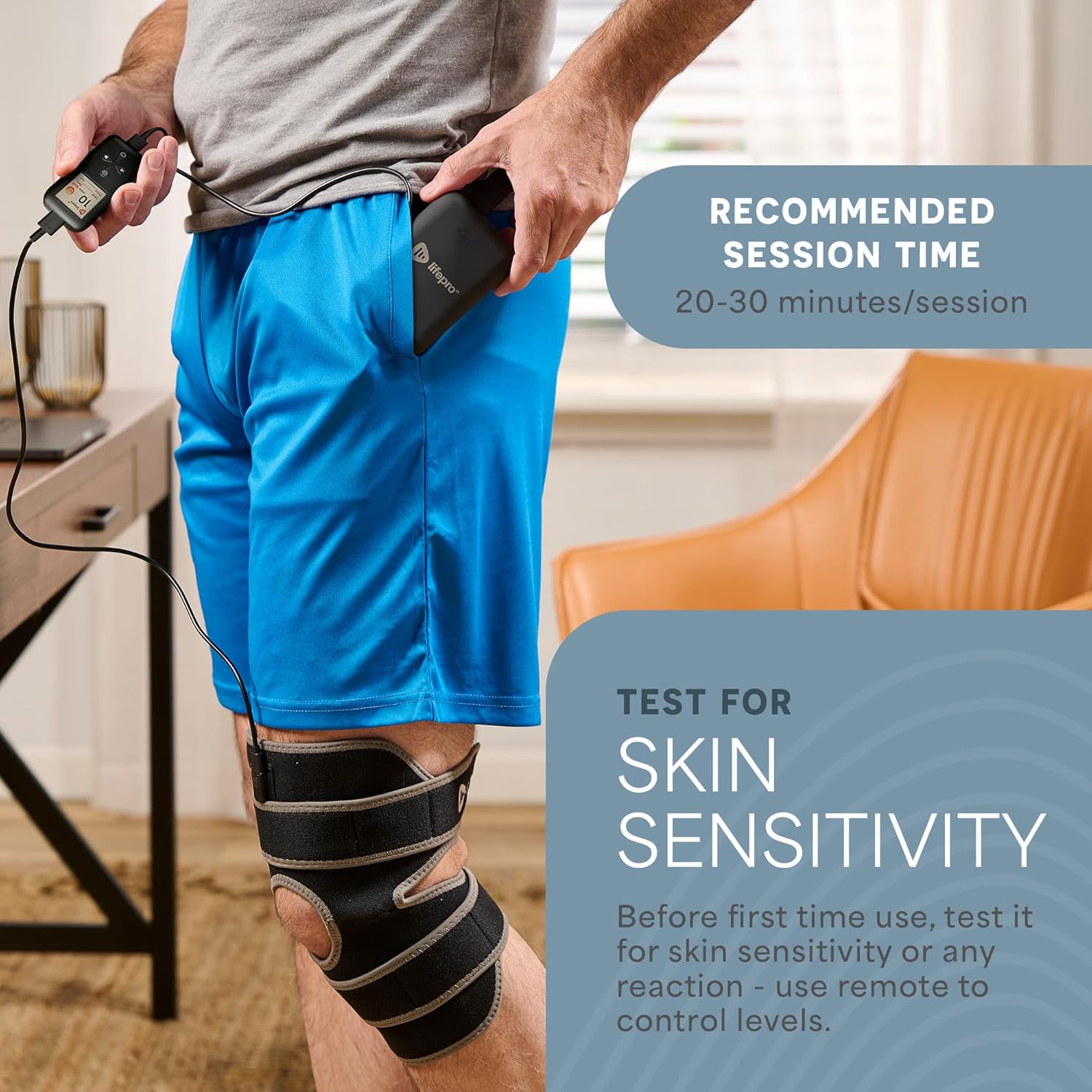
Image: A person testing the LifePro BioRecover Knee Brace on their thigh to check for skin sensitivity before full use. Recommended session time is 20-30 minutes per session.
3. Setup and Assembly
- Unpack the Device: Carefully remove the BioRecover Knee Brace and all accessories from the packaging.
- Charge the Device: Connect the provided USB-C charging cable to the power port on the device and to a USB power source (e.g., wall adapter, computer, or power bank). Ensure the device is fully charged before first use.
- Attach the Controller: The controller unit connects to the knee brace via a cable. Ensure a secure connection.
- Adjust for Fit: The knee brace features adjustable straps. If needed, use the included extender strap for a comfortable and secure fit around your knee.

Image: The LifePro BioRecover Knee Brace showing its dimensions (30.31" L x 10.5" W) and the adjustable Velcro strap length (35.40" L x 1.97" W), highlighting its adaptable fit.
4. Operating Instructions
- Wearing the Brace: Place the knee brace around your knee, ensuring the central opening aligns with your kneecap. Secure the upper and lower straps using the Velcro fasteners for a snug but comfortable fit.
- Power On: Press and hold the power button on the controller to turn on the device. The display will light up, indicating the current settings.
- Select Light Mode: Use the remote to cycle through the 3 light therapy modes (Red, Near-Infrared, or combined) and a 10 Hz pulse mode.
- Adjust Vibration Level: Choose from 5 vibration levels to customize your massage experience.
- Set Session Time: Select your desired session duration (recommended 20-30 minutes). The device will automatically turn off when the time expires.
- Monitor Progress: The clear LED screen on the controller displays current settings and remaining session time.

Image: A person wearing the LifePro BioRecover Knee Brace, showing the visible red lights emitted from the device. The brace features 60 Triple-LED Chip Sets, with 60 visible 660nm LEDs and 120 invisible 850nm Near-Infrared LEDs.

Image: A close-up view of the easy-to-use control remote for the LifePro BioRecover Knee Brace. The remote allows customization of therapy by adjusting time, 5 vibration settings, 3 light therapy modes, and a 10 Hz pulse mode.
Official Product Video: Using the Lifepro Red Light Therapy Knee Brace
Video Description: This video demonstrates how to use the LifePro BioRecover Red Light Therapy Knee Brace, including how to wear it, connect the controller, and activate its various light and vibration modes. It highlights the ease of use and portability of the device.
5. Maintenance and Care
- Cleaning: Wipe the neoprene material with a damp cloth. Do not submerge the device in water.
- Storage: Store the knee brace in a cool, dry place away from direct sunlight when not in use.
- Battery Care: To prolong battery life, avoid fully discharging the device frequently. Charge it regularly.
6. Troubleshooting
If you experience any issues with your LifePro BioRecover Knee Brace, please refer to the user manual included with your product or contact LifePro customer support for assistance.
7. Specifications
| Feature | Detail |
|---|---|
| Brand | LifePro |
| Model Name | BioRecover Knee Device |
| Part Number | LP-BRCV |
| Item Weight | 1.83 Pounds |
| Item Dimensions LxWxH | 30.25 x 10.6 x 1 inches |
| Material | Neoprene |
| Color | Gray |
| Light Wavelengths | 660nm Red & 850nm Near-Infrared |
| Vibration Levels | 5 |
| Light Modes | 3 + 10 Hz Pulse Mode |
| Power Source | USB-C |
| Included Components | User Manual |
8. Warranty and Support
The LifePro BioRecover Knee Brace comes with a Lifetime Customer Support warranty. For any questions, concerns, or support needs, please visit the official LifePro Store or contact their customer service team.
LifePro Store: Visit the LifePro Store


