
Introduction
The SilverLit Exost 360 Tornado is a remote-controlled car designed for all-terrain driving and acrobatic stunts. Its unique inflatable tires allow for dynamic 360-degree maneuvers and two-sided driving. This manual provides essential information for setting up, operating, and maintaining your RC car to ensure optimal performance and enjoyment.

Image: The SilverLit Exost 360 Tornado RC car in blue with orange inflatable tires, shown alongside its orange remote control.
What's in the Box
Please ensure all the following components are present in your package:
- Exost 360 Tornado RC Car
- Remote Control
- Charging Cable
- Product Manual (this document)

Image: The retail packaging box for the Exost 360 Tornado RC car, displaying the car and remote control inside.
Setup
Battery Installation
The Exost 360 Tornado RC Car and its remote control require batteries for operation. Batteries are not included with the product.
- For the RC Car (Receiver): Insert 4 x AA batteries into the battery compartment located on the underside of the car. Ensure correct polarity (+/-).
- For the Remote Control (Transmitter): Insert 1 x 9V battery into the battery compartment on the back of the remote control. Ensure correct polarity (+/-).

Image: The orange remote control, showing the two joysticks and the ON/OFF switch. The battery compartment is on the underside.
Tire Inflation
The Exost 360 Tornado features inflatable tires for enhanced performance and shock absorption. Use an air pump (not included) to inflate the tires to the recommended pressure, ensuring they are firm but not overinflated. This will optimize the car's ability to handle various terrains and perform stunts.
Operating Instructions
Powering On
- Turn the ON/OFF switch on the remote control to the 'ON' position.
- Turn the ON/OFF switch on the RC car to the 'ON' position.
- The remote control and car will automatically pair. A light on the remote control may indicate successful pairing.
Driving Controls
The remote control features two joysticks for movement and steering:
- Left Joystick: Controls forward and backward movement.
- Right Joystick: Controls left and right steering.
Experiment with both joysticks to master the car's movement and steering capabilities. The 2.4Ghz control system provides responsive handling.
Stunt Capabilities
The Exost 360 Tornado is designed for dynamic stunts and all-terrain performance:
- 360-Degree Stunts: Utilize the responsive controls and bouncy tires to perform spins and flips.
- Two-Sided Driving: The car is capable of driving on both its top and bottom, allowing it to continue operating even after flipping.
- All-Terrain Performance: The shock-absorbing inflatable tires enable the car to navigate various surfaces and obstacles effectively.
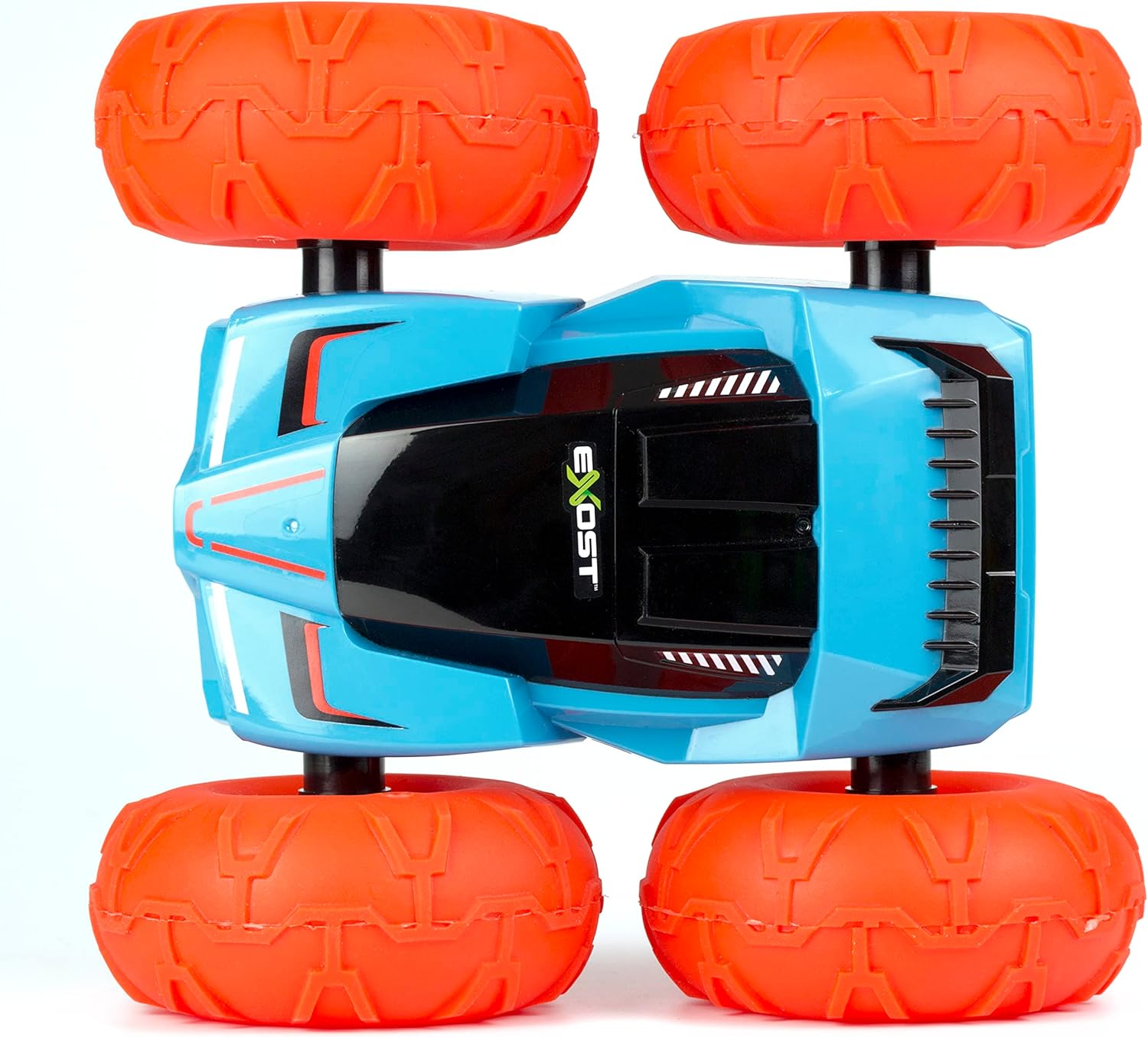
Image: A side view of the blue Exost 360 Tornado RC car with orange tires, illustrating its design for two-sided operation.
Official Product Video
Video: An official product video showcasing the SilverLit Exost 360 Tornado RC car's features, including its durable tires, ability to overcome obstacles, and two-sided driving. The video highlights its stunt capabilities and different color variations.
Maintenance
- Cleaning: Wipe the car and remote control with a dry, soft cloth after use to remove dust and debris. Avoid using water or harsh chemicals.
- Tire Care: Regularly check the tire pressure and re-inflate as needed using an air pump. Ensure tires are free from punctures or damage.
- Battery Storage: Remove all batteries from both the car and remote control if the product will not be used for an extended period. Store batteries in a cool, dry place.
Troubleshooting
| Problem | Possible Cause | Solution |
|---|---|---|
| Car does not respond to remote control. | Low batteries in car or remote; car and remote not paired; out of range. | Replace batteries in both car and remote. Turn both devices off and on again to re-pair. Ensure car is within operating range of the remote. |
| Car moves slowly or inconsistently. | Low batteries; underinflated tires. | Replace batteries. Inflate tires to proper pressure. |
| Car flips but does not continue driving. | Obstruction; severe impact. | Check for any debris or damage preventing wheel rotation. Ensure tires are properly inflated. |
Specifications
- Brand: Silverlit
- Model Name: Exost 360 Tornado
- Model Number: 5529850
- ASIN: B0BVMX5GBT
- GTIN/UPC: 630403547484
- Age Range: Youth (Manufacturer Minimum Age: 60 months)
- Power Source: Battery Powered
- Car Battery Requirements: 4 x AA batteries (not included)
- Remote Battery Requirements: 1 x 9V battery (not included)
- Scale: 1:18 Scale
- Material Type: Metal, Plastic, Rubber
- Item Weight: 3.2 Pounds
- Item Dimensions: 13.78 x 7.48 x 10.24 inches
- Color: Orange (as per product title, though car shown is blue with orange tires)
Safety Information
- Choking Hazard: Contains small parts. Not suitable for children under 3 years.
- Battery Safety: Do not mix old and new batteries. Do not mix alkaline, standard (carbon-zinc), or rechargeable (nickel-cadmium) batteries. Insert batteries with correct polarity. Remove exhausted batteries promptly.
- Supervision: Adult supervision is recommended during operation, especially for younger users.
- Operating Environment: Operate the RC car in open areas free from obstacles, people, and pets to prevent accidents. Avoid operating near water or in wet conditions.
Warranty and Support
For warranty information or technical support, please refer to the contact details provided on the product packaging or visit the official Silverlit website. Keep your purchase receipt as proof of purchase.