
Introduction
This manual provides instructions for the operation, setup, and maintenance of the Syble XB-6266MBT Wireless Bluetooth 2D Barcode Scanner. This device is designed for efficient and reliable barcode scanning in various environments, supporting both 1D and 2D barcode types.
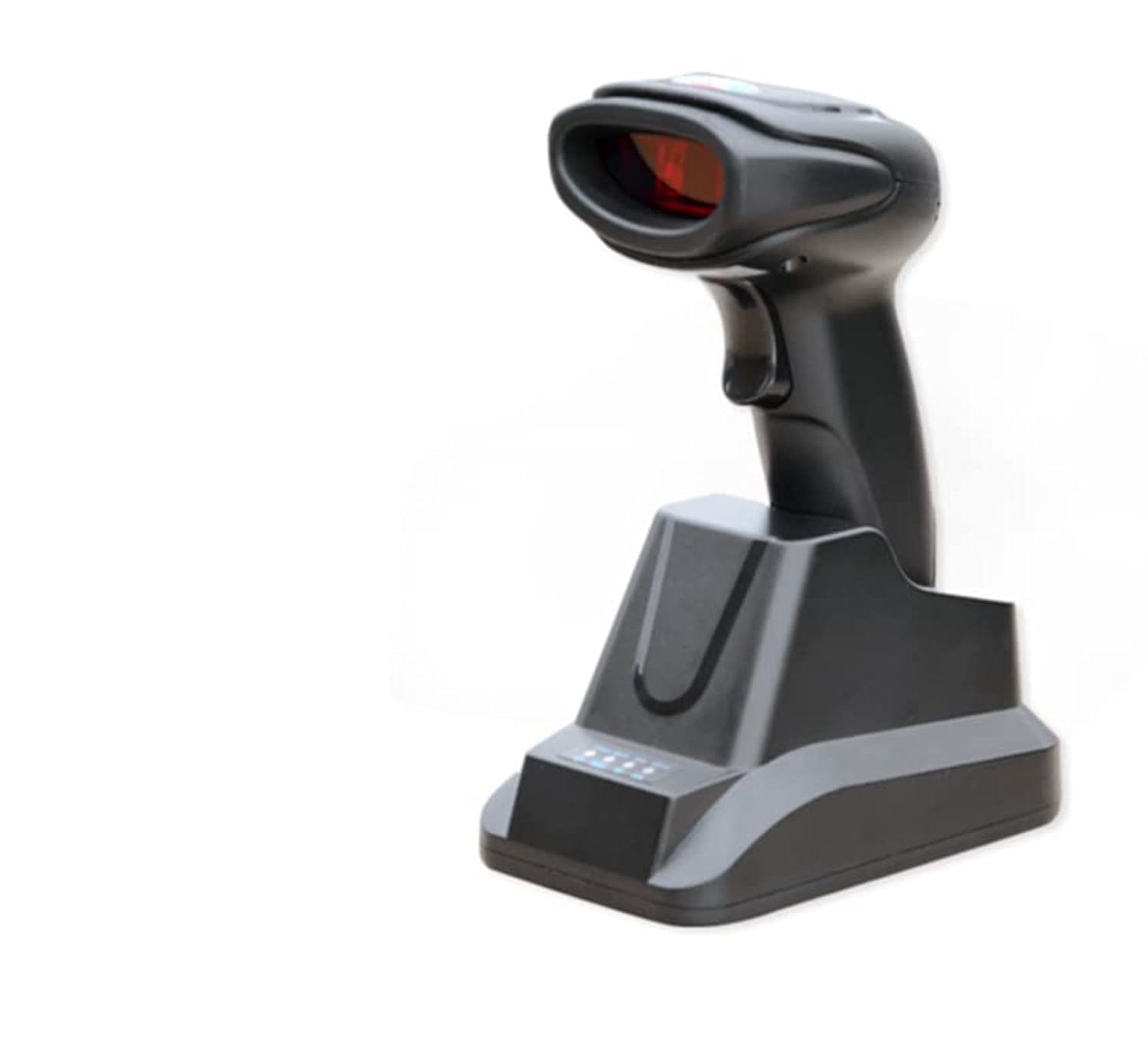
Figure 1: Syble XB-6266MBT Wireless Bluetooth 2D Barcode Scanner. This image shows the compact design of the scanner, suitable for handheld use.
Setup
1. Charging the Scanner
Before initial use, fully charge the scanner's high-capacity battery. Place the scanner on its dedicated charger base. The charging indicator light will show the charging status. A full charge allows for approximately 8 hours of continuous operation.
2. Connectivity Options
The XB-6266MBT offers two primary connectivity methods:
- Bluetooth Connection:
- Ensure the scanner is powered on.
- Activate Bluetooth on your host device (Desktop, Laptop, Smartphone, Tablet).
- Search for available Bluetooth devices and select "XB-6266MBT" to pair.
- The scanner supports one-to-one pairing and multiple-to-one pairing (up to 7 channels). It has dedicated Bluetooth reception for Android and iOS mobile devices.
- USB Connection:
Connect the scanner to your computer using the provided USB cable. The scanner will function as a USB HID (Human Interface Device) or USB-COM device, depending on the configuration. The dedicated charger base also facilitates USB connection.
Operating Instructions
1. Scanning Barcodes
The XB-6266MBT scanner supports various scanning methods and barcode types.
- Supported Barcode Types:
The scanner supports most common 1D and 2D barcodes, including:
1D: Codabar, Code 11, Code 39, Code 93, UPC/EAN, Code 128/EAN128, Interleaved 2 of 5, Matrix 2 of 5, MSI Code, Industrial 2 of 5, GS1 Databar.
2D: QR Code, Data Matrix, PDF417. - Scanning Modes: The scanner can operate in manual, non-interlaced, automatic, or inductive scanning modes. Refer to the advanced configuration guide for switching between modes.
- Scanning Procedure:
- Point the scanner's light source at the barcode you wish to scan.
- Press the trigger button (if in manual mode) or allow the scanner to detect the barcode automatically (in automatic/inductive modes).
- A successful scan is typically indicated by an audible beep and/or a visual confirmation light.
The scanner features a high scanning speed of up to 300 scans per second and a low error rate of less than 1 in 5 million scans, ensuring efficient data capture. The scanning depth of field ranges from 6mm to 250mm.
Maintenance
1. Cleaning the Scanner
To maintain optimal performance, keep the scanner's scanning window clean. Use a soft, lint-free cloth lightly dampened with water or a mild cleaning solution. Avoid abrasive cleaners or solvents that could damage the device.
2. Battery Care
The scanner is equipped with a high-capacity battery. For best battery life, avoid fully discharging the battery frequently. Recharge the scanner using its dedicated charger base. Store the scanner in a cool, dry place when not in use for extended periods.
Troubleshooting
If you encounter issues with your Syble XB-6266MBT scanner, try the following steps:
- Scanner Not Responding: Ensure the battery is charged. Connect the scanner to its charger base and check if the charging indicator lights up.
- Bluetooth Connection Issues:
- Verify Bluetooth is enabled on both the scanner and the host device.
- Delete the scanner from your device's Bluetooth paired list and attempt to re-pair.
- Ensure the scanner is within the 100-meter transmission range (open field).
- Unable to Scan Barcodes:
- Check if the barcode is damaged or poorly printed.
- Ensure the scanning window is clean and free from obstructions.
- Verify that the barcode type is supported by the scanner (refer to Supported Barcode Types).
- Adjust the distance and angle between the scanner and the barcode.
- Data Transmission Errors: If data is not transmitting correctly, try switching between USB HID and USB-COM modes if applicable, or re-establish the Bluetooth connection.
For further assistance, please refer to the manufacturer's website or contact customer support.
Specifications
| Feature | Detail |
|---|---|
| Model Number | XB-6266MBT |
| Light Source | 617nm LED, White LED |
| Supported 1D Barcodes | Codabar, Code 11, Code 39, Code 93, UPC/EAN, Code 128/EAN128, Interleaved 2 of 5, Matrix 2 of 5, MSI Code, Industrial 2 of 5, GS1 Databar |
| Supported 2D Barcodes | QR Code, Data Matrix, PDF417 |
| Scan Type | COMS Image |
| Scan Method | Manual/Non-interlaced/Automatic/Inductive Scanning |
| Scan Angle | Pitch 60°, Rotation 360°, Skew 60° |
| Minimum Resolution | ≥5 mil |
| Depth of Field | 6mm - 250mm |
| Error Rate | Less than 1/5 million |
| Interfaces | USB, USB HID, USB-COM |
| Bluetooth Version | V2.1+EDR (Class 1) |
| Transmission Distance | ≤100 meters (open field) |
| Storage Capacity | 512000 bytes |
| Pairing Modes | One-to-one, Multiple-to-one (max 7 channels) |
| Compatible Devices | Desktop, Laptop, Smartphone, Tablet |
| Dimensions (L×W×H) | 85mm × 61mm × 16mm |
| Weight | Approx. 32g (Note: Original data may contain a typo, 323333333 grams was provided) |
| Material | ABS + Polycarbonate |
| Cable Length | 1.2 meters |
| Operating Temperature | -20°C ~ 55°C |
| Storage Temperature | -40°C ~ 63°C |
| Relative Humidity | 5%~95% (non-condensing) |
| Operating Voltage | 3.7V |
| Scanning Rate | 300 fps |
| Power Source | Battery Operated |
Warranty and Support
1. Warranty Information
The Syble XB-6266MBT Wireless Bluetooth 2D Barcode Scanner comes with a one-year warranty from the date of purchase. This warranty covers manufacturing defects and malfunctions under normal use. Please retain your proof of purchase for warranty claims.
2. Customer Support
For technical support, troubleshooting assistance, or warranty inquiries, please visit the official Syble website or contact your local distributor.


