
Introduction
The Amkette Pocket Mate is a versatile digital FM radio and Bluetooth speaker designed for portable audio entertainment. It features multiple playback options including FM radio, Bluetooth connectivity, Micro SD card, and USB input. Equipped with a number pad for easy station and song selection, an LED display, and a built-in antenna, this device offers up to 8 hours of playtime on a single charge via its Type-C charging port.
What's in the Box
- 1 x Amkette Pocket Mate Digital FM Radio with Bluetooth Speaker
- 1 x User Manual
- 1 x Charging Cable (Type-C)
Product Overview
Familiarize yourself with the components of your Amkette Pocket Mate.
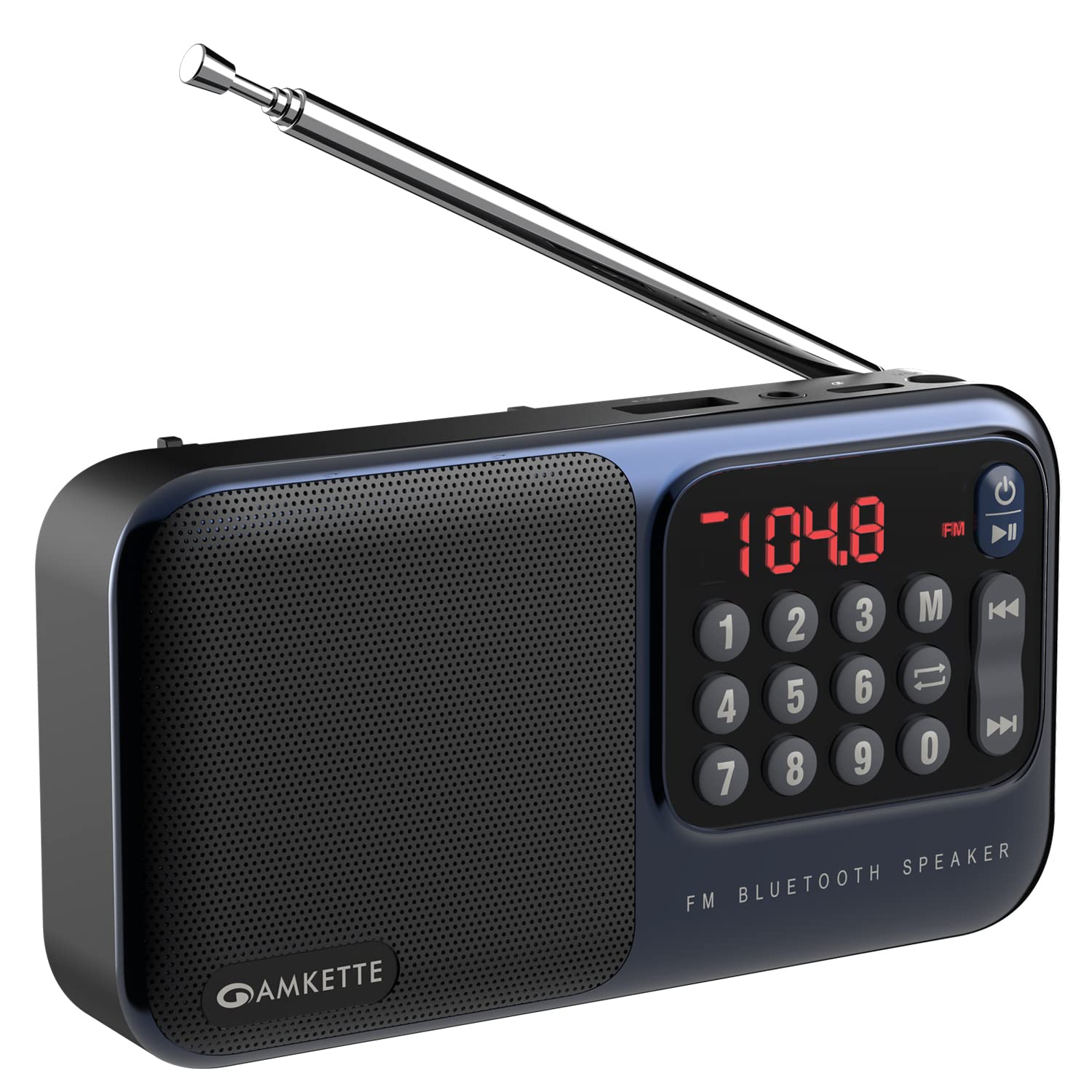
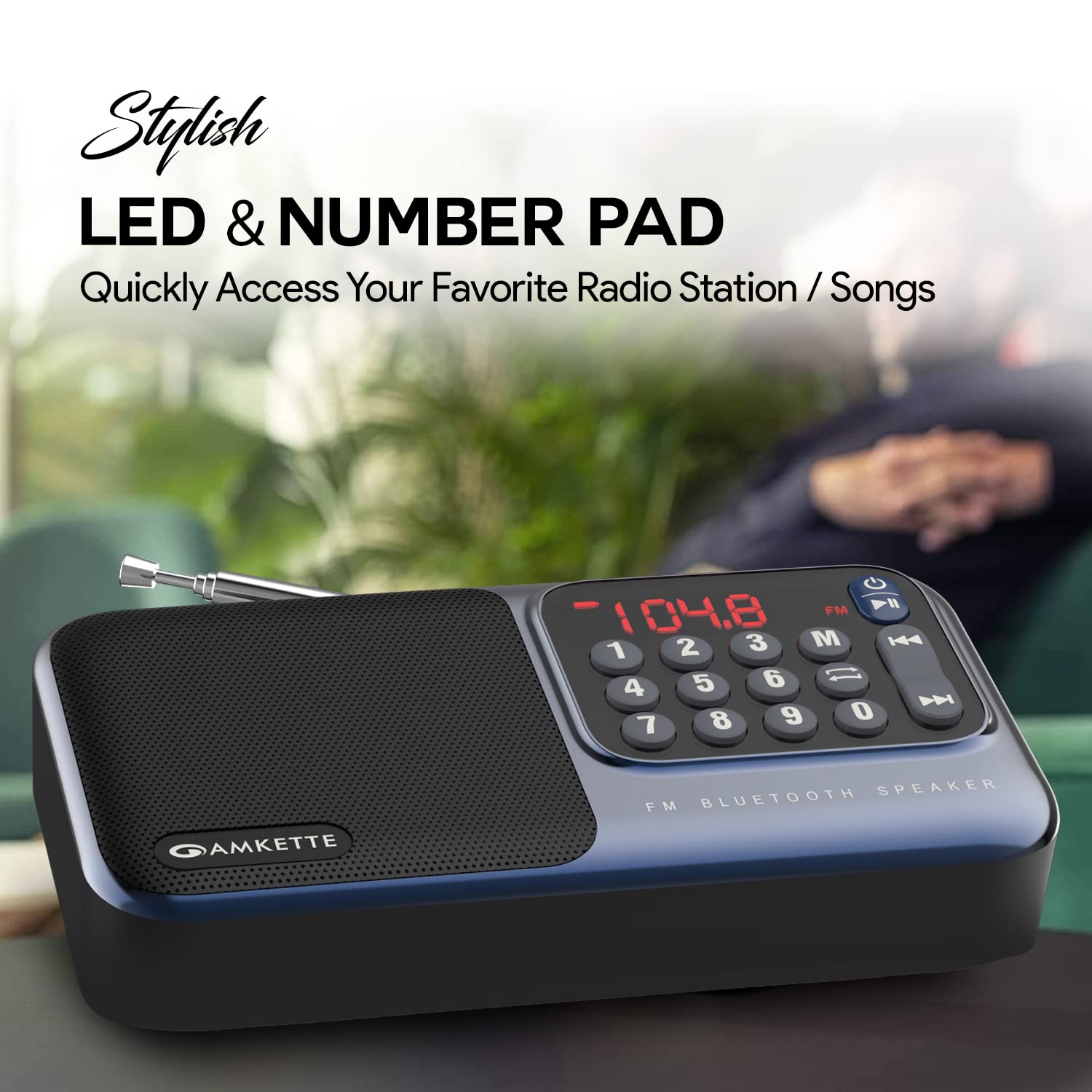


Key Components:
- LED Display: Shows current mode, frequency, or track information.
- Number Pad: For direct frequency input in FM mode or track selection.
- Function Buttons: Power, Play/Pause, Mode, Previous/Next Track.
- Extendable Antenna: For enhanced FM radio reception.
- Speaker: Built-in 5W speaker for audio output.
- Micro SD Card Slot: For playing audio files from a Micro SD card.
- USB Input: For playing audio files from a USB drive.
- 3.5mm Headphone Jack: For private listening.
- Type-C Charging Port: For charging the internal battery.
Setup
1. Charging the Device
- Connect the provided Type-C charging cable to the charging port on the Amkette Pocket Mate.
- Connect the other end of the cable to a standard USB power adapter (not included) or a computer's USB port.
- The LED display will indicate charging status. A full charge provides up to 8 hours of playback.
2. Powering On/Off
- To power on, press and hold the Power button () for a few seconds until the LED display lights up.
- To power off, press and hold the Power button again until the display turns off.
Operating Instructions
1. Mode Selection
Press the Mode (M) button to cycle through available modes: FM Radio, Bluetooth, Micro SD Card, and USB Input.
2. FM Radio Operation
- Extend the antenna fully for optimal reception.
- Press the Mode (M) button to select FM Radio mode.
- Auto Search and Save: Press and hold the Play/Pause button to automatically scan and save all available FM stations.
- Manual Tuning: Use the Previous/Next Track buttons to fine-tune the frequency.
- Direct Frequency Input: Use the number pad to directly enter the desired FM frequency (e.g., 104.8).
3. Bluetooth Pairing
- Press the Mode (M) button to select Bluetooth mode. The device will enter pairing mode, indicated by a flashing Bluetooth icon or specific audio prompt.
- On your smartphone, tablet, or PC, enable Bluetooth and search for available devices.
- Select "Amkette Pocket Mate" from the list of devices to pair.
- Once paired, you can stream audio wirelessly to the speaker.
4. Micro SD Card / USB Playback
- Insert a Micro SD card into the designated slot or a USB drive into the USB port.
- The device should automatically switch to the corresponding playback mode. If not, press the Mode (M) button to select it.
- Use the Previous/Next Track buttons to navigate through songs.
- Press the Play/Pause button to play or pause audio.
5. Volume Control
Volume is typically controlled by long-pressing the Previous/Next Track buttons or directly from the connected Bluetooth device.
6. Headphone Use
Plug any standard 3.5mm headphones into the headphone jack for private listening. The speaker output will automatically mute.
Maintenance
- Keep the device dry. Avoid exposure to water or excessive humidity.
- Clean the device with a soft, dry cloth. Do not use abrasive cleaners or solvents.
- Store the device in a cool, dry place when not in use.
- Avoid dropping or subjecting the device to strong impacts.
Troubleshooting
| Problem | Possible Cause | Solution |
|---|---|---|
| Device does not power on. | Low battery or no charge. | Charge the device using the provided Type-C cable. |
| No sound from speaker. | Volume too low; device in headphone mode; incorrect mode selected. | Increase volume; remove headphones; ensure correct mode (FM, BT, SD, USB) is selected. |
| Poor FM radio reception. | Antenna not extended; weak signal area. | Fully extend the antenna; try moving to a location with better signal. |
| Bluetooth device not pairing. | Device not in pairing mode; Bluetooth disabled on source device. | Ensure Amkette Pocket Mate is in Bluetooth pairing mode; enable Bluetooth on your source device and search again. |
| Micro SD/USB not playing. | Incorrect file format; card/drive not inserted correctly; corrupted files. | Ensure audio files are in a compatible format; reinsert card/drive; try a different card/drive. |
Specifications
| Brand | Amkette |
| Model Name | Pocket Mate FM |
| Model Number | 584 |
| Product Dimensions | 3.9 x 7.5 x 16.3 cm; 320 g |
| Batteries | 1 Lithium Ion battery (included) |
| Hardware Interface | MicroSD, USB |
| Tuner Technology | FM |
| Compatible Devices | All Bluetooth enabled devices, Android, iPhone, PC, Laptop |
| Special Features | Crisp and Bassy 5 W speaker, High Quality FM Speaker with Antenna, Multiple Playback Options (BT, FM, SD Card, USB), Number Pad for Easy FM and Song Selection and LED Display, Up to 8 Hours of Playback |
| Display Type | LED |
| Speakers Maximum Output Power | 5 Watts |
| Speaker Connectivity | Bluetooth and Aux |
| Power Source | Battery Powered |
| Battery Cell Composition | Lithium Ion |
| Connector Type | Bluetooth |
| Radio Bands Supported | FM |
| Material | Plastic |
| Country of Origin | China |
| Item Weight | 320 g |
Warranty and Support
The Amkette Pocket Mate Digital FM Radio with Bluetooth Speaker comes with a 1-Year Manufacturing Warranty.
For any issues, technical assistance, or warranty claims, please contact Amkette customer support. Contact details can typically be found on the official Amkette website or through the retailer where the product was purchased.
Please retain your purchase receipt for warranty validation.