Introduction
The Guudsoud Lite Bone Conduction Headphones utilize advanced bone conduction technology to transmit sound waves through the bones in your skull, bypassing the ear canal. This open-ear design allows you to listen to audio while remaining aware of your surroundings, enhancing safety during activities like running or cycling. These wireless Bluetooth headphones are designed for comfort and versatility, making them suitable for various environments.
What's in the Box
Upon unboxing your Guudsoud Lite Bone Conduction Headphones, you should find the following items:
- Guudsoud Lite Bone Conduction Headphones
- USB Charging Cable
- Earplugs (for use in noisy environments, if desired)
- User Manual
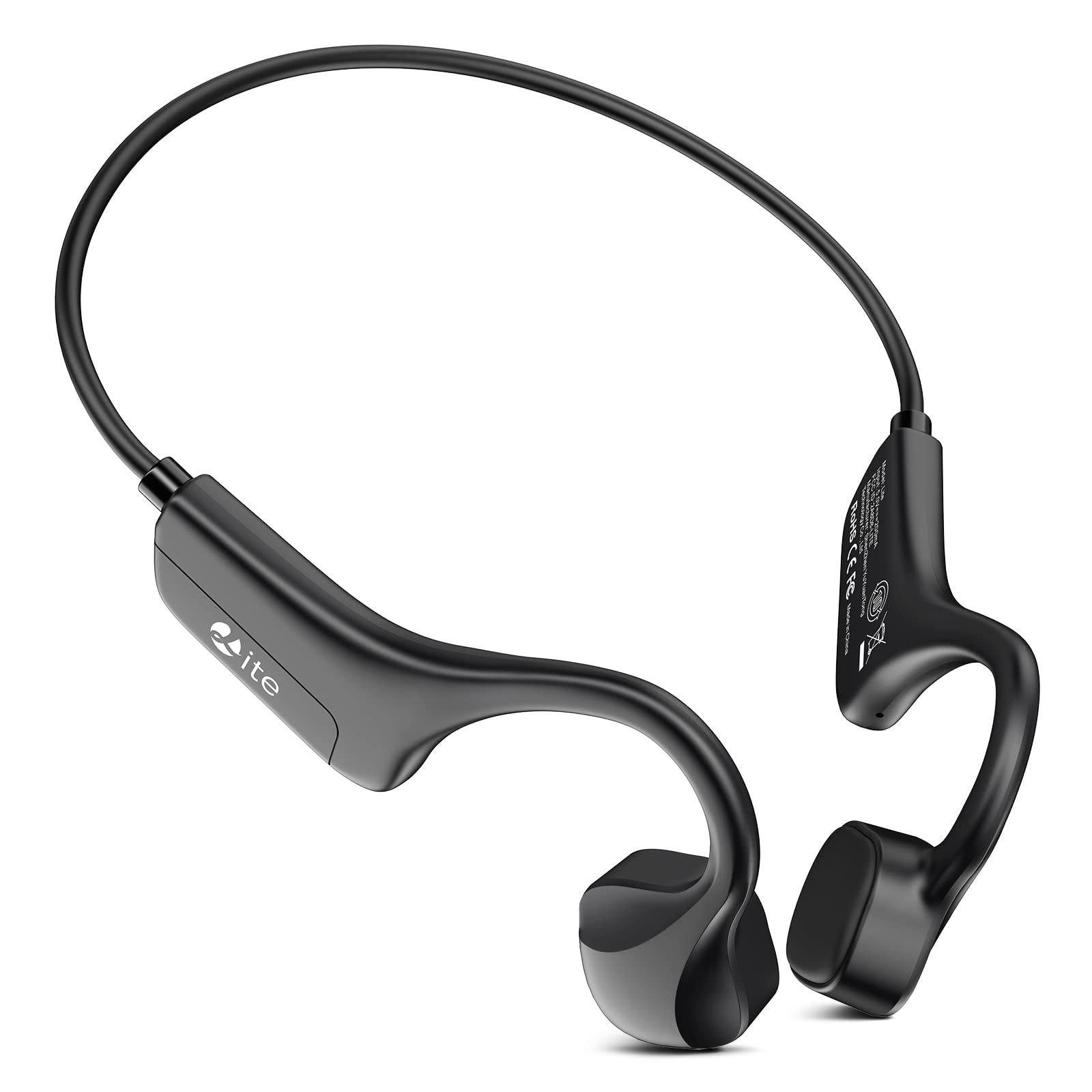
Image: Guudsoud Lite Bone Conduction Headphones and included accessories.
Product Overview
The Guudsoud Lite headphones feature a lightweight, flexible design that wraps around the back of your neck, with transducers resting on your cheekbones in front of your ears.
- Power/Volume Up Button: Located on the right side, this button powers the device on/off and increases volume.
- Volume Down Button: Adjacent to the Power/Volume Up button, this decreases volume.
- Multi-function Button: Located on the left transducer, this button controls playback, track skipping, and call management.
- Microphone: A small hole near the multi-function button for voice input during calls.
- USB Charging Port: Hidden under a rubber panel on the right side for charging the device.
- LED Indicator Light: Provides status updates, such as charging completion or pairing mode.
Image: Close-up of the headphone controls and design.
Setup
1. Charging the Headphones
- Locate the USB charging port on the right side of the headphones, hidden under a rubber panel.
- Gently lift the rubber panel to expose the port.
- Connect the provided USB charging cable to the headphones and plug the other end into a compatible USB power source (e.g., computer, wall adapter).
- The LED indicator light will illuminate during charging and change color or turn off when fully charged.
2. Bluetooth Pairing
- Ensure the headphones are fully charged.
- Press and hold the Power button (top button on the right side) for approximately 3-5 seconds until the LED indicator light flashes red and blue, indicating pairing mode.
- On your device (smartphone, tablet, etc.), go to the Bluetooth settings.
- Search for available devices and select "Guudsoud Lite" (or similar name) from the list.
- Once connected, the LED indicator light will typically turn solid blue or stop flashing.
Operating Instructions
Power On/Off
- Power On: Press and hold the Power button for 3 seconds.
- Power Off: Press and hold the Power button for 5 seconds.
Volume Control
- Volume Up: Short press the Volume Up button (top button on the right side).
- Volume Down: Short press the Volume Down button (bottom button on the right side).
Music Playback
- Play/Pause: Single press the Multi-function button.
- Next Track: Double press the Multi-function button.
- Previous Track: Triple press the Multi-function button.
Call Management
- Answer/End Call: Single press the Multi-function button during an incoming call or an active call.
- Reject Call: Press and hold the Multi-function button for 2 seconds during an incoming call.
Maintenance
- Cleaning: Wipe the headphones with a soft, damp cloth. Avoid using harsh chemicals or abrasive materials.
- Water Resistance: The headphones are waterproof. However, ensure the charging port cover is securely closed before exposure to water to prevent damage. Do not submerge for extended periods or expose to high-pressure water.
- Storage: Store the headphones in a cool, dry place away from direct sunlight and extreme temperatures.
Troubleshooting
| Issue | Possible Solution |
|---|---|
| No power | Ensure the headphones are fully charged. Press and hold the Power button for 3 seconds to turn on. |
| Cannot pair with device |
|
| No sound |
|
| Poor sound quality |
|
Specifications
| Feature | Detail |
|---|---|
| Model Name | Lite |
| Connectivity Technology | Wireless |
| Wireless Communication Technology | Bluetooth |
| Bluetooth Version | 5.0 |
| Compatible Devices | Smartphones, Tablets, Laptops, Desktops, Smart Speakers, Gaming Consoles, Televisions, Car Audio Systems, Cellphones |
| Item Weight | 25 Grams (0.882 ounces) |
| Water Resistance Level | Waterproof |
| Control Method | Touch |
| Audio Driver Type | Bone Conduction Driver |
| Earpiece Shape | Ear hooks or wings |
| Ear Placement | Open Ear |
| Form Factor | Open Ear |
| Headphones Jack | USB |
| Product Dimensions | 1.93 x 3.98 x 5.63 inches |
| Manufacturer | SHENZHEN YUYUANTONG TECHNOLOGY CO., LTD |
| Date First Available | February 13, 2023 |
| UPC / GTIN | 799408941052 |
| ASIN | B0BVML7TY4 |
Warranty and Support
For warranty information and customer support, please refer to the documentation included with your product or visit the official Guudsoud website. Keep your purchase receipt for warranty claims.


