1. Introduction
Thank you for choosing the VEHOP Buds Mini TWS Earbuds. This manual provides essential information for setting up, operating, and maintaining your new wireless headphones. Please read these instructions carefully before use to ensure optimal performance and longevity of your device.
2. Package Contents
- VEHOP Buds Mini TWS Earbuds
- Wireless Charging Case
- USB Charging Cable
- User Manual
3. Product Overview
The VEHOP Buds Mini TWS Earbuds are designed for a superior audio experience with features like Environmental Noise Cancellation (ENC), Bluetooth 5.2 connectivity, and touch controls.

Image: VEHOP Buds Mini TWS Earbuds shown with their charging case, illustrating their compact design.

Image: An overview highlighting key features such as 12-hour music playback, sleek design, IPX4 rating, Bluetooth 5.2, DSP Environmental Noise Cancellation, and ultra-lightweight construction.

Image: An exploded diagram showcasing the internal components of an earbud, emphasizing its HiFi sound quality design.
4. Charging
Before first use, fully charge the earbuds and the charging case.
4.1 Charging the Earbuds
- Place the earbuds into the charging case. Ensure they are correctly seated in their respective slots.
- The earbuds will automatically begin charging. A full charge takes approximately 1 hour.
4.2 Charging the Case
- Connect the provided USB Type-C charging cable to the charging port on the case and to a DC5V-1A power adapter.
- The charging indicator lights on the case will illuminate to show charging status. A full charge takes approximately 1.5 hours.
- Caution: Using incompatible USB cables or high-voltage chargers can damage the product and void the warranty. Always use DC5V-1A chargers and the USB cable included in the package.
The charging case provides up to 25 hours of total playtime with multiple charges. Each earbud offers approximately 4 hours of playback on a single charge.
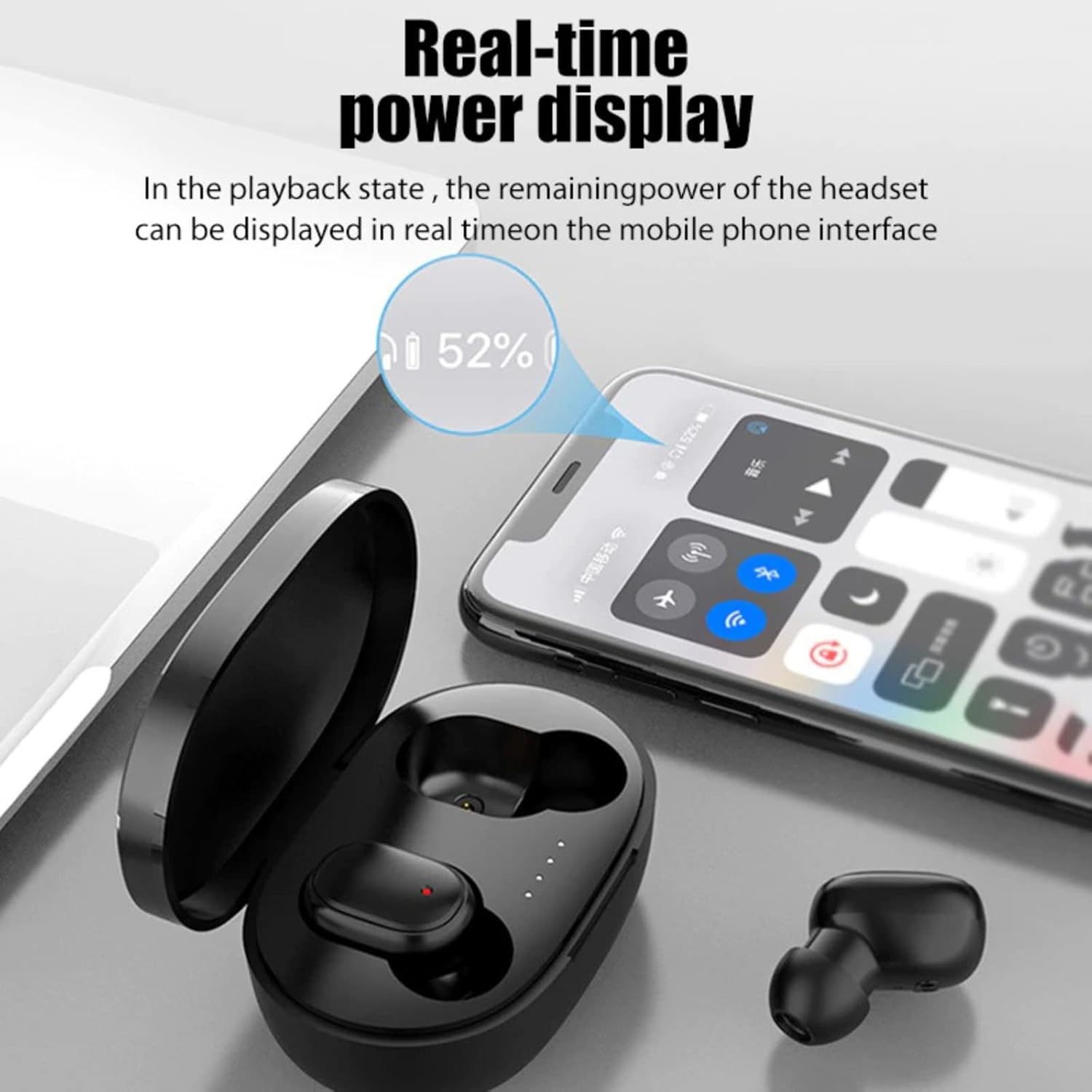
Image: A smartphone screen displaying the real-time battery percentage of the connected earbuds, indicating convenient power monitoring.

Image: Earbuds resting in their charging case next to a smartphone playing music, illustrating the long-lasting lithium battery and extended usage.
5. Setup and Pairing
The earbuds feature quick 1-step pairing and auto-reconnect functionality.
- Initial Pairing:
- Open the charging case. The earbuds will automatically power on and enter pairing mode.
- On your device (smartphone, tablet, laptop), enable Bluetooth.
- Search for available Bluetooth devices and select "VEHOP Buds Mini" (or similar name) from the list.
- Once connected, you will hear a confirmation tone.
- Auto-Reconnect: After initial pairing, the earbuds will automatically connect to the last paired device when removed from the charging case and Bluetooth is enabled on your device.
- Single Earbud Mode: You can use either earbud independently. Simply take one earbud out of the case, and it will connect in mono mode.
6. Operating Instructions
The VEHOP Buds Mini feature intuitive touch controls for managing audio and calls.

Image: A visual guide to the multi-function touch controls on the earbuds, detailing actions for music playback, call management, and voice assistant activation.
6.1 Music Control
- Play/Pause: Single tap on either earbud.
- Next Track: Double tap the right earbud.
- Previous Track: Double tap the left earbud.
6.2 Call Management
- Answer/End Call: Single tap on either earbud.
- Reject Call: Press and hold either earbud for 2 seconds.
- Mute/Unmute: Triple tap on either earbud during a call.
- Switch Between Two Calls: Press and hold either earbud for 2 seconds during a call to switch to another incoming call.
6.3 Voice Assistant
- Activate Voice Assistant (Siri/Google Assistant): Triple tap on either earbud.

Image: A finger interacting with the touch sensor on an earbud, demonstrating the one-button activation for voice assistants like Siri.
6.4 Gaming/Movie Mode
The earbuds feature a dedicated Low Latency Gaming/Movie Mode for enhanced audio-video synchronization. Refer to your device's specific instructions for activating this mode, if available, or check for a specific touch control gesture in future updates.
7. Wearing the Earbuds
For optimal sound quality and comfort, ensure a snug fit.
- Gently insert the earbuds into your ear canal.
- Rotate them slightly until they feel secure and comfortable.
- The ergonomic design and lightweight nature of the earbuds help prevent them from falling out during activity.

Image: A woman wearing the earbuds during a sports activity, demonstrating their comfortable and secure fit for active use.
8. Maintenance
Proper care ensures the longevity of your earbuds.
- Cleaning: Regularly clean the earbuds and charging case with a soft, dry cloth. Avoid using harsh chemicals or abrasive materials.
- Water Resistance: The earbuds are IPX4 water/sweat resistant, meaning they can withstand splashes and sweat. Do not submerge them in water or expose them to heavy rain.
- Storage: When not in use, store the earbuds in their charging case to protect them and keep them charged.
- Temperature: Avoid exposing the earbuds to extreme temperatures (hot or cold).
9. Troubleshooting
If you encounter issues, try the following steps:
- No Sound/Connection Issues:
- Ensure both earbuds and the charging case are fully charged.
- Turn off and on your device's Bluetooth, then try pairing again.
- Forget the device from your Bluetooth list and re-pair.
- Ensure the earbuds are within the 10-meter wireless range of your device.
- One Earbud Not Working:
- Place both earbuds back into the charging case, close the lid, wait a few seconds, then take them out again.
- Ensure both earbuds have sufficient charge.
- Touch Controls Unresponsive:
- Ensure your fingers are clean and dry when using touch controls.
- Restart the earbuds by placing them in the case and taking them out.
10. Specifications
| Feature | Specification |
|---|---|
| Model | .A6S (BASSBUDS MINI) |
| Connectivity Technology | Bluetooth 5.2 |
| Wireless Range | 10 meters |
| Earbud Battery Capacity | 30mAh (each bud) |
| Charging Case Battery Capacity | 250mAh |
| Earbud Charging Time | Approx. 1 hour |
| Case Charging Time | Approx. 1.5 hours |
| Total Playtime (with case) | Up to 25 hours |
| Driver Size | 8mm |
| Noise Control | Environmental Noise Cancellation (ENC) |
| Water Resistance | IPX4 (Splash/Sweat Proof) |
| Control Type | Touch Control |
| Microphone | Built-In, Bidirectional |
| Earbud Weight | Approx. 4.1g (each) |
| Product Dimensions | 6 x 4 x 3 cm |
| Material | Plastic |

Image: Stylized representation of the earbuds highlighting the intelligent noise elimination technology for clearer audio.
11. Warranty and Support
VEHOP provides a 1-year manufacturer warranty from the date of purchase, covering manufacturing defects only.
For warranty claims or technical support, please contact VEHOP directly:
- Email: contact.vehop@gmail.com
- Manufacturer Address: VEHOP, Kalyan Shil Road, Mumbai, Maharashtra, India