
Introduction
This manual provides detailed instructions for the installation, operation, and maintenance of your WANGCL CP019597 Smart Ceiling Fan Remote Control. Please read this manual thoroughly before installation and use to ensure proper function and safety. This remote control system is designed to provide convenient wireless control over your ceiling fan's speed and light.
Compatibility and Important Notes
Before proceeding with installation, please ensure your ceiling fan meets the following compatibility requirements:
- This remote control system is only compatible with AC ceiling fans that use capacitors.
- It is not suitable for DC motor fans.
- It is not suitable for fans with integrated smart systems.
- Always check the mounting space and hole distance for the receiver before purchase and installation.

Figure 1: Compatibility requirements for the WANGCL CP019597 remote control system.
Setup and Installation
Package Contents
The package includes:
- 1 x Ceiling Fan Receiver
- 1 x Handheld Remote Control
- 1 x Remote Wall Mount Bracket

Figure 2: Contents of the WANGCL CP019597 Smart Ceiling Fan Remote Control package.
Receiver Installation and Wiring
Warning: Before installation, ensure the power to the ceiling fan circuit is turned off at the circuit breaker to prevent electrical shock.
- Locate the wiring compartment in your ceiling fan canopy.
- Connect the receiver wires according to the wiring diagram provided. The antenna for the receiver is hidden inside the box.
- Ensure all connections are secure using wire nuts.
- Carefully tuck the receiver and wires into the canopy, ensuring no wires are pinched.

Figure 3: Wiring diagram for the receiver unit. Note that the antenna is internal.

Figure 4: General wiring illustration from ceiling power to receiver and fan/light.
Remote Control Battery Installation
The remote control requires 2 AAA batteries (not included). Open the battery compartment on the back of the remote and insert the batteries, observing the correct polarity (+/-). Close the compartment securely.
Operating Instructions
The remote control allows you to manage your ceiling fan's speed and light functions. The remote has clearly labeled buttons for intuitive use.
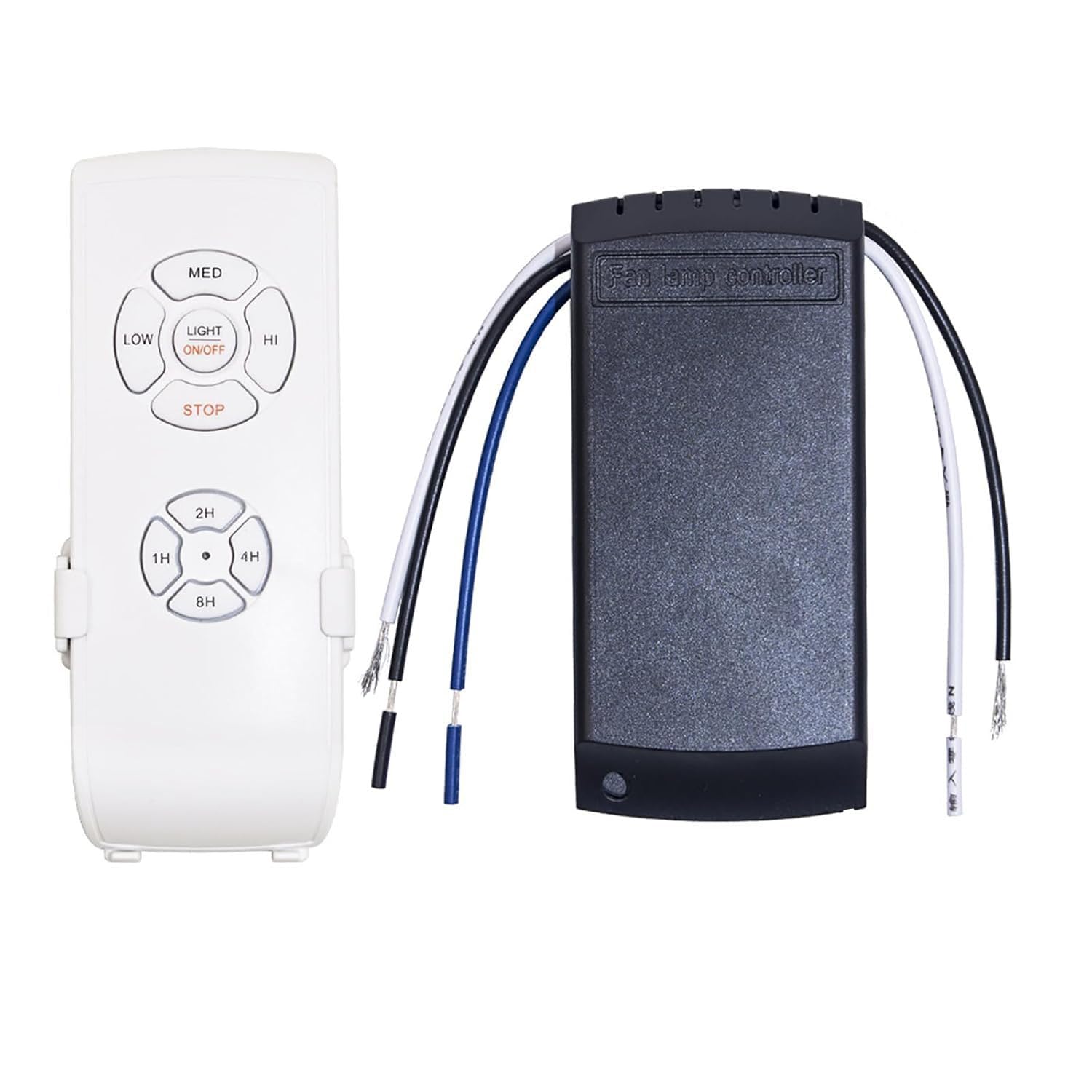
Figure 5: WANGCL CP019597 Remote Control Layout.
Fan Speed Control
- Press LOW for low fan speed.
- Press MED for medium fan speed.
- Press HI for high fan speed.
- Press STOP to turn off the fan.
Light Control
- Press LIGHT ON/OFF to toggle the fan light on or off.
Timer Function
The remote features a convenient timer function to automatically turn off the fan after a set period.
- Press 1H to set the fan to turn off after 1 hour.
- Press 2H to set the fan to turn off after 2 hours.
- Press 4H to set the fan to turn off after 4 hours.
- Press 8H to set the fan to turn off after 8 hours.
To cancel the timer, press the STOP button.
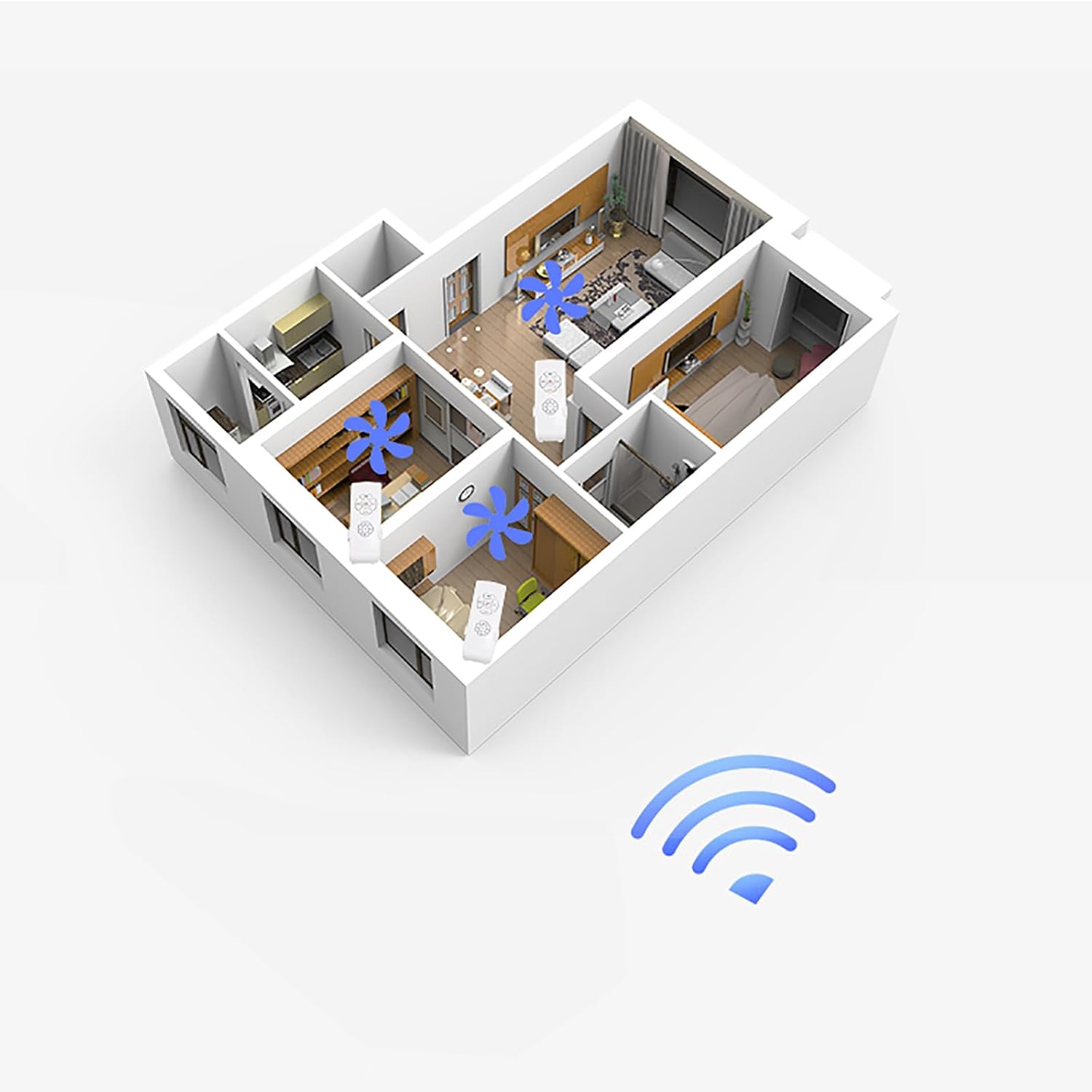
Figure 6: The remote control offers a strong signal penetration and a range of at least 30 meters.
Maintenance
Battery Replacement
When the remote control's range decreases or buttons become unresponsive, it is likely time to replace the batteries. Use 2 new AAA batteries, ensuring correct polarity.
Cleaning
Wipe the remote control and receiver with a soft, dry cloth. Do not use abrasive cleaners or solvents, as these can damage the flame-retardant polycarbonate material and electronic components. Keep the devices dry and away from excessive dust.
Troubleshooting
| Problem | Possible Cause | Solution |
|---|---|---|
| Remote not responding / Fan or light not working | Dead or incorrectly installed batteries in the remote. Out of range. Power to fan is off. Incorrect wiring. | Replace batteries, ensuring correct polarity. Move closer to the receiver. Check circuit breaker. Verify wiring connections according to the diagram. |
| Strange noise from receiver / Unit not functioning | Internal component loose or damaged. | Turn off power immediately. Do not attempt to open or repair the receiver yourself. Contact the seller or a qualified electrician. |
| Fan or light does not respond to specific commands | Compatibility issue (e.g., DC fan). | Confirm your ceiling fan is an AC capacitor type. This remote is not compatible with DC motor fans or integrated smart systems. |
| No visible antenna on receiver | Antenna is hidden internally. | This is normal. The antenna is designed to be internal to the receiver unit. |
Specifications
| Feature | Specification |
|---|---|
| Model Number | CP019597 |
| Brand | WANGCL |
| Remote Control Dimensions (L x W x H) | 136 x 50 x 18 mm |
| Receiver Dimensions (L x W x H) | 115 x 53 x 25 mm |
| Operating Voltage | 90-265V AC |
| Material | Flame-retardant Polycarbonate |
| Remote Control Range | ≥ 30 meters |
| Fan Speed Settings | 3 levels (Low, Medium, High) |
| Timer Settings | 1 hour, 2 hours, 4 hours, 8 hours |
| Remote Power Supply | 2 x AAA batteries (not included) |
| Ingress Protection (IP) Rating | IP51 |
| Compatible Devices | AC ceiling fans with capacitors |
Warranty and Support
Specific warranty information for the WANGCL CP019597 Smart Ceiling Fan Remote Control is not provided in the product data. For warranty details or technical support, please refer to the product packaging or contact the seller directly through your purchase platform.