
Introduction
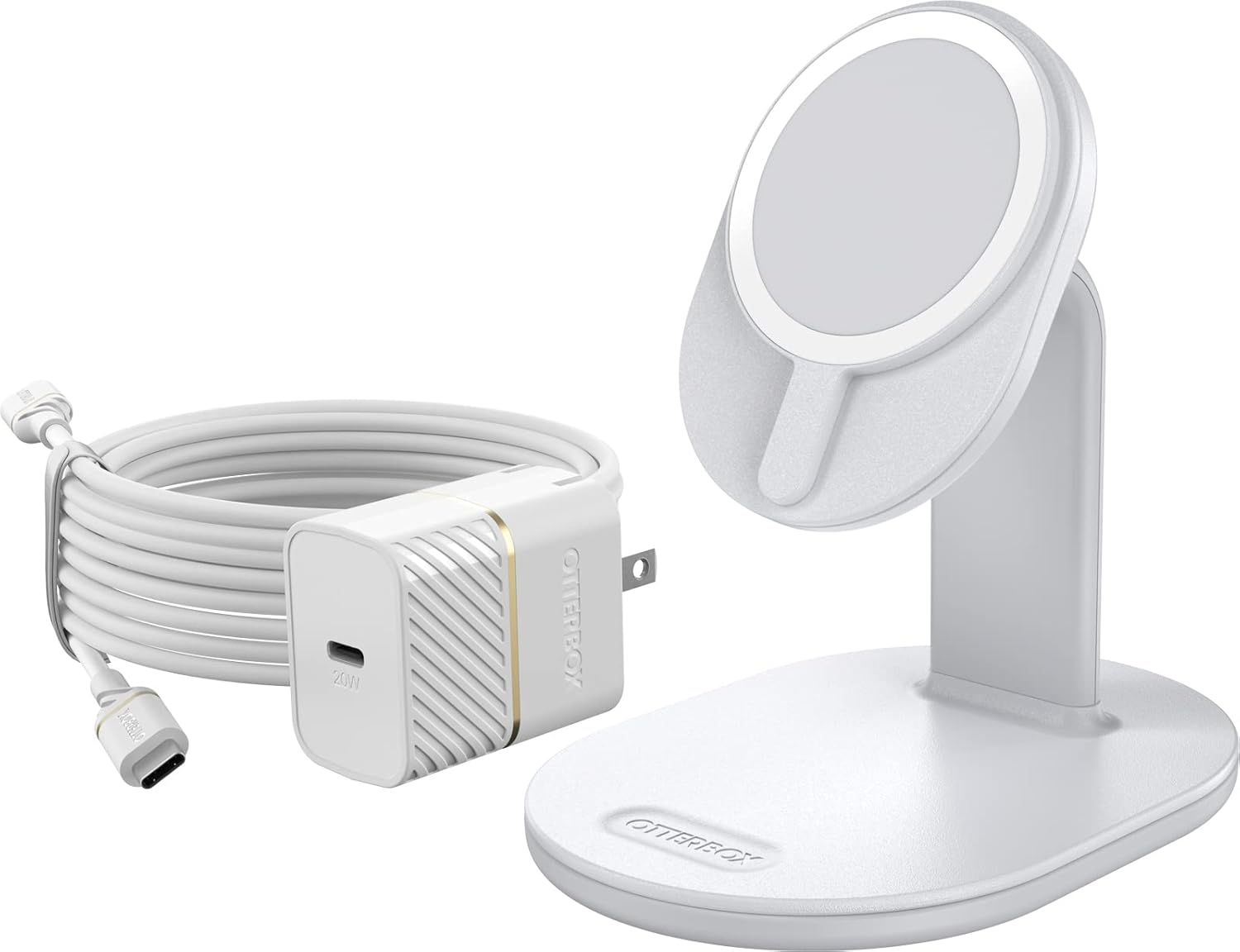
This manual provides comprehensive instructions for the safe and efficient use of your OtterBox Wireless Charging Stand 2.0 for MagSafe. This sleek, compact MagSafe charger stand features a small footprint and a raised magnet pad with strong magnetic attachment, making it an ideal charging solution for your iPhone at home or in the office. By following these guidelines, you can ensure optimal performance and longevity of your device.
Product Features
- Streamlined design for an ideal iPhone resting place with seamless magnetic alignment and attachment.
- 15W Qi wireless charger delivers optimal 7.5W charging speeds to compatible iPhones.
- Securely suspends iPhone in both portrait or landscape orientations for charging, streaming, and connecting.
- No-slip, weighted base ensures the stand remains steady, allowing for one-handed attachment and removal of your iPhone.
Package Contents
The package includes the following items:
- OtterBox Wireless Charging Stand 2.0
- USB-C to USB-C Charging Cable
- 20W USB-C Power Adapter
- Screen Protector
Setup Instructions
- Connect the Power Adapter: Insert the USB-C end of the charging cable into the 20W USB-C Power Adapter.
- Connect to Charging Stand: Insert the other USB-C end of the charging cable into the port located at the back of the OtterBox Wireless Charging Stand 2.0.
- Plug into Power Outlet: Plug the power adapter into a functional wall outlet.
- Place Your Device: Align your MagSafe-compatible iPhone with the magnetic charging pad on the stand. The magnets will automatically secure your device in place. Ensure your iPhone is centered on the charging pad for optimal connection.

Operating Instructions
Once set up, operating the charging stand is straightforward:
- Magnetic Attachment: The stand uses MagSafe technology for secure magnetic alignment. Simply bring your iPhone close to the charging pad, and it will snap into position.
- Charging Indication: Your iPhone's screen will display a charging animation and battery percentage when properly connected and charging.
- Orientation: The stand supports both portrait and landscape orientations, allowing you to view content or make video calls while your device charges.


- Removing Your Device: To remove your iPhone, simply twist it gently off the magnetic pad. The weighted base prevents the stand from tipping.

Maintenance
To maintain the performance and appearance of your charging stand:
- Cleaning: Use a soft, dry, lint-free cloth to wipe the surface of the charging stand. Avoid abrasive cleaners, solvents, or aerosol sprays.
- Storage: When not in use for extended periods, store the stand in a cool, dry place away from direct sunlight and extreme temperatures.
- Cable Care: Avoid bending or crimping the charging cable excessively to prevent damage.
Troubleshooting
| Problem | Possible Cause / Solution |
|---|---|
| Device not charging. |
|
| Weak magnetic attachment. |
|
| Slow charging. |
|
Specifications
| Model Number | 78-81166 |
| Brand | OtterBox |
| Product Dimensions | 4.91 x 3.54 x 5.01 inches |
| Item Weight | 1.1 pounds |
| Color | White |
| Connector Type | USB Type C |
| Compatible Devices | iPhone (MagSafe-compatible models) |
| Input Voltage | 9 Volts |
| Amperage | 2.2 Amps |
| Total USB Ports | 1 |
| Special Feature | Magnetic (MagSafe compatible) |
Warranty Information
OtterBox products are backed by a limited lifetime warranty. For detailed information regarding warranty coverage, terms, and conditions, please refer to the official OtterBox website or contact their customer support directly. Keep your proof of purchase for warranty claims.
Customer Support
If you encounter any issues or have questions not covered in this manual, please visit the official OtterBox support website or contact their customer service team for assistance. Contact information can typically be found on the OtterBox website or product packaging.


