1. Introduction and Overview
Thank you for choosing the Gigastone QP-10200W 3-in-1 Power Bank. This device combines a 10000mAh power bank, an AC wall charger, and a wireless charging pad into a single, compact unit. It is designed for convenient and efficient charging of various electronic devices on the go or at home.
Please read this manual carefully before using the product to ensure safe and optimal performance. Keep this manual for future reference.
2. Product Features
- High Capacity: Integrated 10,000 mAh battery for extended power.
- Versatile Charging: Functions as a portable power bank, an AC wall charger, and a Qi wireless charging pad.
- Fast Wired Charging: Equipped with USB-C Power Delivery (PD 3.0) 20W and USB-A Quick Charge (QC3.0) 18W outputs.
- Wireless Charging: Supports 5W, 7.5W, 10W, and 15W wireless output for Qi-enabled devices.
- Global Compatibility: Foldable AC plug supports 100-240V input voltage.
- Compact Design: Lightweight and portable with a foldable plug for easy storage and travel.
- Safety Protections: Built-in safeguards against over current, overcharge, overheat, over voltage, short circuit, and static electricity. Features fire-proof housing and a Grade A lithium battery.
- Clear Status Display: LED indicator shows current power level and charging status.
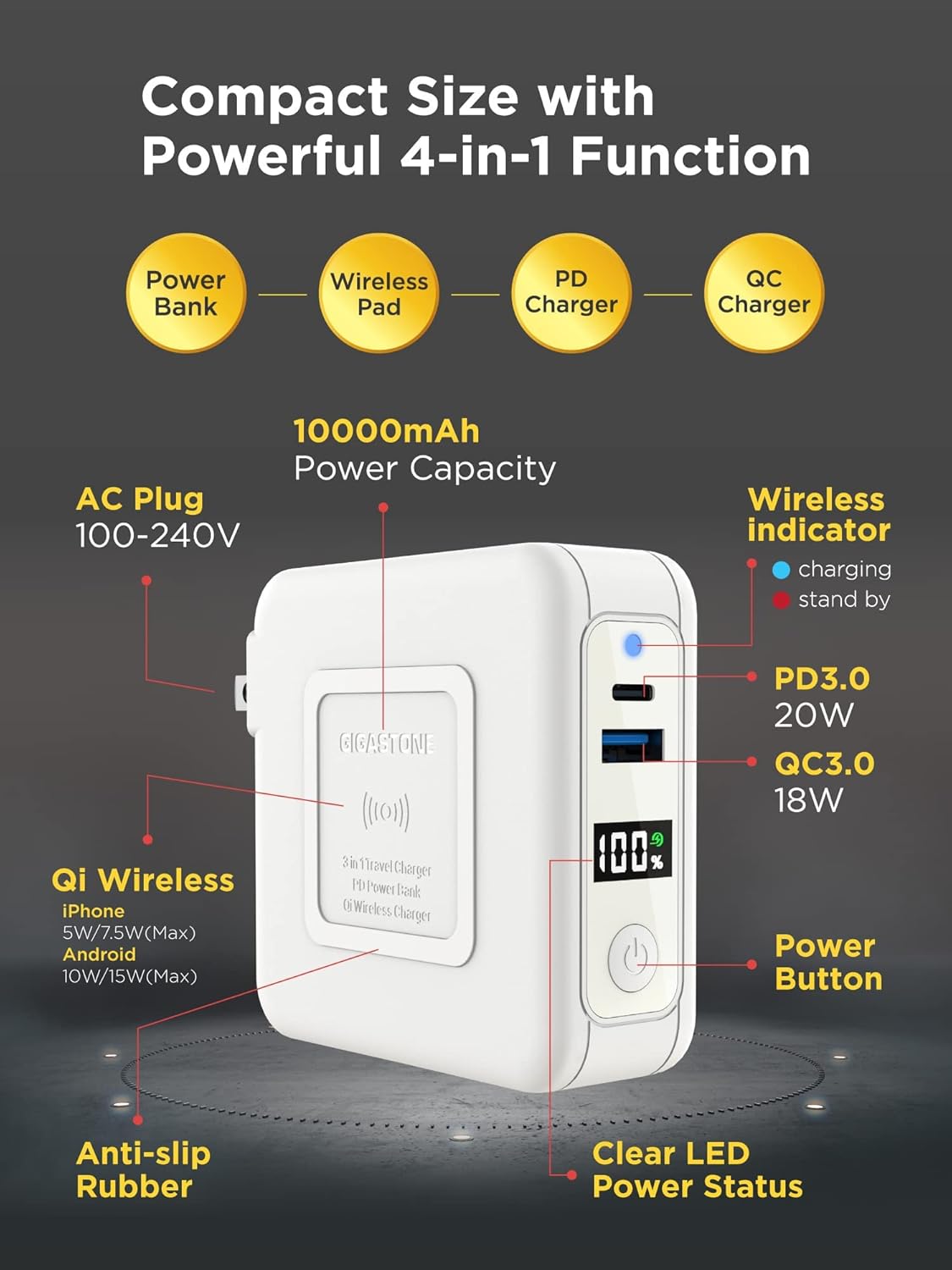
Image 1: The Gigastone QP-10200W power bank highlighting its compact size and 4-in-1 functionality, including power bank, wireless pad, PD charger, and QC charger. It also points out the 10000mAh capacity, AC plug, wireless indicator, PD3.0 20W port, QC3.0 18W port, power button, clear LED power status, anti-slip rubber, and Qi wireless charging capabilities for various devices.
3. Setup
3.1 Initial Charge
Before first use, fully charge the power bank. This ensures optimal battery performance and accuracy of the LED power display.
- Fold out the AC plug from the power bank.
- Plug the power bank directly into a standard wall outlet (100-240V).
- The LED display will show the charging progress, indicating 100% when fully charged.
3.2 Checking Battery Level
Press the power button once to view the current battery percentage on the LED display.
4. Operating Instructions
4.1 Charging the Power Bank
The power bank can be recharged using its integrated AC plug.
- Locate the foldable AC plug on the power bank.
- Extend the AC plug and insert it into a compatible wall socket.
- The LED display will illuminate and show the charging percentage. When 100% is displayed, the power bank is fully charged.

Image 2: The Gigastone QP-10200W power bank with its foldable AC plug extended, ready to be plugged into a wall outlet. This image emphasizes the convenience of recharging the power bank without needing extra cables, contrasting it with a pile of various charging cables marked with a red 'X' to signify their redundancy when using this device.
4.2 Charging Devices via USB Cables
The power bank features both USB-C PD 3.0 and USB-A QC3.0 ports for fast wired charging.
- Connect your device's charging cable to the appropriate port on the power bank (USB-C or USB-A).
- Connect the other end of the cable to your device.
- The power bank will automatically begin charging your device. The LED display will show the power bank's remaining charge.
- For optimal fast charging, use a compatible cable and ensure your device supports PD 3.0 or QC3.0.
4.3 Wireless Charging
The power bank supports Qi wireless charging for compatible devices.
- Ensure your device is Qi-enabled.
- Place your Qi-enabled device directly onto the wireless charging pad area of the power bank.
- Ensure the device is centered on the pad for efficient charging.
- The wireless indicator light on the power bank will illuminate to confirm wireless charging is active.
- Remove any metal objects or thick cases from your device that may interfere with wireless charging.

Image 3: The Gigastone QP-10200W power bank demonstrating its ability to charge three devices simultaneously. A smartphone is wirelessly charging on top, a Nintendo Switch is connected via a USB-C cable, and another smartphone is connected via a USB-A cable, showcasing its user-friendly multi-device charging capability.
4.4 Simultaneous Charging
The Gigastone QP-10200W can charge multiple devices simultaneously, including wired and wireless charging. When plugged into an AC outlet, it can also charge itself while charging connected devices.
5. Safety Information
- Do not expose the power bank to extreme temperatures, direct sunlight, or fire.
- Avoid dropping, disassembling, or attempting to repair the device yourself.
- Keep away from water and other liquids.
- Do not use if the device is damaged or swollen.
- Keep out of reach of children.
- Dispose of the product according to local regulations.
- Ensure proper ventilation when charging.
- Do not place metal objects on the wireless charging pad during operation.

Image 4: An infographic detailing the multi-protection features of the Gigastone QP-10200W power bank. Icons represent Over Current Protection, Foreign Object Detection, Overcharge Protection, Over Heating Protection, Short Circuit Protection, and Static Electricity Protection, emphasizing the device's robust safety design with UL and FCC certificates.
6. Maintenance
- Clean the power bank with a soft, dry cloth. Do not use harsh chemicals or abrasive materials.
- Store the device in a cool, dry place when not in use.
- If storing for an extended period, charge the power bank to approximately 50-75% every three months to maintain battery health.
7. Troubleshooting
7.1 Device Not Charging
- Check Power Bank Battery: Ensure the power bank has sufficient charge. Press the power button to check the LED display.
- Check Cables: Verify that charging cables are securely connected and not damaged. Try a different cable.
- Check Ports: Ensure the USB ports are clean and free of debris.
- Wireless Charging: Ensure your device is Qi-enabled and properly centered on the charging pad. Remove any thick cases or metal objects.
- AC Charging: If charging the power bank via AC plug, ensure the plug is fully inserted into a working wall outlet.
7.2 Slow Charging
- Cable Compatibility: Use high-quality cables that support fast charging (PD or QC).
- Device Compatibility: Ensure your device supports PD 3.0 or QC3.0 for fast wired charging, or 15W wireless charging for maximum speed.
- Multiple Devices: Charging multiple devices simultaneously may reduce individual charging speeds.
8. Specifications
| Model Number | QP-10200W |
| Battery Capacity | 10,000 mAh |
| AC Input | 100-240V |
| USB-C Output | PD 3.0 20W |
| USB-A Output | QC3.0 18W |
| Wireless Output | 5W / 7.5W / 10W / 15W |
| Dimensions | Approximately 4.21 x 4.21 x 1.26 inches (107 x 107 x 32 mm) |
| Weight | 9.9 ounces (280 grams) |
| Manufacturer | Shenzhen U-Angel Technology Co., Ltd |
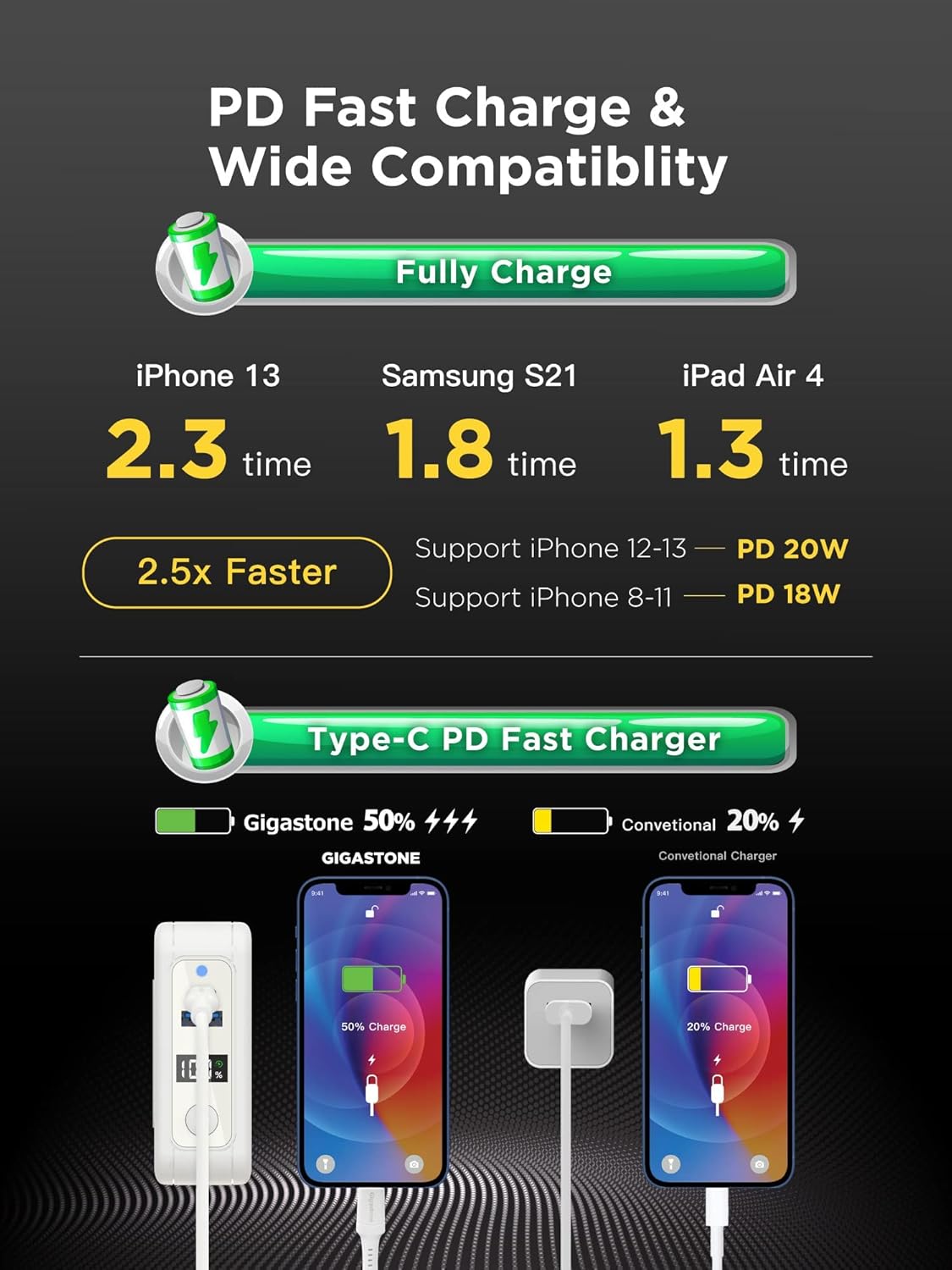
Image 5: An infographic illustrating the PD Fast Charge and wide compatibility of the Gigastone QP-10200W. It shows charging times for an iPhone 13 (2.3 times), Samsung S21 (1.8 times), and iPad Air 4 (1.3 times), claiming 2.5x faster charging. It also highlights support for iPhone 12-13 (PD 20W) and iPhone 8-11 (PD 18W), with a visual comparison of Gigastone's Type-C PD Fast Charger versus a conventional charger.
9. Warranty and Support
9.1 Limited Warranty
Gigastone provides a 1-Year Limited Warranty for the QP-10200W power bank from the date of purchase. This warranty covers manufacturing defects and ensures replacement for eligible issues. Please retain your proof of purchase for warranty claims.
9.2 Customer Support
For technical support, warranty claims, or any inquiries regarding your Gigastone product, please contact us using the information below:
- Address: 17520 Von Karman Ave, Irvine, CA 92614
- Telephone: +1-949-450-2900
- E-mail: service@gigastone.com
- Website: www.gigastone.com
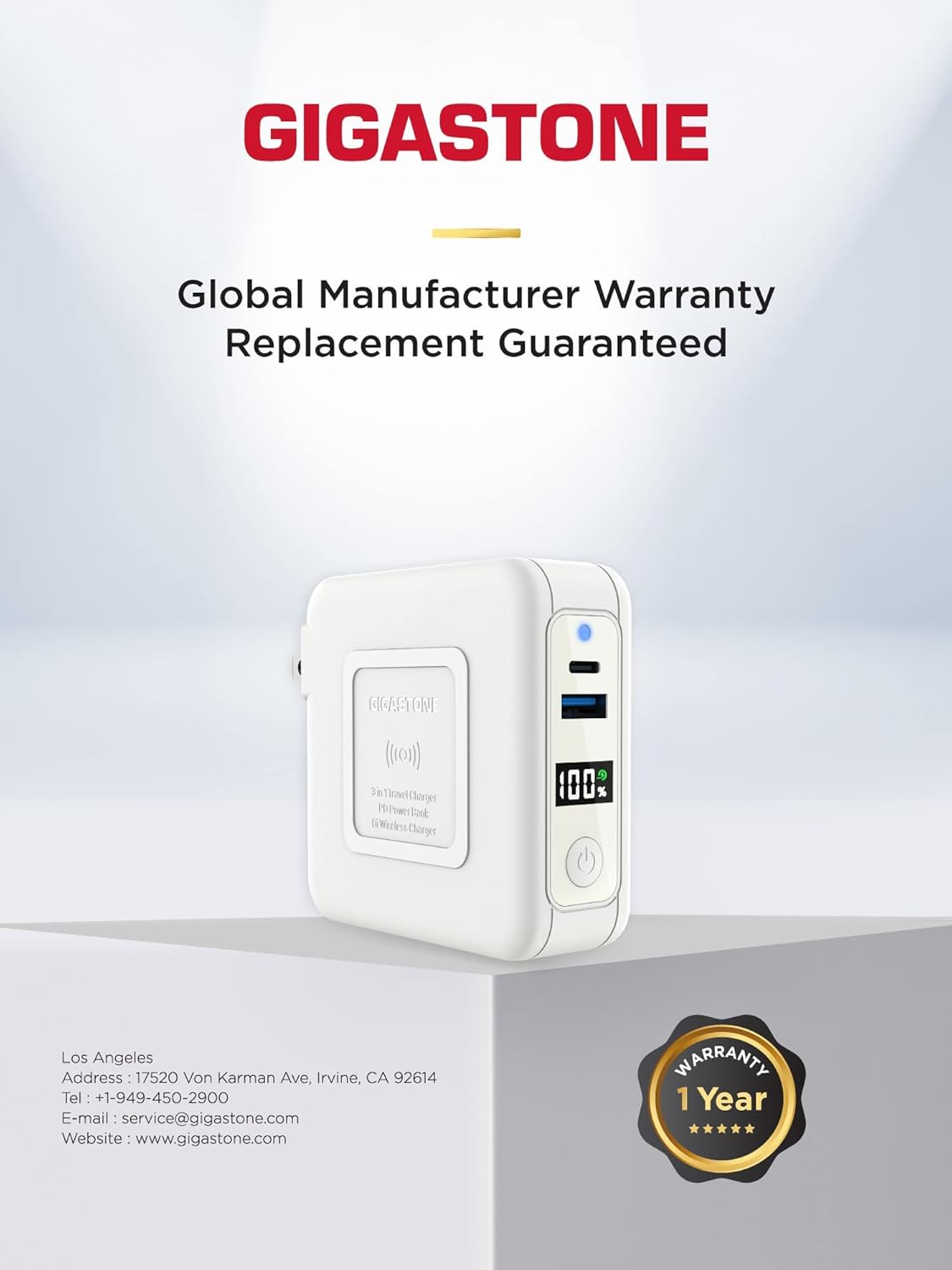
Image 6: The Gigastone brand logo prominently displayed, accompanied by the text 'Global Manufacturer Warranty Replacement Guaranteed'. Below, contact details for Gigastone America are provided, including address, telephone, email, and website. A '1 Year Warranty' badge is also visible, reinforcing the product's guarantee.


