
1. Introduction
The AULA F2028 is a wired USB membrane gaming keyboard designed for an enhanced gaming and typing experience. It features a durable metal panel, customizable rainbow backlighting, a multifunctional control knob, and anti-ghosting technology for precise input.

Image 1.1: Overall view of the AULA F2028 Wired USB Membrane Gaming Keyboard.

Image 1.2: The AULA F2028 Membrane Keyboard highlighting its model name.
2. Package Contents
Please verify that all items are present in the package:
- 1 x AULA F2028 Wired USB Membrane Gaming Keyboard with Integrated USB Cable
3. Setup Instructions
To set up your AULA F2028 keyboard, follow these simple steps:
- Locate an available USB port on your computer.
- Connect the integrated USB cable from the AULA F2028 keyboard to the chosen USB port.
- The keyboard is plug-and-play and does not require additional driver installation for basic functionality. Your operating system should automatically detect and configure the device.
The keyboard is compatible with various operating systems including Windows, macOS, Linux, Android, and iOS.
4. Operating the Keyboard
4.1 Multimedia & Backlight Control Knob
The keyboard features a multifunctional knob and dedicated media keys for quick access to various controls:
- Dedicated Media Keys: Control media volume, play/pause, and track switching.
- Multifunctional Knob:
- Rotate the knob to adjust backlight brightness or sound volume, depending on the current mode.
- Long press the knob to switch between different modes (e.g., backlight adjustment mode, volume adjustment mode).
- Short press the knob to mute/unmute audio or cycle through backlight effects.

Image 4.1: Close-up view of the multifunctional knob and dedicated media keys.

Image 4.2: Diagram illustrating the functions of the multifunctional knob: 1. Previous song, 2. Play/pause, 3. Next song, 4. Light effect/sound effect adjustment (rotate), Long press to switch modes.

Image 4.3: The multifunctional knob provides intuitive control over keyboard settings.
4.2 Backlight Customization
The keyboard offers 25 different rainbow backlight effects. Use the multifunctional knob or dedicated keys to cycle through these effects, adjust brightness levels, and modify lighting speed to suit your preference.
4.3 26-Key Rollover and Anti-Ghosting
The 26-key rollover anti-ghosting technology ensures that up to 26 key presses are registered simultaneously and accurately, which is crucial for fast-paced gaming and complex commands.

Image 4.4: The 26-key rollover feature allows for smooth and conflict-free simultaneous key presses.
4.4 Win Lock Function
Activate the Win Lock function to disable the Windows key, preventing accidental interruptions during gaming sessions. Refer to the keyboard layout for the specific key combination to toggle this feature.
4.5 Ergonomic Design
The keyboard features a high-low key layout and ABS high-elastic suspended keycaps designed for comfortable and prolonged use, reducing typing fatigue and enhancing accessibility.
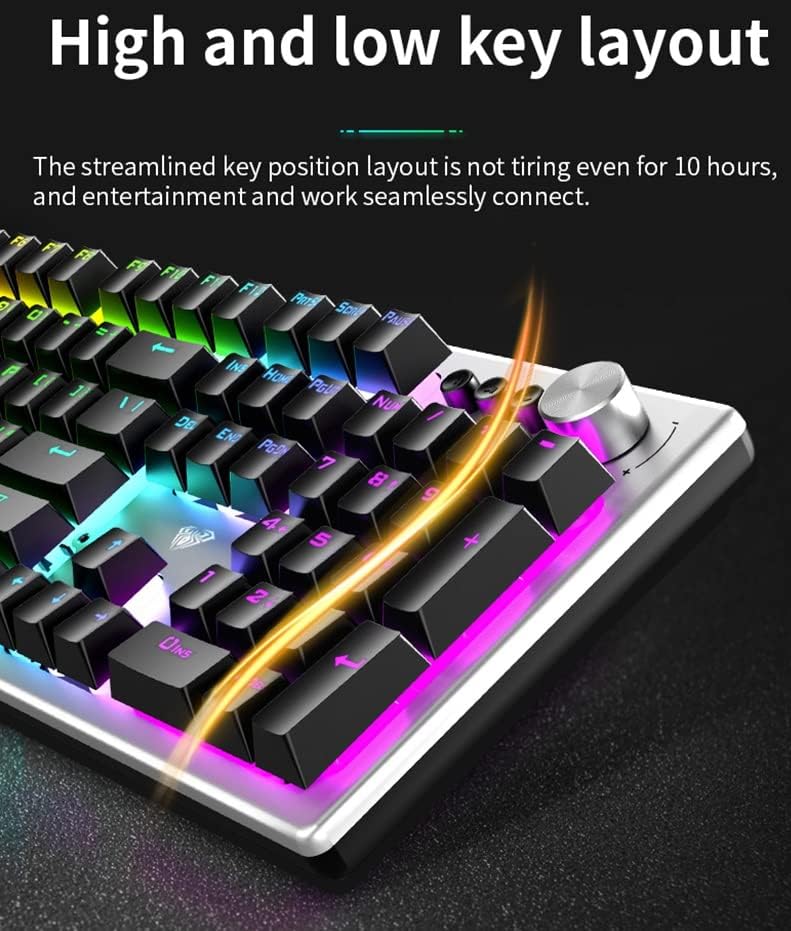
Image 4.5: The high and low key layout is designed for ergonomic comfort during extended use.

Image 4.6: The streamlined key position layout is designed to reduce fatigue during long periods of use.
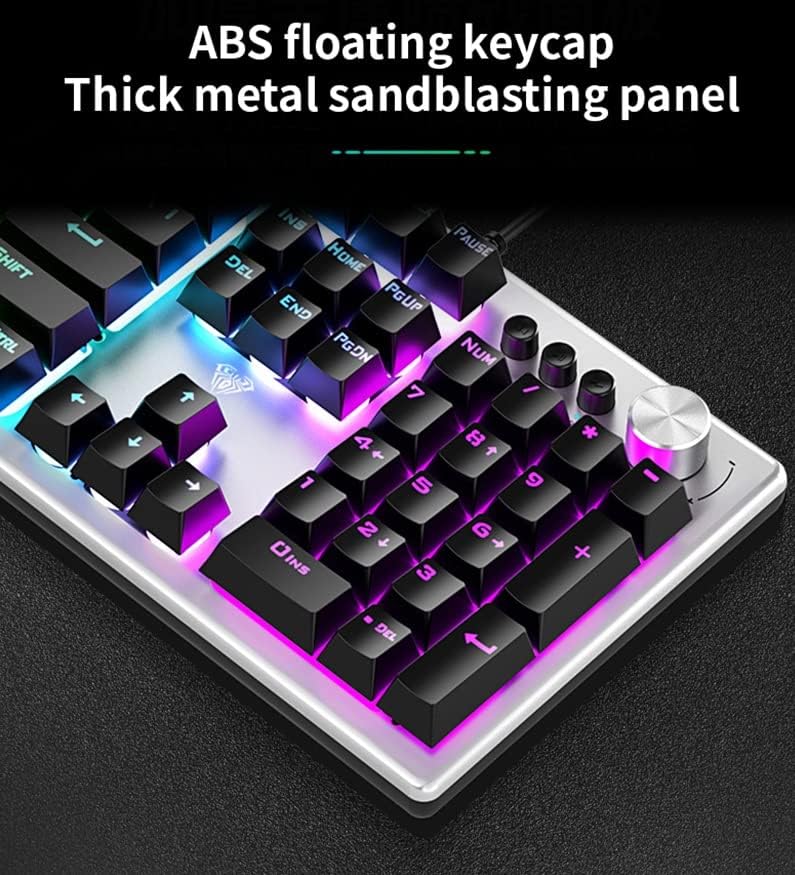
Image 4.7: The keyboard features ABS floating keycaps and a thick metal sandblasting panel for durability and tactile feedback.

Image 4.8: The ABS high-elastic suspended keycaps contribute to an elevated typing experience.
5. Maintenance
To ensure the longevity and optimal performance of your AULA F2028 keyboard, follow these maintenance guidelines:
- Cleaning Keycaps: Regularly clean the keycaps and the spaces between them using a soft brush or compressed air to remove dust, crumbs, and debris.
- Surface Cleaning: For stubborn dirt or smudges, gently wipe the keycaps and the keyboard's metal panel with a slightly damp, soft cloth.
- Avoid Harsh Chemicals: Do not use harsh chemicals, abrasive cleaners, or solvents, as these can damage the keyboard's finish and components.
- Liquid Spills: In case of a liquid spill, immediately disconnect the keyboard from your computer and allow it to dry completely before reconnecting.
6. Troubleshooting
If you encounter issues with your AULA F2028 keyboard, refer to the following common problems and solutions:
6.1 Keyboard Not Responding
- Check USB Connection: Ensure the USB cable is securely connected to both the keyboard and a functional USB port on your computer.
- Try Different USB Port: Connect the keyboard to a different USB port on your computer to rule out a faulty port.
- Test on Another Computer: If possible, test the keyboard on another computer to determine if the issue is with the keyboard itself or your computer's setup.
6.2 Backlight Not Working or Incorrect
- Adjust Brightness: Use the multifunctional knob to increase the backlight brightness. It might be set to the lowest level or turned off.
- Cycle Modes: Short press the multifunctional knob or use the dedicated backlight controls to cycle through different backlight effects.
6.3 Keys Not Registering
- Clean Under Keycaps: Ensure no debris is lodged under the affected keycaps. Gently remove the keycap (if designed to be removable) and clean underneath with compressed air.
- Reconnect Keyboard: Disconnect and reconnect the keyboard's USB cable.
7. Specifications
| Feature | Detail |
|---|---|
| Brand | AULA |
| Model | F2028 |
| Product Dimensions | 44 x 13.5 x 3.42 cm |
| Item Weight | 1.05 kg (1 kg 50 g) |
| Operating System Compatibility | Android, Linux, Unix, Windows 10, iOS |
| Hardware Platform | PC |
| Hardware Interface | USB 2.0 |
| Connector Type | USB |
| Special Features | Backlit, Multimedia Control Knob, Anti-Ghosting |
| Keyboard Description | Gaming, Membrane |
| Recommended Uses For Product | Gaming |
8. Warranty and Support
The AULA F2028 keyboard comes with a 1-year warranty from the date of purchase. This warranty covers manufacturing defects only. It does not cover damage resulting from misuse, accidents, unauthorized modifications, or normal wear and tear.
For warranty claims, technical assistance, or any product-related inquiries not covered in this manual, please contact your retailer or the official AULA support channels. Please retain your proof of purchase for warranty validation.