
BIKECOMM BK-S2
BIKECOMM BK-S2 Motorcycle Bluetooth Intercom Headset User Manual
Model: BK-S2
1. Introduction
The BIKECOMM BK-S2 Motorcycle Bluetooth Intercom Headset is designed to provide clear audio communication and entertainment for motorcycle riders. This system supports group intercom functionality, music sharing, and integration with navigation systems, ensuring connectivity and an enhanced riding experience. It features robust construction with IPX7 waterproofing and advanced noise cancellation technology for optimal performance in various riding conditions.
2. Product Overview
The BK-S2 headset is engineered for ease of use and high-fidelity audio. Key components and features are highlighted below:

Figure 2.1: Two BK-S2 Motorcycle Bluetooth Intercom Headsets. These units are designed for helmet integration, providing wireless communication and audio capabilities for riders.
2.1 Key Features
- Bluetooth V5.0 Connectivity: Supports Instant Link Fleet Mode Conference Group Intercom for up to six motorcycle helmets with an increased range of 1200 meters (without obstructions).
- High Sound Quality Speakers: Features 7mm extra-slim speakers optimized for powerful and clear sound, designed for comfortable fit within helmets.
- Audio Mixer & Duo Music Chatting: Allows listening to FM Radio, Map Navigation/GPS in intercom mode. Supports two headsets listening to the same music simultaneously.
- IPX7 Waterproof Rating: Ensures resistance to sweat, water, and rain, suitable for various weather conditions.
- Dual Noise Filtering Process: Incorporates microphone and DSP (Digital Signal Processing) to eliminate low-frequency noise (e.g., wind noise) and non-human audio (e.g., motorcycle engine noise).
- Long Battery Life: Approximately 14-15 hours of talk time and 16-17 hours of music playback. Charging time is approximately 2.5-3 hours.
2.2 Components

Figure 2.2: Package Contents. The BK-S2 Duo Pack includes two main intercom units, two sets of 7mm extra-slim speakers, two boom microphones, two soft wire microphones, mounting clips, adhesive pads, USB charging cables, and a user manual.
The package typically includes:
- BK-S2 Main Unit(s)
- 7mm Extra Slim Speakers
- Boom Microphone
- Soft Wire Microphone
- Mounting Bracket with Adhesive Pad
- USB Charging Cable
- Speaker Velcro Spacers
- Alcohol Prep Pad
- User Manual

Figure 2.3: Large Buttons for Blind Operation. The BK-S2 features large, tactile buttons designed for easy operation even with gloves on, enhancing safety and convenience while riding.
3. Setup and Installation
Proper installation of the BK-S2 headset is crucial for optimal performance and comfort. Follow these steps for setup:
3.1 Charging the Unit
- Connect the provided USB charging cable to the BK-S2 unit and a 5V standard USB power adapter (not included).
- The LED indicator will show charging status. A full charge takes approximately 2.5 to 3 hours.
- Avoid using fast chargers as they may damage the battery.
3.2 Helmet Installation
- Choose Microphone Type: Select either the boom microphone (for open-face helmets) or the soft wire microphone (for full-face helmets) based on your helmet type.
- Speaker Placement: Remove helmet padding. Position the 7mm extra-slim speakers inside the helmet's ear pockets. Use the provided Velcro spacers if needed for a comfortable fit. Ensure speakers are aligned with your ears for best audio quality.
- Microphone Placement: For boom mic, position it near your mouth. For soft wire mic, route it discreetly within the helmet. Ensure wires are not pinched or bent to prevent static.
- Mounting the Main Unit: Clean the chosen mounting area on the helmet exterior with the alcohol prep pad. Determine an accessible spot for the main unit, ensuring easy access to buttons and wire connections. Affix the mounting bracket using the 3M double-sided tape. Once applied, the bond is strong, so ensure correct positioning.
- Connect Wires: Connect the speaker and microphone wires to the main unit.
- Reinstall Padding: Carefully reinstall the helmet padding, ensuring all wires are tucked away and secure.
3.3 Initial Pairing and Clearing Data
To clear previous pairing data or for initial setup, follow the instructions in the video below:
Video 3.1: Clearing Pairing Data on BK-S2 Bluetooth Headset. This video demonstrates how to clear all previous pairing information from the device, which is useful for troubleshooting connectivity issues or setting up new pairings.
Instructions from video: In power-off status, simultaneously press and hold the A and V+ buttons for 8 seconds until the LED flashes red 5 times. A voice prompt "Clear pairing information" will be played.
4. Operating Instructions
The BK-S2 offers various modes and functions for communication and entertainment while riding.
4.1 Power On/Off
- Power On: Pull the front volume button down and press the large back button for 2 seconds.
- Power Off: (Specific instruction not provided in input, but typically a long press of power button or combination).
4.2 Volume Control
- The front button extends from the unit and can be moved up (V+) or down (V-) to adjust volume. This is designed for easy adjustment even with gloves.
4.3 Intercom Modes
The BK-S2 supports two primary intercom modes:
- Instant Link Fleet Mode: This mode allows for conference group intercom with up to six riders, with a range of up to 1200 meters in open areas. This is the recommended mode for group communication.
- Duo Music Chatting Mode: This mode allows two headsets to listen to the same music simultaneously while also enabling intercom. Note that some users have reported static issues in this mode, and it may not support more than two units for intercom.
The middle button on the unit is used to switch between Instant Link and Duo Music Chatting modes, and also for device pairing.
4.4 Audio Multitasking
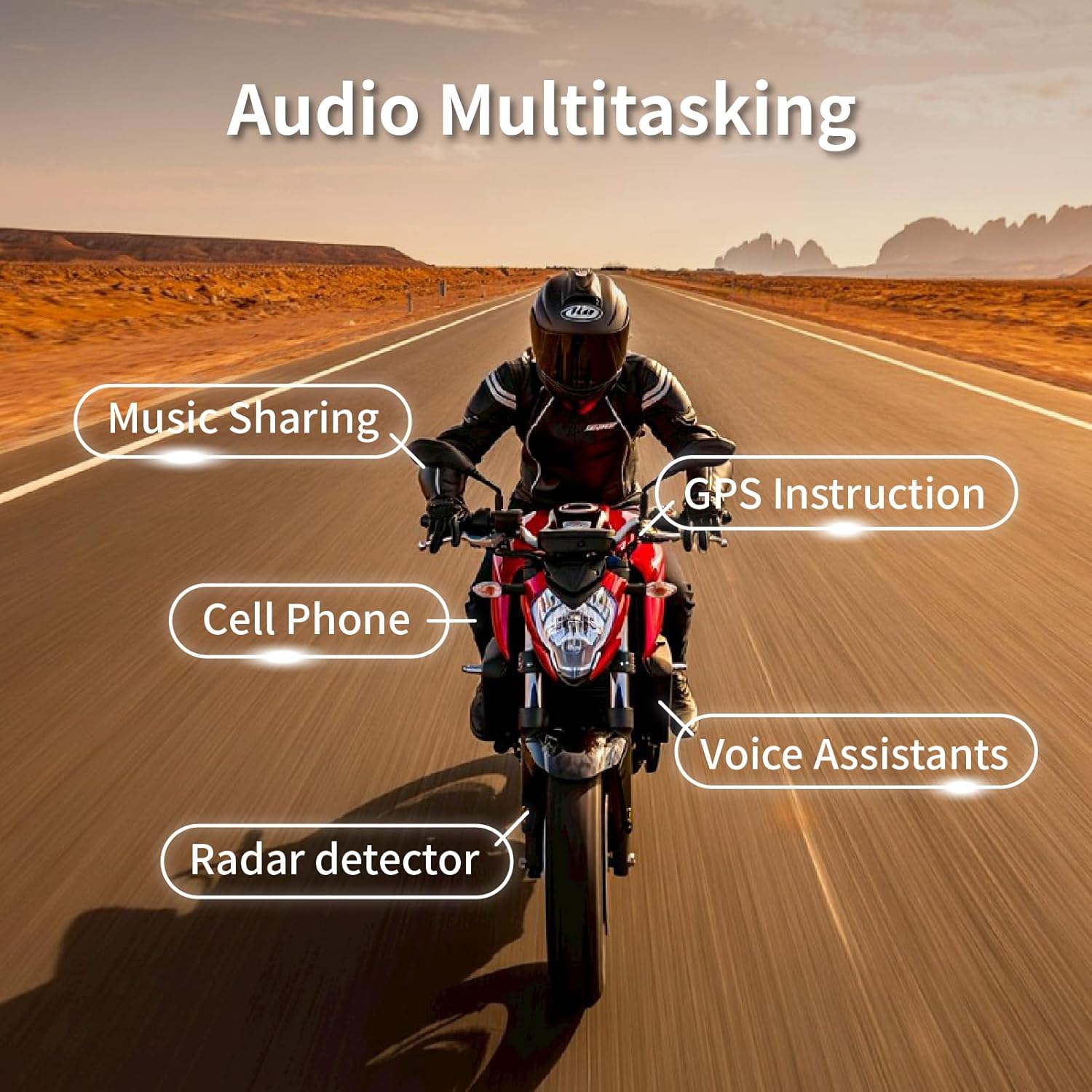
Figure 4.1: Audio Multitasking Capabilities. The BK-S2 allows simultaneous audio streams, including intercom, music, GPS navigation, cell phone calls, voice assistant commands, and radar detector alerts.
The audio mixer feature allows you to listen to multiple audio sources concurrently:
- FM Radio
- Map Navigation/GPS instructions
- Music playback (supports two headsets listening to the same music)
- Cell phone calls
- Voice assistants
- Radar detector alerts
5. Maintenance
To ensure the longevity and optimal performance of your BK-S2 headset, follow these maintenance guidelines:
- Cleaning: Due to its IPX7 waterproof rating, the unit is resistant to water. However, it is recommended to wipe the unit clean with a damp cloth after use, especially if exposed to dirt or sweat. Avoid using harsh chemicals or abrasive cleaners.
- Charging Practices: Always use a standard 5V charger. Avoid fast chargers to prevent potential battery damage.
- Storage: When storing the headset for extended periods (e.g., off-season), ensure it is fully charged. Store in a cool, dry place. Periodically check and recharge the battery to prevent deep discharge, which can affect battery life.
- Wire Care: Be careful not to bend or pinch the wires during installation or removal, as this can cause static or connectivity issues.
6. Troubleshooting
If you encounter issues with your BK-S2 headset, refer to the following common troubleshooting steps:
- No Power/Unit Not Turning On:
- Ensure the unit is fully charged. Connect to a standard 5V charger and allow sufficient charging time (2.5-3 hours).
- Verify the charging cable and port are clean and undamaged.
- Connectivity Issues/Cannot Pair:
- Perform a "Clear Pairing Data" operation as described in Section 3.3 and Video 3.1. This clears all previous pairings and allows for a fresh connection attempt.
- Ensure both devices are in pairing mode.
- Move closer to the device you are trying to pair with to rule out range issues.
- Static or Poor Audio Quality:
- Check all wire connections to ensure they are secure and not damaged, bent, or pinched.
- Verify speaker placement within the helmet; they should be aligned with your ears.
- Ensure the microphone is positioned correctly and not obstructed.
- If experiencing static in "Duo Music Chatting" mode, try switching to "Instant Link Fleet Mode" for intercom, as some users have reported better stability in this mode.
- The unit features dual noise filtering (microphone and DSP); ensure no external factors are interfering with this system.
- Short Battery Life:
- Ensure you are using a standard 5V charger, not a fast charger.
- Avoid leaving the unit completely drained for extended periods.
- Battery performance can be affected by extreme temperatures.
- Buttons Unresponsive:
- Ensure the unit is powered on.
- Check for any physical obstructions or debris around the buttons.
7. Specifications
| Feature | Specification |
|---|---|
| Model Name | BK-S2 |
| Connectivity Technology | Wireless (Bluetooth) |
| Bluetooth Version | 5.0 |
| Noise Control | Active Noise Cancellation |
| Water Resistance Level | IPX7 Waterproof |
| Charging Time | Approx. 2.5 - 3 Hours |
| Talk Time | Approx. 14-15 Hours |
| Music Playback Time | Approx. 16-17 Hours |
| Intercom Range | Up to 1200 meters (no obstructions) |
| Group Intercom | Up to 6 riders |
| Speaker Size | 7mm Extra Slim |
| Item Weight | 1.92 ounces (approx. 54.4 grams) |
| Product Dimensions | 1.69 x 1.1 x 3.82 inches |
| Frequency Range | 20 Hz to 20,000 Hz |
| Impedance | 20 Ohm |
| Certifications | FCC, ROHS, BQB |
8. Warranty and Support
Specific warranty details and direct support contact information are not provided in the available product data. For warranty claims or technical assistance, please refer to the product packaging or contact the retailer where the product was purchased. You may also visit the official BIKECOMM website for further support resources.
Related documentsBK-S2


Ask a question about this manual
Ask about setup, troubleshooting, compatibility, parts, safety, or missing instructions. Manuals+ will review the question and use this page’s manual context to help answer it.