
SHW OD-92A-R
SHW Electric Height Adjustable Standing Desk User Manual
Model: OD-92A-R
Introduction
This manual provides comprehensive instructions for the assembly, operation, and maintenance of your SHW 48-Inch Electric Height Adjustable Standing Desk. Please read this manual thoroughly before assembly and use to ensure safe and efficient operation. Keep this manual for future reference.
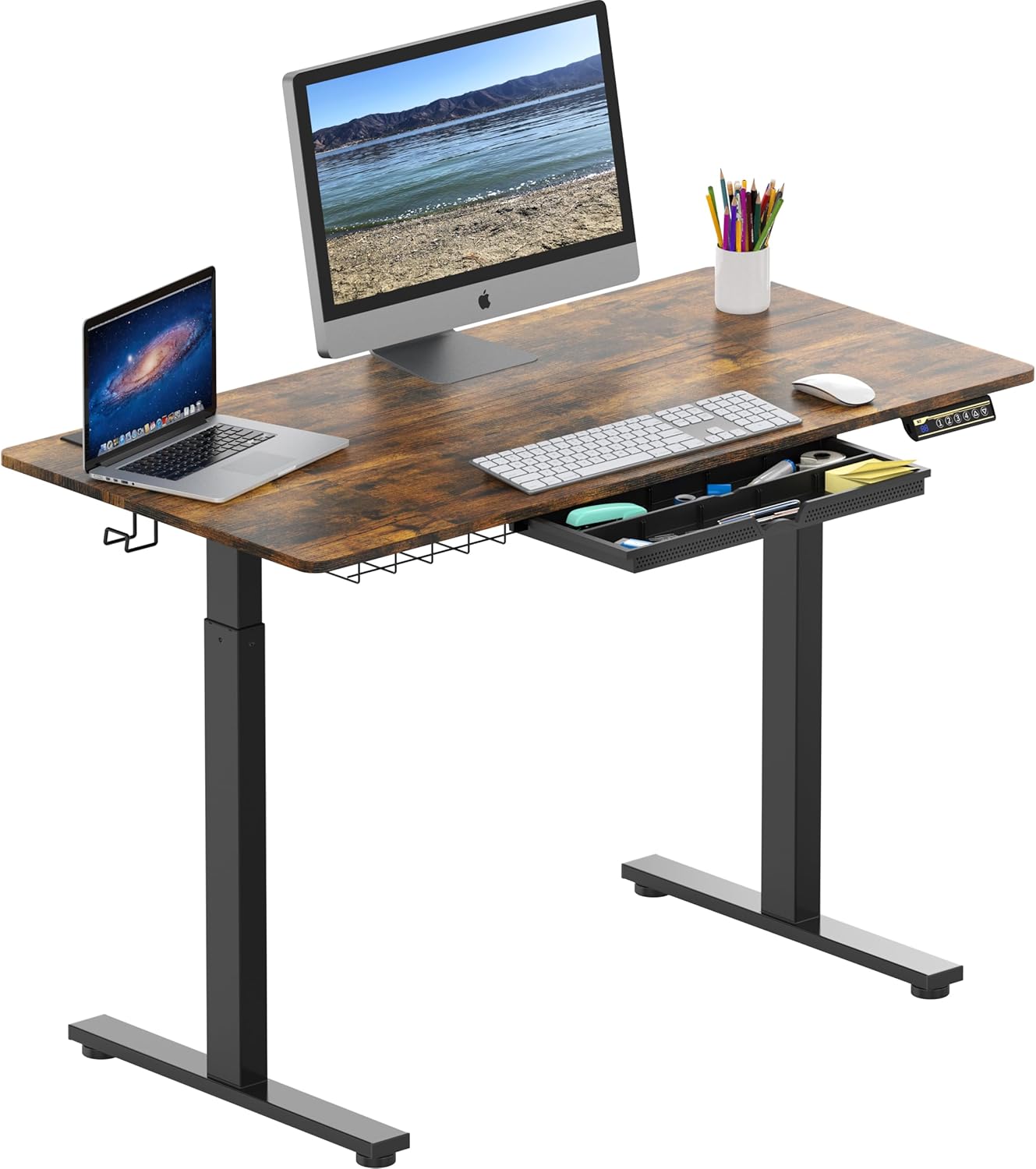
Image: The SHW 48-Inch Electric Height Adjustable Standing Desk in Rustic Brown, featuring a monitor, laptop, and an open drawer for storage. This image illustrates the desk's primary function and aesthetic.
Important Safety Information
To prevent injury or damage to the desk, observe the following safety precautions:
- Weight Limit: Do not exceed the maximum weight limit of 110 pounds (50 kg) on the desktop. Overloading can cause damage to the motor and frame.
- Pinching Hazard: Be careful while adjusting the desk height to prevent pinching or injury to hands, fingers, or other body parts between moving parts. Ensure no obstacles are in the path of the desk's movement.
- Assembly: During assembly, handle tools and parts with care. Follow all assembly steps precisely.
- Cleaning: When cleaning, use a damp cloth. Keep liquids away from the electrical components and motor to prevent damage or electrocution. Do not use abrasive cleaners.
- Children and Pets: Keep children and pets away from the desk during operation to prevent accidents.
- Power Source: Ensure the desk is connected to a grounded power outlet of the correct voltage.

Image: A 110 lbs kettlebell placed on the desk surface, visually representing the maximum weight capacity of the SHW Electric Height Adjustable Standing Desk. This highlights the desk's robust lifting system.
Package Contents
Before beginning assembly, verify that all parts are present and undamaged. If any parts are missing or damaged, contact SHW customer support immediately.
| Item | Description | Quantity |
|---|---|---|
| Desktop Surface | Rustic Brown Engineered Wood (48"D x 24"W) | 1 |
| Leg Frames | Metal alloy steel legs with motor mechanism | 2 |
| Control Panel | LED handset with memory presets | 1 |
| Cable Management Tray | Under-desk wire organizer | 1 |
| Utility Hooks | For hanging bags, headphones, etc. | 2 |
| Drawer | Under-desk storage drawer with adjustable compartments | 1 |
| Assembly Hardware | Screws, bolts, Allen wrenches, etc. | 1 set |

Image: An illustrative diagram highlighting key features of the SHW standing desk, including the cable management system, desktop grommet, integrated drawer, adjustable leveling glides, and utility hooks. This provides a visual overview of included components and functionalities.
Setup and Assembly
Assembly is required. It is recommended to have two people for assembly. Ensure you have enough clear space to assemble the desk.
- Unpack Components: Carefully remove all parts from the packaging and lay them out on a clean, soft surface (e.g., a blanket or carpet) to prevent scratches.
- Attach Leg Frames: Secure the leg frames to the desktop using the provided hardware. Ensure all screws are tightened firmly but do not overtighten.
- Install Control Panel: Mount the control panel to the underside of the desktop in the designated location. Connect the necessary cables from the control panel to the motor and power supply unit.
- Assemble Drawer: Follow the specific instructions for assembling the under-desk drawer and attaching it to the desktop. The drawer features adjustable compartments for organization.
- Attach Cable Management Tray and Hooks: Secure the cable management tray and utility hooks to the underside of the desk as indicated in the assembly diagram.
- Connect Power: Once fully assembled, place the desk in its desired location. Ensure the power cord is not pinched and connect it to a suitable power outlet.
- Initial Calibration (if necessary): Some models may require an initial calibration. Refer to the specific instructions provided with your desk for calibration steps. Typically, this involves pressing and holding the 'Down' button until the desk reaches its lowest point and slightly retracts.

Image: A detailed view of the integrated under-desk drawer, showcasing its adjustable compartments filled with various office supplies like sticky notes, pens, and paper clips. This illustrates the organizational utility of the drawer.
Operating Instructions
Your SHW Electric Height Adjustable Standing Desk features an intuitive control panel for easy height adjustments and memory presets.
Control Panel Functions:

Image: A close-up view of the desk's control panel, featuring a large LED display showing the current height, and buttons for upward and downward adjustments, along with four programmable memory preset buttons (1, 2, 3, 4). This image details the user interface for height control.
- LED Display: Shows the current desk height in inches.
- Up (▲) / Down (▼) Buttons: Press and hold to continuously raise or lower the desk. Release to stop at the desired height.
- Memory Presets (1, 2, 3, 4):
- To Set a Preset: Adjust the desk to your desired height. Press the 'M' button (if present, or hold the number button directly if no 'M') followed by the desired number button (1, 2, 3, or 4). The display may flash or beep to confirm the setting.
- To Use a Preset: Simply press the corresponding number button (1, 2, 3, or 4). The desk will automatically move to the saved height.
Ergonomic Use:
The adjustable height feature allows you to switch between sitting and standing positions, promoting better posture and reducing fatigue. Find your ideal ergonomic heights for various activities.

Image: A visual guide demonstrating recommended desk heights for different ergonomic postures: sitting (28-32 inches), using a kneeling chair (32-38 inches), and standing (38-45 inches). This helps users find their perfect height for comfort and productivity.
Maintenance
Regular maintenance ensures the longevity and optimal performance of your SHW standing desk.
- Cleaning: Wipe the desktop surface and metal legs with a soft, damp cloth. For stubborn marks, a mild, non-abrasive cleaner can be used. Ensure no liquid enters the electrical components.
- Cable Management: Periodically check the cable management tray and ensure all cables are neatly organized and not tangled or pinched.
- Fasteners: Occasionally check all screws and bolts to ensure they remain tight. Retighten if necessary, but do not overtighten.
- Motor and Frame: The electric motor and lifting mechanism are designed for maintenance-free operation. Do not attempt to lubricate or disassemble these components.
Troubleshooting
If you encounter issues with your desk, refer to the following common problems and solutions:
| Problem | Possible Cause | Solution |
|---|---|---|
| Desk does not move. | No power, loose connection, motor overload. | Check power cord connection to outlet and desk. Ensure all cables are securely connected. Unplug for 10 minutes, then plug back in. Reduce weight on desk. |
| Desk moves unevenly or makes unusual noises. | Uneven load, loose fasteners, obstruction. | Distribute weight evenly. Check and tighten all assembly fasteners. Inspect for any obstructions under or around the desk. |
| Height presets are not working. | Presets not set correctly. | Re-program the memory presets following the "Operating Instructions" section. |
| Desk stops mid-movement. | Overload protection, thermal protection. | Reduce weight on the desk. Allow the motor to cool down for 20-30 minutes if it has been used continuously. |
If the problem persists after attempting these solutions, please contact SHW customer support.
Specifications
| Feature | Detail |
|---|---|
| Model Number | OD-92A-R |
| Brand | SHW |
| Desktop Dimensions (D x W) | 24" x 48" |
| Height Range | 28" to 45" |
| Maximum Weight Capacity | 110 lbs (50 kg) |
| Lifting Mechanism | Electric Motor |
| Control Type | Digital LED Handset with 4 Memory Presets |
| Desktop Material | Engineered Wood with Laminated Finish |
| Frame Material | Alloy Steel / Metal |
| Included Components | Integrated Drawer, Cable Management Tray, 2 Utility Hooks |
| Assembly Required | Yes |

Image: A schematic diagram illustrating the key dimensions of the SHW Electric Height Adjustable Standing Desk. It shows a width of 48 inches, a depth of 24 inches, and an adjustable height range from 28 inches to 45 inches, providing a clear understanding of its physical size.
Warranty Information
SHW provides a general warranty for this product. For specific details regarding the warranty period, coverage, and terms, please refer to the warranty card included in your product packaging or visit the official SHW website. Keep your purchase receipt as proof of purchase for warranty claims.
Warranty Type: General Warranty
Mfg Warranty Type: Parts, Labor
Customer Support
For any questions, technical assistance, or warranty claims, please contact SHW customer support:
- Online Support: Visit the official SHW website for FAQs, support resources, and contact forms.
- Email: Refer to your product packaging or the SHW website for the customer service email address.
- Phone: Refer to your product packaging or the SHW website for the customer service phone number.
When contacting support, please have your model number (OD-92A-R) and purchase information ready.
Ask a question about this manual
Ask about setup, troubleshooting, compatibility, parts, safety, or missing instructions. Manuals+ will review the question and use this page’s manual context to help answer it.