Introduction
This manual provides detailed instructions for the installation, operation, and maintenance of your CAMECHO Android 11 Autoradio. This unit is designed for VW Polo 6R, 6C, and 9N models manufactured between 2008 and 2015. Please read this manual thoroughly before using the product to ensure proper function and safety.
Package Contents
Verify that all items listed below are included in your package:
- 1 x Android Car Stereo Unit
- 1 x Rear View Camera
- 1 x Power Harness
- 1 x GPS Antenna
- 1 x RCA Cable
- 1 x CAM-IN Cable
- 2 x USB Cables
- 1 x User Manual
- 1 x Canbus Decoder
- 1 x Microphone
- 1 x Installation Tool Set

Image: Overview of the CAMECHO Android Autoradio package contents, showing the main unit, various cables (power, RCA, USB), GPS antenna, rear camera, microphone, Canbus decoder, and installation tools.
Setup and Installation
Professional installation is recommended. Ensure the vehicle's power is disconnected before beginning installation.
1. Wiring Connections
- Power Harness: Connect the main power harness to the vehicle's wiring. Ensure correct polarity and secure connections. The included Canbus decoder should be integrated as per your vehicle's specific wiring diagram to enable steering wheel controls and other vehicle data.
- GPS Antenna: Mount the GPS antenna in a location with a clear view of the sky, typically on the dashboard or under the windshield, ensuring it is securely attached.
- USB Cables: Connect the two USB cables to the designated ports on the autoradio. Route them to a convenient location, such as the glove compartment, for connecting USB devices.
- RCA Cables: Use the RCA cable for external audio/video input or output, such as connecting an amplifier or additional display.
- CAM-IN Cable: Connect the rear view camera cable to the CAM-IN port on the autoradio.
- Microphone: Connect the external microphone for improved hands-free call quality. Position it near the driver for optimal voice capture.
2. Rear View Camera Installation
The included AHD rear view camera provides a wide-angle, waterproof, and night vision view. Install the camera at the rear of your vehicle, ensuring it has a clear, unobstructed view. Connect its power to the reverse light circuit so it activates automatically when the vehicle is in reverse gear.

Image: Illustration of the AHD backup camera's wide-angle view with parking guidelines, and the interface for configuring steering wheel controls.
3. Mounting the Autoradio
Carefully insert the autoradio into the vehicle's dashboard opening. Secure it using the provided mounting brackets and screws. Ensure all cables are properly routed and not pinched.

Image: The CAMECHO Android Autoradio seamlessly integrated into a Volkswagen vehicle's dashboard, showcasing its fit and appearance.
Operating Instructions
1. Basic Operation
- Power On/Off: The unit will power on automatically with the vehicle's ignition. To manually power off, press and hold the power button.
- Touch Screen: The 9-inch IPS capacitive touch screen responds to touch gestures for navigation and control.
- Home Screen: The main interface displays various applications and widgets. Swipe left or right to access additional screens.

Image: The main display of the CAMECHO Autoradio showing the Android interface with various app icons like Phone, Music, Maps, Messages, Waze, Podcasts, and Spotify.
2. CarPlay and Android Auto
The autoradio supports both wireless and wired Apple CarPlay and Android Auto. Connect your smartphone via USB or Bluetooth/Wi-Fi to access navigation, phone calls, messages, and music directly on the unit's screen.
- Wireless Connection: Enable Bluetooth and Wi-Fi on your smartphone and pair it with the autoradio. Follow the on-screen prompts to initiate CarPlay or Android Auto.
- Wired Connection: Connect your smartphone to one of the USB ports using a compatible USB cable. The system will automatically detect and launch CarPlay or Android Auto.
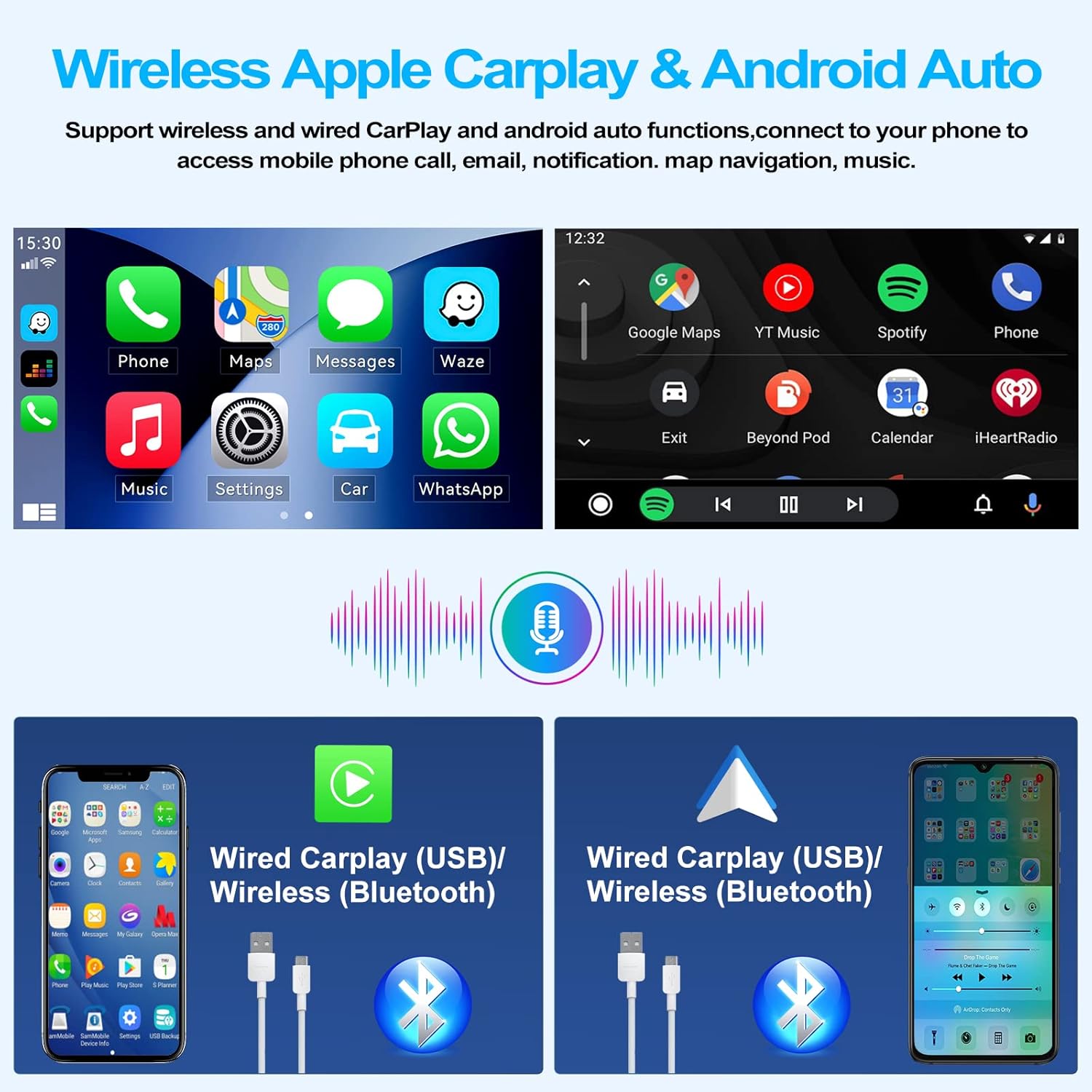
Image: Visual representation of wireless and wired Apple CarPlay and Android Auto connections, showing smartphone interfaces mirrored on the autoradio screen.
3. GPS Navigation
The built-in GPS module supports various navigation applications, including Waze, Navfree, and Google Maps. You can use both online and offline maps for guidance.
- Online Maps: Ensure the unit is connected to Wi-Fi or a mobile hotspot to use online mapping services.
- Offline Maps: Download map data for your desired regions to the unit's internal storage for navigation without an internet connection.

Image: Display of the GPS navigation interface showing a map with a route, alongside an illustration of the WiFi Hotspot feature for app downloads and internet access.
4. FM/RDS Radio
Access the FM/RDS radio function to listen to local broadcasts. The unit features auto memory store and preset scan functions for convenience.
- Scanning: Use the scan function to automatically find and save available radio stations.
- Presets: Store your favorite stations for quick access.
- RDS: Radio Data System provides additional information like station name, song title, and traffic announcements where available.
5. Bluetooth Connectivity
Connect your smartphone via Bluetooth 4.0 for hands-free calling and audio streaming (A2DP).
- Pairing: Enable Bluetooth on your phone and search for the autoradio (default Bluetooth keyword: 0000). Select the device and confirm pairing.
- Hands-Free Calls: Make and receive calls directly from the autoradio interface. The external microphone ensures clear communication.
- Audio Streaming: Play music from your phone through the car's speakers.
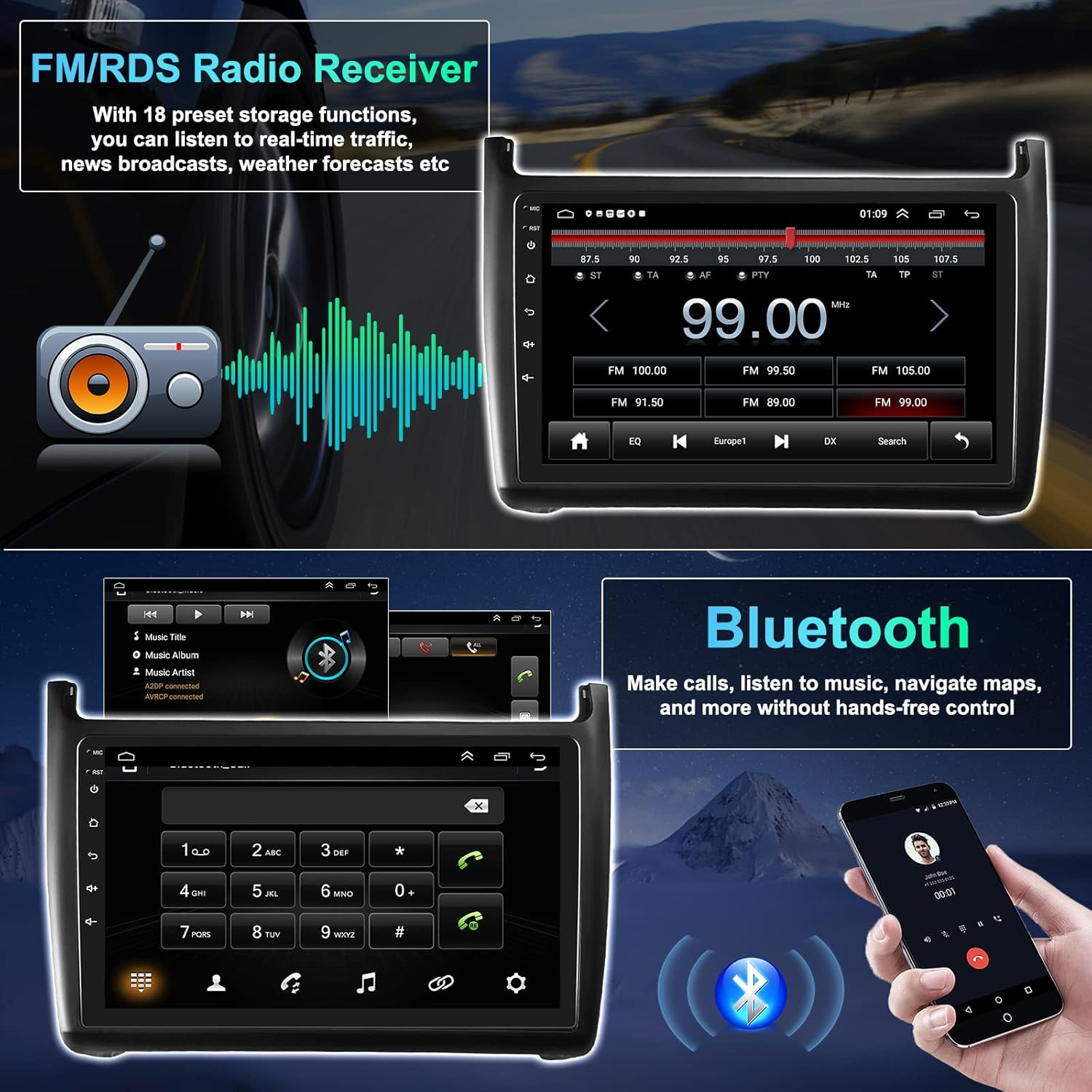
Image: The display showing the FM radio interface with frequency tuning, and the Bluetooth interface for making hands-free calls with a dial pad and contact access.
6. Steering Wheel Control
The unit supports the original car's steering wheel controls via the Canbus decoder. This allows you to control functions like volume, track skipping, and answering calls without taking your hands off the wheel.
- Configuration: Access the "Steering Learn" option in the settings menu to map your vehicle's steering wheel buttons to the autoradio functions.
7. Audio Settings (HiFi & EQ)
Customize your audio experience with multi-EQ settings and HiFi sound processing. Adjust equalizer bands, balance, and fader to suit your preferences.
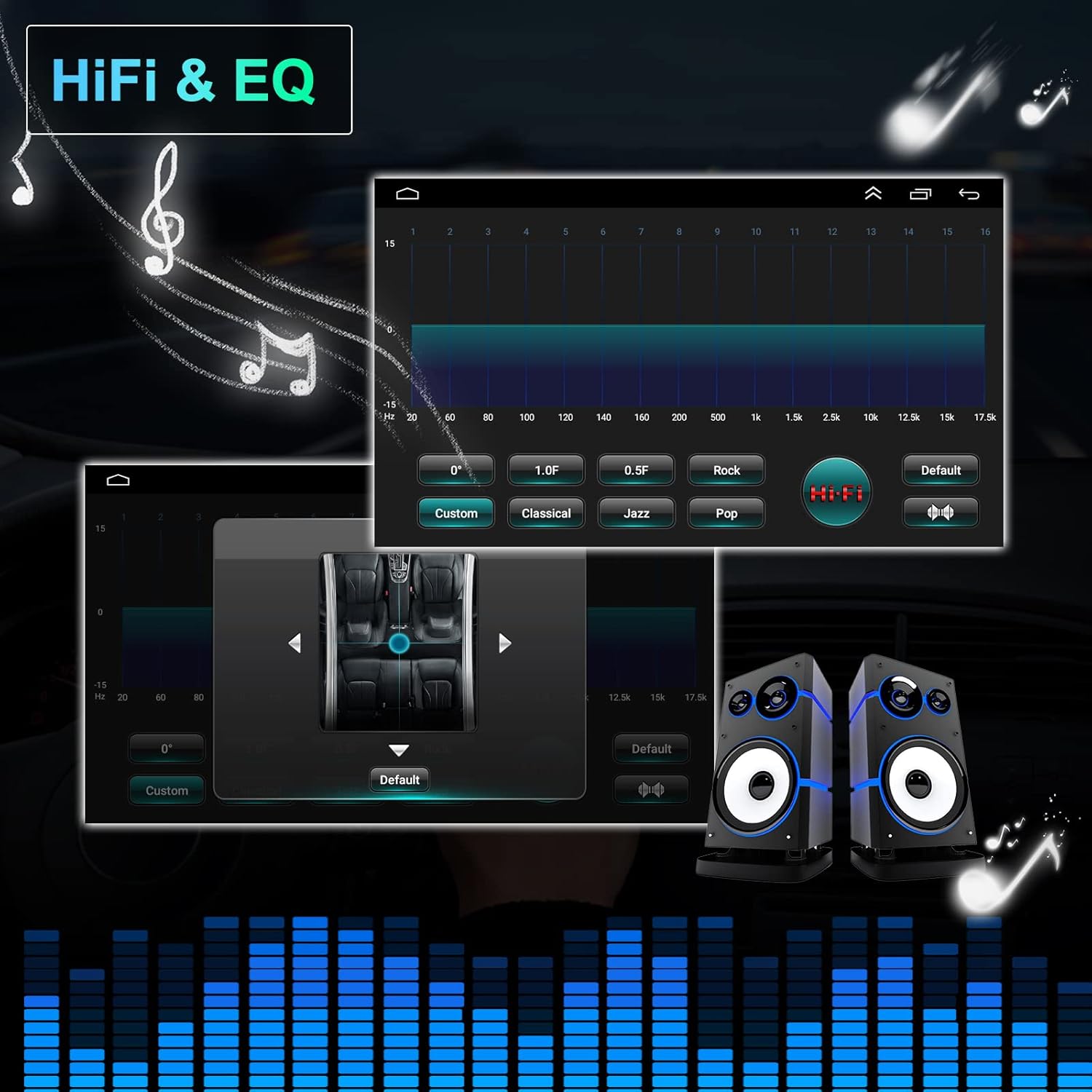
Image: The autoradio's interface displaying detailed equalizer settings with various preset options (Custom, Classical, Jazz, Pop) and a visual representation of sound output.
Maintenance
- Screen Cleaning: Use a soft, lint-free cloth to clean the touch screen. Avoid abrasive cleaners or solvents.
- Software Updates: Periodically check for available software updates to ensure optimal performance and access to new features. Updates can typically be downloaded via Wi-Fi.
- General Care: Keep the unit free from dust and moisture. Avoid exposing it to extreme temperatures.
Troubleshooting
| Problem | Possible Cause | Solution |
|---|---|---|
| Unit does not power on. | Incorrect wiring, blown fuse, vehicle power issue. | Check power harness connections, inspect vehicle fuses, ensure vehicle ignition is on. |
| No sound. | Volume too low, mute activated, speaker wiring issue. | Increase volume, check mute status, verify speaker connections. |
| GPS signal lost or inaccurate. | GPS antenna obstructed or improperly installed. | Ensure GPS antenna has a clear view of the sky and is securely connected. |
| Bluetooth not connecting. | Incorrect pairing, Bluetooth disabled on phone or unit. | Ensure Bluetooth is enabled on both devices, re-attempt pairing (default keyword: 0000). |
| Steering wheel controls not working. | Canbus not connected or configured, incorrect "Steering Learn" settings. | Verify Canbus connection, reconfigure steering wheel controls in settings. |
| Rear camera not displaying. | Camera wiring issue, CAM-IN cable disconnected, vehicle not in reverse. | Check camera power and video connections, ensure vehicle is in reverse gear. |
If problems persist, please refer to the support section or contact customer service.
Specifications
| Brand | CAMECHO |
| Model Number | 1+16G Carplay |
| Operating System | Android 11 |
| CPU | 1.3G Quad Core |
| RAM + ROM | 1GB + 16GB |
| Screen Size | 9 inches |
| Screen Type | IPS Capacitive Touch Screen |
| Resolution | 1024 x 600 pixels (HD) |
| Video Playback Resolution | 1080P |
| Bluetooth Version | 4.0 (with A2DP/Hands Free/Phone book) |
| Wi-Fi | Supported (connection via Wi-Fi or phone hotspot) |
| CarPlay/Android Auto | Wireless and Wired Support |
| GPS Receiver | Built-in (compatible with Waze/Navfree/Yandex Map, etc.) |
| Radio | FM/RDS (Auto Memory Store/Preset Scan) |
| Rear View Input | Supported (AHD camera included) |
| Audio Formats | MP3, AAC, FLAC, APE, WMA, WAV |
| Video Formats | AVI, 3GP/MP4, MOV, MPG, MKV, WMV, RMVB |
| Voltage | DC 12V |
| Power Output | 45 Watts |
| Number of Channels | 2 |
| Supported Languages | Chinese, Japanese, Afrikaans, German, Estonian, English, Spanish, French, Italian, Indonesian, Malaysian, Qatari, Danish, Filipino, Lithuanian, Croatian, Hungarian, Norwegian, Dutch, Polish, Vietnamese, Bulgarian, South Korean, Slovenian, etc. |
Warranty and Support
Warranty Information
This CAMECHO Autoradio comes with a 2-year manufacturer's warranty from the date of purchase. Please retain your proof of purchase for warranty claims. The warranty covers defects in materials and workmanship under normal use.
Customer Support
For technical assistance, troubleshooting, or warranty inquiries, please contact CAMECHO customer support. Our support team is available to assist you with any questions or issues you may encounter.
Email: CAMECHOVIP@126.com

Image: A customer support representative ready to assist with product inquiries.


