
Introduction
Thank you for choosing the Conambo K21 Bluetooth Headset. This single-ear wireless earpiece is designed for clear communication with CVC 8.0 Dual Mic Noise Cancelling technology and Bluetooth 5.1 connectivity. This manual provides detailed instructions for setup, operation, and maintenance to ensure optimal performance.
What's in the Box
- Conambo K21 Bluetooth Headset
- Storage Case
- Ear Cushions (various sizes)
- Type-C Charging Cable
- User Manual (this document)

Image: The Conambo K21 Bluetooth Headset shown with its included storage case.
Product Overview
Familiarize yourself with the components and controls of your Conambo K21 headset.

Image: Detailed view of the Conambo K21 headset highlighting its intuitive design, including the on/off switch, volume buttons, and microphone.
- On/Off Switch: Located on the main body of the headset.
- Volume Buttons: Used to adjust audio volume during calls or media playback.
- Multi-function Button (MFB): Typically used for call control (answer/end/reject) and voice assistant activation.
- Microphone Boom: Extends to position the dual microphones closer to your mouth for clear voice pickup.
- Ear Hook: Provides a secure and comfortable fit over the ear.
- Charging Port: Type-C port for charging the headset.
Setup
1. Charging the Headset
Before first use, fully charge your Conambo K21 headset.
- Connect the provided Type-C charging cable to the headset's charging port.
- Connect the other end of the cable to a USB power source (e.g., computer USB port, wall adapter).
- The indicator light will show charging status (e.g., red for charging, blue for fully charged).
- A full charge takes approximately 1.5 hours. The headset provides up to 12-16 hours of talk time on a single charge.
2. Pairing with Your Device
The Conambo K21 uses Bluetooth 5.1 for fast and stable connections. It also supports multipoint technology, allowing connection to two devices simultaneously.
- Ensure the headset is fully charged and turned off.
- Slide the On/Off switch to the "On" position. The headset will enter pairing mode, indicated by a flashing blue and red light.
- On your smartphone, tablet, or computer, enable Bluetooth and search for new devices.
- Select "Conambo K21" from the list of available devices.
- Once connected, the indicator light will turn solid blue, and you will hear a voice prompt confirming the connection.
Multipoint Connection: To connect to a second device, disconnect the headset from the first device, put the headset back into pairing mode, and connect to the second device. Then, reconnect to the first device from its Bluetooth settings. The headset will now be connected to both.
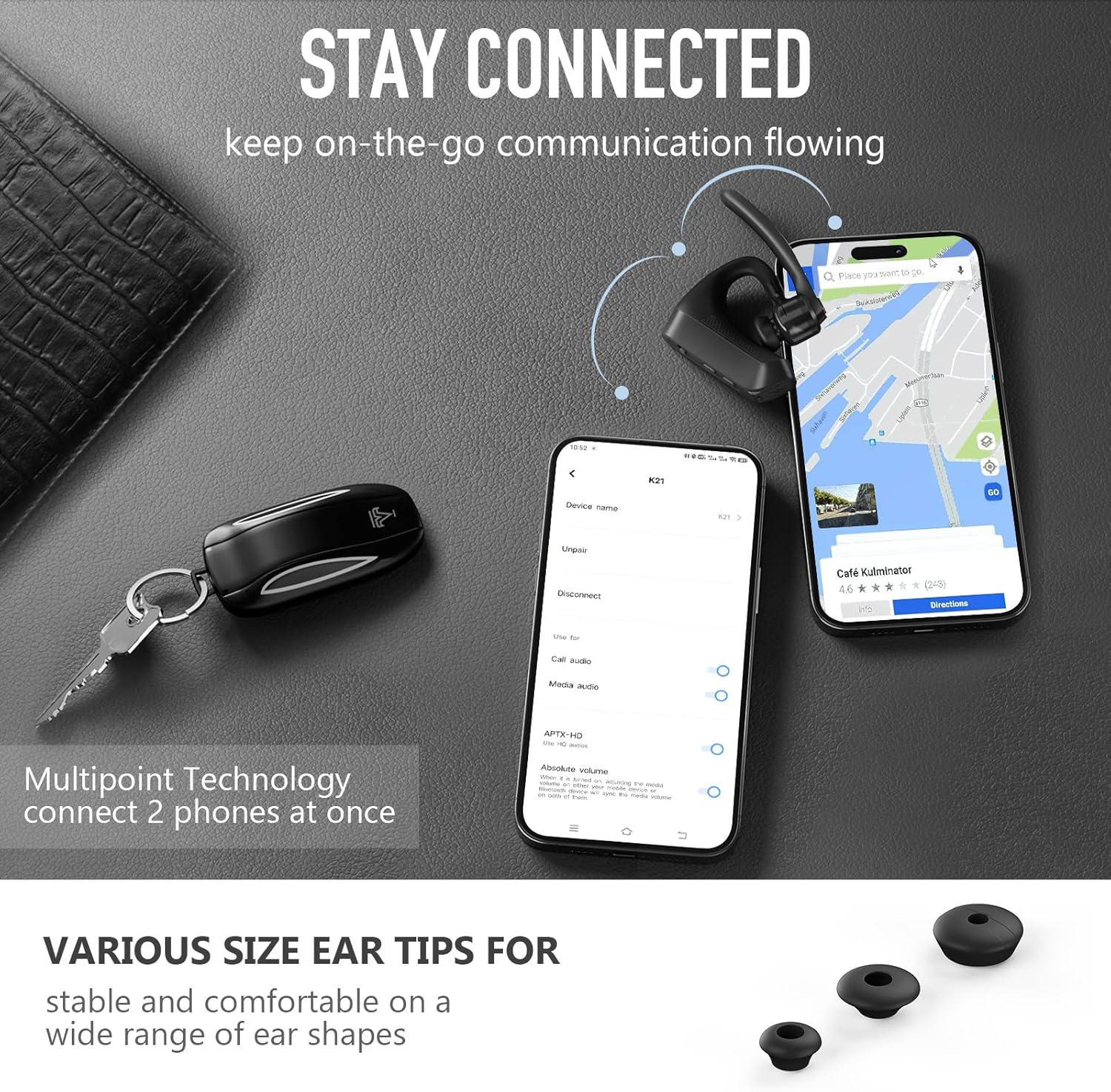
Image: Illustration demonstrating the multipoint connection feature, allowing the headset to be simultaneously paired with two mobile devices.
Operating Instructions
Power On/Off
- Power On: Slide the On/Off switch to the "On" position.
- Power Off: Slide the On/Off switch to the "Off" position.
Call Management
- Answer/End Call: Press the Multi-function Button (MFB) once.
- Reject Call: Press and hold the MFB for approximately 2 seconds.
- Mute/Unmute Microphone: During a call, press the Mute button (refer to product overview for location).

Image: The Conambo K21 headset enables hands-free calling, allowing users to activate voice assistants for calls or navigation.
Volume Control
- Increase Volume: Press the Volume Up button.
- Decrease Volume: Press the Volume Down button.
Voice Assistant Activation
Activate your device's voice assistant (Siri, Google Assistant) by pressing the dedicated button (refer to product overview for location). This allows for hands-free commands.
Maintenance
- Cleaning: Use a soft, dry cloth to clean the headset. Do not use harsh chemicals or abrasive materials.
- Storage: When not in use, store the headset in its provided storage case to protect it from dust and damage.
- Battery Care: To prolong battery life, avoid fully discharging the headset frequently. Charge it regularly, even if not in constant use.
Troubleshooting
| Problem | Solution |
|---|---|
| Headset does not power on. | Ensure the headset is fully charged. Check the charging cable and power source. |
| Cannot pair the headset with a device. |
|
| Poor audio quality or noise during calls. |
 Image: The CVC8.0 Dual Mic Noise Cancelling technology helps to eliminate background noise for clearer calls. |
| Headset disconnects frequently. |
|
Specifications
| Feature | Detail |
|---|---|
| Model Name | K21 |
| Connectivity Technology | Bluetooth 5.1 |
| Wireless Range | Up to 59 ft (18 m) |
| Noise Control | CVC 8.0 Dual Mic Noise Cancelling, ENC Noise Cancelling |
| Battery Life (Talk Time) | 12-16 Hours |
| Charging Time | 1.5 Hours |
| Battery Type | 110mAh Lithium Polymer (included) |
| Charging Port | Type-C |
| Weight | 0.04 lbs / 20g |
| Compatible Devices | Cellphones, Laptops, Tablets (iOS, Android) |
| Water Resistance Level | Water Resistant (IPX4 mentioned in image 612GAWuuIhL.jpg) |
Warranty and Support
Conambo products are designed for reliability and performance. For any questions, technical support, or warranty claims, please contact Conambo customer service. Our professional technology team is available to assist you within 24 hours.
Refer to the product packaging or the official Conambo website for the most up-to-date contact information and warranty details.