
Garmin ECHOMAP UHD2 95sv
Contents
Garmin ECHOMAP UHD2 95sv 9-inch Chartplotter Instruction Manual
Model: ECHOMAP UHD2 95sv
Introduction
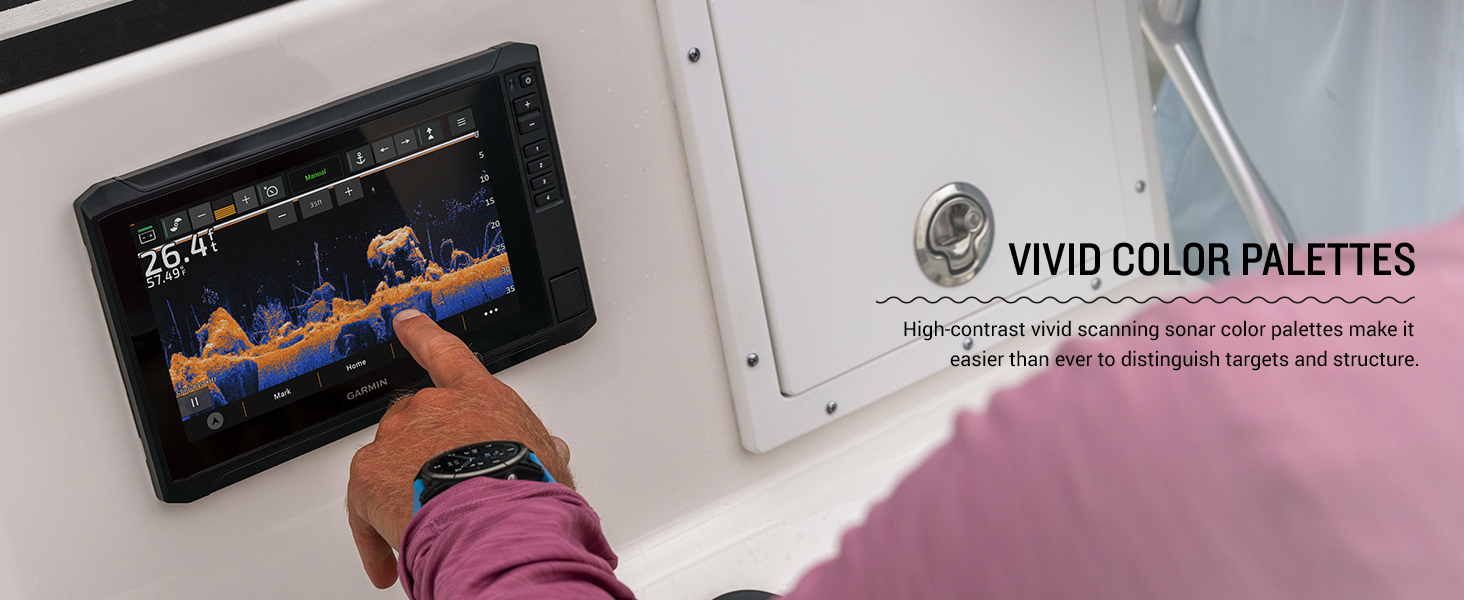
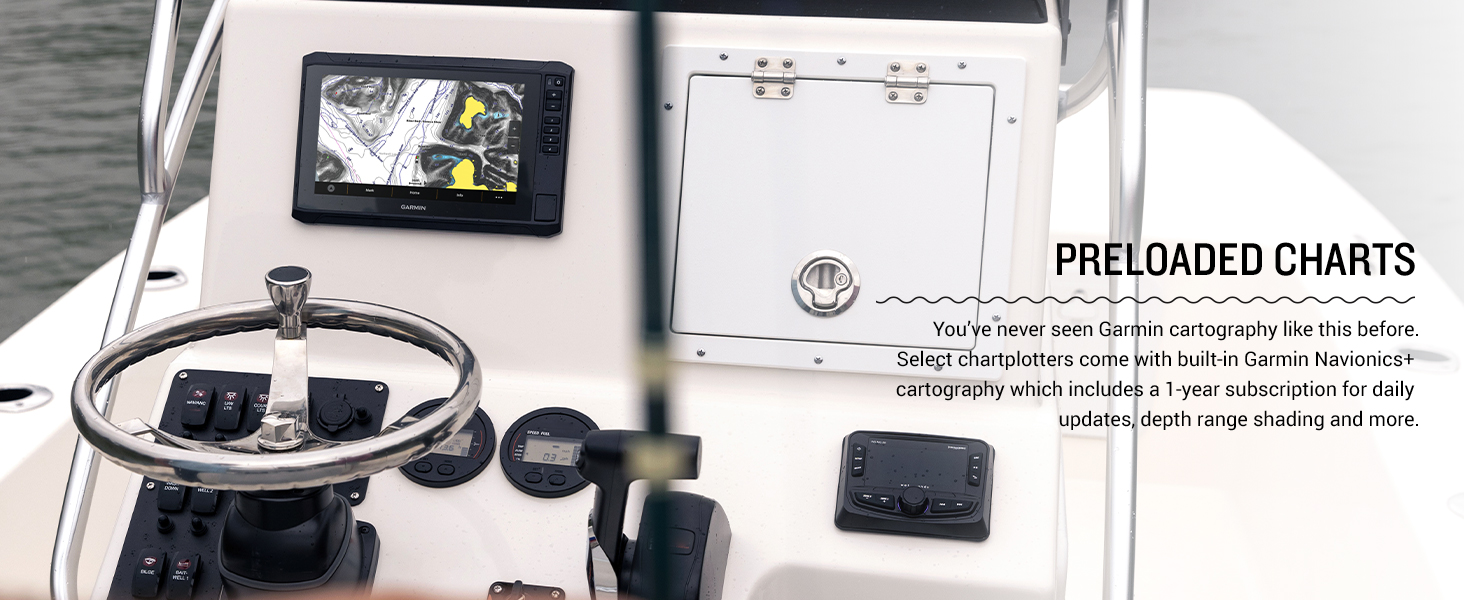
The Garmin ECHOMAP UHD2 95sv is a 9-inch touchscreen chartplotter designed for marine navigation and fishfinding. It features a high-resolution display for enhanced detail and clarity. This device supports Garmin traditional sonar, ClearVü, and SideVü scanning sonars with vivid color palettes. It comes with built-in Garmin Navionics+ cartography for Canada Inland and Coastal waters. The chartplotter includes multi-band GPS for improved position accuracy and built-in Wi-Fi connectivity for sharing data with other ECHOMAP UHD2 devices and the ActiveCaptain app. It also supports NMEA 2000 networks for integration with compatible marine systems.
What's in the Box
- ECHOMAP UHD2 95sv Chartplotter
- 12-pin sounder to 8-pin transducer cable
- Power cable
- Tilt mount with quick-release cradle
- Protective cover
- Hardware
- Documentation
Key Features
- Easy-to-use touchscreen with keyed-assist chartplotter with bright, sunlight-readable screens.
- Includes multi-band GPS, which utilizes multiple frequencies for improved position accuracy, particularly in areas where signals are reflected or weak.
- Supports wired NMEA 2000 network connectivity.
- Pair with the free all-in-one ActiveCaptain app on your compatible smartphone for access to the OneChart feature, software updates and more.
- Compatible with LiveScope live scanning sonar.
Setup
Proper setup is crucial for optimal performance of your ECHOMAP UHD2 95sv. Follow these general guidelines:
- Mounting the Device: Secure the chartplotter using the provided tilt mount and quick-release cradle in a location that offers clear visibility and easy access. Ensure the mounting surface is stable and can support the device's weight.
- Power Connection: Connect the power cable to a 12V DC power source on your vessel. Ensure proper wiring and fuse protection as per marine electrical standards.
- Transducer Installation (if applicable): If using a transducer (sold separately or bundled with other variants), install it according to its specific instructions. Connect the transducer cable to the appropriate port on the ECHOMAP UHD2 unit.
- NMEA 2000 Network (Optional): If integrating with other NMEA 2000 compatible devices (e.g., autopilot, digital switching), connect the chartplotter to your NMEA 2000 network using appropriate cables and connectors.
- Initial Power-Up: Once all connections are secure, power on the device. Follow the on-screen prompts for initial setup, including language selection and unit preferences.
Operating Instructions
The ECHOMAP UHD2 95sv features an intuitive touchscreen interface. Here are basic operating principles:
- Touchscreen Navigation: Use touch gestures (tap, swipe, pinch-to-zoom) to navigate menus, charts, and sonar views.
- Keyed-Assist Controls: Utilize the physical buttons for quick access to common functions, zooming, and menu navigation, especially useful in rough conditions.
- Chart View: Access the built-in Garmin Navionics+ charts to view detailed marine maps, plan routes, and mark waypoints.
- Sonar Views: Switch between Traditional, ClearVü, and SideVü sonar views to visualize underwater structures and fish. Adjust gain, range, and frequency settings for optimal performance.
- Waypoint Management: Mark and save important locations (waypoints) such as fishing spots, hazards, or anchorages. Organize and navigate to these points as needed.
- ActiveCaptain App Integration: Connect your chartplotter to the ActiveCaptain app via built-in Wi-Fi for software updates, chart downloads (OneChart), smart notifications, and access to the Garmin Quickdraw Community.
- NMEA 2000 Data: Monitor data from connected NMEA 2000 devices directly on your chartplotter screen.
Maintenance
Regular maintenance ensures the longevity and performance of your device:
- Cleaning: Clean the screen and device exterior with a soft, damp, lint-free cloth. Avoid abrasive cleaners or solvents that could damage the screen or casing.
- Software Updates: Periodically check for and install software updates using the ActiveCaptain app or Garmin Express. Updates provide new features, performance improvements, and bug fixes.
- Protective Cover: Use the provided protective cover when the device is not in use to shield it from UV rays, dust, and physical damage.
- Cable Inspection: Regularly inspect all cables and connections for signs of wear, corrosion, or damage. Replace any compromised components immediately.
- Storage: When storing the device for extended periods, ensure it is clean, dry, and stored in a temperature-controlled environment.
Troubleshooting
If you encounter issues with your ECHOMAP UHD2 95sv, consider the following:
- Device Not Powering On:
- Check power cable connections at both the device and the power source.
- Verify the fuse in the power cable is intact and not blown.
- Ensure the vessel's battery has sufficient charge.
- No Sonar Data:
- Confirm the transducer is properly connected to the chartplotter.
- Ensure the transducer is correctly installed and submerged in water.
- Check sonar settings (frequency, gain, range) for appropriate configuration.
- GPS Not Acquiring Signal:
- Ensure the device has a clear view of the sky.
- Avoid operating near large metal objects or structures that could interfere with the GPS signal.
- Touchscreen Unresponsive:
- Clean the screen to remove any dirt or moisture.
- Restart the device.
- For further assistance, refer to the detailed documentation or contact Garmin Support.
Specifications
| Brand | Garmin |
| Model Name | Garmin ECHOMAP 9" |
| Screen Size | 9 Inches |
| Display Type | LED |
| Mounting Type | Tilt mount with quick-release cradle |
| UPC | 753759317539 |
| Product Dimensions | 10.4 x 6.5 x 3.2 inches |
| Item Weight | 5.66 pounds |
| Item Model Number | 010-02690-01 |
| Connectivity Technologies | Wi-Fi, NMEA 2000 |
| Special Features | Touchscreen, Multi-band GPS, Sonar (Traditional, ClearVü, SideVü, LiveScope compatible) |
| Scanner Resolution | 1024 x 600 |
| Date First Available | February 10, 2023 |
Warranty and Support
For warranty information and product support, please refer to the official Garmin website or the documentation included with your ECHOMAP UHD2 95sv. You can also utilize the ActiveCaptain app for software updates and access to support resources.
Online Resources: Garmin Official Website
ActiveCaptain App: Download the free all-in-one ActiveCaptain app on your compatible smartphone for enhanced connectivity and support features.
Product Media
Product Images


Official Product Videos
Documents and downloads
Ask a question about this manual
Ask about setup, troubleshooting, compatibility, parts, safety, or missing instructions. Manuals+ will review the question and use this page’s manual context to help answer it.