
1. Introduction
The AKG K92 Closed-Back Studio Headphones are designed for critical audio monitoring, mixing, and mastering applications. Featuring professional-grade 40mm drivers, these headphones deliver clear and accurate sound reproduction across a wide frequency range. The closed-back design provides sound isolation, while the self-adjusting headband and lightweight construction ensure comfort during extended use.
This manual provides instructions for the proper setup, operation, and maintenance of your AKG K92 headphones.
2. Package Contents
Please check that all items listed below are included in your package:
- AKG K92 Closed-Back Studio Headphones
- 3.5mm Audio Cable (attached)
- Headphone Holder (if included in bundle)
- Extension Cable (if included in bundle)
3. Setup
3.1 Connecting the Headphones
The AKG K92 headphones feature a permanently attached 3.5mm audio cable. To connect your headphones:
- Locate the 3.5mm audio output jack on your audio device (e.g., audio interface, mixer, computer, mobile phone).
- Insert the 3.5mm plug of the headphone cable firmly into the audio output jack.
- If using an extension cable (if included), connect it between the headphone cable and your audio device.
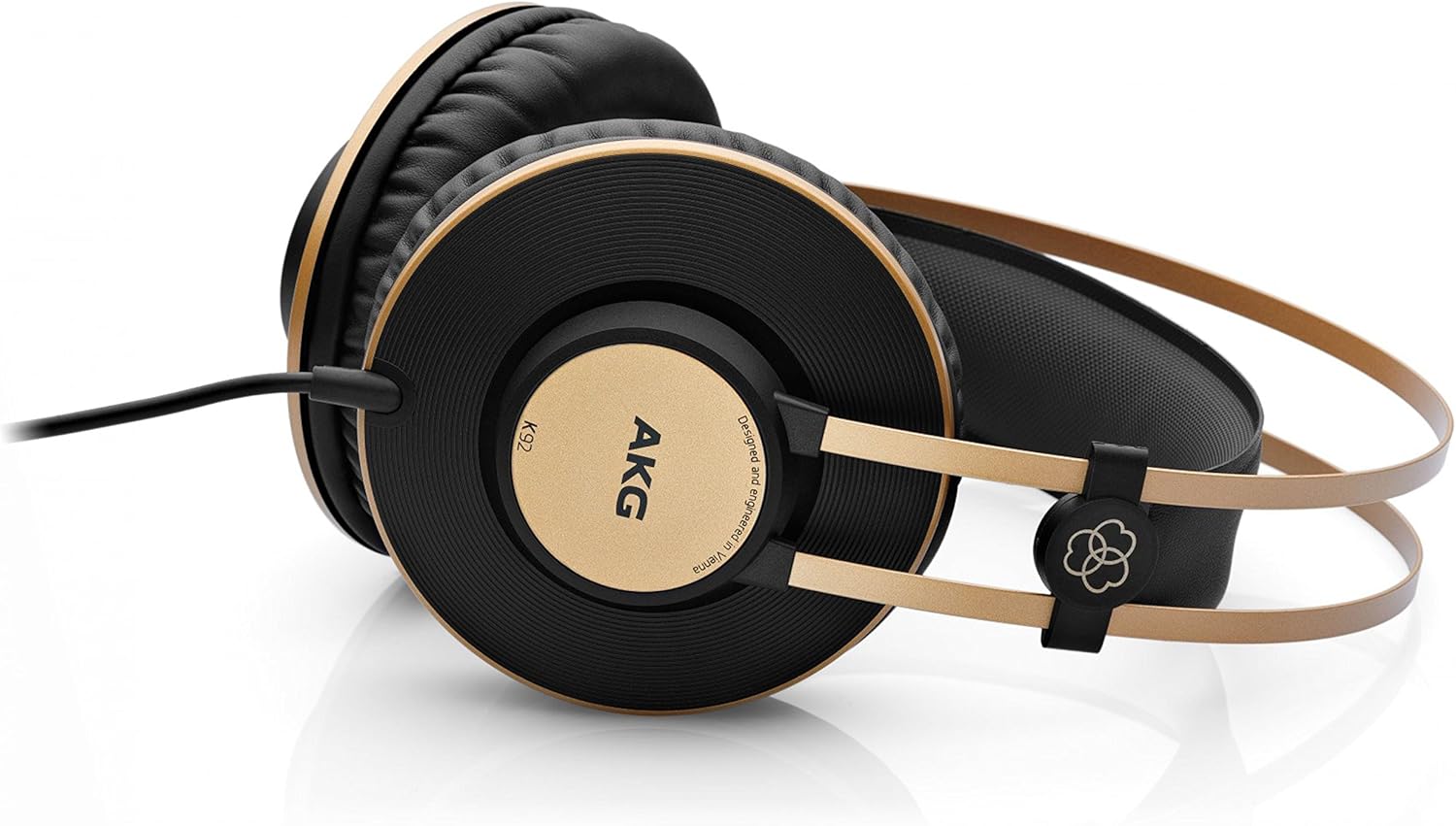
Figure 1: AKG K92 headphones with the attached 3.5mm audio cable.
3.2 Wearing the Headphones
The K92 headphones are designed for over-ear wear and feature a self-adjusting headband for optimal fit.
- Place the earcups over your ears, ensuring they fully enclose your ears for proper sound isolation and comfort.
- The headband will automatically adjust to fit your head size.
- Ensure the left (L) and right (R) indicators on the earcups correspond to the correct ears. The cable typically connects to the left earcup.

Figure 2: Full view of AKG K92 headphones, highlighting the self-adjusting headband.
4. Operating Instructions
4.1 Audio Playback
Once connected to an audio source, the K92 headphones will reproduce audio. Adjust the volume directly from your audio source.
- Volume Control: The K92 headphones do not feature an inline volume control. Adjust the listening volume using the controls on your connected audio device.
- Monitoring: For studio monitoring, ensure your audio interface or mixer output level is set appropriately to avoid clipping or distortion.
- Comfort: For prolonged listening sessions, take short breaks to prevent ear fatigue.
5. Maintenance
5.1 Cleaning
- Use a soft, dry cloth to wipe the exterior surfaces of the headphones.
- For earcups, gently wipe with a slightly damp cloth if necessary, then dry immediately. Avoid excessive moisture.
- Do not use harsh chemicals, solvents, or abrasive cleaners, as these can damage the finish and materials.
5.2 Storage
- Store the headphones in a clean, dry place away from direct sunlight and extreme temperatures.
- Avoid coiling the cable tightly to prevent damage.
- If a headphone holder is included, utilize it for proper storage to maintain the shape and integrity of the headphones.
6. Troubleshooting
| Problem | Possible Cause | Solution |
|---|---|---|
| No sound from headphones |
|
|
| Distorted or poor sound quality |
|
|
| Headphones feel loose or uncomfortable |
|
|
7. Specifications
| Brand | AKG |
| Model | K92 |
| Connectivity Technology | Wired |
| Headphones Jack | 3.5 mm Jack |
| Audio Driver Size | 40 Millimeters |
| Impedance | 32 Ohms |
| Noise Control | Sound Isolation |
| Ear Placement | Over Ear |
| Material | Plastic, Rubber, Thermoplastic Elastomer (TPE) |
| Item Weight | 1.15 pounds (approx. 0.52 kg) |
| Product Dimensions | 9.25 x 8.86 x 4.45 inches (approx. 23.5 x 22.5 x 11.3 cm) |
| Special Feature | Lightweight |
8. Warranty and Support
For warranty information and technical support, please refer to the documentation provided with your purchase or visit the official AKG website. Keep your proof of purchase for warranty claims.
AKG Official Website: www.akg.com


