
Introduction
The Conambo JBT100 Trucker Bluetooth Headset is designed for clear communication in demanding environments. It features advanced noise cancellation, extended battery life, and a comfortable design for prolonged use. This manual provides detailed instructions for setup, operation, maintenance, and troubleshooting to ensure optimal performance of your headset.
What's in the Box
- Conambo JBT100 Bluetooth Headset
- Charging Cable (Type-C)
- User Manual
Product Overview
Familiarize yourself with the components and controls of your Conambo JBT100 headset.

Image: The Conambo JBT100 headset showing the adjustable headband, ear cup, and flexible microphone boom.
Controls
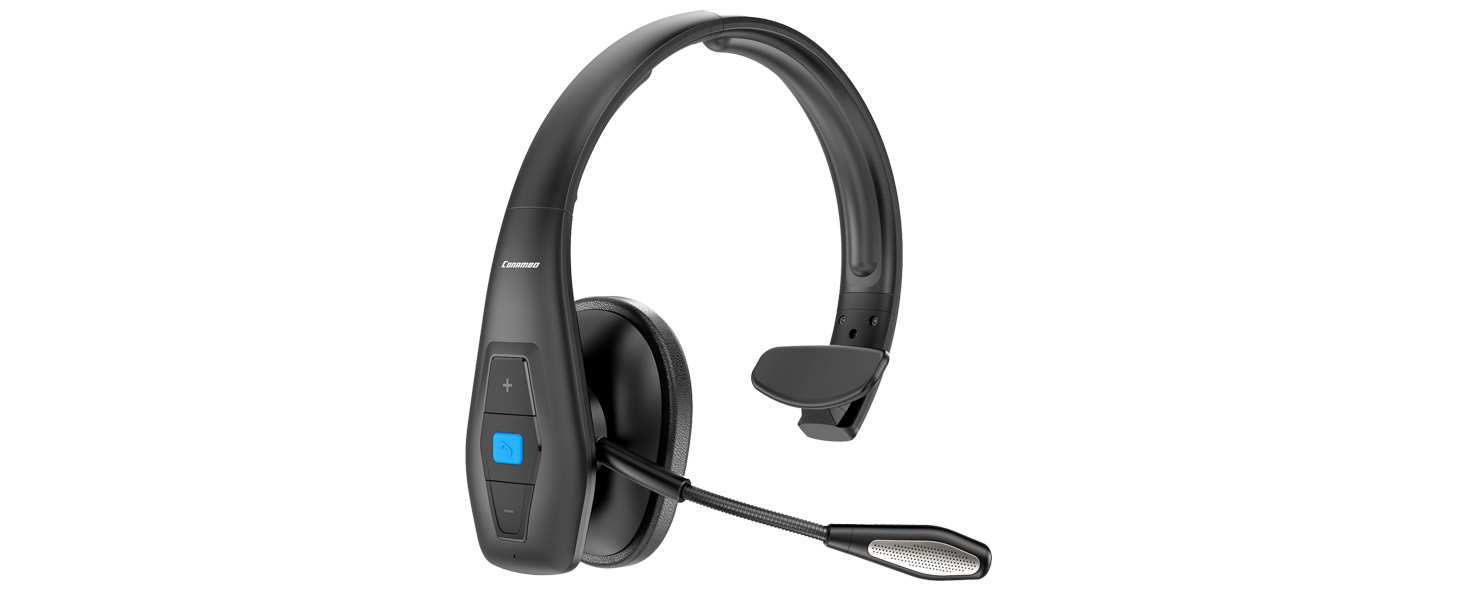
Image: A close-up view of the headset's control panel, featuring volume up/down buttons and a central multi-function button.
- Multi-function Button (Blue): Power On/Off, Play/Pause, Answer/End Call, Voice Assistant activation.
- Volume Up (+) Button: Increase volume, Next track (long press).
- Volume Down (-) Button: Decrease volume, Previous track (long press).
- Mute Button: Mute/unmute microphone during a call.
- Microphone: Flexible boom microphone with CVC8.0 noise cancellation.
- Charging Port: Type-C port for charging.
Setup
1. Charging the Headset
Before first use, fully charge the headset. Connect the provided Type-C charging cable to the headset's charging port and a USB power source. The LED indicator will show charging status.
- Charging Time: Approximately 3.5 hours for a full charge.
- Battery Life: Up to 35 hours talk time, 60 hours music playback.

Image: The Conambo JBT100 headset highlighting its battery performance with icons for charge time, talk time, and music time.
2. Powering On/Off
- Power On: Press and hold the Multi-function Button for 3 seconds until the LED indicator flashes blue.
- Power Off: Press and hold the Multi-function Button for 3 seconds until the LED indicator flashes red and then turns off.
3. Pairing with a Bluetooth Device
- Ensure the headset is powered off.
- Press and hold the Multi-function Button for 5-7 seconds until the LED indicator flashes red and blue alternately. This indicates pairing mode.
- On your device (e.g., smartphone, tablet), enable Bluetooth and search for available devices.
- Select "Conambo JBT100" from the list of devices.
- Once connected, the LED indicator will flash blue slowly.
4. Multi-point Connection
The JBT100 supports connecting to two Bluetooth devices simultaneously.
- Pair the headset with the first device as described above.
- Disable Bluetooth on the first device.
- Put the headset back into pairing mode (red and blue flashing LED).
- Pair the headset with the second device.
- Re-enable Bluetooth on the first device. The headset should automatically connect to both devices.
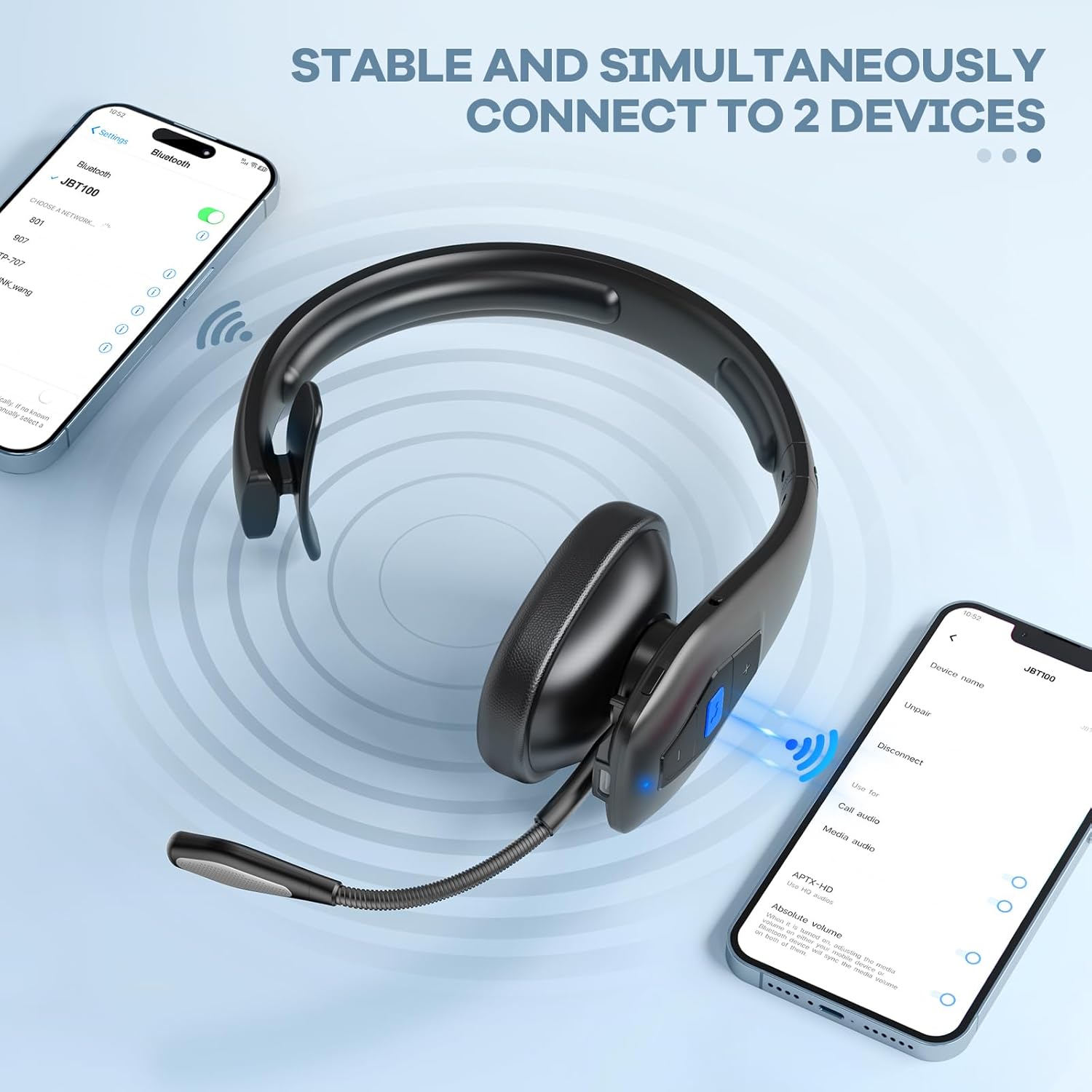
Image: The Conambo JBT100 headset shown wirelessly connected to two separate smartphones, illustrating its multi-point connectivity feature.
Operating Instructions
1. Making and Receiving Calls
- Answer Call: Press the Multi-function Button once.
- End Call: Press the Multi-function Button once during a call.
- Reject Call: Press and hold the Multi-function Button for 2 seconds.
- Redial Last Number: Double-press the Multi-function Button.
2. Adjusting Volume
- Increase Volume: Press the Volume Up (+) button.
- Decrease Volume: Press the Volume Down (-) button.
3. Mute Function
- During a call, press the dedicated Mute Button to mute or unmute the microphone.
4. Voice Assistant (Siri/Google Assistant)
Activate your device's voice assistant for hands-free control.
- Activate: Double-press the Multi-function Button when not on a call.
Video: A user demonstrating hands-free calling and voice assistant activation with the Conambo JBT100 headset while driving, highlighting its utility for navigation and communication.
5. Music Playback
- Play/Pause: Press the Multi-function Button once.
- Next Track: Long press the Volume Up (+) button.
- Previous Track: Long press the Volume Down (-) button.
Maintenance
Cleaning
Regularly clean your headset to maintain hygiene and performance.
- Use a soft, dry cloth to wipe the headset.
- Do not use harsh chemicals or abrasive materials.
- Avoid getting moisture into the charging port or microphone.
Storage
When not in use, store the headset in a cool, dry place away from direct sunlight and extreme temperatures.
Durability
The JBT100 headset is IP54-rated, offering protection against dust and splashes of water. This makes it suitable for various professional environments.

Image: The Conambo JBT100 headset resting on a rugged, rocky surface, emphasizing its IP54-rated dust and water resistance for tough environments.
Troubleshooting
| Problem | Possible Cause | Solution |
|---|---|---|
| Headset won't power on | Low battery | Charge the headset fully. |
| Cannot pair with device | Headset not in pairing mode; Bluetooth off on device | Ensure headset is in pairing mode (red/blue flashing LED). Turn on Bluetooth on your device. |
| No sound or low volume | Volume too low; headset not connected | Increase volume on both headset and device. Reconnect the headset. |
| Poor call quality / Noise | Out of range; environmental interference | Move closer to your device. Avoid strong electromagnetic interference. |
| Multi-point connection issues | Incorrect pairing sequence | Follow the multi-point pairing instructions carefully. |
Specifications
| Feature | Detail |
|---|---|
| Model Number | CNB100 |
| Bluetooth Version | 5.1 |
| Bluetooth Range | Up to 12 meters (39 feet) |
| Noise Control | CVC8.0 Dual Mic Noise Cancellation (up to 96% suppression) |
| Battery Capacity | 400mAh |
| Talk Time | Up to 35 hours |
| Music Playback Time | Up to 60 hours |
| Charging Time | Approximately 3.5 hours |
| Water Resistance Level | IP54 (Dust and splash resistant) |
| Ear Placement | On Ear |
| Material | Aluminum, Faux Leather, Plastic |
| Weight | 0.33 Kilograms |
| Connectivity Technology | Wireless |
| Headphone Jack | Type-C (for charging) |
Warranty & Support
Warranty Information
The Conambo JBT100 headset comes with a 2-year warranty from the date of purchase. This warranty covers manufacturing defects and ensures the product meets its specified performance standards. Please retain your proof of purchase for warranty claims.
Customer Support
For any questions, technical assistance, or warranty claims, please contact Conambo customer support through the following channels:
- Online Support: Visit the Conambo Store on Amazon for FAQs and contact options.
- Email Support: Refer to the contact information provided in your product packaging.
Our professional technology team is available to assist you within 24 hours.
Additional Information
Video: An overview of the Conambo JBT100 Bluetooth Headset, highlighting its key features such as dual microphone noise cancellation, extended battery life, and Bluetooth 5.1 connectivity.


