
Muzen MW-PVEI
Muzen Wild GO Mini Bluetooth Speaker Instruction Manual
Model: MW-PVEI
Introduction
This manual provides detailed instructions for the setup, operation, and maintenance of your Muzen Wild GO Mini Bluetooth Speaker. Please read this manual thoroughly before using the product to ensure proper function and longevity.
Package Contents
- Muzen Wild GO Speaker x1
- Instruction Manual x1
- Type-C Charging Cable x1
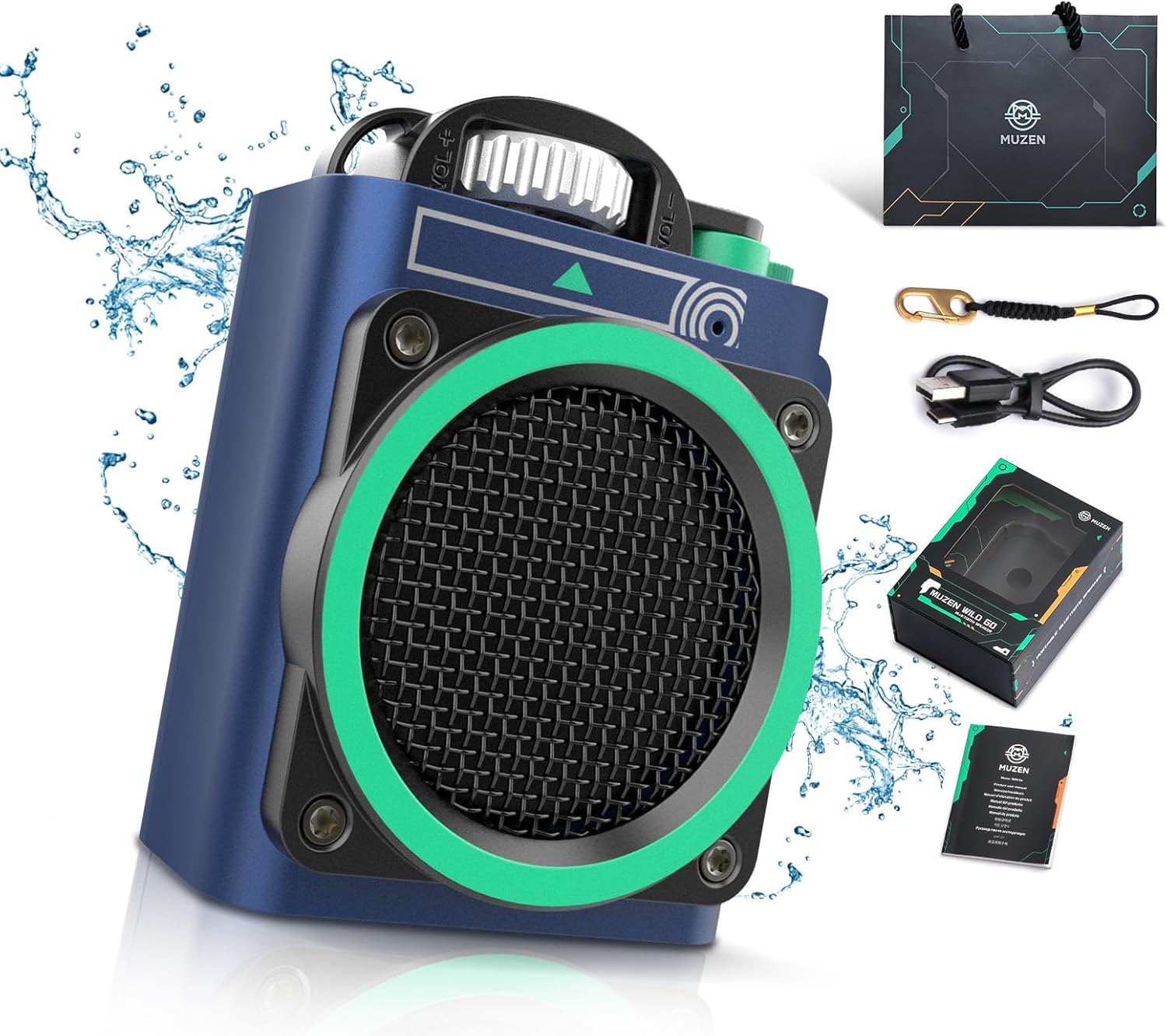
Image: Muzen Wild GO Mini Bluetooth Speaker with included accessories.
Product Features
- Compact Design with Powerful Audio: The Wild GO speaker features a 36mm diameter speaker, delivering clear audio and strong bass despite its mini size and lightweight design (187g).
- Intuitive One-Hand Operation: Controls are designed for ease of use, allowing for simple volume adjustments and track changes with one hand.
- Fast Pairing and Extended Battery Life: The speaker pairs instantly via Bluetooth 5.0 and offers up to 8 hours of playback on a single charge using its Type-C charging port.
- Durable and Waterproof Construction: Constructed with a metal exterior and coated with waterproof technology, the speaker is IPX5 rated for water and dust resistance. It also features a sealed charging port and a rubber anti-slip strip for enhanced durability and drop resistance.
- Portable for Various Activities: Designed for outdoor use, the speaker includes a lanyard hole for easy attachment to backpacks, making it suitable for hiking, cycling, and travel.
Setup
1. Charging the Speaker
Before first use, fully charge the speaker. Connect the supplied Type-C charging cable to the speaker's charging port and the other end to a compatible USB power adapter (not included). The charging indicator light will illuminate during charging and turn off when fully charged. A full charge takes approximately 8 hours.

Image: Speaker connected to a Type-C charging cable.
2. Powering On/Off
- To power on: Locate the power switch and slide/press it to the 'ON' position. A power-on sound or indicator light will confirm activation.
- To power off: Slide/press the power switch to the 'OFF' position. A power-off sound or indicator light will confirm deactivation.
3. Bluetooth Pairing
- Ensure the speaker is powered on and in pairing mode. The Bluetooth indicator light will typically flash rapidly.
- On your device (e.g., smartphone, tablet), enable Bluetooth and search for available devices.
- Select "MUZEN-WILD GO" from the list of found devices.
- Once paired, the speaker will emit a confirmation sound, and the Bluetooth indicator light will remain solid.

Image: Speaker connected via Bluetooth to a device.
Operating Instructions
Controls Overview

Image: Detailed view of the speaker's control knobs.
- Volume Knob: Rotate clockwise to increase volume, counter-clockwise to decrease volume.
- Track Knob: Rotate to skip tracks (e.g., forward for next track, backward for previous track).
- Play/Pause Button: Press once to play or pause audio playback.
Refer to the specific markings on your speaker for exact control functions.
Maintenance
Cleaning
- Wipe the speaker with a soft, dry cloth.
- Do not use abrasive cleaners, alcohol, or chemical solvents.
- Ensure the charging port cover is securely closed before cleaning with a damp cloth or exposing to water.
Storage
- Store the speaker in a cool, dry place away from direct sunlight and extreme temperatures.
- If storing for an extended period, charge the battery periodically to maintain its health.
Troubleshooting
| Problem | Possible Cause | Solution |
|---|---|---|
| Speaker does not power on. | Low battery. | Charge the speaker using the provided Type-C cable. |
| Cannot pair with Bluetooth device. | Speaker not in pairing mode; device Bluetooth off; too far from speaker. | Ensure speaker is on and indicator is flashing; enable Bluetooth on your device; move device closer to speaker (within 10 meters). |
| No sound or low volume. | Volume too low on speaker or device; speaker not connected. | Increase volume on both speaker and connected device; re-establish Bluetooth connection. |
| Sound distortion. | Volume too high; interference; low battery. | Reduce volume; move away from sources of interference; charge the speaker. |
Specifications
| Feature | Detail |
|---|---|
| Model Name | Wild Go (MW-PVEI) |
| Brand | Muzen |
| Connectivity Technology | Bluetooth |
| Wireless Communication Technology | Bluetooth 5.0 |
| Bluetooth Range | Up to 10 meters (33 feet) |
| Speaker Type | Woofer |
| Audio Driver Size | 36 Millimeters |
| Speaker Maximum Output Power | 5 Watts |
| Frequency Response | 18 KHz |
| Signal-to-Noise Ratio | 80 dB |
| Power Source | Battery Powered (1 Lithium Ion battery included) |
| Battery Life | Up to 8 hours |
| Charging Time | Approximately 8 hours |
| Input Voltage | 5 Volts (DC) |
| Water Resistance Level | IPX5 Waterproof |
| Material | Metal |
| Product Dimensions | 2.97"D x 1.39"W x 2.32"H |
| Item Weight | 187 Grams (6.6 ounces) |
| Included Components | Speaker, Manual, Type-C Charger |
Warranty and Support
The Muzen Wild GO Mini Bluetooth Speaker comes with a 1-Year Warranty from the date of purchase.
For warranty claims, technical support, or product inquiries, please contact Muzen customer service through their official website or the retailer where the product was purchased.
Additional protection plans may be available for purchase:
- 2-Year Protection Plan
- 3-Year Protection Plan
Please refer to the terms and conditions of these plans for full details.
Related documentsMW-PVEI


Ask a question about this manual
Ask about setup, troubleshooting, compatibility, parts, safety, or missing instructions. Manuals+ will review the question and use this page’s manual context to help answer it.