
Introduction
This manual provides detailed instructions for the proper use and maintenance of your Losfom WD7 2K Body Camera. Please read this manual thoroughly before operating the device to ensure optimal performance and longevity. The Losfom WD7 is a versatile body-worn camera designed for various applications, featuring 2K video recording, GPS functionality, a large 4600mAh battery, and IP67 waterproofing.
What's in the Box
Upon opening the package, verify that all the following items are included:
- Losfom WD7 Body Camera (with built-in 128GB memory)
- Long Clip
- Short Clip
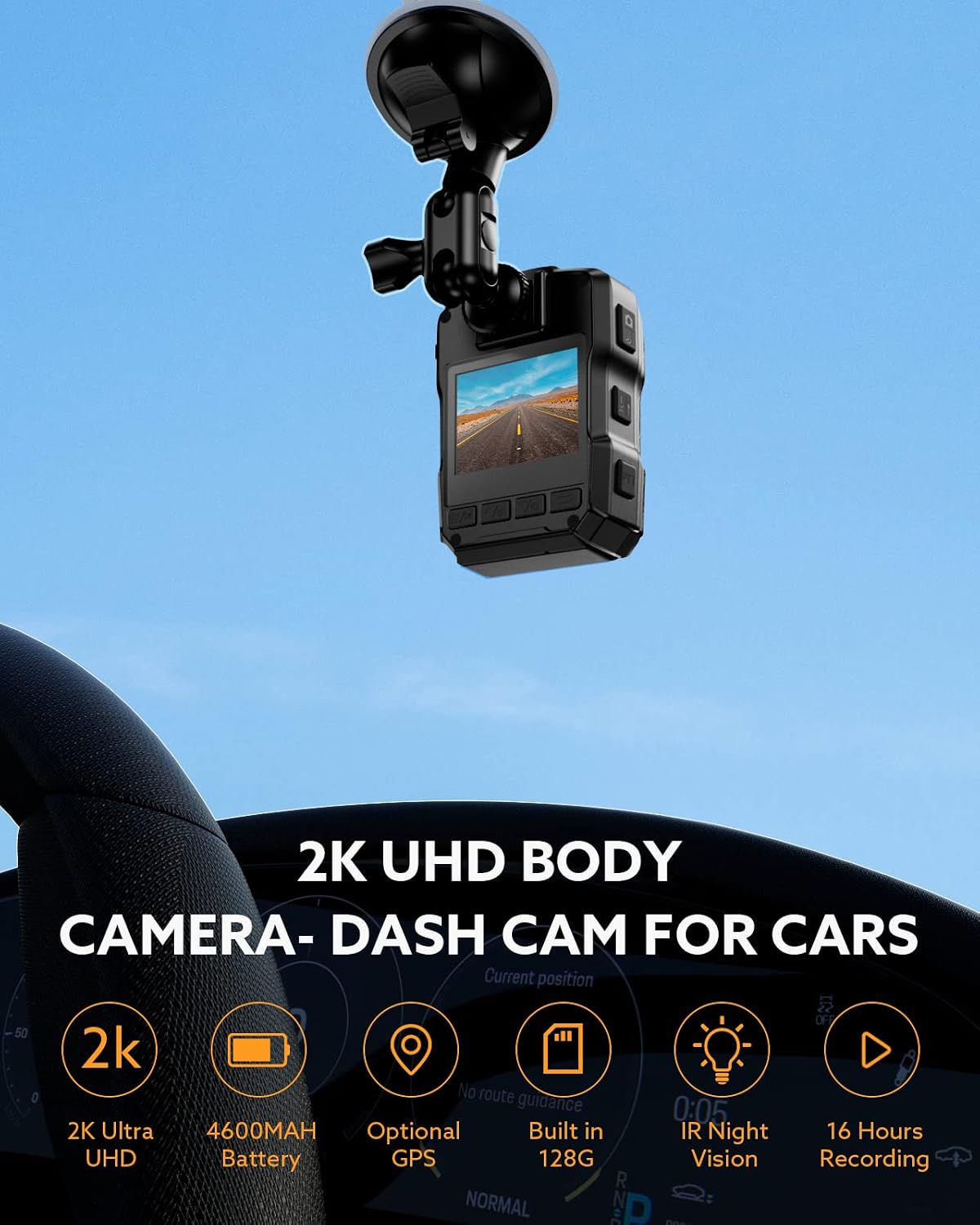
- Car Suction Bracket
- Car Charger
- USB Cable
- User Manual (this document)

Product Features
- 2K HD Video Recording: Captures clear footage at 1440P resolution with a 170° wide-angle lens.
- Built-in 128GB Memory: Provides ample storage for recorded videos without the need for an external SD card.
- 4600mAh Battery: Offers up to 16 hours of continuous recording on a single charge.
- GPS Functionality: Records location data alongside video footage, viewable via dedicated software.
- IP67 Waterproof Rating: Designed to withstand heavy rain and immersion in water for up to 30 minutes.
- 3M Drop Resistant: Durable ABS shell protects against drops up to 3 meters.
- Night Vision: Equipped with high-intensity infrared LEDs for clear recording in low-light conditions.
- Loop Recording: Automatically overwrites the oldest files when memory is full.
- Versatile Mounting Options: Includes long clip, short clip, and car suction bracket for various uses (body-worn, dash cam).


Setup
1. Charging the Device
Before initial use, fully charge the Losfom WD7 body camera. Connect the provided USB cable to the camera's charging port and the other end to a USB power adapter (not included) or a computer's USB port. The charging indicator will show the charging status. A full charge typically takes approximately 6 hours.

2. Attaching Clips and Mounts
The camera comes with various clips and a car suction bracket for different mounting scenarios.
- Short Clip: Ideal for attaching the camera to pockets, belts, or other thin clothing items.
- Long Clip: Provides a more secure attachment for uniforms, vests, or thicker garments.
- Car Suction Bracket: Use this to mount the camera on a car windshield for dash cam functionality. Ensure the windshield surface is clean and dry before attaching.

Operating Instructions
1. Power On/Off
To power on the camera, press and hold the Power button until the screen illuminates. To power off, press and hold the Power button again until the device shuts down.
2. Recording Video
Once powered on, press the Record button to start video recording. Press it again to stop recording. The camera supports 2K HD video recording.
3. Taking Photos
While in standby mode, press the Photo button to capture a still image.
4. Activating Night Vision
The camera is equipped with infrared LEDs for night vision. This feature typically activates automatically in low-light conditions. Refer to the on-screen menu for manual control options if available.
5. GPS Functionality
The built-in GPS module records location data alongside your video footage. To review GPS data, transfer the video files to a computer and use the dedicated GPS Player software provided by Losfom. This software allows you to trace the route of your recorded video files.

6. Dash Cam Mode
When used with the car suction bracket and car charger, the WD7 can function as a dash cam. Ensure the camera is powered on to begin recording when the vehicle starts. Note that some dash cam features like auto-on with vehicle ignition may require specific settings or manual activation.
Video: An official Losfom video demonstrating the functions of the WD7 2K Body Camera, including its use as a dash cam and body-worn device.
Maintenance
- Cleaning: Use a soft, dry cloth to clean the camera body and lens. Avoid abrasive materials or chemical cleaners.
- Storage: Store the camera in a cool, dry place away from direct sunlight and extreme temperatures.
- Battery Care: To prolong battery life, avoid fully discharging the battery frequently. Charge the camera regularly, even if not in use for extended periods.
- Data Management: Regularly transfer important video files to a computer or external storage to prevent data loss and manage the built-in 128GB memory.
Troubleshooting
| Problem | Possible Cause | Solution |
|---|---|---|
| Camera does not power on. | Low battery. | Charge the camera fully using the provided USB cable and a compatible power adapter. |
| Recording stops unexpectedly or shows a white screen. | Exposure to direct sunlight or extreme heat. | Avoid prolonged exposure to direct sunlight or high temperatures. Ensure the camera is not overheating. |
| "Please Insert SD Card Again" message appears. | Internal memory issue or corruption. | Although the camera has built-in memory, this message might indicate a software issue or a need to reset the device. Try restarting the camera. If the issue persists, contact customer support. |
| Poor video quality in low light. | Night vision not active or insufficient ambient light. | Ensure night vision is enabled. While the camera has IR LEDs, extreme darkness may still affect clarity. |
| GPS data not recording or inaccurate. | Poor GPS signal or GPS function disabled. | Ensure the camera has a clear view of the sky for optimal GPS signal reception. Verify GPS is enabled in the camera settings. |
Specifications
| Feature | Detail |
|---|---|
| Brand | Losfom |
| Model Number | WD7 |
| Video Capture Resolution | 2K (1440P) |
| Viewing Angle | 170 Degrees |
| Battery Capacity | 4600mAh |
| Battery Life (Recording) | Up to 16 Hours |
| Internal Memory | 128GB |
| Water Resistance | IP67 Waterproof |
| Drop Resistance | 3 Meters |
| Special Features | Built-In GPS, Loop Recording, Night Vision |
| Connectivity | USB |
| Screen Size | 2 Inches |
| Color | Black |
Warranty and Support
Warranty Information
The Losfom WD7 Body Camera comes with a 1-year warranty from the date of purchase. This warranty covers manufacturing defects and malfunctions under normal use. It does not cover damage caused by misuse, accidents, unauthorized modifications, or natural disasters. Please retain your proof of purchase for warranty claims.
Customer Support
For technical assistance, troubleshooting, or warranty inquiries, please contact Losfom customer support. Refer to the official Losfom website or your purchase documentation for contact details. Losfom is committed to providing professional, efficient, and high-quality support for its products.
Mission: Losfom aims to provide professional, efficient, and high-quality camera products, ensuring every camera enthusiast can enjoy a better life made possible by technology.