Introduction
The Belkin SoundForm Bolt True Wireless Earbuds provide a high-quality audio experience with convenient features designed for everyday use. These earbuds feature 6mm dynamic drivers for clear sound, intuitive touch controls, and a comfortable, ergonomic fit. They are built with IPX4-rated sweat and water-resistant materials, making them suitable for various activities. Enjoy extended listening with up to 28 hours of combined battery life.
What's in the Box
- 1 x SoundForm Bolt True Wireless Earbuds
- 1 x Charging case
- 1 x USB-A to USB-C cable
Setup
Charging the Earbuds and Case
Before first use, fully charge the earbuds and charging case. Connect the provided USB-A to USB-C cable to the charging case and a power source. The LED indicators on the case will show the charging status. A full charge provides up to 9 hours of playtime for the earbuds and an additional 19 hours from the charging case, totaling 28 hours.

Image: Earbuds in charging case, illustrating battery life.
Pairing with a Device
- Open the charging case. The earbuds will automatically enter pairing mode.
- On your device (smartphone, tablet, etc.), go to the Bluetooth settings.
- Select "SoundForm Bolt" from the list of available devices.
- Once connected, you will hear an audible confirmation, and the earbuds will be ready for use.
The earbuds utilize Bluetooth 5.2 for a stable connection up to 10 meters (33 feet).
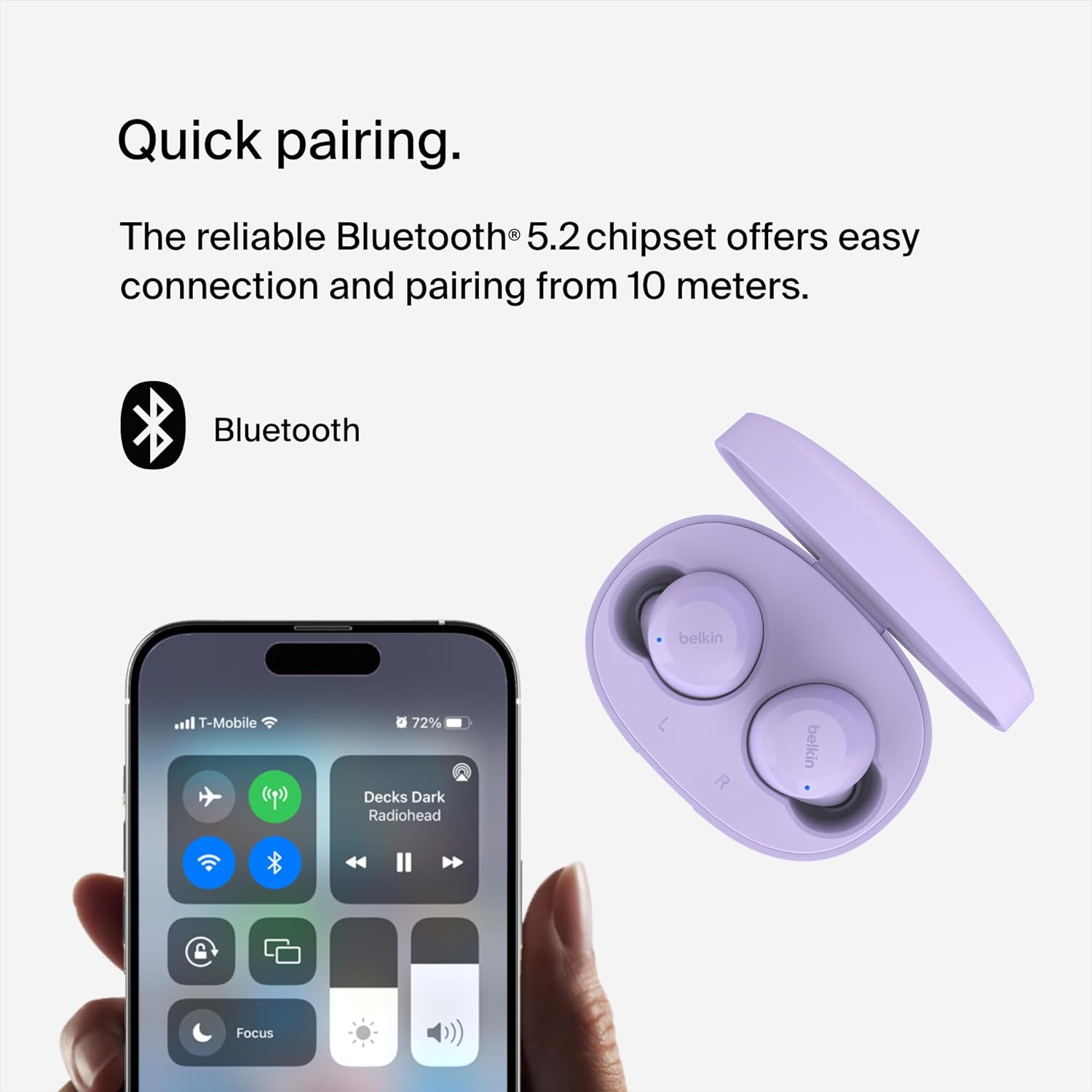
Image: Earbuds and phone screen showing Bluetooth pairing.
Operating Instructions
Touch Controls
The SoundForm Bolt earbuds feature intuitive touch controls on each earbud for easy management of audio and calls:
- Play/Pause: Tap once on either earbud.
- Skip Track Forward: Double-tap on the right earbud.
- Skip Track Backward: Double-tap on the left earbud.
- Answer/End Call: Tap once on either earbud.
- Reject Call: Press and hold on either earbud.
- Volume Adjustment: Specific gestures may vary; refer to the full product guide for detailed volume control instructions.

Image: Earbud with touch control indicator.
Mono Mode
You can use a single earbud independently in Mono Mode. This feature allows you to extend battery life and remain aware of your surroundings while still enjoying calls or music. Simply remove one earbud from the case and leave the other in the case, or place one back in the case during use.
Comfortable Fit
The earbuds are designed to be light and ergonomic, ensuring a comfortable and secure fit in your ears for extended listening periods.

Image: Earbud in ear, demonstrating comfortable fit.
Audio Quality
Equipped with 6mm dynamic drivers, these earbuds deliver consistently smooth and crisp audio, providing a balanced sound profile for music and calls.

Image: Exploded view of an earbud, showing internal components.
Maintenance
Water Resistance
The SoundForm Bolt True Wireless Earbuds are IPX4-rated for sweat and water resistance. This means they are protected against splashing water from any direction, making them suitable for workouts and light rain. Do not submerge the earbuds in water.

Image: Earbuds with water droplets, demonstrating water resistance.
Cleaning
To maintain optimal performance and hygiene, regularly clean your earbuds and charging case. Use a soft, dry, lint-free cloth. Avoid using abrasive materials or harsh chemicals. Ensure the charging contacts on both the earbuds and the case are clean and dry.
Troubleshooting
- Earbuds not pairing: Ensure both earbuds are charged and in the case. Open the case to initiate pairing mode. If issues persist, try forgetting the device in your phone's Bluetooth settings and re-pairing.
- No sound from one earbud: Place both earbuds back in the charging case, close the lid, wait a few seconds, then open it again. This can reset the connection.
- Charging issues: Verify that the USB-C cable is securely connected to both the case and the power source. Ensure the charging contacts on the earbuds and inside the case are clean.
- Low volume: Adjust the volume on both your connected device and via the earbud touch controls. Ensure the earbuds are properly seated in your ears for optimal sound delivery.
Specifications
| Feature | Detail |
|---|---|
| Model Name | SoundForm Bolt True Wireless Earbuds |
| Model Number | AUC009btLV |
| Connectivity Technology | Wireless (Bluetooth 5.2) |
| Audio Driver Type | 6mm Dynamic Driver |
| Battery Life (Earbuds) | Up to 9 hours |
| Battery Life (with Case) | Up to 28 hours |
| Charging Port | USB-C |
| Water Resistance | IPX4 (Sweat and Water-Resistant) |
| Control Method | Touch |
| Earbud Weight | 5g per earbud |
| Case Weight | 33.8g |
Warranty and Support
Warranty Information
The Belkin SoundForm Bolt True Wireless Earbuds come with a 2-year limited warranty. Please retain your proof of purchase for warranty claims.

Image: Belkin 2-year product coverage.
Customer Support
For further assistance, technical support, or to view the full product manual, please visit the official Belkin support website or refer to the contact information provided with your product packaging.
You can also visit the Belkin Store on Amazon for more product information and accessories.


