Introduction
This manual provides detailed instructions for the GENGQIANSI Replacement Remote Control, designed specifically for OmniBreeze Digital Tower Fans, including models like DC2018. This remote offers convenient control over your fan's functions, including power, fan speed, oscillation, timer, and wind modes. No programming is required for this replacement remote; simply insert batteries and begin use.

Image: Comparison of the original remote control (left) and the replacement remote control (right), highlighting compatibility with the OmniBreeze Digital Tower Fan.
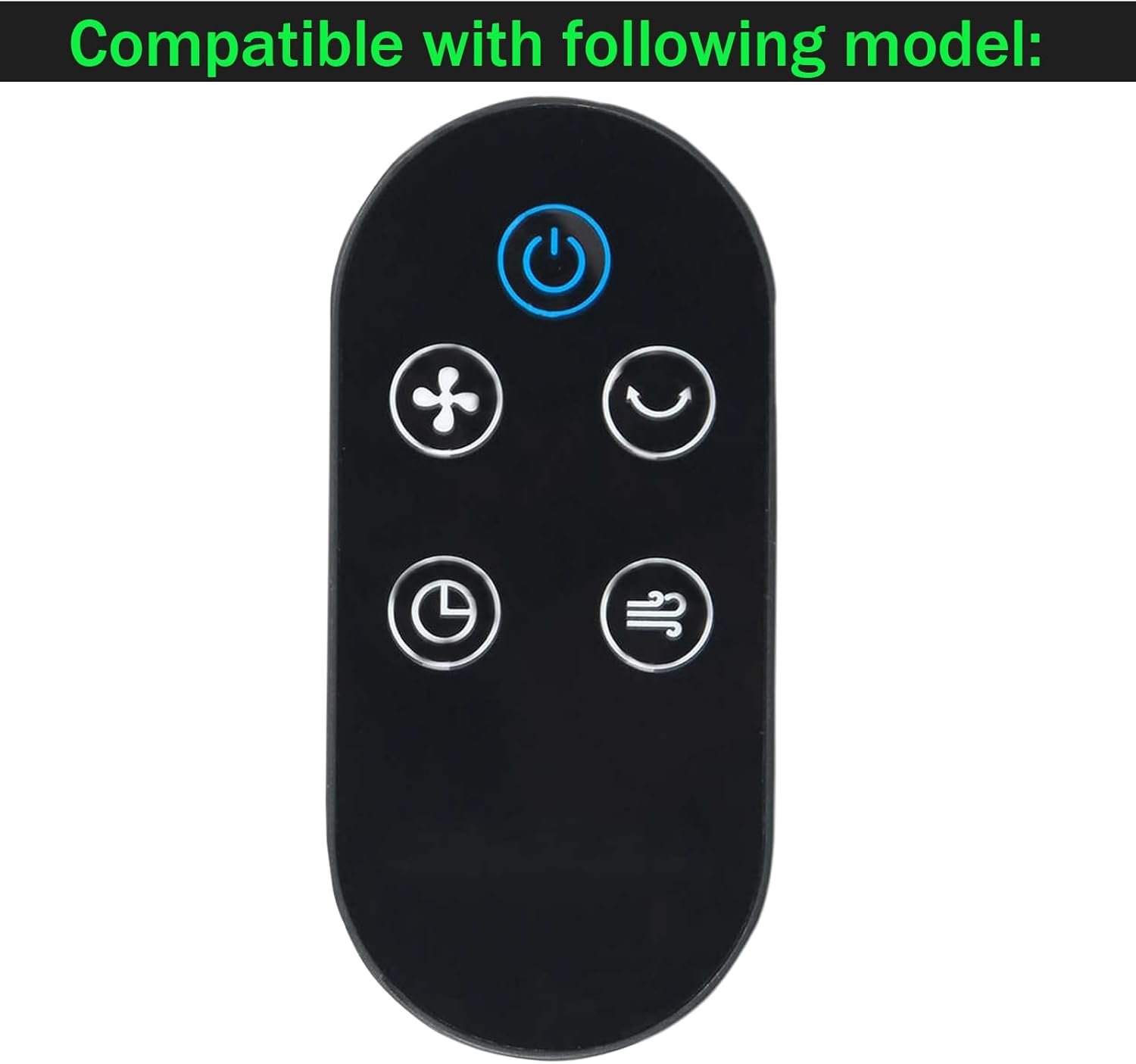
Image: The replacement remote control, clearly stating its compatibility with the OmniBreeze Digital Tower Fan model.
Setup
Battery Installation
The remote control requires two AAA 1.5V batteries (not included). Follow these steps to install the batteries:
- Locate the battery compartment on the back of the remote control.
- Slide the battery cover downwards to open the compartment.
- Insert two AAA 1.5V batteries, ensuring the positive (+) and negative (-) terminals align correctly with the markings inside the compartment.
- Slide the battery cover back into place until it clicks securely.
Important: This remote is designed for AAA 1.5V batteries for optimal performance and longevity. Avoid using coin cell batteries if your original remote used them, as this replacement model is specifically designed for AAA batteries.
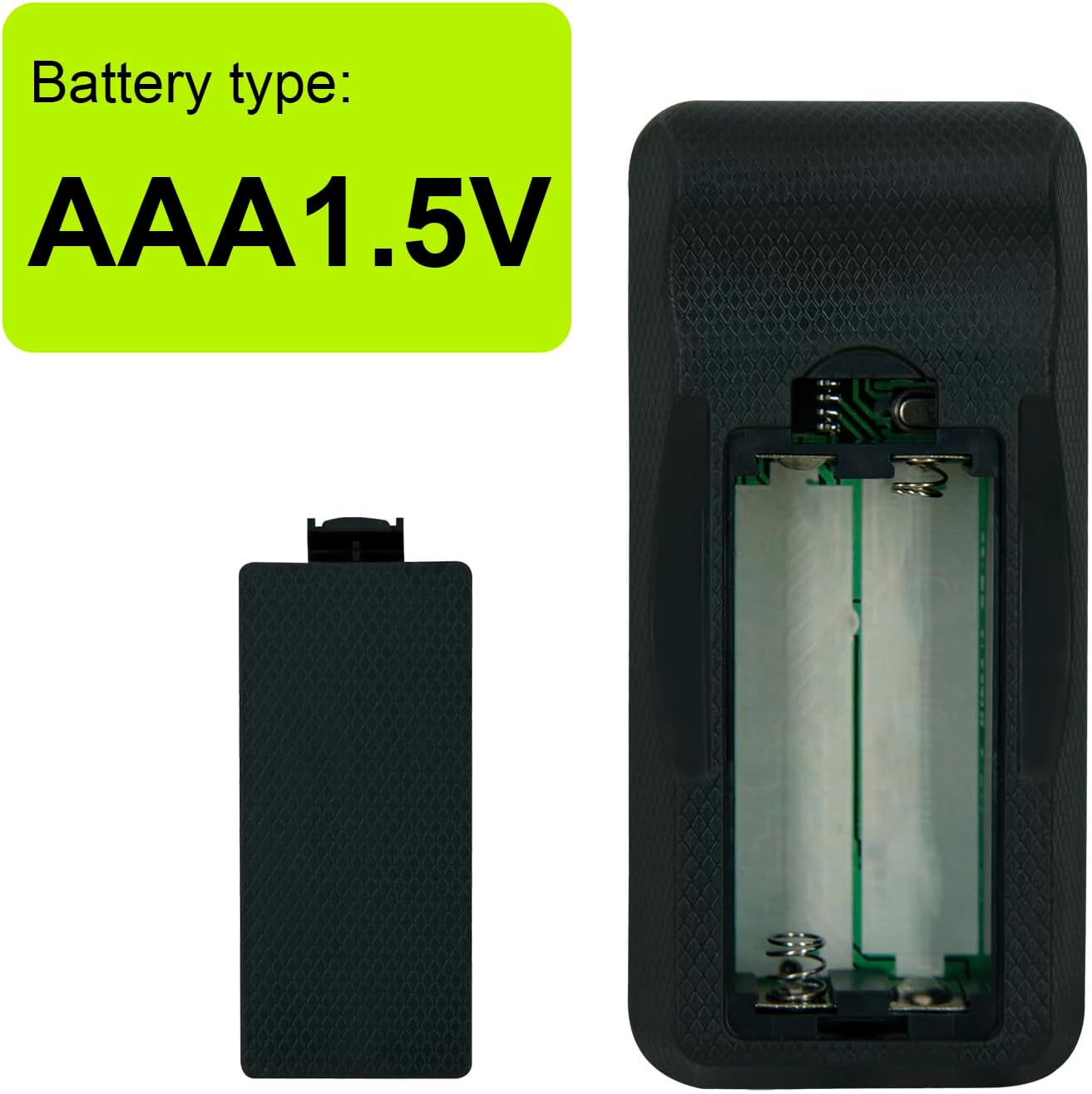
Image: Illustration showing the required battery type: AAA 1.5V.

Image: Visual comparison highlighting the new remote's design for AAA 1.5V batteries (top) versus older designs that might use coin batteries (bottom), emphasizing the improved durability with AAA batteries.
Operating Instructions
This remote control provides direct access to all essential functions of your OmniBreeze Digital Tower Fan. Point the remote directly at the fan's receiver for optimal performance.

Image: Diagram of the remote control with each button clearly labeled for its function.
- Power Button (
 ): Press to turn the fan ON or OFF.
 - Speed Selection Button (): Cycles through available fan speeds (e.g., Low, Medium, High). The fan has 3 power levels.
- Oscillation Button (): Activates or deactivates the fan's oscillation feature, allowing it to rotate from side to side.
- Timer Button (): Sets the fan to turn off automatically after a specified period. Refer to your fan's manual for specific timer intervals.
- Wind Selection Button (): Changes the fan's wind mode (e.g., Normal, Natural, Sleep).
Image: A clear front view of the replacement remote control, showing all buttons.
Maintenance
Battery Replacement
If the remote control's range decreases or it becomes unresponsive, it is likely time to replace the batteries. Follow the battery installation steps outlined in the "Setup" section.
Cleaning
To clean the remote control, gently wipe its surface with a soft, dry cloth. Do not use liquid cleaners or abrasive materials, as these can damage the remote's finish or internal components.

Image: The back of the remote control, illustrating the battery compartment cover.
Troubleshooting
- Remote not responding:
- Ensure batteries are inserted correctly with proper polarity (+/-).
- Replace old batteries with new AAA 1.5V batteries.
- Make sure there are no obstructions between the remote and the fan's receiver.
- Confirm the remote is compatible with your specific OmniBreeze Digital Tower Fan model (e.g., DC2018). This remote is not universal.
- Limited range:
- Replace batteries.
- Ensure direct line of sight to the fan.

Image: Highlights key features such as "No programming needed," "Easy Operating," and "Reliable Quality," which are relevant for troubleshooting.
Specifications
| Brand | GENGQIANSI |
| Model Name | A520230207B09(LAJ02) |
| Compatible Fan Model | OmniBreeze Digital Tower Fan DC2018 |
| Power Source | Battery Powered |
| Battery Type | 2 x AAA 1.5V (Not Included) |
| Control Method | Remote |
| Number of Power Levels | 3 (Fan Speed) |
| Color | Black |
| Item Weight | 1.06 ounces (approx. 30g) |
| Package Dimensions | 0.39 x 0.2 x 0.08 inches |

Image: Visual representation of the remote control's dimensions, showing its compact size.
Warranty and Support
Warranty Information
This replacement remote control is typically covered by a standard return/replacement policy, often for a period of 30 days from the date of purchase. Please refer to your purchase documentation or contact the seller for specific warranty terms and conditions.
Customer Support
For any questions, concerns, or assistance with your GENGQIANSI replacement remote control, please contact the seller directly through the platform where you made your purchase. Provide your order number and a detailed description of the issue for prompt support.
Seller: Remote Control US