
G-Homa B0BV2BHF33
G-Homa 24 Hour Mechanical Outdoor Timer Outlet User Manual
Model: B0BV2BHF33
1. Introduction
Thank you for choosing the G-Homa 24 Hour Mechanical Outdoor Timer Outlet. This device is designed to provide convenient and reliable control for your outdoor electrical appliances and lighting. Its robust, waterproof design ensures durability in various weather conditions. Please read this manual thoroughly before use to ensure proper operation and safety.

Figure 1: G-Homa 24 Hour Mechanical Outdoor Timer Outlet
2. Important Safety Information
WARNING: To reduce the risk of electric shock or fire, always follow these safety precautions:
- Do not immerse the timer in water.
- Ensure the protective cover is securely closed when in use outdoors.
- Always plug the timer into a grounded outlet.
- Do not exceed the maximum electrical ratings of the timer.
- Keep children away from the timer and connected devices.
- Mount the timer vertically at least 2 feet above the ground to prevent water accumulation.
3. Product Features
- 24-Hour Mechanical Control: Customize on/off times for daily cycling.
- Dual Grounded Outlets: Provides two outlets for connecting multiple devices.
- Weatherproof Design: Features a rainproof and rugged transparent lid and casing for outdoor use.
- Heavy Duty: Suitable for controlling high-power devices like pool pumps, aerators, and fountains.
- Easy to Use: Simple pin-based programming with a manual override switch.

Figure 2: Key Features and Dimensions

Figure 3: Waterproof Design in use
4. Setup and Operation
4.1 Understanding the Timer Dial
The timer features a 24-hour mechanical dial. The dark part of the dial typically represents nighttime (6 PM - 6 AM), and the white part represents daytime (6 AM - 6 PM). Each segment on the dial represents a 30-minute interval.
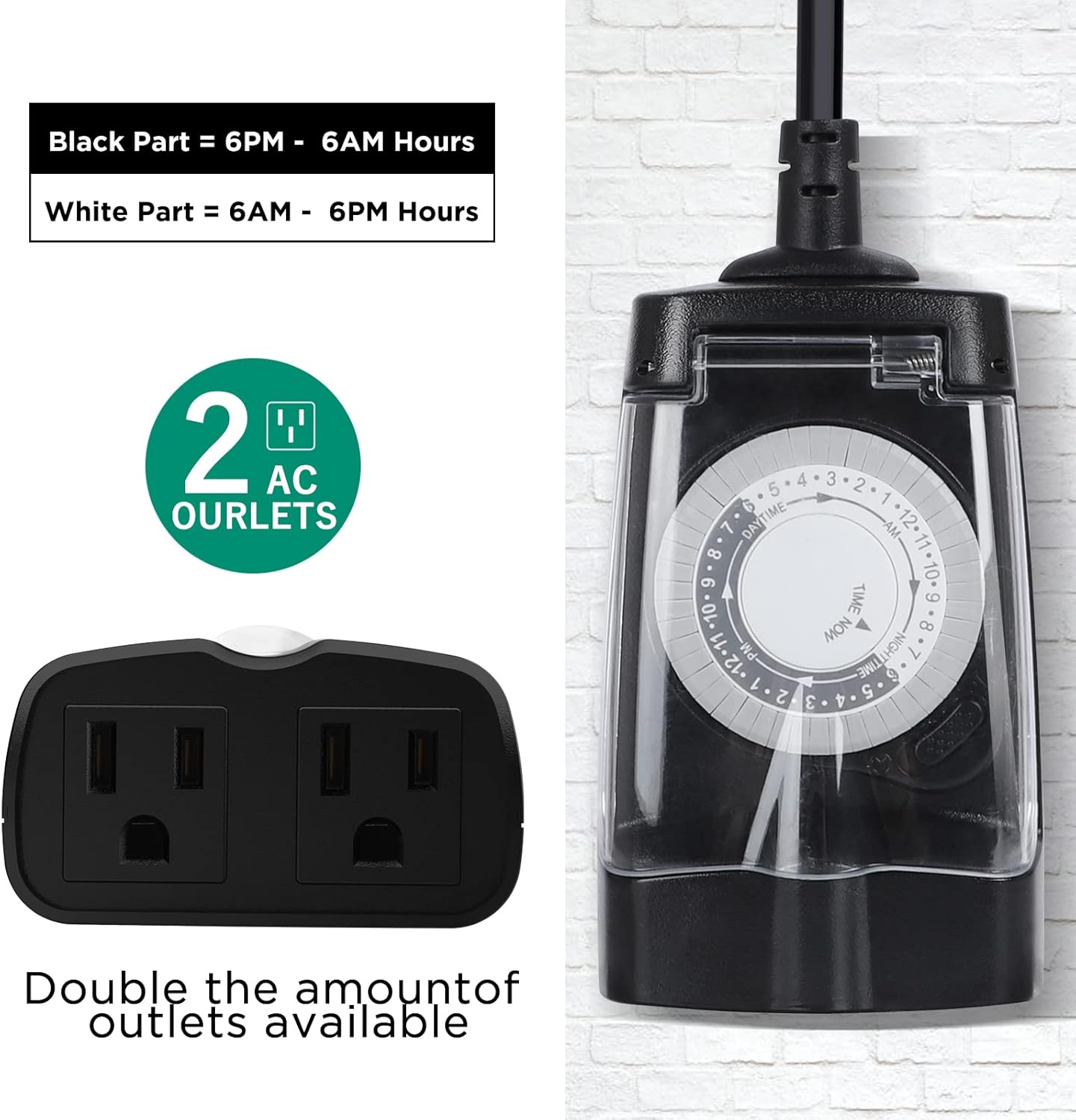
Figure 4: Timer Dial and Outlets Overview
4.2 Setting the Timer
Follow these steps to program your G-Homa outdoor timer:
- Lift all pins up: Use a small tool (like a pen or screwdriver) to lift all the pins around the dial to the 'OFF' position.
- Press down pins for 'ON' times: Push down the pins corresponding to the desired 'ON' times. Each pin represents a 30-minute interval. For example, to turn on from 6:00 PM to 11:00 PM, push down the pins from 6 PM to 11 PM.
- Set current time: Rotate the entire dial clockwise until the 'TIME NOW' arrow aligns with the current time. Ensure you differentiate between AM and PM.
- Select operating mode: Use the slide switch on the side to select 'Timer Mode' for automatic operation or 'Always ON' for continuous power.
- Connect devices: Plug the timer into a grounded outdoor outlet and then plug your devices into the two grounded outlets on the timer.

Figure 5: Timer Pin Settings

Figure 6: Step-by-Step Timer Setting
4.3 Video Guide: How to Use the Timer Dial
Video 1: This video demonstrates the process of setting the G-Homa 24 Hour Mechanical Outdoor Timer Outlet, including lifting and pressing pins, aligning the current time, and selecting the operating mode.
5. Recommended Applications
The G-Homa outdoor timer is versatile and can be used for a variety of outdoor electrical needs:
- Outdoor lighting (e.g., string lights, landscape lights)
- Holiday decorations (e.g., Christmas lights, inflatable decorations)
- Water features (e.g., fountains, pond pumps)
- Garden equipment (e.g., sprinklers, aerators)
- Heavy-duty devices up to 1/2 HP

Figure 7: Multi-Scenario Applications
6. Specifications
| Attribute | Value |
|---|---|
| Brand | G-Homa |
| Model | B0BV2BHF33 |
| Color | Black |
| Material | Plastic |
| Number of Outlets | 2 (Grounded) |
| Electrical Rating | 125V, 60Hz, 15A, 1875W (Resistance/General Purpose), 10A (Tungsten Lamp), 1/2HP |
| Timer Type | 24-Hour Mechanical |
| Settings Intervals | 30-minute intervals (48 on/off options) |
7. Warranty and Support
G-Homa offers a limited lifetime warranty for this product. For any questions or support needs, please contact our USA-based customer service. Our team is committed to assisting you within 24 hours.
Ask a question about this manual
Ask about setup, troubleshooting, compatibility, parts, safety, or missing instructions. Manuals+ will review the question and use this page’s manual context to help answer it.