
1. Introduction
This manual provides instructions for the assembly, operation, and maintenance of your DCCStands Ingenico Desk/1600 Low Freestanding Swivel and Tilt Metal Stand. This stand is designed to securely hold the Ingenico Desk/1600 payment terminal, enhancing stability and security for in-store card purchases.
The stand features a robust mild steel construction with a durable powder-coated finish, offering both longevity and protection. It allows for significant tilt and swivel adjustments, improving customer interaction and operational efficiency.
2. Safety Information
- Ensure all components are securely fastened during assembly to prevent instability.
- Do not overtighten screws, as this may damage the components.
- Place the assembled stand on a stable, flat surface to prevent tipping.
- Keep hands clear of moving parts (swivel and tilt mechanisms) during adjustment to avoid pinching.
- This stand is designed for the Ingenico Desk/1600 terminal. Using it with incompatible devices may compromise stability and security.
3. Package Contents
Verify that all the following items are included in your package:
- 1x Swivel and Tilt Stand Pole Assembly
- 1x 8-inch Round Countertop Base Plate
- 4x Mounting Screws
- 4x Silicone Rubber Feet (pre-attached or separate)

Image: The 8-inch round base plate and four mounting screws, which are essential components for assembling the freestanding stand.
4. Setup Instructions
Follow these steps to assemble your freestanding swivel and tilt stand:
- Prepare the Base Plate: Place the 8-inch round countertop base plate on a flat, stable surface. Ensure the side with the screw holes facing upwards.
- Attach the Stand Pole: Align the bottom of the swivel and tilt stand pole assembly with the central screw holes on the base plate. The cable management opening on the pole should align with the corresponding opening on the base plate.
- Secure with Screws: Using the provided screws, securely fasten the stand pole to the base plate. Use a screwdriver to tighten the screws until the pole is firmly attached to the base, but do not overtighten.
- Install Terminal (Not Included): Once the stand is assembled, you can attach your Ingenico Desk/1600 payment terminal to the mounting bracket at the top of the stand. Refer to your terminal's manual for specific attachment instructions.

Image: The fully assembled stand, ready for the Ingenico Desk/1600 payment terminal. This view highlights the robust construction and the swivel/tilt head.
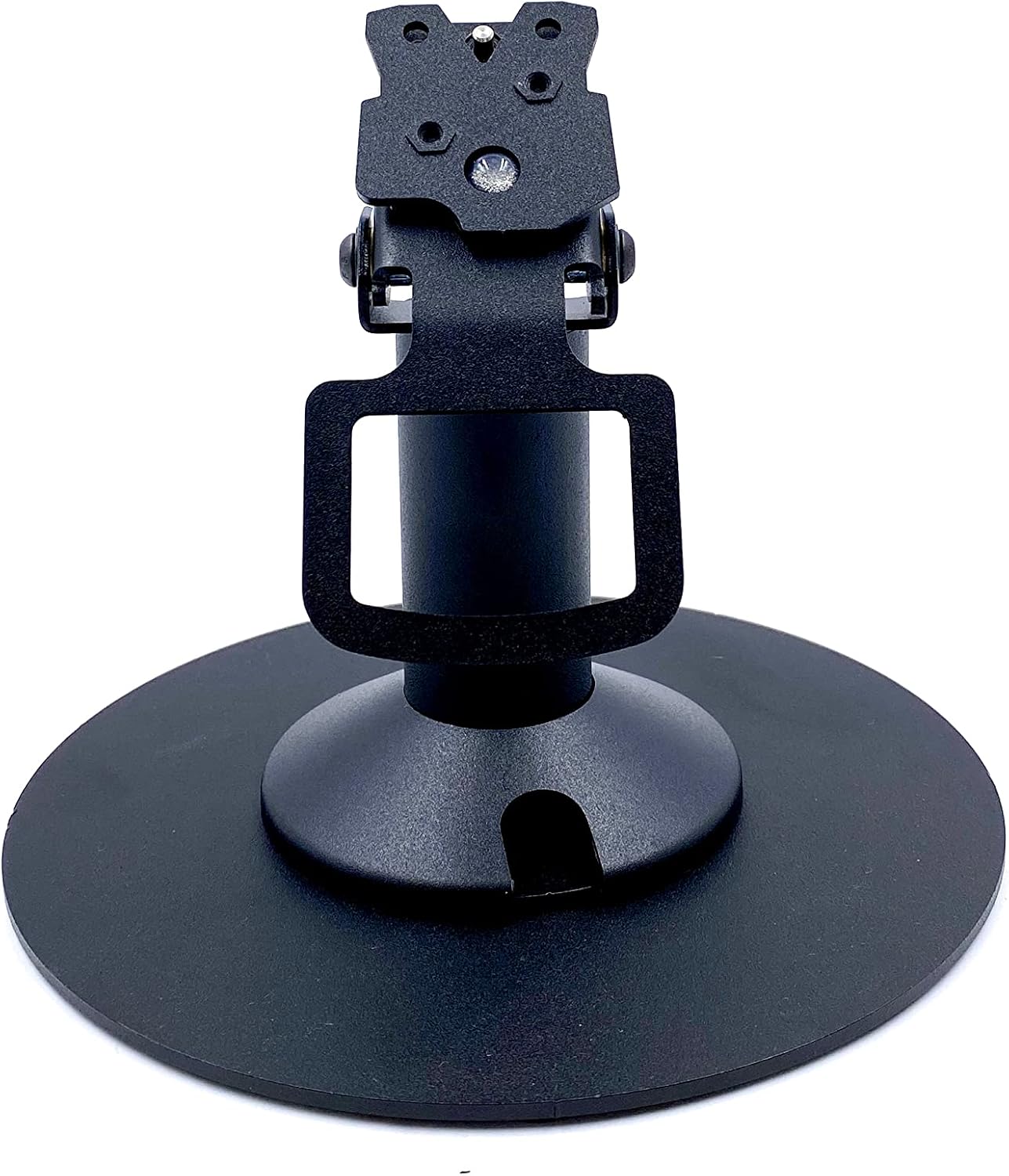
Image: A direct front view of the stand, showcasing the mounting bracket designed for the payment terminal.
5. Operating Instructions
The DCCStands Ingenico Desk/1600 stand is designed for flexible positioning of your payment terminal.
- Swivel Function: The stand allows for a full 190° swivel rotation. Gently rotate the terminal holder to position the device towards the customer or merchant as needed.
- Tilt Function: The terminal holder can tilt up to 60°. Adjust the angle by gently pushing or pulling the terminal holder to achieve the desired viewing angle for ease of use and accessibility.
- Cable Management: Utilize the opening in the stand pole and base plate to route the terminal's cables, keeping your countertop tidy and secure.

Image: The stand with the terminal holder tilted upwards, demonstrating its adjustable angle for user convenience.

Image: The stand with the terminal holder tilted downwards, illustrating the range of motion for optimal positioning.
6. Maintenance
To ensure the longevity and proper functioning of your stand, follow these maintenance guidelines:
- Cleaning: Wipe the stand with a soft, damp cloth. Avoid using abrasive cleaners or solvents, as these can damage the powder-coated finish.
- Inspection: Periodically check all screws and connections to ensure they remain tight. Retighten if necessary.
- Lubrication: The swivel and tilt mechanisms are designed for smooth operation. No lubrication is typically required. If movement becomes stiff, ensure no debris is obstructing the mechanism.
7. Troubleshooting
If you encounter any issues with your stand, refer to the following common problems and solutions:
- Stand is unstable:
- Ensure all mounting screws are securely tightened.
- Verify the stand is placed on a flat and level surface.
- Check if the silicone rubber feet are properly attached to the base plate.
- Difficulty swiveling or tilting:
- Inspect the swivel and tilt mechanisms for any obstructions or debris.
- Ensure the terminal is correctly mounted and not causing imbalance.
8. Specifications
| Feature | Detail |
|---|---|
| Model Number | DCCS-LANE-5B-FREERO-B-KIT |
| Compatible Terminal | Ingenico Desk/1600 |
| Brand | DCCStands |
| Material | Alloy Steel |
| Color | Black |
| Product Dimensions (L x W x H) | 8 x 4 x 4 inches |
| Item Weight | 2 pounds |
| Swivel Angle | 190° |
| Tilt Angle | Up to 60° |
| UPC | 753951523066 |
9. Warranty and Support
For warranty information or technical support, please contact DCCStands directly. Refer to their official website or product packaging for the most current contact details.
Manufacturer: DCCStands
Website: DCCStands on Amazon (for general product information)