
1. Introduction
This manual provides essential instructions for the proper setup, operation, and maintenance of your DCCStands Ingenico Desk/2600 Low Freestanding Swivel and Tilt Stand. This stand is designed to securely hold the Ingenico Desk/2600 payment terminal, enhancing stability and security for in-store card transactions. Please read this manual thoroughly before installation and use.

Figure 1: DCCStands Ingenico Desk/2600 Low Freestanding Swivel and Tilt Stand. This image shows the complete stand assembly, featuring the central pole, the swivel and tilt mechanism, and the square base plate.
2. Safety Information
- Ensure all components are securely fastened before placing the payment terminal on the stand.
- Do not overtighten screws, as this may damage the stand or the terminal.
- Keep the stand on a stable, flat surface to prevent tipping.
- Avoid exposing the stand to excessive force or impact.
- This stand is designed for the Ingenico Desk/2600 terminal. Using incompatible devices may result in instability or damage.
3. Package Contents
Verify that all items listed below are present in your package:
- 1x Swivel and Tilt Stand Assembly (main pole with terminal holder)
- 1x 8" x 8" Square Countertop Metal Plate
- Mounting Screws (for attaching stand to plate)
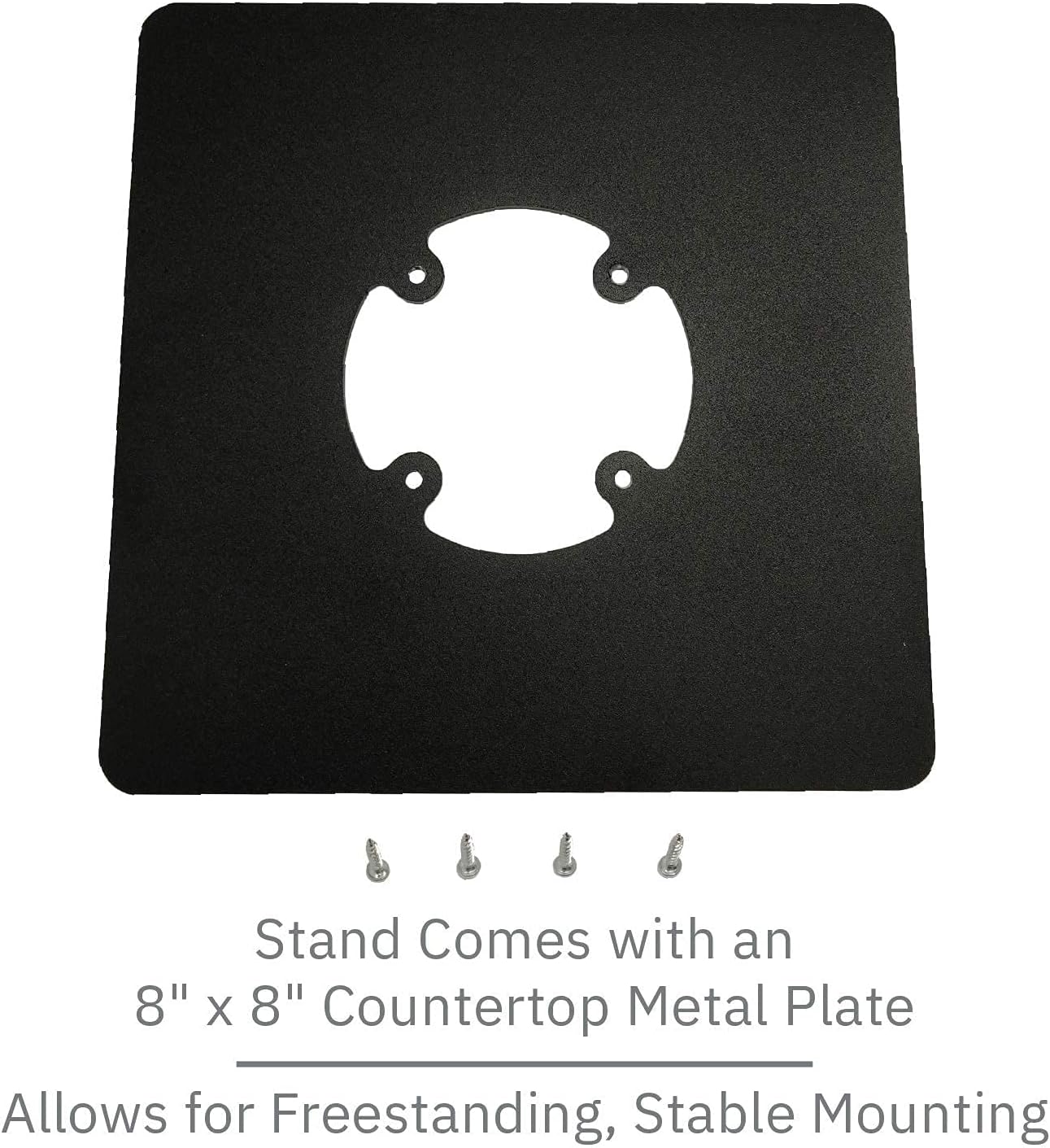
Figure 2: Square Countertop Metal Plate and Mounting Screws. This image displays the 8x8 inch square base plate and the screws required to attach the stand's pole to the plate.
4. Setup Instructions
Follow these steps to assemble your DCCStands Swivel and Tilt Stand:
- Unpack Components: Carefully remove all items from the packaging and verify against the package contents list.
- Attach Stand to Plate:
- Place the square countertop metal plate on a flat, stable surface.
- Align the base of the swivel and tilt stand assembly with the screw holes on the square plate.
- Using the provided mounting screws, securely fasten the stand to the plate. Ensure the screws are tightened firmly but do not overtighten.
- Mount Ingenico Desk/2600 Terminal:
- Carefully place your Ingenico Desk/2600 payment terminal onto the holder at the top of the stand.
- Ensure the terminal is seated correctly and securely within the holder. The holder is designed to fit the Desk/2600 snugly.
- Cable Management: Route any necessary cables (e.g., power, data) through the designated opening in the stand's pole for a tidy and secure setup. The flange cover helps conceal wires.

Figure 3: Front view of the assembled stand. This image shows the stand from the front, highlighting the terminal holder and the opening for cable routing.

Figure 4: Back view of the assembled stand. This image provides a rear perspective, illustrating the cable management features and the robust construction.
5. Operating Instructions
The DCCStands Swivel and Tilt Stand offers flexibility for customer and merchant interaction:
- Swivel Function: The stand can swivel a full 190° (95° left and 95° right). Gently rotate the terminal holder to face the customer or merchant as needed.
- Tilt Function: The terminal holder can tilt up to 60°. Adjust the angle by gently pushing or pulling the terminal holder to achieve the desired viewing angle for ease of use.

Figure 5: Stand tilted forward. This image demonstrates the stand's tilt capability, showing the terminal holder angled towards the user.

Figure 6: Stand tilted backward. This image illustrates the stand's tilt capability, showing the terminal holder angled away from the user.
6. Maintenance
- Cleaning: Wipe the stand with a soft, damp cloth. Avoid using abrasive cleaners or solvents, as these may damage the powder-coated finish.
- Inspection: Periodically check all screws and connections to ensure they remain tight. Retighten if necessary.
- Lubrication: The swivel and tilt mechanisms are designed for smooth operation and generally do not require lubrication. If movement becomes stiff, contact support.
7. Troubleshooting
| Problem | Possible Cause | Solution |
|---|---|---|
| Stand is wobbly or unstable. | Screws are loose; stand not on a flat surface. | Ensure all mounting screws are tightened. Place the stand on a stable, level countertop. |
| Terminal does not fit securely. | Incorrect terminal model; improper placement. | Verify that you are using an Ingenico Desk/2600 terminal. Re-seat the terminal carefully into the holder. |
| Swivel/tilt mechanism is stiff. | Dust or debris; lack of lubrication (rare). | Clean the mechanism area. If stiffness persists, contact DCCStands support. |
8. Specifications
- Model: DCCS-LANE-5B-FREEBLACKQUARE-KIT
- Compatible Device: Ingenico Desk/2600 Payment Terminal
- Material: Robust Mild Steel
- Finish: Durable Powder Coated (Black)
- Stand Height: 4 inches (pole height)
- Base Plate Dimensions: 8" x 8" Square
- Swivel Range: 190° (95° left / 95° right)
- Tilt Range: Up to 60°
- Product Dimensions: 8 x 4 x 4 inches (approximate, assembled)
- Item Weight: 2 pounds
9. Warranty and Support
For warranty information or technical support, please contact DCCStands directly. Refer to your purchase documentation for specific warranty terms and contact details. General support inquiries can often be resolved by visiting the manufacturer's official website or contacting their customer service department.
Manufacturer: DCCStands
ASIN: B0BTZC3B14