
Introduction
The GE Cync Dynamic Effects A19 Smart LED Light Bulbs offer advanced lighting control and customization for your home. These bulbs provide millions of colors, tunable white light, dynamic lighting effects, and music synchronization. Designed for indoor use, they connect directly to your 2.4 GHz Wi-Fi network, eliminating the need for a separate hub. Control your lighting via the Cync app, Amazon Alexa, or Google Assistant for a seamless smart home experience.
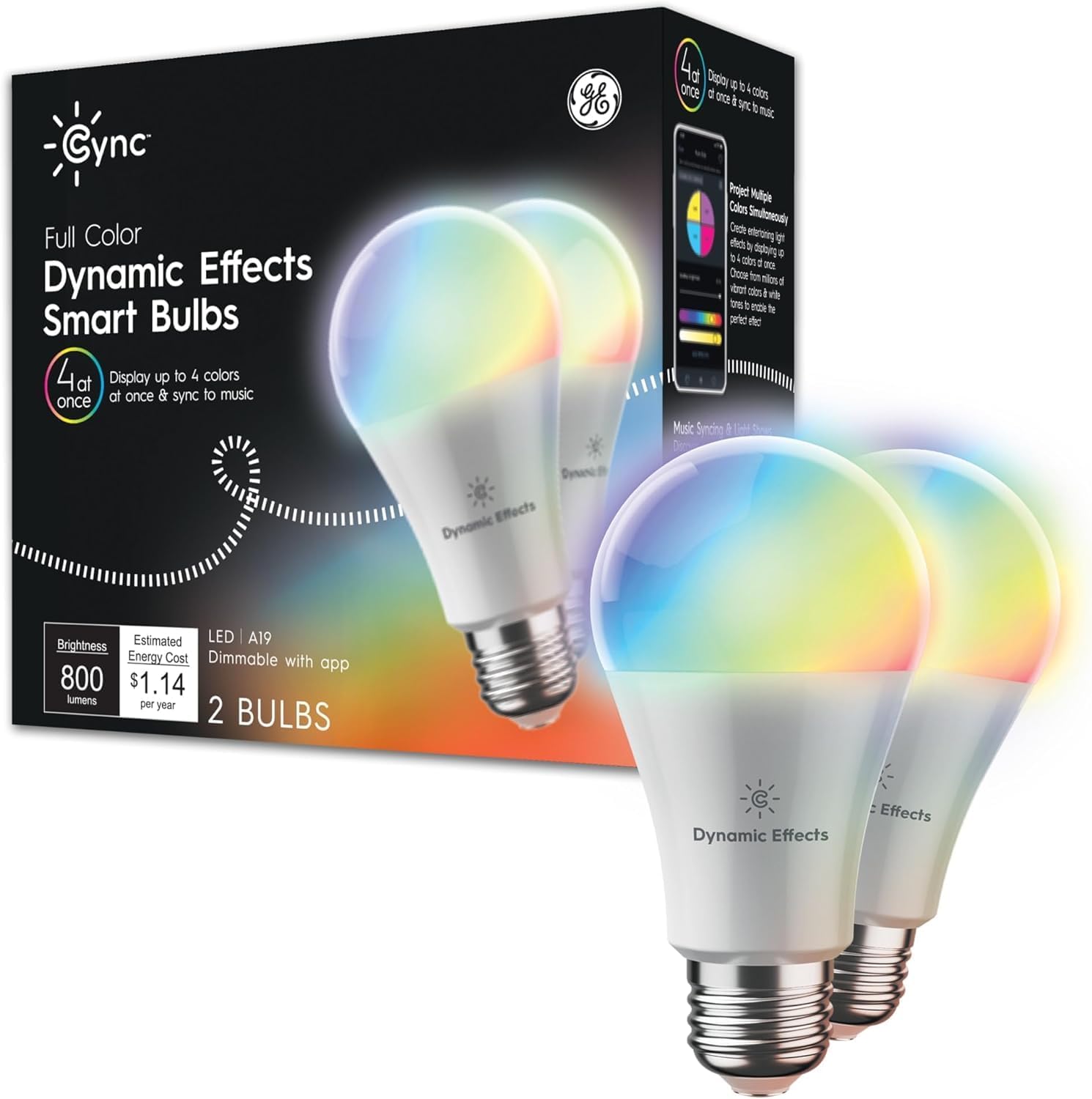
Image: Packaging of the GE Cync Dynamic Effects Smart Bulbs, showing two bulbs and key features like 4-color display and music sync.
Key Features
- Energy Efficient: Replaces 60-watt incandescent bulbs with smart LED technology.
- Music Sync: Synchronize lighting effects with your favorite music for dynamic light shows.
- Vibrant Color Changing: Access millions of colors and display up to four colors simultaneously using TrueImage technology.
- Tunable White Light: Adjust white light tones from warm amber (2000K) to cool bluish (7000K), with optimized settings for sleep/wake cycles.
- Simple Setup: Connects directly to 2.4GHz Wi-Fi; no hub or bridge required.
- Out-of-Home & Hands-Free Control: Control lights remotely via the Cync app and use voice commands with Amazon Alexa and Google Home devices.

Image: A single GE Cync Smart Bulb with a list of features including millions of colors, brightness control, light shows, music syncing, control from anywhere, and scene/schedule setting.
Setup Guide
- Install Bulbs: Screw the GE Cync Dynamic Effects Smart LED Light Bulbs into your desired light fixtures. Ensure the fixtures are powered on.
- Download the Cync App: Download the latest version of the Cync app (Powered by Savant) from your smartphone's app store.
- Create Account & Pair: Open the Cync app and follow the on-screen instructions to create an account and pair your new smart bulbs. The app will guide you through connecting the bulbs to your 2.4 GHz Wi-Fi network.
- Voice Assistant Integration (Optional): To enable voice control, open your Amazon Alexa or Google Home app. Ensure your Cync devices are already set up in the Cync app.
Connecting Cync Devices to Amazon Alexa
Video: Official guide on how to connect your Cync smart devices, including these bulbs, to Amazon Alexa for voice control and integrated smart home management.
Operating Your Smart Bulbs
Once your bulbs are set up, you can control them using the Cync app or your preferred voice assistant.
Color and Brightness Control
Use the Cync app's color wheel and brightness slider to select from millions of colors and adjust the light intensity. The Dynamic Effects bulbs can display up to four colors simultaneously for unique lighting scenes.

Image: A lamp in a room displaying multiple colors simultaneously, showcasing the dynamic effects capability of the GE Cync bulb.
Video: Demonstrates the enhanced dimming range of the GE Cync smart bulbs, showing smooth transitions from full brightness to very low light levels.
Light Shows and Music Sync
Explore pre-set light shows or create custom ones within the Cync app. Activate music sync to have your lights react to the beat and rhythm of your audio, perfect for parties or immersive experiences.

Image: A smartphone displaying the Cync app interface with various light show presets like Candellight, Rainbow, Fireworks, and Volcanic.

Image: A family enjoying a room illuminated with dynamic colors, demonstrating the music sync feature of the GE Cync smart bulbs.
Scheduling and Voice Control
Set daily schedules to automate when your lights turn on or off. Use voice commands with Amazon Alexa or Google Assistant for hands-free control of individual bulbs or groups of lights.

Image: A voice command bubble showing "Alexa, activate Movie Time." next to a lamp, illustrating the voice control capability of GE Cync smart lights.
Specifications
| Attribute | Value |
|---|---|
| Brand | Cync |
| Model Name | Cync Dynamic Effects Full Color A19 (2-Pack) |
| Light Type | LED |
| Bulb Shape Size | A19 |
| Bulb Base | E26 Medium |
| Wattage | 9.5 watts |
| Incandescent Equivalent | 60 Watts |
| Brightness | 800 Lumens |
| Color Temperature | 2000K - 7000K |
| Connectivity Technology | Wi-Fi, Wireless |
| Control Method | App, Voice (Amazon Alexa, Google Assistant) |
| Indoor/Outdoor Usage | Indoor |
| Estimated Yearly Energy Cost | $1.14 |
Troubleshooting
- Bulb Not Connecting to Wi-Fi:
- Ensure your Wi-Fi network is 2.4 GHz. Cync bulbs do not support 5 GHz networks.
- Verify your Wi-Fi signal strength at the bulb's location.
- Try power cycling the bulb (turn off and on at the switch 5 times, waiting 2 seconds between each toggle) to reset it, then attempt pairing again.
- Ensure your router is not too far from the bulb.
- Voice Control Issues:
- Confirm that your Cync account is correctly linked in the Amazon Alexa or Google Home app.
- Try rediscovering devices in your voice assistant app (e.g., "Alexa, discover devices").
- Ensure the device names in the Cync app match those in your voice assistant app.
- Inconsistent Performance:
- Check for Cync app updates and bulb firmware updates.
- Ensure your Wi-Fi network is stable and not experiencing interference.
Care and Maintenance
- Cleaning: Ensure the bulb is off and cool before cleaning. Wipe with a soft, dry cloth. Do not use liquid cleaners.
- Handling: Handle bulbs by the base, not the glass. Avoid dropping or subjecting them to excessive force.
- Storage: If storing bulbs, keep them in their original packaging in a cool, dry place.
- Disposal: Dispose of LED bulbs according to local electronic waste regulations.
Warranty Information
GE Cync Dynamic Effects Smart LED Light Bulbs come with a 3-year limited warranty. For detailed warranty terms and conditions, please visit www.gelighting.com/smart-home/warranty or contact customer support.
Customer Support
For further assistance, technical support, or to learn more about your GE Cync products, please use the following resources:
- Online Support: Visit cyncsupport.gelighting.com for FAQs, live chat, and more.
- Phone Support: Call 1-844-302-2943 to speak with a support team member.