
AcclaFit P5

AcclaFit Smart Watch P5 User Manual
Model: P5
1. Introduction
Thank you for choosing the AcclaFit Smart Watch P5. This device is designed to enhance your daily life with its comprehensive features, including Bluetooth calling, advanced health monitoring, and a wide array of sport modes. This manual provides essential information for setting up, operating, and maintaining your new smartwatch.
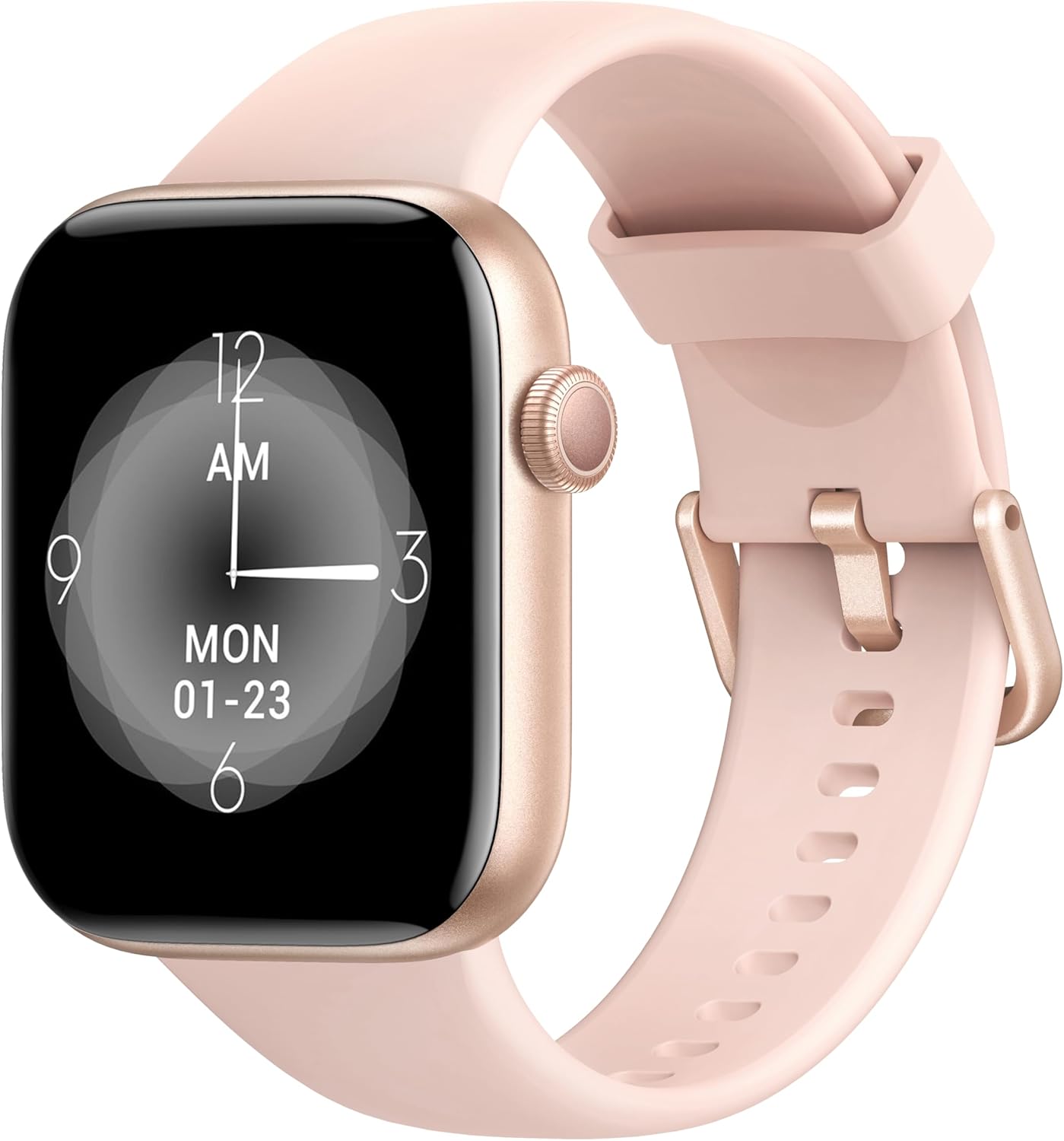
Image: The AcclaFit Smart Watch P5, featuring a rose gold casing and a light pink silicone strap, displaying a digital clock face.
What's in the Box
- AcclaFit Smart Watch P5
- Charging Cable
- User Manual (this document)
2. Safety Information
- Do not expose the watch to extreme temperatures (hot or cold) or direct sunlight for prolonged periods.
- Avoid strong impacts or dropping the device.
- The watch is IP68 waterproof, suitable for washing hands, showering, swimming, and diving. Do not wear it in hot water, including hot showers or saunas, as steam can damage the seals.
- Keep the charging contacts clean and dry to prevent corrosion.
- Consult a medical professional before starting any new exercise regimen, especially if you have pre-existing health conditions.
- This device is not a medical device and should not be used for medical diagnosis or treatment.
3. Setup Guide
3.1 Charging the Smart Watch
Before first use, fully charge your AcclaFit Smart Watch P5. Connect the magnetic charging cable to the charging contacts on the back of the watch and plug the USB end into a standard USB power adapter (5V/1A recommended) or a computer USB port. A full charge takes approximately 2 hours.
The watch display will show the charging progress. Ensure the charging contacts are clean and dry before connecting the cable.
3.2 Downloading the 'H Band' App
The AcclaFit Smart Watch P5 requires the 'H Band' application for full functionality and data synchronization. You can download the app from:
- Apple App Store for iOS devices (iOS 10.0 or above)
- Google Play Store for Android devices (Android 5.0 or above)
Search for "H Band" and install the application on your smartphone.
3.3 Pairing with Your Smartphone
- Ensure your smartphone's Bluetooth is enabled.
- Open the 'H Band' app on your smartphone.
- Follow the on-screen instructions to create an account or log in.
- Navigate to the "Device" or "My Device" section within the app.
- Tap "Add Device" or "Search for Device". The app will scan for available smartwatches.
- Select "P5" or the device name that appears in the search results.
- Confirm the pairing request on both your watch and smartphone if prompted.
- Once successfully paired, the watch's time will synchronize with your phone, and you will see a connected status in the app.
For optimal performance, ensure the 'H Band' app is running in the background and has necessary permissions enabled (e.g., location, notifications).
4. Operating Your Smart Watch
4.1 Basic Navigation
- Touch Screen: Swipe left/right, up/down to navigate through menus and features. Tap to select.
- Side Button: Press to wake the screen, return to the home screen, or access the main menu (functionality may vary based on context).
4.2 Bluetooth Calling & Notifications
The AcclaFit Smart Watch P5 allows you to make and answer calls directly from your wrist, thanks to its built-in microphone and Hi-Fi speaker. Ensure your watch is connected to your phone via Bluetooth.
- Answering Calls: When a call comes in, the watch will vibrate and display the caller ID. Tap the green phone icon to answer.
- Making Calls: Access the dial pad or contact list on the watch to initiate a call.
- Notifications: Receive SMS text messages and SNS notifications (Facebook, Twitter, WhatsApp, LinkedIn, Messenger, etc.) directly on your watch. Enable app notifications in the 'H Band' app settings.
4.3 Health Tracking
The watch continuously monitors various health metrics. All data is synchronized with the 'H Band' app for detailed analysis and historical tracking.
- Heart Rate Monitoring: Built-in high-precision PPG sensor tracks your heart rate 24/7. View real-time data on the watch and detailed graphs in the app.
- Blood Oxygen (SpO2) Monitoring: Measures blood oxygen levels using a reflective-light based sensor.
- Blood Pressure Monitoring: Measures blood pressure using a reflective-light based sensor.
- Sleep Monitoring: Tracks sleep quality through Awake, Light sleep, and Deep sleep stages. Provides insights into sleep duration and patterns.

Image: A close-up of the smartwatch screen showing various health metrics like heart rate and activity data.
4.4 Fitness Modes
The AcclaFit Smart Watch P5 supports over 140 professional and extended workout modes. These modes help track your activity data scientifically.
- Accessing Modes: Navigate to the 'Sport' or 'Workout' menu on your watch.
- Tracking: Select your desired activity (e.g., running, cycling, yoga, swimming) to start tracking steps, active minutes, distance, and calorie consumption.
- Data Sync: All workout data is synced to the 'H Band' app for detailed review and progress tracking.
4.5 Customization & Other Features
- Custom Dials: Choose from over 100 dial styles via the 'H Band' app or use your own photos as watch faces.
- Screen Brightness: Adjust the screen brightness directly on the watch for optimal visibility in various lighting conditions.
- Music Player: Control music playback on your phone or play music directly through the watch's built-in speaker.
- Practical Gadgets: Access features like Voice Assistant, torch, calculator, alarm, stopwatch, sedentary reminder, weather display, and remote camera control.
- Female Cycle Tracking: Monitor and track female physiological cycles through the app.
5. Maintenance
- Cleaning: Wipe the watch and strap regularly with a soft, damp cloth. For stubborn dirt, use a mild soap solution and rinse thoroughly. Ensure the watch is completely dry before charging.
- Charging: Always use the provided charging cable. Avoid using damaged cables or chargers. Do not charge the watch in wet conditions.
- Water Exposure: While IP68 waterproof, avoid prolonged submersion in saltwater or chemical liquids. Rinse with fresh water after swimming in chlorinated pools. Do not expose to hot water or steam.
- Software Updates: Regularly check the 'H Band' app for firmware updates to ensure optimal performance and access to new features.
- Storage: When not in use for extended periods, store the watch in a cool, dry place. Charge it periodically to maintain battery health.
6. Troubleshooting
| Problem | Possible Solution |
|---|---|
| Watch not turning on/charging. |
|
| Unable to pair with smartphone. |
|
| Notifications not received. |
|
| Inaccurate health data readings. |
|
7. Specifications
| Feature | Detail |
|---|---|
| Model Name | P5 |
| Display | 1.85 Inches Full Touch LCD Screen |
| Battery Capacity | 400 Milliamp Hours (mAh) |
| Battery Life | Up to 7 days (normal usage), 30 days (standby) |
| Charging Time | Approx. 2 hours |
| Water Resistance | IP68 |
| Connectivity | Bluetooth 5.3 |
| Compatibility | iOS 10.0+ / Android 5.0+ |
| App Name | H Band |
| Product Dimensions | 10.24 x 1.77 x 0.39 inches |
| Item Weight | 3.84 ounces |
| Special Features | Bluetooth Calling, Heart Rate, SpO2, Sleep Monitor, 140+ Sport Modes, Notifications, Music Player, Voice Assistant, Custom Dials, IP68 Waterproof |
8. Warranty and Support
AcclaFit products are manufactured to the highest quality standards. For information regarding warranty coverage and terms, please refer to the warranty card included with your product or visit the official AcclaFit website.
If you encounter any issues or have questions about your AcclaFit Smart Watch P5, please contact our customer support team. Details for contacting support can typically be found on the AcclaFit website or through the 'H Band' app's help section.
Please have your product model (P5) and purchase information ready when contacting support.
Related documentsP5


Ask a question about this manual
Ask about setup, troubleshooting, compatibility, parts, safety, or missing instructions. Manuals+ will review the question and use this page’s manual context to help answer it.