Introduction
This manual provides comprehensive instructions for the assembly, operation, and maintenance of your COSTWAY 59-Inch L-Shaped Computer Desk, Model 67502-CYWH. Please read these instructions carefully before assembly and use to ensure proper setup and safe operation. Keep this manual for future reference.
Safety Information
- Ensure all parts are present before beginning assembly. Refer to the "Package Contents" section.
- Assemble the desk on a soft, clean surface to prevent scratches.
- Do not overtighten screws during assembly, as this may damage the material.
- Keep small parts away from children during assembly to avoid choking hazards.
- Do not stand or sit on the desk. The maximum load capacity is 265 lbs.
- Regularly check all fasteners to ensure they remain tight.
Package Contents
Before assembly, verify that all components listed below are included in your package:
- L-shaped Computer Desk components (desktop panels, metal frame parts, shelves)
- Hardware pack (screws, bolts, adjustable foot pads, X-brace rods)
- Assembly Tools (e.g., Allen wrench)
- User Manual
If any parts are missing or damaged, please contact COSTWAY customer support for assistance.
Setup and Assembly
Follow these steps carefully to assemble your L-shaped computer desk. It is recommended to have two people for assembly.
Step 1: Unpack and Identify Components
Carefully unpack all contents and lay them out on a clean, soft surface. Identify each part by comparing it with the parts list in your included user manual.

Figure 1: Overview of the COSTWAY L-Shaped Computer Desk, showing its main components and overall design. This image helps in identifying the various parts before assembly.
Step 2: Assemble the Main Desk Frame
Begin by assembling the metal frame for the main desk section. Attach the horizontal support bars to the vertical legs using the provided screws. Ensure all connections are secure but do not fully tighten until all parts are aligned.
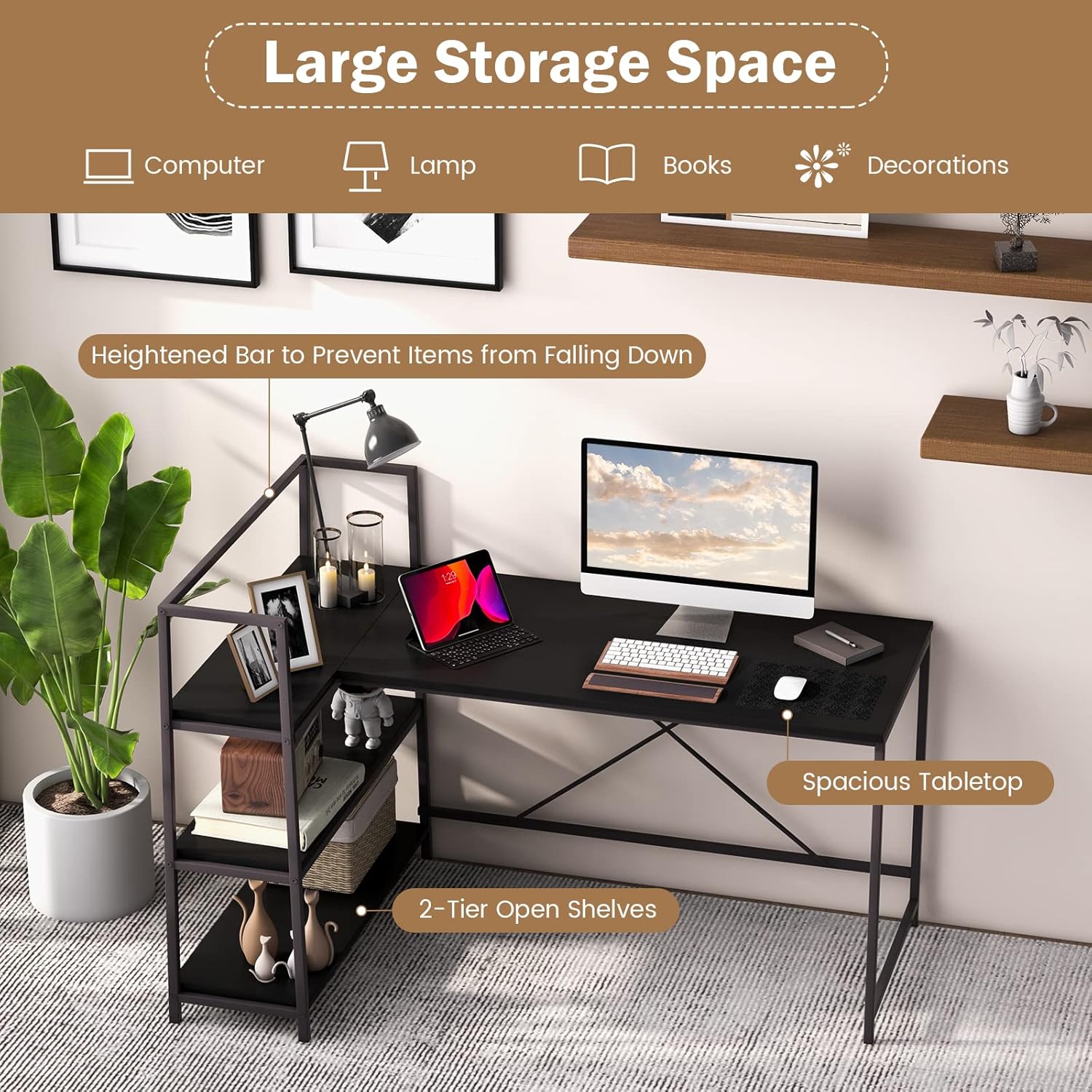
Figure 2: Detail of the desk's construction, highlighting the thickened and rustproof metal tubes, X-shaped reinforced structure, and adjustable foot pads. These components contribute to the desk's stability and durability.
Step 3: Attach the Desktop Panel
Place the main desktop panel onto the assembled frame. Secure it using the designated screws. Ensure the panel is flush with the frame edges.
Step 4: Assemble the Shelf Unit (Reversible Configuration)
The shelf unit can be installed on either the left or right side of the main desk. Decide your preferred orientation before proceeding. Assemble the shelf frame and then attach the two open shelves. The heightened bar is designed to prevent items from falling.

Figure 3: Illustration demonstrating the reversible nature of the L-shaped computer desk. The short desktop section with shelves can be configured on either the left or right side to suit user preference and room layout.
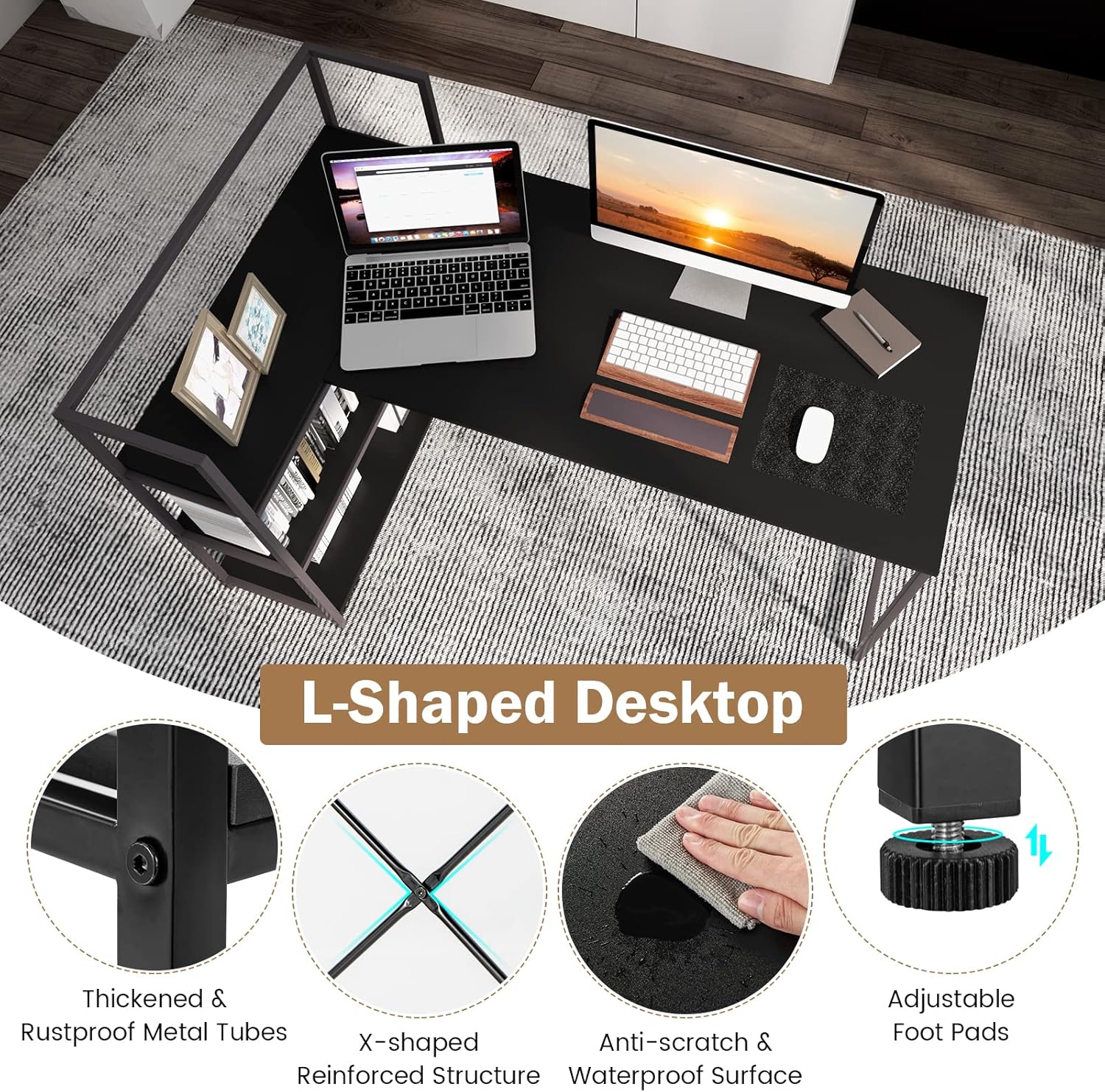
Figure 4: This image showcases the desk's large storage capacity, featuring a spacious tabletop for a computer and accessories, and two tiers of open shelves for books, decorations, and other items. A heightened bar is visible, designed to prevent items from falling.
Step 5: Connect the Shelf Unit to the Main Desk
Align the shelf unit with the main desk and secure them together using the connecting hardware. Ensure a stable and flush connection between the two sections.
Step 6: Adjust Foot Pads and Final Tightening
Once the entire desk is assembled, adjust the foot pads at the bottom of the legs to ensure the desk is level and stable on your floor. Finally, go back and fully tighten all screws and bolts, being careful not to overtighten.

Figure 5: The assembled COSTWAY L-shaped desk in a typical home office environment, demonstrating its functional design and integration into a living space.
Operating Instructions
Your COSTWAY L-Shaped Computer Desk is designed for versatile use in various settings.
- Workspace Utilization: The L-shaped design maximizes corner space, providing ample surface area for computers, monitors, and other work essentials.
- Storage: Utilize the two open shelves for organizing books, documents, office supplies, or decorative items. The heightened bar on the shelves helps secure items.
- Reversibility: The desk's reversible design allows you to configure the shelf unit on either the left or right side, adapting to your room layout and personal preference.

Figure 6: This image illustrates the versatility of the COSTWAY L-shaped desk, showing its suitability for various environments such as a study room, playroom, office, or bedroom, adapting to different user needs.
Maintenance
Proper care will extend the life and appearance of your desk.
- Cleaning: Wipe the desk surfaces with a soft, damp cloth. Avoid abrasive cleaners or harsh chemicals, as they may damage the finish. The anti-scratch and waterproof surface is designed for easy cleaning.
- Inspection: Periodically check all screws and connections to ensure they are tight. Retighten if necessary.
- Protection: Avoid placing hot items directly on the desk surface. Use coasters or protective pads as needed.
Troubleshooting
If you encounter issues with your desk, refer to the following common problems and solutions:
- Desk is wobbly:
- Ensure all screws and bolts are fully tightened.
- Adjust the foot pads on the bottom of the legs to level the desk on uneven floors.
- Verify that the X-brace rods are correctly installed and tightened.
- Parts do not align during assembly:
- Loosen all screws slightly, realign the parts, and then retighten.
- Double-check that you are using the correct parts for each step according to the assembly diagram.
- Scratches on surface:
- While the surface is anti-scratch, heavy or sharp objects can still cause damage. Use protective mats for sensitive items.
Specifications
| Feature | Detail |
|---|---|
| Brand | COSTWAY |
| Model Number | 67502-CYWH |
| Product Dimensions (L x W x H) | 59" x 40" x 36" |
| Right Desktop Size (L x W) | 48" x 24" |
| Each Shelf Size (L x W) | 38" x 11", 38" x 12", 38" x 13" |
| Open Shelf Height | 13" |
| Height from Tabletop to Ground | 30" |
| Net Weight | 53 lbs |
| Overall Load Capacity | 265 lbs |
| Material | P2 Engineered Wood, Metal |
| Color | Black |
| Special Feature | Reversible, Adjustable Foot Pads, X-brace Structure |

Figure 7: A diagram illustrating the precise dimensions of the COSTWAY L-shaped computer desk, including overall length, width, height, and individual shelf measurements. This provides critical information for space planning.
Customer Support
For any questions, missing parts, or assistance with your COSTWAY L-Shaped Computer Desk, please contact COSTWAY customer service. Refer to your purchase documentation for specific contact details or visit the official COSTWAY website.
Website: Visit the COSTWAY Store on Amazon


