
Introduction
Thank you for purchasing the MIPOW Miffy Portable Bluetooth Speaker. This manual provides essential information for the safe and efficient operation of your device. Please read it thoroughly before use and retain it for future reference.
Safety Information
- Do not expose the speaker to extreme temperatures, direct sunlight, or high humidity.
- Avoid dropping or subjecting the speaker to strong impacts.
- Keep the device away from water and other liquids as it is not waterproof.
- Do not attempt to disassemble, repair, or modify the speaker yourself. Contact customer service for assistance.
- Use only the provided charging cable or a certified equivalent.
Package Contents
- MIPOW Miffy Portable Bluetooth Speaker (Blue)
- Charging Cable
- User Manual
Note: The product description mentions "camera body" as an included component, which appears to be an error. This manual assumes the standard speaker package contents.
Product Overview
Familiarize yourself with the components of your Miffy Portable Bluetooth Speaker.

Figure 1: Front view of the Miffy Portable Bluetooth Speaker (Blue).
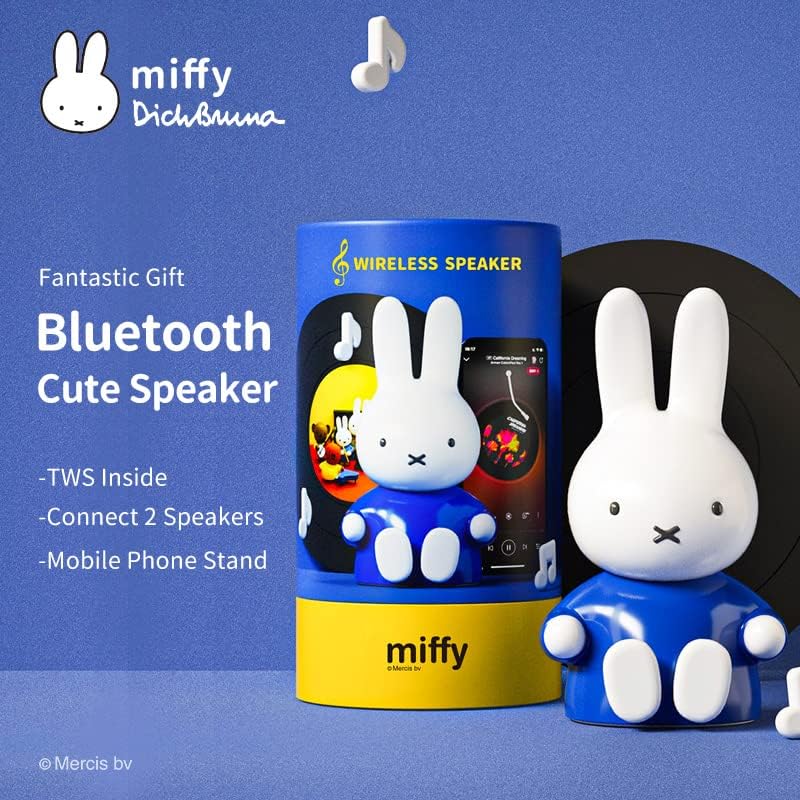
Figure 2: Miffy speaker showcasing its TWS (True Wireless Stereo) capability, dual pairing, and integrated mobile phone stand.
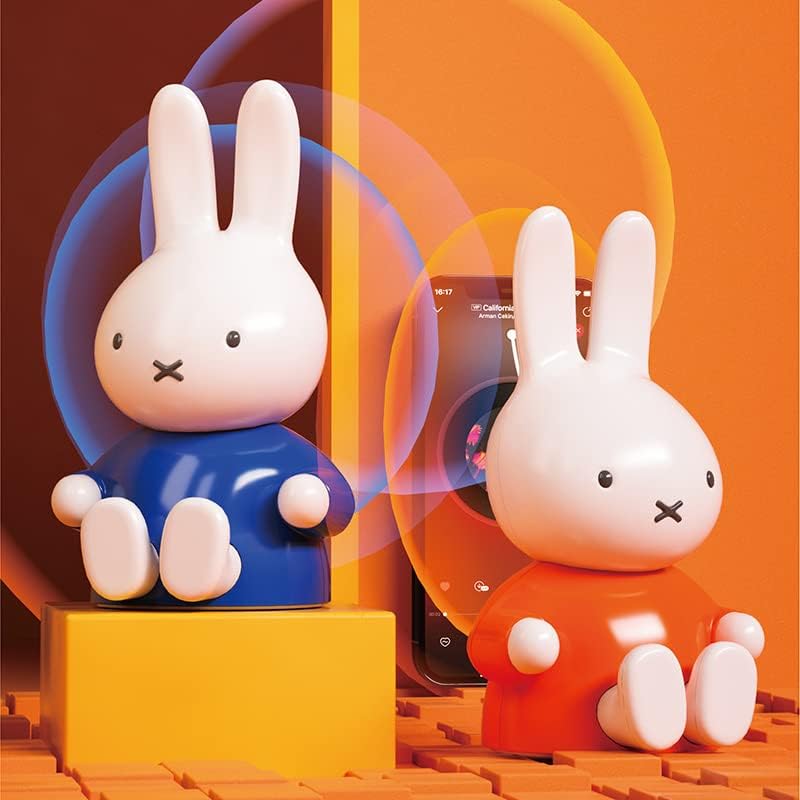
Figure 3: Two Miffy speakers demonstrating the phone stand feature with a smartphone.
Setup
1. Charging the Speaker
Before first use, fully charge the speaker. Connect the charging cable to the speaker's charging port and a USB power source. A full charge takes approximately 2 hours and provides up to 12 hours of playtime.
2. Bluetooth Pairing
- Ensure the speaker is charged and powered on.
- Activate Bluetooth on your device (smartphone, tablet, etc.).
- Search for available Bluetooth devices. The speaker will appear as "Miffy Speaker" or similar.
- Select the speaker to pair. A confirmation sound will indicate successful pairing.
The speaker uses Bluetooth 5.0 for universal compatibility and has an outstanding connection range of up to 10 meters.
3. Dual Pairing (True Wireless Stereo - TWS)
For an immersive stereo experience, you can pair two Miffy speakers together.
- Ensure both Miffy speakers are powered on and not connected to any other device.
- Press and hold the pairing button on one speaker until it enters TWS pairing mode (indicator light may flash).
- The two speakers will automatically connect to each other. A confirmation sound will indicate successful TWS pairing.
- Once paired, connect your device to one of the speakers via Bluetooth as described in step 2. Both speakers will now play audio in stereo.
Video 1: Demonstration of the Miffy Bluetooth Figurine Speaker's features, including its design and potential for dual pairing.
4. TF-Card Slot Usage
The speaker includes a TF-Card slot for direct music playback. Insert a TF card (MicroSD card) with your favorite music files into the slot. The speaker will automatically detect and play the music.
Operating Instructions
1. Power On/Off
Press and hold the power button for a few seconds to turn the speaker on or off.
2. Music Playback
- Play/Pause: Short press the play/pause button.
- Volume Up/Down: Use the volume controls on your connected device.
- Next/Previous Track: Use the controls on your connected device.
3. Call Functions
With the built-in microphone, you can answer calls directly through the speaker when connected to your smartphone.
- Answer/End Call: Short press the play/pause button.
- Reject Call: Press and hold the play/pause button.
4. Mobile Phone Stand
The Miffy speaker features a convenient mobile phone stand. Simply pull out the Miffy feet to transform the speaker into a stable stand for your smartphone.
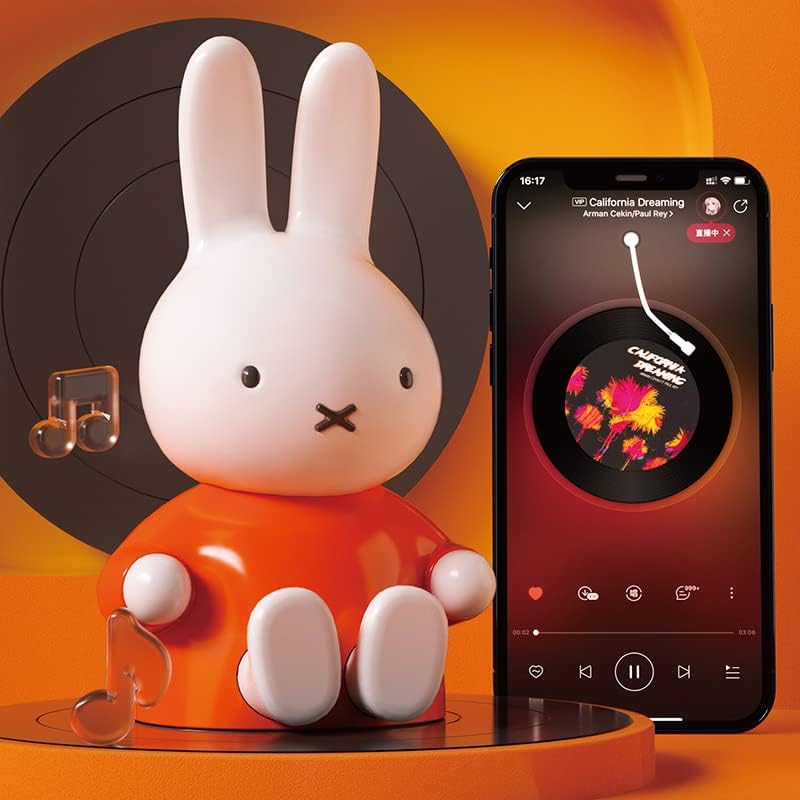
Figure 4: The Miffy speaker's feet extended to function as a mobile phone stand.
Maintenance
- Clean the speaker with a soft, dry cloth. Do not use abrasive cleaners or solvents.
- Store the speaker in a cool, dry place when not in use.
- Avoid prolonged exposure to direct sunlight or extreme temperatures.
Troubleshooting
| Problem | Possible Cause | Solution |
|---|---|---|
| Speaker does not turn on. | Low battery. | Charge the speaker for at least 2 hours. |
| Cannot pair via Bluetooth. | Speaker is too far from device, or already paired. | Ensure speaker is within 10m. Disconnect from other devices and try pairing again. |
| Poor sound quality. | Low battery, interference, or device volume settings. | Charge speaker, move away from interference sources, adjust device's equalizer settings. |
| Dual pairing not working. | Speakers not in TWS pairing mode, or too far apart. | Ensure both speakers are in TWS pairing mode and close to each other. |
Specifications
| Feature | Detail |
|---|---|
| Model Name | MBS100 |
| Brand | MIPOW |
| Connectivity Technology | Bluetooth 5.0 |
| Bluetooth Range | Up to 10 meters |
| Audio Output Mode | Stereo (with dual pairing) |
| Speaker Maximum Output Power | 3 Watts |
| Power Source | Battery Powered (1 Lithium Ion battery included) |
| Battery Capacity | 400 Milliamp Hours |
| Charging Time | 2 Hours |
| Playtime | Up to 12 hours |
| Product Dimensions | 3.5"D x 3.8"W x 6.5"H |
| Item Weight | 180 Grams (6.3 ounces) |
| Special Feature | Portable, Built-in Mic, TF-Card Slot, Phone Stand |
| Material | Plastic |
| Color | Blue |
Warranty and Support
MIPOW provides a one-year warranty for this product. For any questions, technical support, or warranty claims, please contact MIPOW customer service. Our professional team is available to provide 24-hour after-sales customer service.
For more information, visit the MIPOW Store on Amazon.
