
Introduction
The GreenPan Elite 4-Square Belgian & Classic Waffle Maker is designed to provide a versatile and convenient way to prepare waffles. Featuring Thermolon Volt ceramic nonstick coating, this appliance ensures easy food release and effortless cleanup. It offers adjustable shade and crunch control, allowing users to customize waffles to their preferred texture and browning level. The unit includes two sets of removable plates for both Belgian and classic American-style waffles, which can be stored directly within the appliance for convenience.

Image: The GreenPan Elite 4-Square Waffle Maker, shown open with two golden-brown waffles on the lower plate. The upper plate is empty, revealing the waffle grid pattern. The control panel with an LCD display is visible at the front.
Setup
- Unpacking: Carefully remove all packaging materials from the waffle maker. Ensure all components, including the waffle maker base, two sets of waffle plates (Belgian and Classic), and any documentation, are present.
- Initial Cleaning: Before first use, wipe down the exterior of the waffle maker with a damp cloth. The removable waffle plates should be washed with warm, soapy water, rinsed thoroughly, and dried completely. The Thermolon Volt ceramic nonstick coating is designed for easy cleaning.
- Plate Installation:
- Ensure the waffle maker is unplugged and cool.
- Identify the desired waffle plates (Belgian for thicker waffles, Classic for thinner).
- Align the plates with the slots on the upper and lower heating elements. Gently press down until they click securely into place.
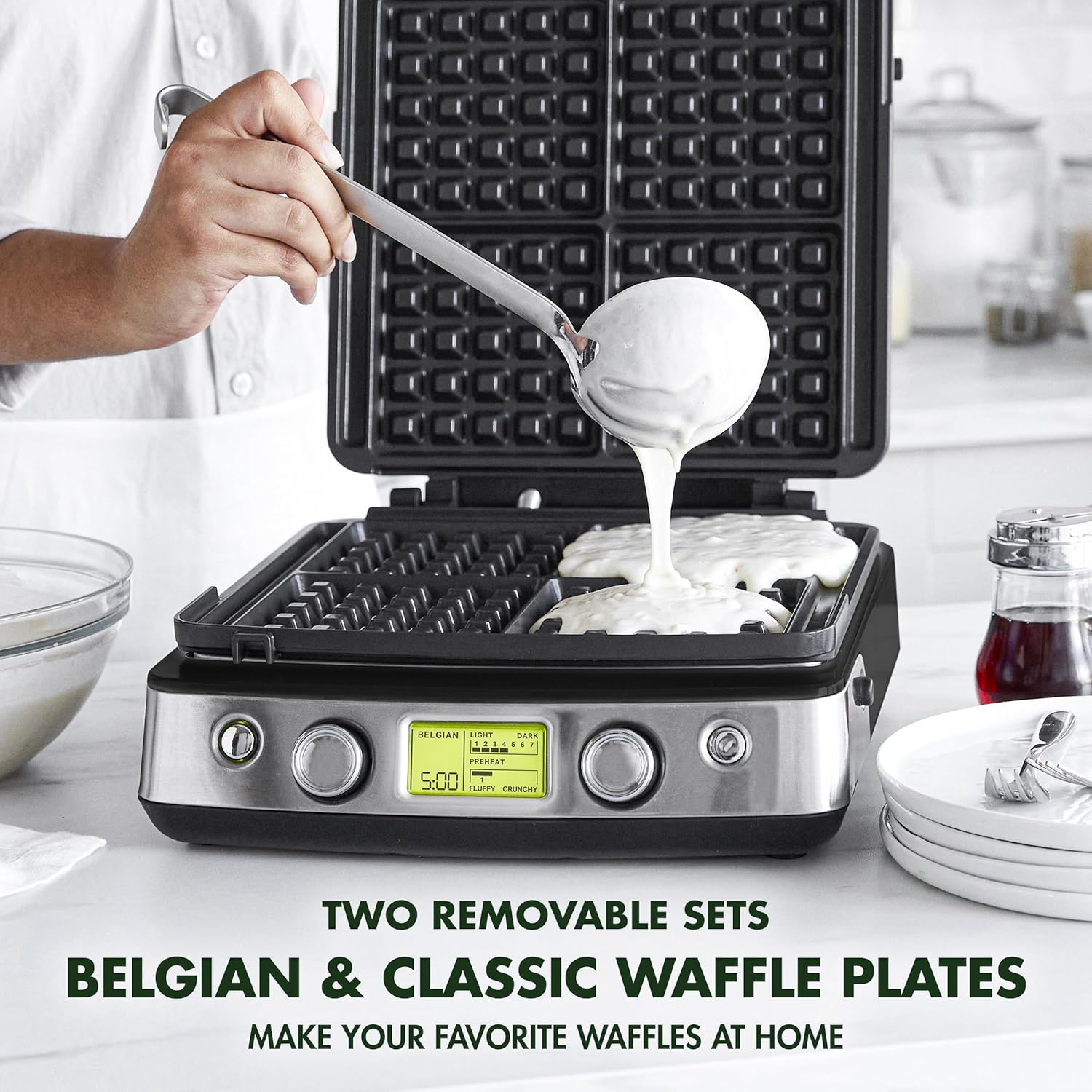
Image: A person is shown pouring waffle batter from a ladle onto the open waffle maker plates. The plates are black with a grid pattern, and the control panel is visible at the front.
- Placement: Place the waffle maker on a stable, heat-resistant surface, ensuring adequate ventilation around the unit. Do not place it directly against a wall or under cabinets during operation.
Operating Instructions
- Power On & Preheating:
- Plug the waffle maker into a 120V electrical outlet.
- The XL LCD display will illuminate. Use the one-touch dial to select your desired waffle type (Belgian or Classic) and adjust the shade (light to dark, 1-7) and crunch (fluffy to crunchy, 1-3) settings.
- Allow the unit to preheat. The display will indicate "PREHEAT" and a chime will sound when it's ready for use.

Image: A close-up view of the waffle maker's LCD display. It shows "BELGIAN" selected, with light/dark settings from 1 to 7, and fluffy/crunchy settings from 1 to 3. A timer is also visible.
- Adding Batter:
- Once preheated, carefully open the lid.
- Pour waffle batter evenly onto the center of each waffle plate. The extra-large moat around the plates helps prevent overflow.
- Close the lid firmly. The waffle maker will automatically detect the batter and begin the cooking cycle, displaying a countdown timer based on your selected settings.
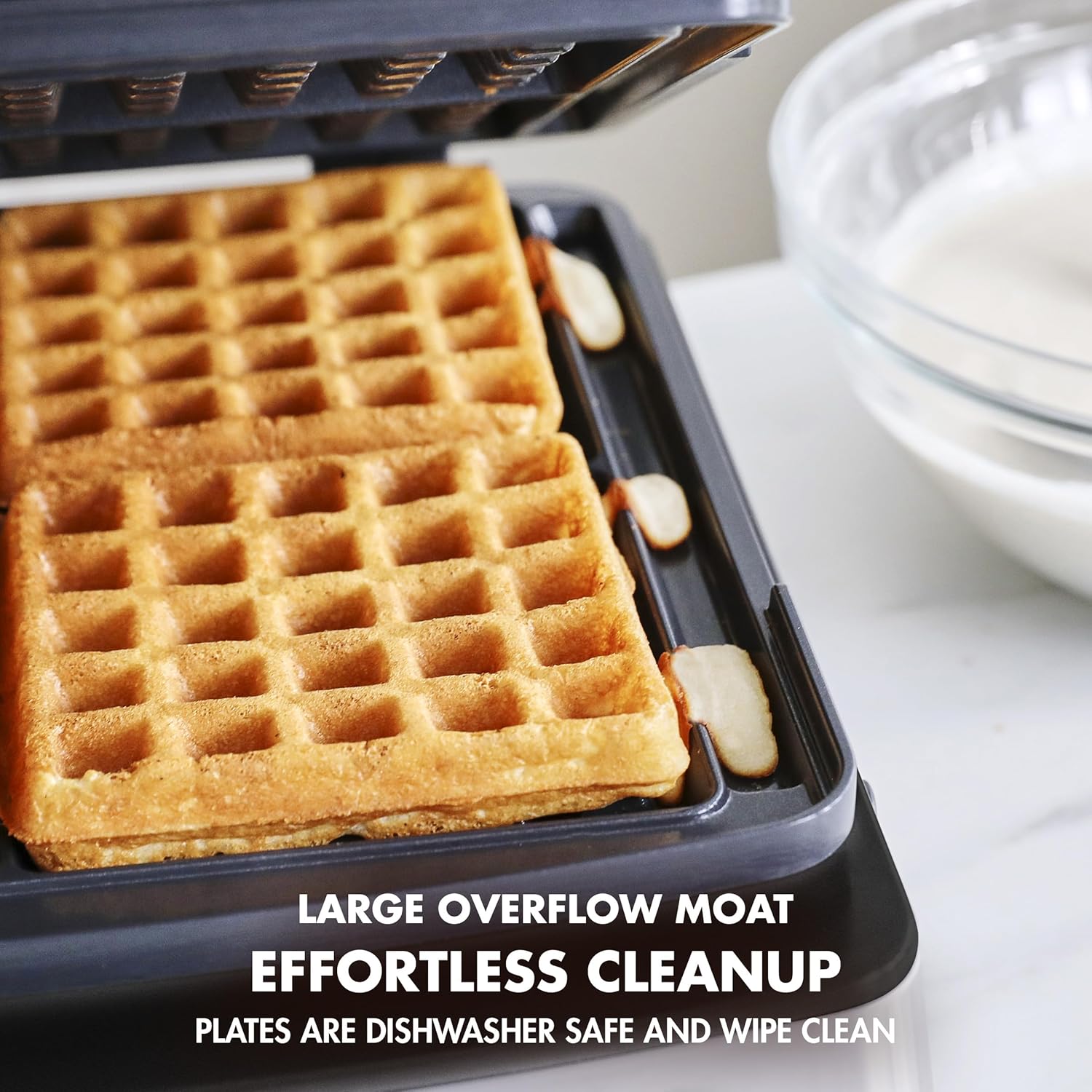
Image: A close-up of the waffle maker's cooking surface, highlighting the large overflow moat designed to catch excess batter and simplify cleanup.
- Cooking & Removal:
- Do not open the lid during the cooking cycle unless specified by a recipe.
- A chime will sound when the cooking cycle is complete.
- Carefully open the lid and remove the cooked waffles using heat-resistant, non-metallic utensils to avoid damaging the nonstick coating.

Image: A hand using black tongs to carefully lift a golden-brown waffle from the waffle maker. The waffle maker is open, revealing the cooking plates.
- Multiple Batches: For subsequent batches, ensure the waffle maker is still hot. If the "PREHEAT" indicator appears, wait for it to disappear before adding more batter.
Maintenance & Cleaning
Proper maintenance ensures the longevity and performance of your GreenPan Waffle Maker.
- Cool Down: Always unplug the waffle maker and allow it to cool completely before cleaning.
- Removing Plates: Press the plate release buttons to detach the waffle plates from the unit.
- Plate Cleaning:
- The Thermolon Volt ceramic nonstick plates are dishwasher safe for tough messes.
- For lighter cleaning, wipe the plates with a soft, damp cloth or sponge. Avoid abrasive cleaners, scouring pads, or metal utensils, as these can damage the nonstick coating.
- Ensure plates are completely dry before re-installing or storing.

Image: An infographic highlighting the benefits of Thermolon Volt healthy ceramic nonstick, emphasizing its toxin-free nature, extra toughness, and ease of cleaning.
- Exterior Cleaning: Wipe the exterior of the waffle maker with a damp cloth. Do not immerse the main unit in water or any other liquid.
- Storage: The Belgian and Classic Waffle Plates can be stored conveniently in the bottom of the unit. Store the waffle maker in a dry, clean place.
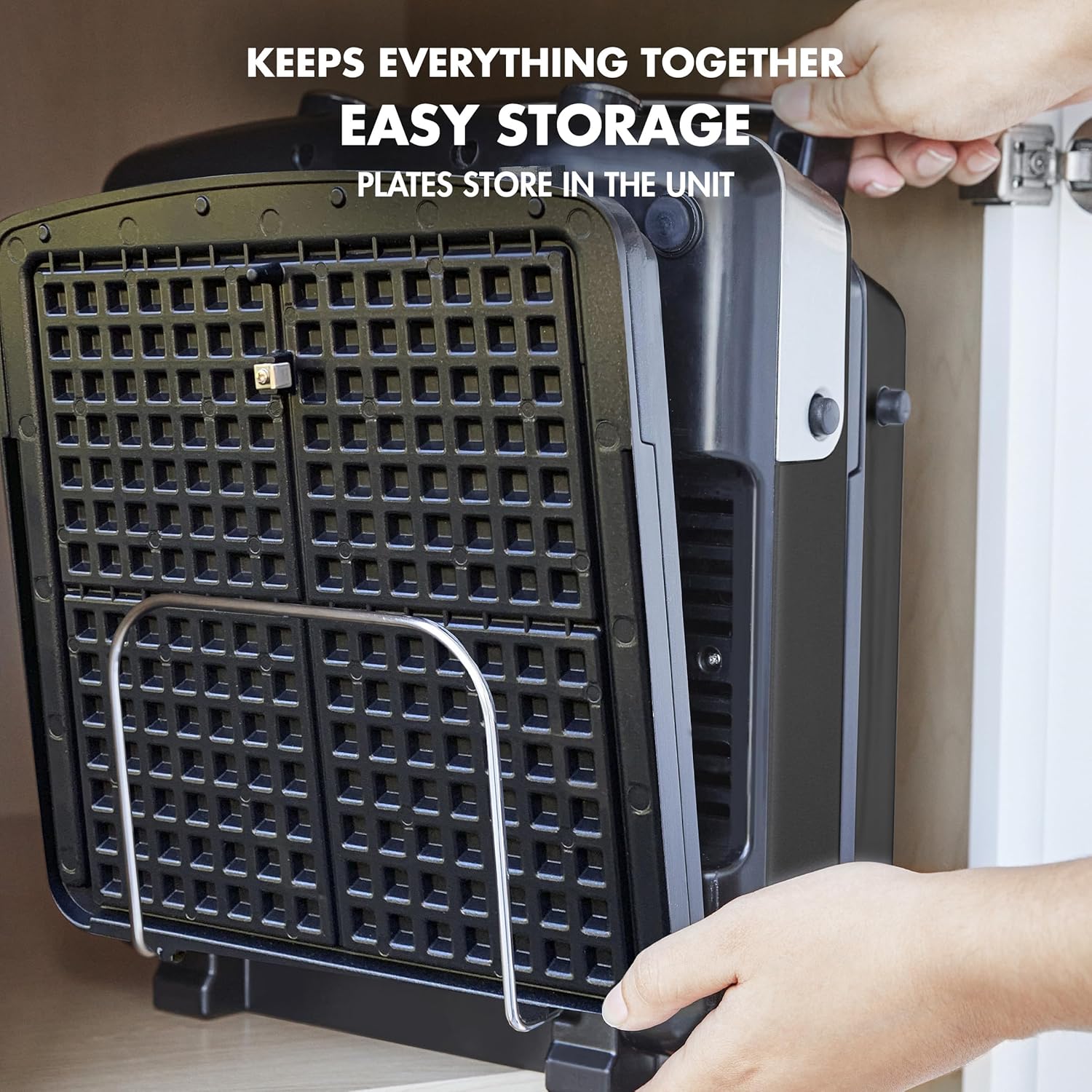
Image: The GreenPan waffle maker is shown being stored vertically, with its removable plates neatly tucked into a storage rack at the bottom of the unit, demonstrating its compact storage design.
Troubleshooting
| Problem | Possible Cause | Solution |
|---|---|---|
| Waffles sticking to plates. | Plates not properly seasoned or cleaned; insufficient oil/butter. | Ensure plates are clean and dry. Lightly brush plates with cooking oil or butter before each use, especially for the first batch. |
| Waffles are too light/dark or too fluffy/crunchy. | Incorrect shade/crunch settings selected. | Adjust the shade and crunch control dials on the unit's control panel to your desired preference. The XL LCD display provides visual feedback. |
| Waffle maker not heating up. | Not plugged in; power issue; unit not turned on. | Ensure the unit is securely plugged into a working outlet. Press the power button. Allow adequate time for preheating. |
| Batter overflows. | Too much batter added. | Reduce the amount of batter used per waffle. The unit has an extra-large moat to help, but overfilling can still occur. |
Specifications
- Model Number: CC007378-001
- UPC: 885837037081
- Brand: GreenPan
- Style: 4-Square Waffle Iron
- Color: Black
- Material: Healthy Ceramic Nonstick, PFAS-Free, Aluminum
- Wattage: 1600 watts
- Voltage: 120 Volts
- Product Dimensions: 12.09"D x 13.7"W x 5.71"H
- Item Weight: 2.95 pounds (1.34 Kilograms)
- Included Components: Electric Waffle Iron, 2 Belgian Waffle Plates, 2 Classic Waffle Plates
- Special Features: Non Stick Coating, Removable Surface, Temperature Control, XL LCD Display, One-Touch Dial, Built-in Plate Storage, Extra-Large Moat
- Material Type Free: BPA Free, Cadmium Free, Lead Free, PFAS Free, PFOA Free
- Number of Settings: 10 (for shade/crunch control)
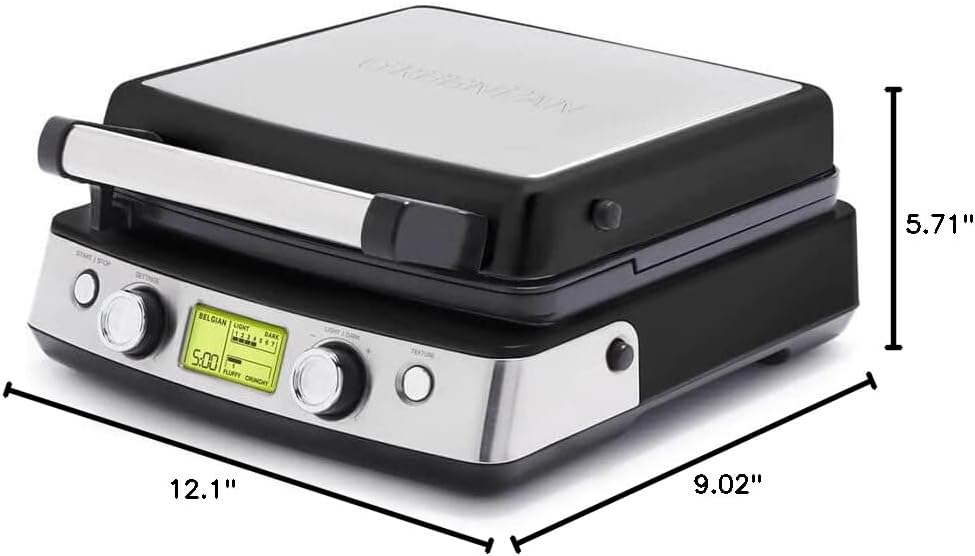
Image: A diagram illustrating the dimensions of the GreenPan Elite 4-Square Waffle Maker, showing its depth, width, and height.
Warranty & Support
The GreenPan Elite 4-Square Belgian & Classic Waffle Maker comes with a Limited Warranty. For detailed warranty information, terms, and conditions, please refer to the official user manual provided with your product or visit the GreenPan website.
For further assistance, troubleshooting, or product inquiries, please contact GreenPan customer support. You may also refer to the comprehensive User Manual available online:


