
Introduction
This manual provides comprehensive instructions for the setup, operation, and maintenance of your Ingenico Lane/3600 Low Freestanding Swivel and Tilt Stand. Manufactured from sturdy steel with a durable powder-coated finish, this stand is designed to enhance the customer experience and streamline payment transactions by allowing the device to tilt up to 60 degrees and swivel a full 190 degrees.
Product Overview and Features
The Ingenico Lane/3600 Low Freestanding Swivel and Tilt Stand offers robust construction and user-friendly features:
- Manufactured in sturdy steel with a durable powder-coated finish for long-lasting performance.
- Essential for enhancing customer experience, the stand can tilt up to 60° and swivel a full 190°, facilitating easy movement of the device between customer and merchant.
- Designed for ultimate convenience, bringing the terminal closer to the customer. The stand is field-upgradeable with a simple top plate swap and is compatible with any round or square DCCStands freestanding plate.
- Ensures seamless customer interactions with reduced risk of equipment harm. A flange cover conceals wires, and the mount securely holds the terminal, minimizing chances of damage and theft.
- Includes an 8" x 8" square countertop plate, providing flexibility and allowing for freestanding mounting.
- Supplied fully built for simple installation, offering two easy installation methods: using included screws or an adhesive pad.
Components
The product package includes the following components:
- Freestanding Swivel and Tilt Stand (pre-assembled)
- 8" x 8" Square Countertop Plate
- Mounting Screws
- Adhesive Pad
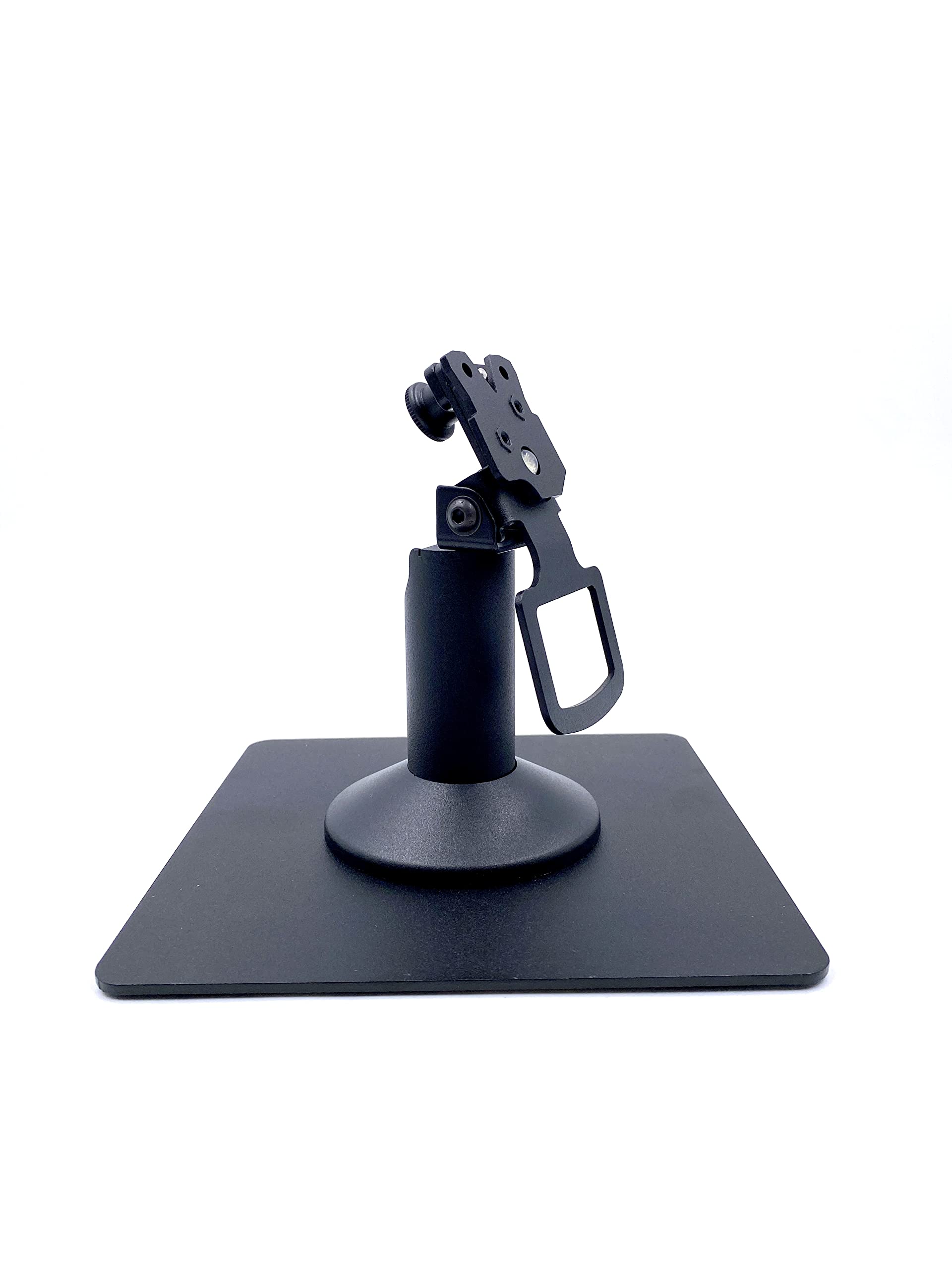
Figure 1: The Ingenico Lane/3600 Low Freestanding Swivel and Tilt Stand with the square countertop plate.
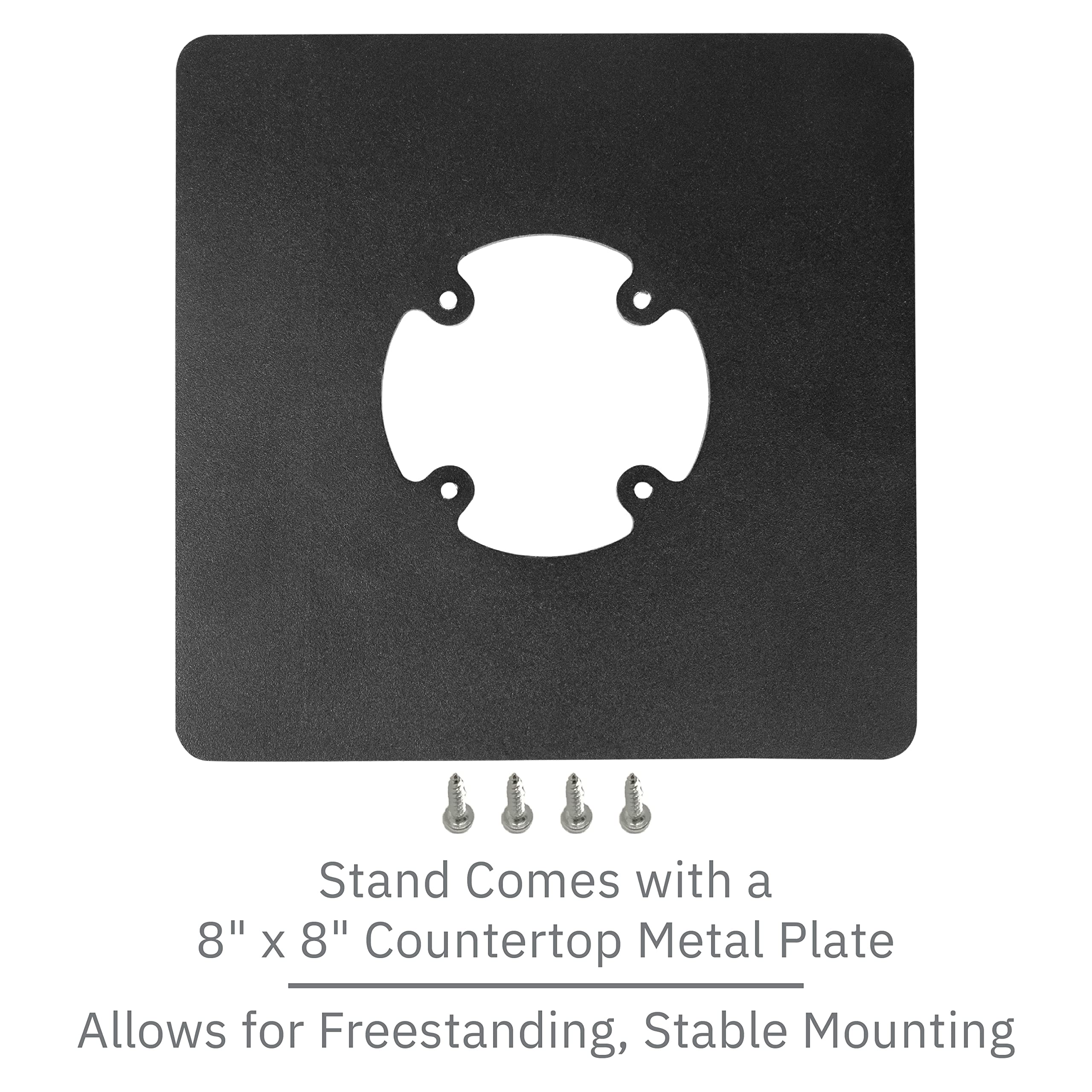
Figure 2: The 8" x 8" square countertop plate and the included mounting screws for secure installation.
Setup and Installation
The stand is supplied fully built for simplified installation. Choose one of the two easy installation methods:
Method 1: Using Screws
Align the stand with the 8" x 8" square countertop plate. Secure the stand to the plate using the enclosed screws. Ensure all screws are tightened firmly for maximum stability.
Method 2: Using Adhesive Pad
For surfaces where drilling is not feasible, use the provided adhesive pad. Clean the desired mounting surface thoroughly to ensure it is free of dust, grease, and debris. Peel off the protective backing from the adhesive pad and firmly press the stand onto the prepared surface. Apply consistent pressure for a few moments to ensure strong adhesion.
Important Note: The Ingenico Lane 3600 terminal itself is not included with this stand. This stand is specifically designed to securely hold the Ingenico Lane 3600 model.
Operating Instructions
The stand is designed for intuitive operation, allowing for flexible positioning of your payment terminal:
Tilting Mechanism:
The stand allows the terminal to tilt up to 60 degrees. Gently push or pull the terminal holder to adjust the viewing angle, optimizing visibility for both the merchant and the customer during transactions.
Swivel Function:
The stand features a full 190-degree swivel capability. This allows the terminal to be smoothly rotated from the merchant's side to the customer's side, facilitating easy and secure payment processing.
Cable Management:
An integrated flange cover is provided to neatly hide and route the terminal's cables, contributing to a clean countertop appearance and protecting the wires from damage.
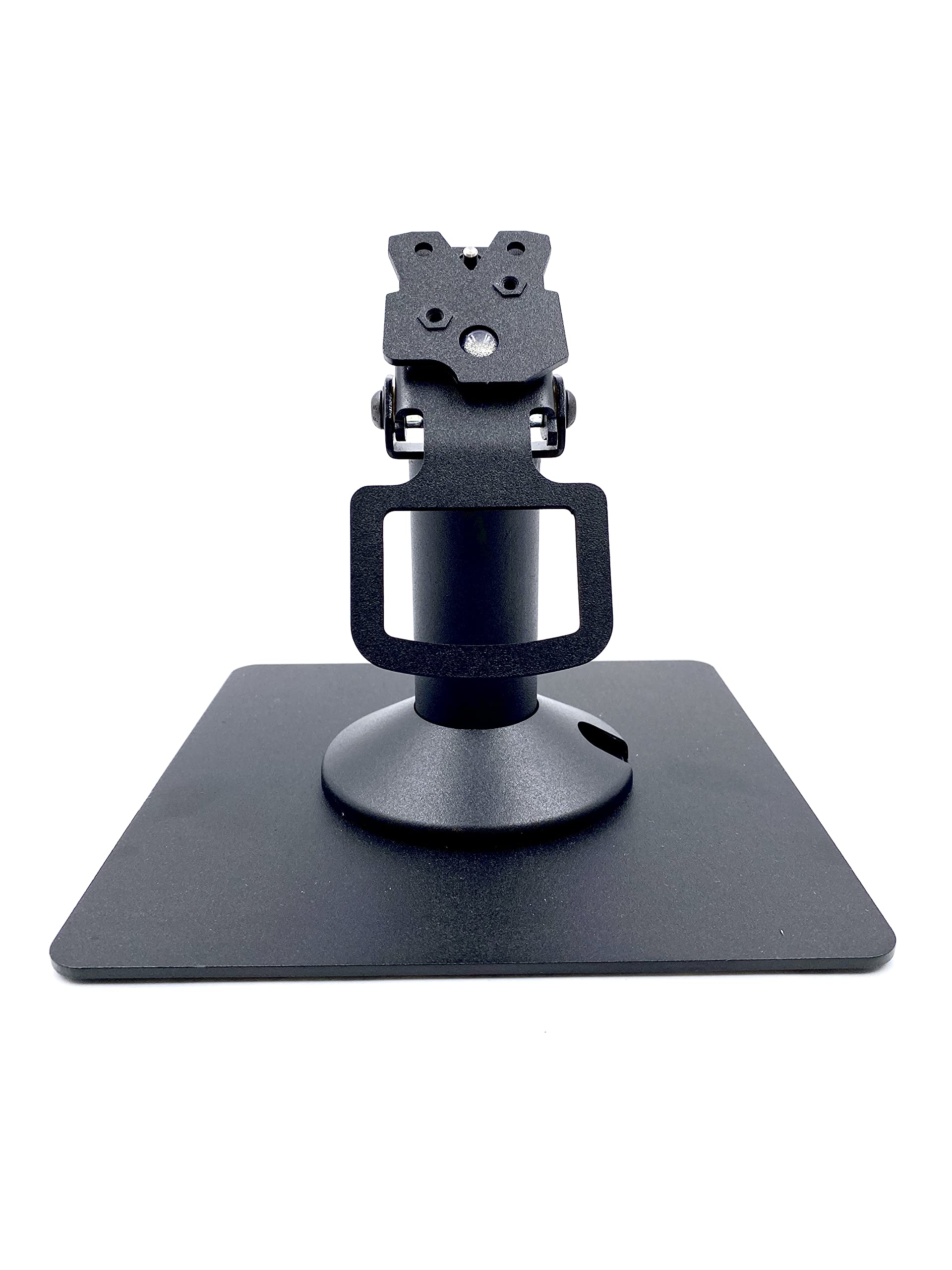
Figure 3: The stand demonstrating its forward tilt capability for improved viewing angles.
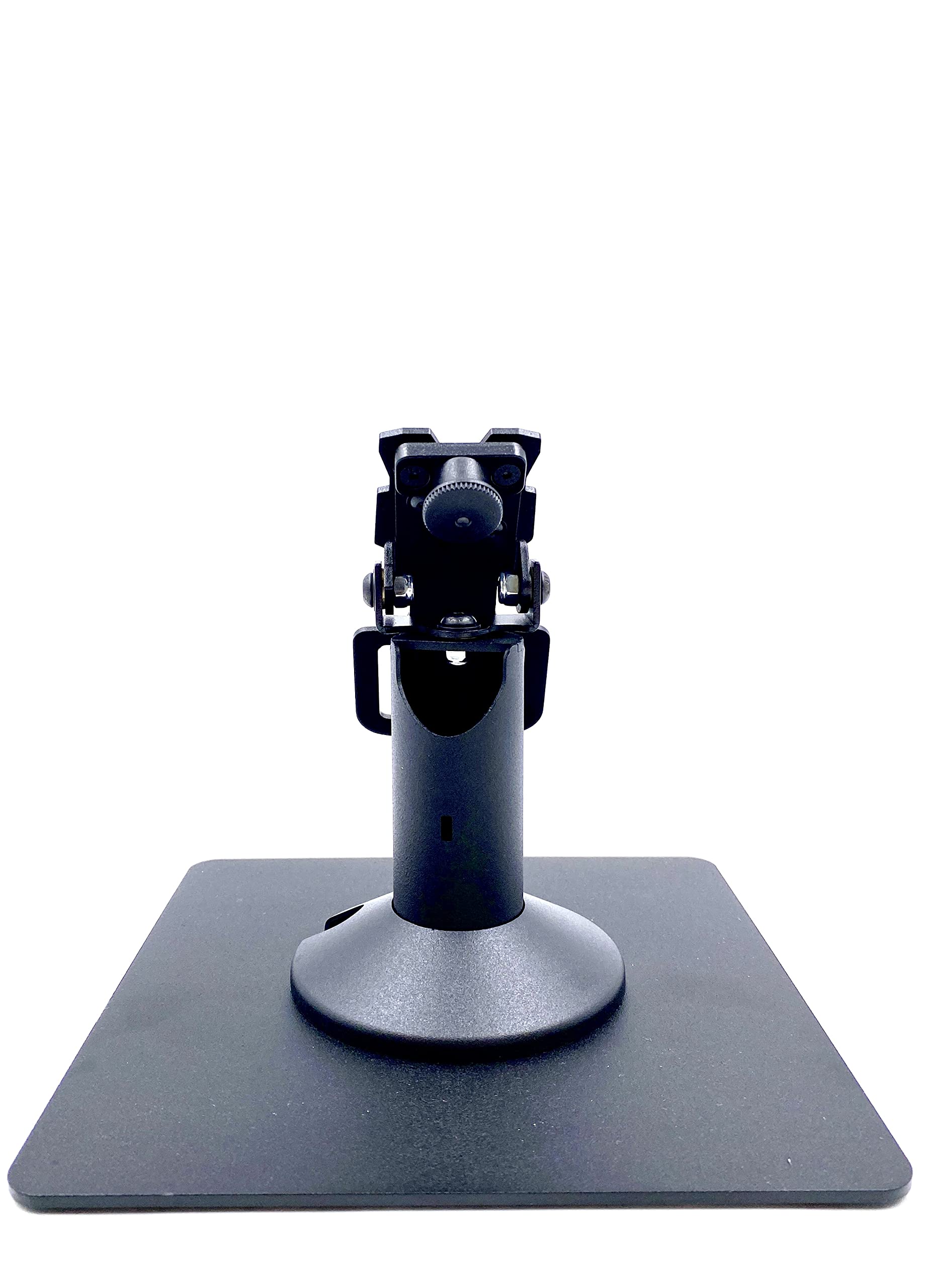
Figure 4: The stand demonstrating its swivel function, allowing the terminal to rotate for customer access.
Maintenance
To ensure the longevity and optimal performance of your Ingenico Lane/3600 stand, follow these simple maintenance guidelines:
- Cleaning: Regularly wipe the stand with a soft, damp cloth to remove dust and smudges. Avoid using abrasive cleaners, solvents, or harsh chemicals, as these can damage the powder-coated finish.
- Inspection: Periodically check all mounting screws and connections to ensure they remain tight and secure. Re-tighten any loose screws as necessary.
- Environment: Use and store the stand in a dry environment, away from direct sunlight, excessive heat, or extreme cold, to prevent material degradation.
Troubleshooting
This section addresses common issues you might encounter with your stand and provides solutions.
| Problem | Possible Cause | Solution |
|---|---|---|
| Stand feels wobbly or unstable. | Loose mounting screws or an uneven installation surface. | Ensure all screws securing the stand to the countertop plate (or the countertop itself) are tightened. Verify that the surface where the stand is placed is flat and stable. If using the adhesive pad, ensure the surface was clean and dry before application. |
| Difficulty tilting or swiveling the terminal. | Accumulation of dust or debris in the pivot mechanism, or excessive force being applied. | Gently clean around the tilt and swivel points to remove any obstructions. The mechanism is designed for smooth movement; avoid forcing it. |
| Terminal does not fit securely into the stand. | Incorrect terminal model being used with the stand. | This stand is specifically designed for the Ingenico Lane 3600 terminal. Please verify that your terminal is the correct model for this stand. |
Specifications
| Attribute | Detail |
|---|---|
| Product Dimensions | 8 x 4 x 4 inches |
| Item Weight | 2 pounds |
| Model Number | DCCS-LANE-5B-FREEBLACKQUARE-KIT |
| Material | Alloy Steel |
| Color | Black |
| Mounting Type | Tabletop |
| Compatibility | Ingenico Lane 3600 |
| Pole Height | 5.5 inches |
| Tilt Angle | Up to 60° |
| Swivel Angle | Full 190° |
Warranty and Support
This product is backed by a Limited Lifetime Warranty provided by DCCStands. For warranty claims, technical support, or any inquiries regarding your stand, please contact the manufacturer directly.
Manufacturer: DCCStands